
PHILIPS Azur 7000
Philips Azur 7000 Series Steam Iron (Model DST7061/30) User Manual
Your guide to efficient and safe ironing.
Introducció
Thank you for choosing the Philips Azur 7000 Series Steam Iron. This manual provides essential information for the safe and effective use, maintenance, and troubleshooting of your iron. Please read it thoroughly before first use and keep it for future reference.
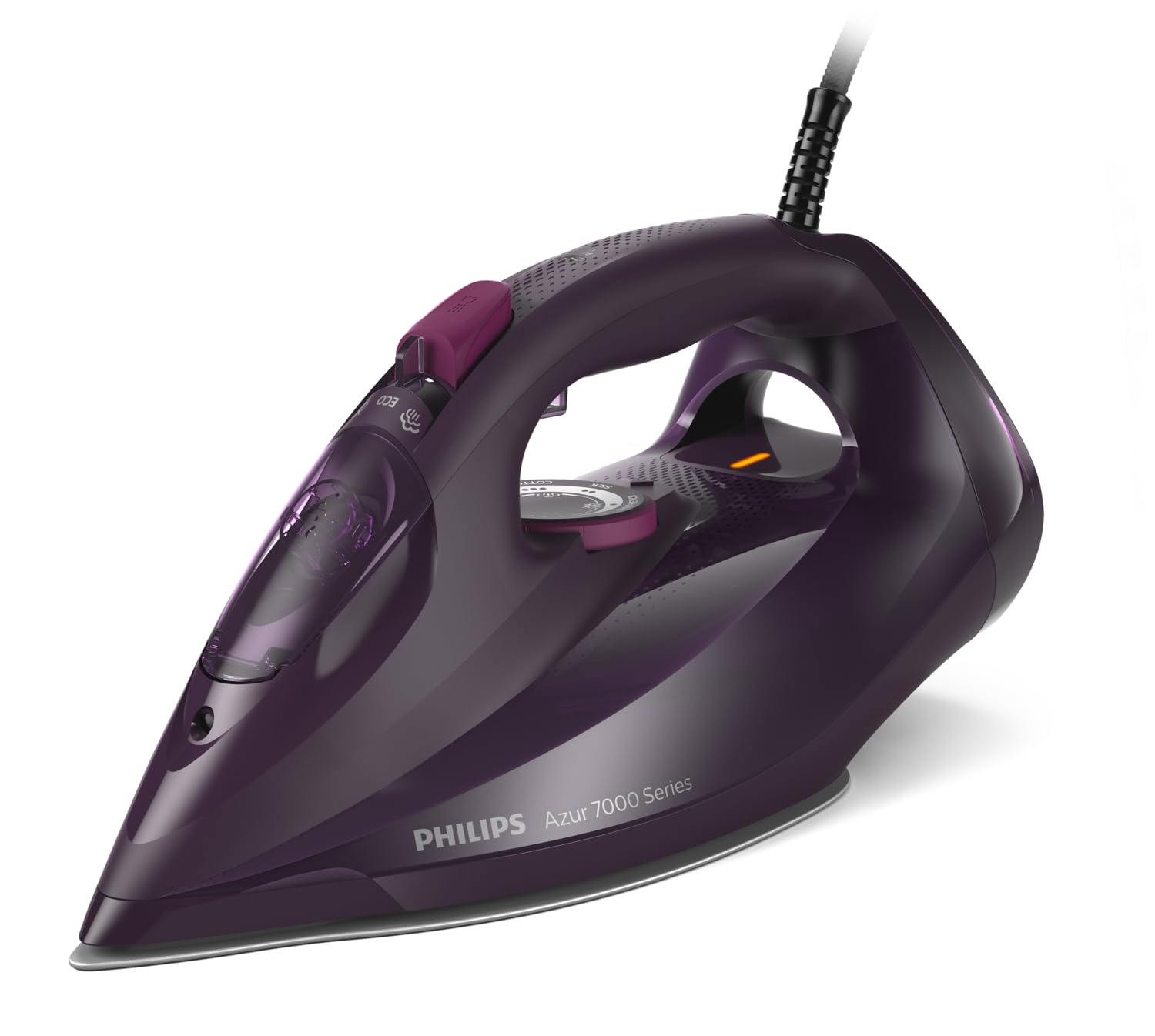
Figura 1: Philips Azur 7000 Series Steam Iron (Model DST7061/30). This image displays the iron's sleek design and dark violet finish from a front-side perspective, highlighting its handle and soleplate.
1. Configuració
1.1 Desembalatge
- Traieu amb cura la planxa i tots els accessoris de l'embalatge.
- Traieu qualsevol adhesiu o pel·lícula protectora de la sola.
- Retain the packaging for storage or in case of return.
1.2 Omplir el dipòsit d'aigua
- Assegureu-vos que la planxa estigui desendollada de la presa de corrent.
- Set the steam control to the 'dry ironing' position (no steam).
- Open the water filling inlet cover, usually located at the front of the handle.
- Fill the water tank with tap water up to the 'MAX' indicator. For areas with hard water, consider using a mixture of 50% tap water and 50% distilled water to prolong the iron's life. Do not use perfumed water, water from tumble dryers, or chemically descaled water.
- Tanqueu bé la tapa d'entrada d'aigua.

Figura 2: A dalt view of the iron, illustrating the water tank and control layout. This perspective helps identify the water filling inlet and steam control dial.
2. Instruccions de funcionament
2.1 Primer ús
- When using the iron for the first time, it may produce a slight odor or some flakes. This is normal and will disappear after a short time.
- To ensure the soleplate is clean, iron an old piece of fabric for a few minutes.
2.2 Planxar amb vapor
- Plug the iron into a grounded wall socket.
- The temperature indicator light will illuminate, indicating the iron is heating up.
- Once the light goes out, the iron has reached the selected temperature.
- Adjust the steam control to the desired steam level. For optimal results, use higher steam settings for cotton and linen, and lower settings for synthetics.
- Begin ironing. The iron's advanced technology automatically adjusts steam output for various fabrics, providing optimal results without manual temperature settings for most garments.

Figura 3: Iron in active use, demonstrating steam output. This image shows the iron gliding over fabric, with visible steam, illustrating its primary function.
2.3 Funció Steam Boost
- For stubborn creases, press the steam boost button (usually located under the handle). This provides an extra burst of steam.
- Wait a few seconds between bursts to allow the iron to reheat and produce maximum steam.
2.4 Vaporització vertical
- The iron can be used for vertical steaming to remove creases from hanging garments, curtains, or delicate fabrics.
- Hold the iron vertically a few centimeters away from the fabric and press the steam boost button.
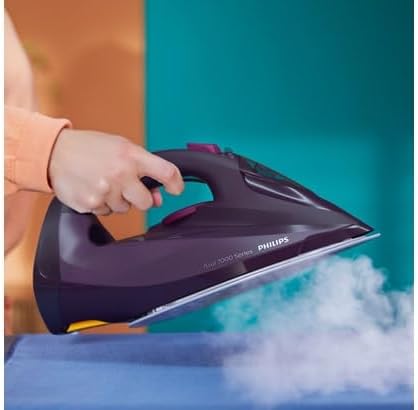
Figura 4: Soleplate detail with steam. This close-up highlights the design of the soleplate and the distribution of steam through its vents, crucial for effective ironing.
2.5 Planxa en sec
- To iron without steam, ensure the water tank is empty or set the steam control to the 'dry ironing' position.
- Seleccioneu la temperatura adequada per al vostre teixit.
2.6 Precaucions de seguretat
- Always place the iron on its heel or on the iron rest with the soleplate facing upwards when not in use.
- Never leave a hot iron unattended.
- Mantingueu la planxa fora de l'abast dels nens.
- No toqueu la sola calenta.
- Unplug the iron after each use and before cleaning.
3. Manteniment
3.1 Neteja de la sola
- Deixeu que la planxa es refredi completament.
- Netegeu la sola amb l'anunciamp drap i un netejador no abrasiu si cal.
- No utilitzeu fregalls abrasius ni productes químics agressius, ja que poden danyar la sola.
3.2 Calc-Clean Function (Self-Clean)
- Regularly use the Calc-Clean function to remove scale buildup and maintain optimal steam performance. Refer to the specific instructions for your model, usually found near the steam control.
- Typically, this involves filling the water tank, heating the iron, unplugging it, and then holding it over a sink while activating the Calc-Clean button to flush out scale and impurities with hot steam and water.
3.3 Emmagatzematge
- Després d'usar-lo, desendolleu la planxa i deixeu-la refredar completament.
- Buidar l'aigua que quedi del dipòsit.
- Store the iron vertically on its heel in a safe, dry place.

Figura 5: Iron stored vertically. This image demonstrates the correct and safe way to store the iron when not in use, preventing soleplate damage and ensuring stability.
4. Solució De Problemes
| Problema | Causa possible | Solució |
|---|---|---|
| El ferro no s'escalfa. | Not plugged in; power outlet fault; iron malfunction. | Check power connection; try another outlet; contact customer support if problem persists. |
| Sense vapor o vapor insuficient. | Water tank empty; steam control set to 'dry'; iron not hot enough; scale buildup. | Fill water tank; adjust steam control; wait for indicator light to go out; perform Calc-Clean. |
| L'aigua surt de la sola. | Temperature too low for steam; water tank overfilled; Calc-Clean valve not closed properly. | Ensure iron is hot enough for steam; do not overfill; ensure Calc-Clean valve is closed. |
| Taques marrons a la tela. | Scale buildup; impurities in water; soleplate dirty. | Perform Calc-Clean; use appropriate water (tap/distilled mix); clean soleplate. |
5. Especificacions
- Model: Philips Azur 7000 Series (DST7061/30)
- Potència: 3000 watts
- Material de la sola: Acer inoxidable
- Pes: 1.56 quilos
- Color: Dark Violet
- Característiques especials: Vol. Alttage Heating, Optimal Steam Distribution
- Ús recomanat: Garment Ironing
6. Garantia i Suport
This Philips product comes with a standard manufacturer's warranty. For detailed warranty terms and conditions, please refer to the warranty card included in your product packaging or visit the official Philips website. For technical support, spare parts, or service, please contact Philips Customer Support in your region. You can find contact information on the Philips weblloc web o a la documentació que s'inclou amb el producte.
Assistència en línia: www.philips.com/support
Ask a question about this manual
Ask about setup, troubleshooting, compatibility, parts, safety, or missing instructions. Manuals+ will review the question and use this page’s manual context to help answer it.