
1. Introducció i finalview
The LTC GM-041 is a wired gaming mouse designed for precision and control. It features a high-precision optical sensor, adjustable DPI levels, customizable RGB backlighting, and multiple programmable buttons to enhance both gaming and productivity. Its ergonomic design ensures comfort during extended use, and the included software allows for extensive personalization.

Figure 1: LTC GM-041 Wired Gaming Mouse highlighting its features.
2. Característiques del producte
- 7 Customizable Buttons & Onboard Memory: Assign complex macro functions and reconfigure custom commands through the LTC Pro driver. Save up to 2 ready-to-play profiles directly to the mouse for quick access in different scenarios.
- Side Wheel & Buttons for Ultimate Efficiency: A unique thumb wheel design allows for horizontal scrolling, improving efficiency in tasks like video editing or spreadsheet navigation. Programmable fire buttons and additional side buttons provide instant access to complex custom macros and keybindings.
- Adjustable 5 DPI Levels: Default DPI settings include 1200, 2400, 3600, 4800, and 6200. These levels can be customized via software to meet specific needs. A 1000Hz polling rate, 30G acceleration, and a high-precision Pixart PMW3327 Sensor ensure accuracy and responsiveness.
- Suport de programari professional: Utilize the professional LTC drive to assign macros, remap key functions, redefine 5-step DPI, adjust polling rate and click/scroll speed, and customize RGB lighting effects.
- Built for Comfort: The ergonomic shape promotes a natural grip, ensuring long-lasting comfort during intensive gaming or work sessions. Detachable finger rests provide full support for various grip styles, including claw, fingertip, or palm.

Figura 2: Mésview of the 7 programmable buttons and their default functions.

Figure 3: The thumb wheel designed for horizontal scrolling and efficiency.
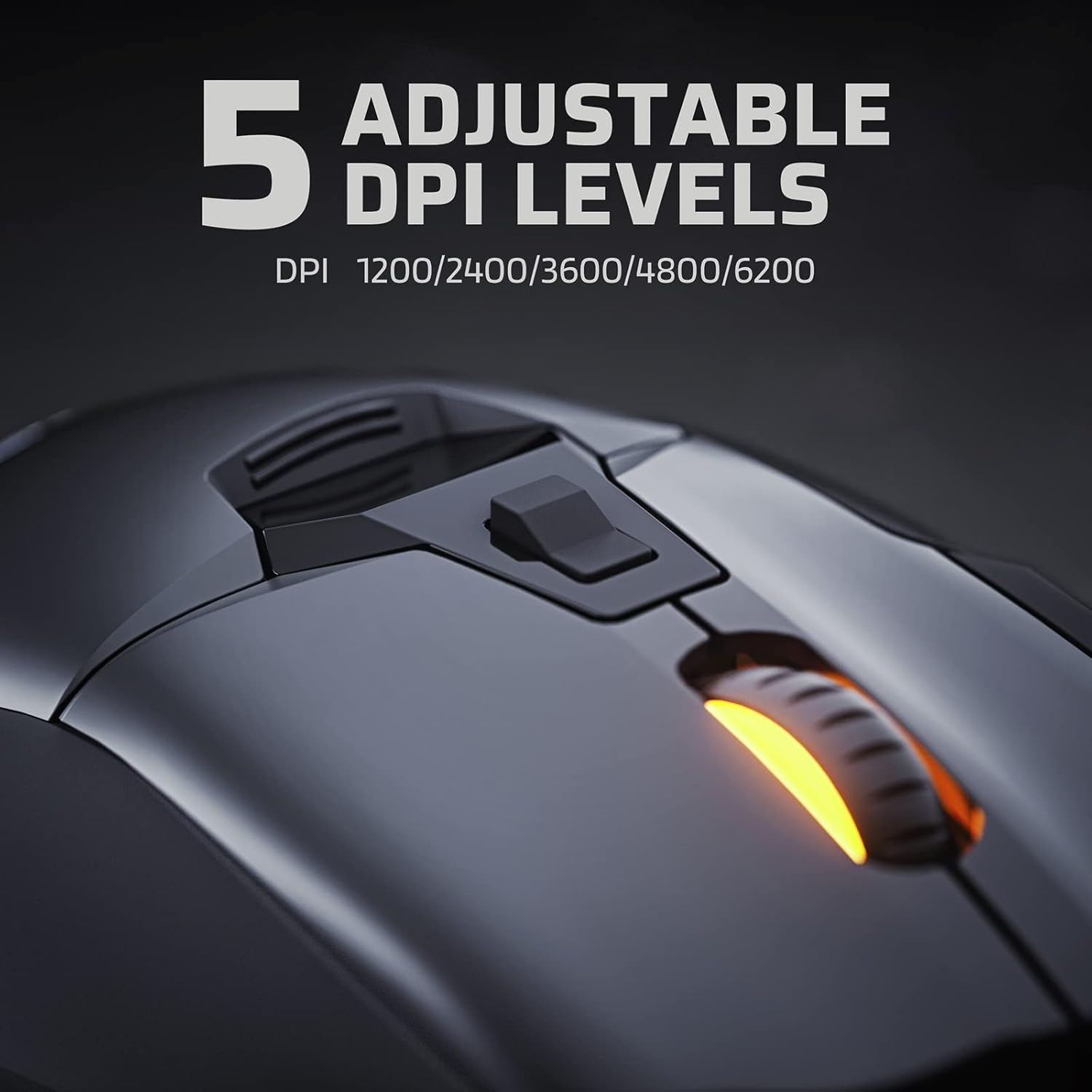
Figure 4: The DPI button and available DPI levels for sensitivity adjustment.

Figure 5: Detachable finger rests providing support for claw, fingertip, and palm grips.
3. Configuració
- Connecteu el ratolí: Plug the USB-A connector of the LTC GM-041 mouse into an available USB port on your computer. The mouse will automatically power on and its RGB lighting will illuminate.
- Instal·lació del controlador: For full customization and access to all programmable features, download and install the official LTC Pro driver software from the manufacturer's weblloc. Seguiu les instruccions que apareixen a la pantalla per a la instal·lació.
- Prova inicial: Once connected, move the mouse and click the primary buttons to ensure basic functionality. The default DPI settings will be active.
Vídeo 1: Un overview of the LTC GM-041 RGB Gaming Mouse, demonstrating its physical features and RGB lighting.
4. Instruccions de funcionament
- Funcions bàsiques: Use the left and right click buttons for primary interactions. The main scroll wheel allows for vertical scrolling.
- Ajust de DPI: Press the DPI loop button (typically located below the scroll wheel) to cycle through the preset DPI levels. The mouse's RGB lighting may change color to indicate the current DPI setting.
- Roda del polze: The thumb wheel on the side of the mouse allows for horizontal scrolling, useful in applications that support this feature.
- Botons laterals: The programmable side buttons can be used for various functions, such as forward/backward navigation in web browsers or custom macros in games.
Video 2: A brief review of the LTC GM-041 RGB Gaming Mouse, showcasing its features and responsiveness.
5. Customization (Software)
The LTC Pro driver software unlocks the full potential of your GM-041 mouse. After installation, launch the software to access the following customization options:
- Assignació de macros: Create and assign complex macro sequences to any of the 7 programmable buttons.
- Key Function Remapping: Change the default function of any button to suit your preferences.
- Configuració de DPI: Fine-tune the 5 adjustable DPI levels to precise values beyond the defaults.
- Polling Rate & Click/Scroll Speed: Adjust the mouse's polling rate (up to 1000Hz) and customize the click and scroll speeds for optimal performance.
- Efectes d'il·luminació RGB: Choose from various RGB lighting modes, colors, brightness, and speed to match your setup or mood.
- Profile Gestió: Save and load multiple custom profiles for different games or applications, allowing for quick switching.

Figure 6: The software interface for assigning macros and remapping keys.

Figure 7: Customizing RGB lighting effects through the LTC software.

Figure 8: Adjusting DPI levels and polling rate in the LTC software.
6. Ergonomics and Grip
The LTC GM-041 mouse is designed with an ergonomic shape to provide a comfortable and natural fit for your hand, reducing strain during prolonged use. It includes detachable finger rests that can be adjusted or removed to accommodate various grip styles:
- Empunyadura de les urpes: Fingers are arched, and only the fingertips and the base of the palm make contact with the mouse.
- Empunyadura de la punta dels dits: Only the fingertips make contact with the mouse, allowing for maximum maneuverability.
- Adherència al palmell: The entire palm rests on the mouse, providing full support and stability.

Figure 9: The detachable finger rests support various grip styles for personalized comfort.
7. Especificacions
| Característica | Detall |
|---|---|
| Número de model | GM-041 |
| Tecnologia de connectivitat | USB (per cable) |
| Tecnologia de detecció de moviment | Optical (Pixart PMW3327 Sensor) |
| DPI màxim | 6400 DPI (Adjustable 5 levels) |
| Taxa de votació | 1000Hz (Adjustable) |
| Acceleració | 30G |
| Botons programables | 7 |
| Característiques especials | 2 Way Scrolling, Detachable Finger Rest, LED Lights, Programmable Buttons, Thumb Wheel |
| Pes de l'article | 5.9 unces |
| Dimensions del paquet | 5.75 x 4.25 x 2.05 polzades |
8. Manteniment
To ensure the longevity and optimal performance of your LTC GM-041 gaming mouse, follow these maintenance guidelines:
- Neteja: Regularly clean the mouse surface with a soft, dry cloth. For stubborn dirt, a slightly damp es pot utilitzar un drap, assegurant-se que no entri humitat als components interns.
- Neteja del sensor: Feu servir un bastonet de cotó lleugeramentampened with isopropyl alcohol to gently clean the optical sensor on the underside of the mouse. Allow it to dry completely before use.
- Cura del cable: Avoid sharp bends or excessive pulling on the USB cable. Use the included cable tie or a similar solution to manage the cable and prevent tangling or damage.
- Emmagatzematge: Quan no l'utilitzeu, guardeu el ratolí en un entorn net i sec, allunyat de temperatures extremes i de la llum solar directa.
9. Solució De Problemes
If you encounter any issues with your LTC GM-041 gaming mouse, refer to the following troubleshooting steps:
- El ratolí no respon:
- Assegureu-vos que el cable USB estigui ben connectat a un port USB que funcioni de l'ordinador.
- Try plugging the mouse into a different USB port or a different computer to rule out port or system issues.
- Reinicieu l'ordinador.
- Els DPI no canvien:
- Press the DPI loop button to cycle through settings. Observe if the indicator lights change.
- Open the LTC Pro driver software and verify that the DPI settings are configured correctly and applied.
- Problemes d'il·luminació RGB:
- Check the RGB settings in the LTC Pro driver software to ensure lighting effects are enabled and configured as desired.
- Ensure the mouse is properly connected to the computer.
- Buttons Not Working as Expected:
- Open the LTC Pro driver software and check the key assignments for the affected buttons. Reconfigure if necessary.
- Ensure no other software is conflicting with the mouse's button assignments.
10. Garantia i Suport
For warranty information, technical support, or further assistance with your LTC GM-041 Wired Gaming Mouse, please refer to the documentation included with your product or visit the official LTC website. You may also contact customer support through the vendor where the product was purchased.