
1. Introducció
This manual provides detailed instructions for the installation, operation, maintenance, and troubleshooting of your TouchWo 65-inch Interactive Touchscreen Monitor. Please read this manual thoroughly before using the product to ensure proper functionality and to prevent damage. Keep this manual for future reference.
2. Producte acabatview
2.1 Característiques clau
- 10-Point Touch Screen: Supports multi-finger gestures for zooming, writing, and annotation without drivers or a stylus. Operable with gloves.
- Smart Interactive Whiteboard: Integrated Windows 10 OS (Intel i7, 8GB RAM, 256GB SSD) allows installation of various applications for meetings, classrooms, gaming, smart TV, digital signage, and live streaming.
- Plug and Play & Multi-Interface: Equipped with 4x USB, VGA, HDMI, LAN, and WiFi. Features built-in speakers and a 3.5mm audio jack. Supports real-time editing and sharing across multiple users and devices.
- Funcionalitat avançada: Supports screen mirroring from mobile phones and laptops, wireless and USB connectivity for live streaming, horizontal and vertical display modes, and external camera/microphone for video conferencing.
2.2 Què hi ha a la caixa
- 1 x Touchscreen All-in-One PC
- 1 x Power Line
- 1 x Manual del producte (aquest document)
- 1 x suport de paret
- 1 x antena WiFi

Figure 2.1: The TouchWo 65-inch Interactive Touchscreen Monitor highlighting its 4K HDR display and 10-point touch capabilities.

Figure 2.2: The monitor's versatile functionality, integrating six devices into one unit.

Figura 2.3: Mésview of the HD Series Touchscreen Monitor's core features.
3. Instruccions de configuració
3.1 Desembalatge
Carefully remove the monitor and all accessories from the packaging. Inspect all components for any signs of damage. Retain the packaging for future transport or storage.
3.2 Muntatge
The monitor includes a wall-mounted bracket. Follow the instructions provided with the bracket for secure installation. Ensure the mounting surface can support the monitor's weight (approximately 85.8 pounds).
3.3 Connexió de perifèrics
Connect the power line to the monitor and a suitable power outlet (110V AC). Utilize the available ports for external devices:
- Ports USB (x4): For connecting keyboards, mice, external storage, or other USB devices.
- VGA & HDMI Ports: For connecting external display sources.
- Port LAN: Per a la connectivitat de xarxa amb cable.
- Antena WiFi: Attach the included WiFi antenna for wireless network access.
- Conector d'àudio de 3.5 mm: Per connectar dispositius d'àudio externs com ara auriculars o altaveus.

Figure 3.1: Physical dimensions and key specifications for installation planning.
4. Instruccions de funcionament
4.1 Encès/Apagat
Press the power button located on the monitor to turn it on or off. The system will boot into the Windows 10 operating system.
4.2 Basic Touchscreen Operation
The monitor supports 10-point multi-touch. Use your fingers for navigation, selection, zooming, and writing. Common gestures include:
- Toca: Equivalent a un clic del ratolí.
- Pessigar/Estirar: Apropar o allunyar el contingut.
- Llisca: Desplaça't per les pàgines o el contingut.
- Toc amb dos dits: Often functions as a right-click.

Figura 4.1: Examples of 10-point touch technology gestures.
4.3 Windows 10 OS Usage
The integrated Windows 10 operating system provides a familiar desktop environment. You can install and run standard Windows applications. Ensure all necessary drivers are updated for optimal performance.
4.4 Mirall de pantalla
The monitor supports screen mirroring from compatible mobile phones and laptops. Refer to your device's instructions for initiating screen mirroring. Connectivity can be established wirelessly or via USB.

Figure 4.2: Screen mirroring functionality for displaying content from mobile devices.
4.5 Using as an Electronic Whiteboard
Utilize the pre-installed whiteboard software or download your preferred application. The 10-point touch allows multiple users to write, draw, and annotate simultaneously.
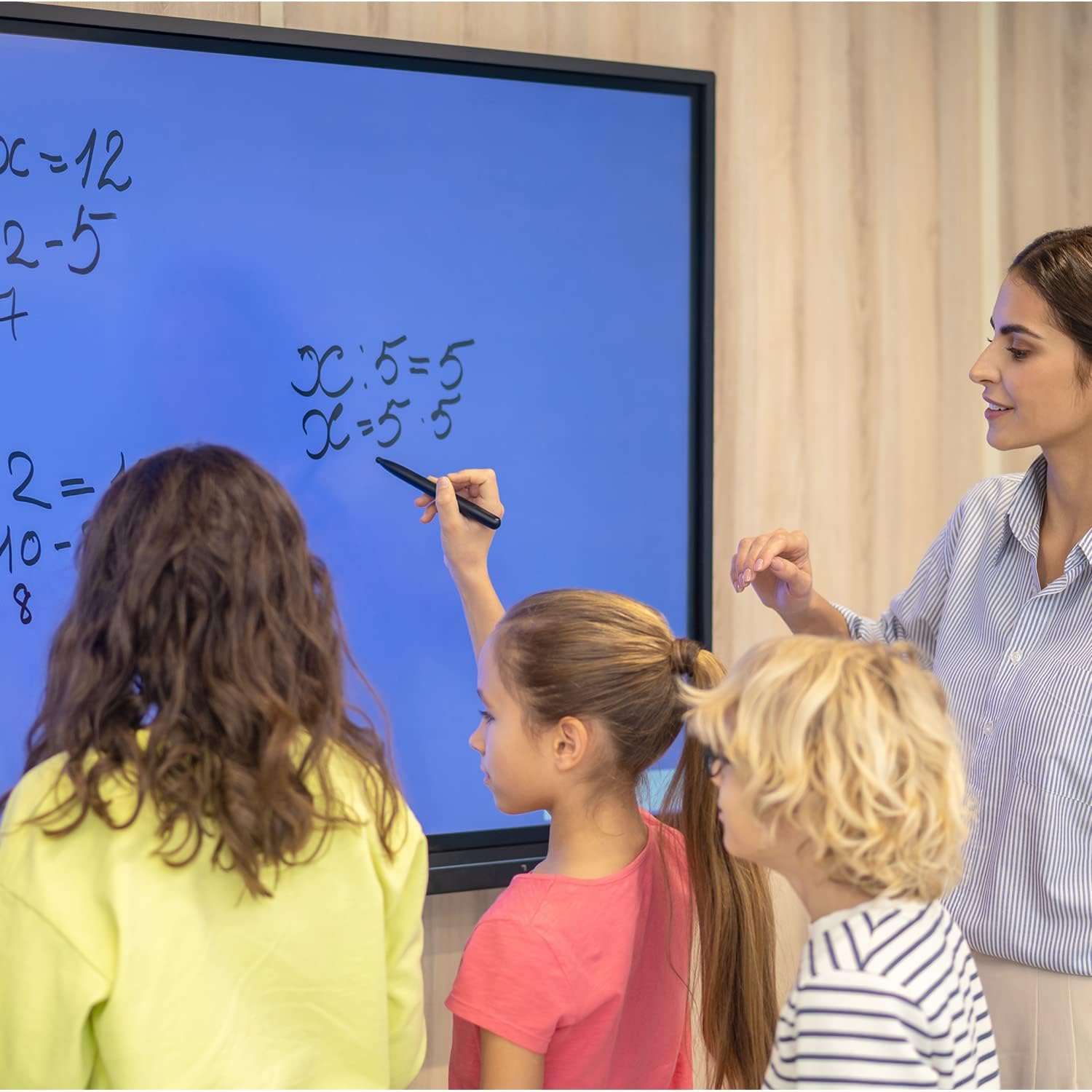
Figure 4.3: The monitor used as an interactive whiteboard in a classroom.
4.6 Multi-device Functionality
The monitor can serve various roles, including a presentation display, video conferencing hub, or digital signage. Connect external cameras and microphones for video calls.

Figure 4.4: The monitor facilitating a business presentation.

Figure 4.5: The monitor used for effective video conferencing.

Figura 4.6: Examples of the monitor's use in public display environments.
5. Manteniment
5.1 Neteja de la pantalla
Per netejar la pantalla, apagueu el monitor i desconnecteu-lo de la font d'alimentació. Feu servir un drap suau i sense borrissol per netejar-lo lleugerament.ampened with a non-abrasive, screen-safe cleaning solution. Do not spray liquid directly onto the screen.
5.2 Actualitzacions de programari
Regularly check for and install Windows operating system updates and any specific TouchWo software updates to ensure optimal performance and security.
6. Solució De Problemes
If you encounter issues with your TouchWo Interactive Touchscreen Monitor, please refer to the following common solutions:
- Sense energia: Assegureu-vos que el cable d'alimentació estigui ben connectat tant al monitor com a una presa de corrent que funcioni.
- Sense pantalla: Check HDMI/VGA connections if using an external source. Ensure the monitor is powered on.
- Pantalla tàctil que no respon: Restart the monitor. Ensure no foreign objects are on the screen surface. If using an external PC, verify touch drivers are installed.
- Mala qualitat d'imatge: Check display resolution settings in Windows. Ensure cables are securely connected.
- Sense so: Verify volume settings in Windows and on the monitor. Check external speaker/headphone connections if applicable.
Per a problemes persistents, poseu-vos en contacte amb l'atenció al client.
7. Especificacions
| Característica | Especificació |
|---|---|
| Marca | TouchWo |
| Número de model | HD650WE |
| Mida de la pantalla | 65 polzades |
| Resolució | 3840 x 2160 píxels (4K UHD) |
| Relació d'aspecte | 16:9 |
| Brillantor de la imatge | 300 lm |
| Descripció de la superfície de la pantalla | Pis |
| Dimensions del producte | 3.19 x 58.46 x 33.87 polzades |
| Pes de l'article | 85.8 lliures |
| Voltage | 110 volts (CA) |
| Ports USB totals | 4 |
| Sistema operatiu | Windows 10 |
| Processador | Intel Core i7 |
| RAM | 8 GB |
| Emmagatzematge | SSD de 256 GB |
8. Garantia i Suport
8.1 Certificacions
This interactive whiteboard is FCC, CE, and RoHS certified, ensuring compliance with relevant safety and environmental standards.
8.2 Atenció al client
For any usage questions, technical assistance, or quality issues, TouchWo provides 24/7 online support. Please refer to the contact information below:

Figure 8.1: TouchWo customer support contact details.
You can also visit the official seller page for more information: TouchWo Seller Page