
1. Introducció
The Vgate vLinker MC+ is a versatile OBD2 diagnostic scan tool designed for use with Android, iOS, and Windows operating systems. It features Bluetooth dual-mode connectivity (BT3.0/BLE4.0) for reliable communication with your vehicle's onboard diagnostic system. This manual provides essential information for setting up, operating, maintaining, and troubleshooting your device.

Image 1: The Vgate vLinker MC+ OBD2 Scanner device.
2. Què hi ha a la caixa
- Vgate vLinker MC+ (BT3.0+BLE4.0) Device
- Manual d'usuari
- Caixa d'embalatge
3. Especificacions
| Característica | Detall |
|---|---|
| Marca | Vgate |
| Model | vLinker MC+ |
| Connectivitat | Bluetooth 3.0 / Bluetooth Low Energy 4.0 (BLE) |
| Sistemes operatius | Android, iOS, Windows |
| Font d'alimentació | Battery Powered (from vehicle OBD-II port) |
| Corrent de funcionament | 51 mA |
| Corrent del son | 3 mA |
| Buffer de dades | USART up to 2K bytes |
| Velocitat de transmissió | Fins a 500 Kbps |
| OBD Request Bytes | Fins a 1024 bytes |
| Pes de l'article | 3.84 unces |
| Dimensions del paquet | 4.76 x 2.8 x 1.34 polzades |

Image 2: Physical dimensions of the Vgate vLinker MC+ device.
4. Guia de configuració
4.1. Install a Compatible Application
The Vgate vLinker MC+ requires a third-party application for full functionality. Recommended applications include FORScan, Carista, Torque (Android), DashCommand, JScan, and others. Please note that some features or the applications themselves may require an additional fee paid to the software company.

Image 3: Comparison of Vgate vLinker MC and MC+ models, highlighting app compatibility.
4.2. Connect the Device to Your Vehicle
- Locate your vehicle's OBD-II port. This is typically found under the dashboard on the driver's side.
- Firmly plug the Vgate vLinker MC+ device into the OBD-II port.
- Once connected, the device's power indicator light should illuminate.
4.3. Pair with Your Device (Phone/Tablet/PC)
Per a Android/iOS:
- Turn on your vehicle's ignition (engine off).
- Activeu el Bluetooth al telèfon intel·ligent o a la tauleta.
- Open your chosen OBD2 application.
- Within the app's settings, select the Vgate vLinker MC+ from the list of available Bluetooth devices to pair. Follow any on-screen prompts.
Per a Windows:
- Turn on your vehicle's ignition (engine off).
- Enable Bluetooth on your Windows PC.
- Go to Bluetooth settings and pair with the Vgate vLinker MC+.
- Open your chosen OBD2 application and select the paired device for connection.

Image 4: The Vgate vLinker MC+ device with icons indicating Bluetooth, Android, iOS, and Check Engine light compatibility.
5. Instruccions de funcionament
5.1. Basic Diagnostic Functions
Once connected to your vehicle and paired with your device, the Vgate vLinker MC+ allows you to perform various diagnostic tasks through your chosen OBD2 application:
- Read/Clear Diagnostic Trouble Codes (DTCs): Access and clear engine fault codes, which can turn off the Check Engine light.
- View Dades en directe: Monitor real-time vehicle sensor data such as engine RPM, coolant temperature, fuel system status, vehicle speed, and more.
- Estat de preparació I/M: Comproveu si el vostre vehicle està preparat per a una prova d'emissions.
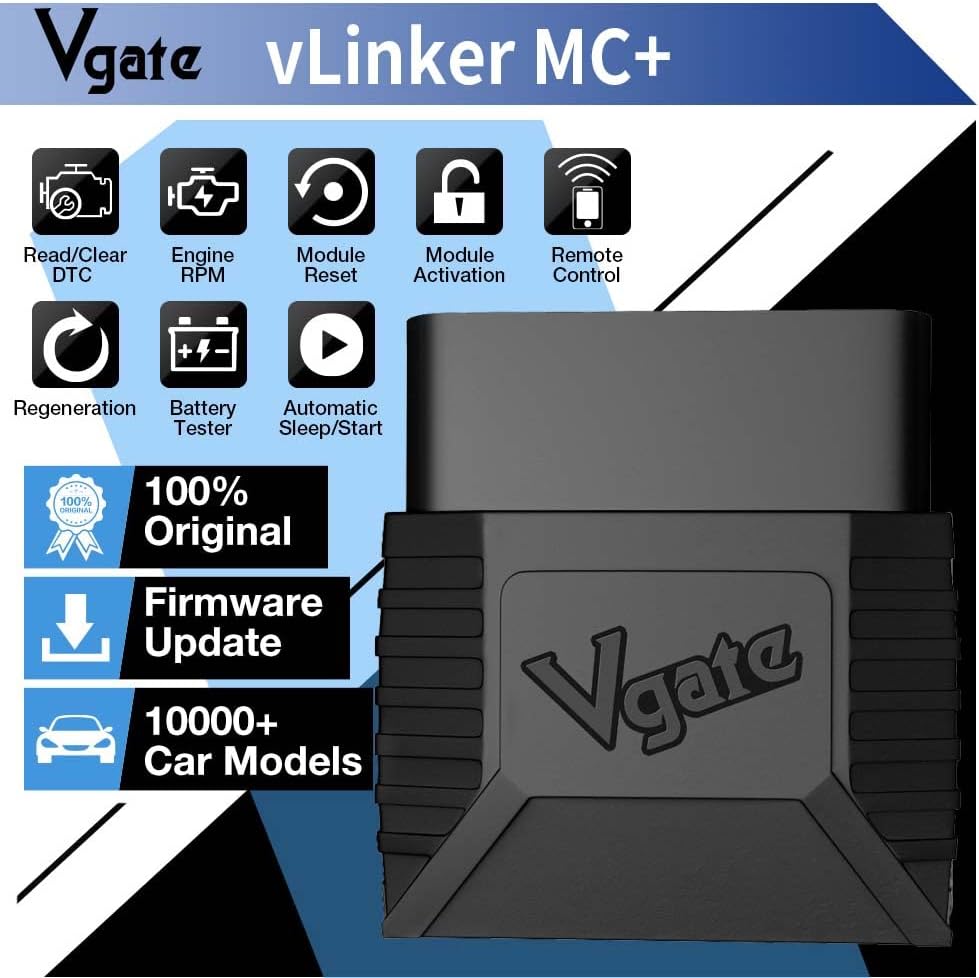
Image 5: Icons representing various features of the Vgate vLinker MC+, including Read/Clear DTC, Engine RPM, Module Reset, Module Activation, Remote Control, Regeneration, Battery Tester, and Automatic Sleep/Start.
5.2. Advanced Diagnostic Functions
Depending on the specific application and your vehicle's support, the vLinker MC+ may offer advanced diagnostic capabilities beyond standard OBD2 functions. These can include:
- Reading and clearing fault codes for modules such as ABS (Anti-lock Braking System), SRS (Airbags), Driveline, and Air Conditioning.
- Performing specific tests or adaptations.
5.3. Compatibilitat del vehicle
The Vgate vLinker MC+ is suitable for all 12V gasoline vehicles and 12V small diesel vehicles (load capacity 6.5T or below) manufactured in 1996 and later, supporting the standard OBD2 protocol. It also supports SW-CAN and MS-CAN protocols, enabling access to proprietary networks of brands such as GM and Ford. Do not use this device on 24V power diesel vehicles.
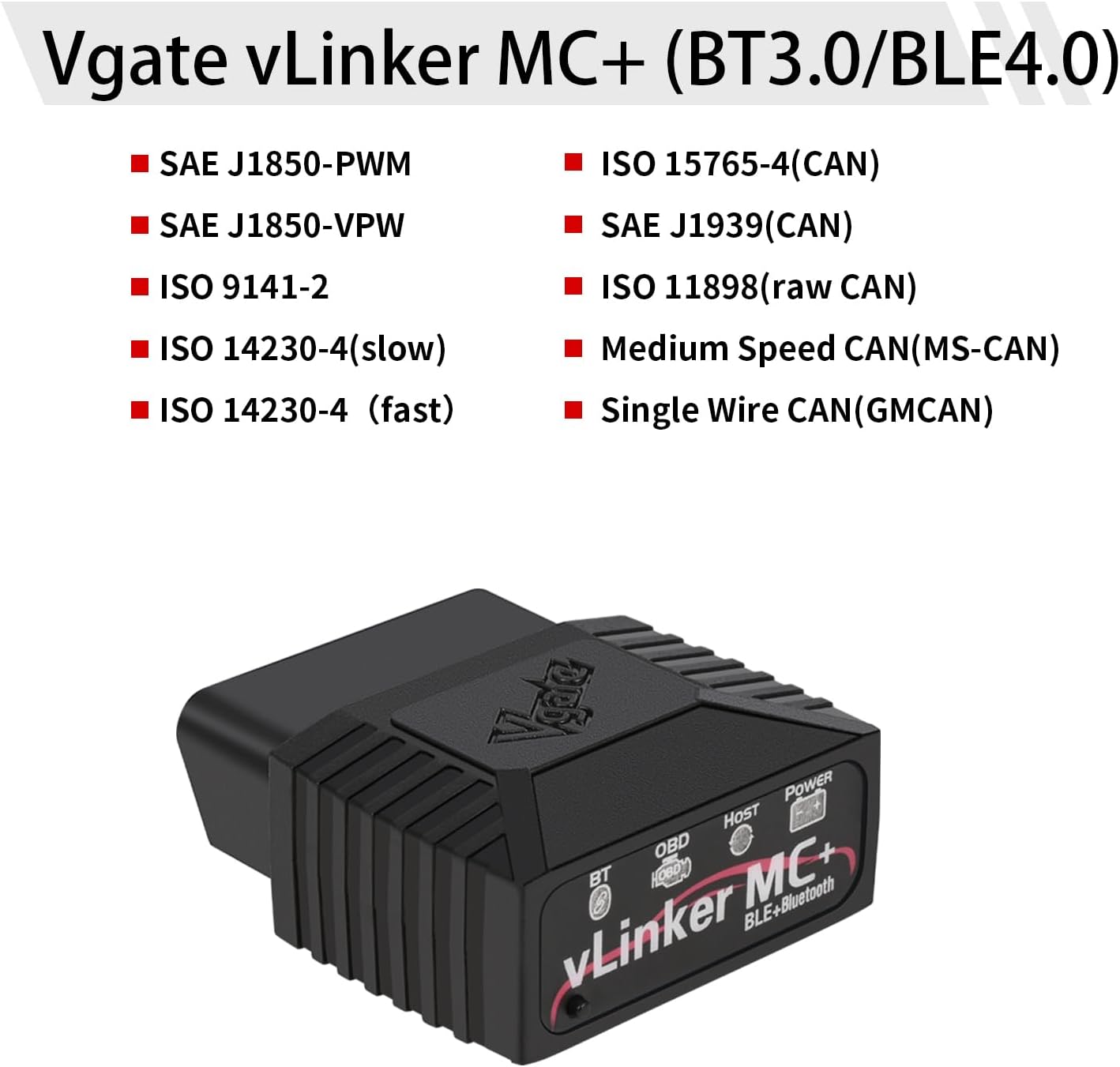
Image 6: List of supported protocols by Vgate vLinker MC+, including SAE J1850-PWM, SAE J1850-VPW, ISO 9141-2, ISO 14230-4 (slow/fast), ISO 15765-4 (CAN), SAE J1939 (CAN), ISO 11898 (raw CAN), Medium Speed CAN (MS-CAN), and Single Wire CAN (GMCAN).
5.4. Battery Saver Feature
The device features an auto sleep and wake-up mode to prevent vehicle battery drain. It operates with a current of 51mA and automatically enters sleep mode with a low current of 3mA when idle or disconnected from the app for an extended period.
6. Manteniment
- Mantingueu el dispositiu net i lliure de pols i humitat.
- Guardeu el dispositiu en un lloc fresc i sec quan no l'utilitzeu.
- Periodically check for firmware updates through the Vgate website or compatible applications to ensure optimal performance and compatibility.
7. Solució De Problemes
- El dispositiu no s'encén: Ensure the device is firmly plugged into the OBD-II port and the vehicle's ignition is on. Check the vehicle's fuse for the OBD-II port if necessary.
- No es pot connectar per Bluetooth: Ensure Bluetooth is enabled on your smartphone/tablet/PC. Verify that the device is selected within your OBD2 application's settings. Try restarting both the device and your phone/PC.
- L'aplicació no detecta el vehicle: Ensure your vehicle is compatible with the OBD2 protocol and the specific app you are using. Some advanced functions may require specific app versions or vehicle support.
- Lectures inexactes: Ensure the device's firmware is up to date. Consult the specific OBD2 application's support resources for calibration or known issues.
8. Producte acabatview Vídeo
Vídeo 1: Un breu resumview and demonstration of the Vgate vLinker MC+ OBD2 Scanner's features and connectivity.
9. Garantia i Suport
The Vgate vLinker MC+ comes with a one-year warranty. For any questions or support needs, please contact the VgateDirect after-sales service team directly. They are committed to providing hassle-free service.
For further assistance, refer to the official Vgate website or the support section of your chosen OBD2 application.