
1. Introducció
This manual provides instructions for the ALLIMITY remote control, designed for seamless operation with Xbox One, Xbox One S, and Xbox One X series consoles. This remote requires no complex setup or programming; simply install the batteries, and it is ready for use.
2. Contingut del paquet
- 1 x ALLIMITY Remote Control
Note: 2 x AAA Alkaline Batteries are not included and must be purchased separately.
3. Configuració
3.1 Instal·lació de la bateria
The remote control operates on two (2) AAA alkaline batteries. Follow these steps to install them:
- Localitzeu la tapa del compartiment de la bateria a la part posterior del comandament a distància.
- Feu lliscar la tapa cap avall o premeu el pestell (si n'hi ha) per obrir el compartiment.
- Insert two AAA batteries, ensuring that the positive (+) and negative (-) terminals align correctly with the markings inside the compartment.
- Torneu a col·locar la tapa del compartiment de la bateria, fent-la lliscar fins que faci clic de manera segura.

Image: Back of the remote control with the battery compartment open for AAA battery insertion.
4. Instruccions de funcionament
4.1 Funcionament bàsic
Once the batteries are correctly installed, the remote control is ready for immediate use. No additional pairing or programming is required.
- Point the remote control directly towards your Xbox console or the device's infrared receiver.
- Press the desired buttons for navigation, media playback, or system control functions.
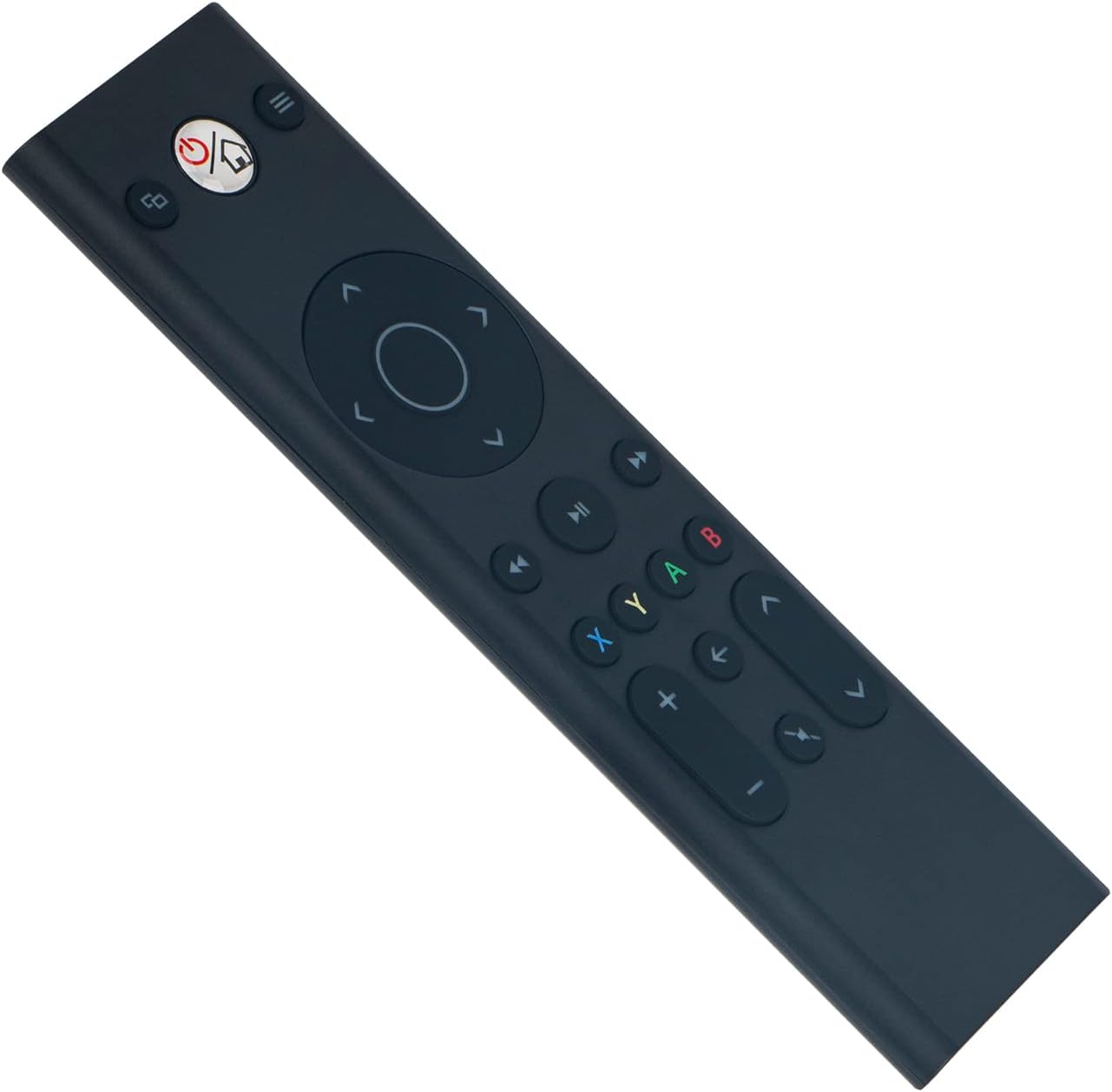
Imatge: Frontal view of the ALLIMITY remote control, illustrating button layout.
4.2 Compatibilitat
This remote control is fully compatible with the following Microsoft Xbox console models:
- Xbox One
- Xbox One S
- Xbox One X
5. Manteniment
- Neteja: Use a soft, dry cloth to clean the remote control. Do not use liquid cleaners, abrasive materials, or solvents, as these may damage the surface or internal components.
- Emmagatzematge: Guardeu el comandament a distància en un lloc fresc i sec, allunyat de la llum solar directa, de temperatures extremes i d'alta humitat.
- Cura de la bateria: If the remote will not be used for an extended period (e.g., one month or more), remove the batteries to prevent potential leakage and damage to the device.
6. Solució De Problemes
6.1 El comandament a distància no respon
- Comproveu les bateries: Ensure the batteries are inserted with the correct polarity (+/-). Replace old batteries with fresh AAA alkaline batteries.
- Obstrucció: Verify there are no objects blocking the line of sight between the remote control and the Xbox console's infrared (IR) receiver.
- Interval: Ensure you are within the maximum operating range of 33 feet (10 meters) from the console.
6.2 Intermittent Operation
- Nivell de bateria: Low battery power can cause inconsistent performance. Replace batteries if necessary.
- Interferència: Strong light sources, such as direct sunlight or certain types of fluorescent lighting, can interfere with the remote's infrared signal. Try operating the remote in a different lighting environment.
7. Especificacions
| Marca | ALLIMITAT |
| Número de model | YK33-MB1356-BK3-RC |
| Tecnologia de connectivitat | infrarojos |
| Font d'alimentació | 2 piles alcalines AAA (no incloses) |
| Maximum Number of Supported Devices | 1 |
| Tipus de controlador | Control de botons |
| Quantitat de botons | 21 |
| Interval màxim | 33 peus (10 metres) |
| Pes de l'article | 55 grams |
| Característica especial | No es requereix programació |
| Dispositius compatibles | Xbox One, Xbox One S, Xbox One X series |
8. Garantia i Suport
For product support, warranty information, or any inquiries regarding your ALLIMITY remote control, please contact the retailer from whom you purchased the product or refer to the manufacturer's official support channels. Please retain your proof of purchase for warranty claims.