1. Introducció
Thank you for choosing the Baseus Bowie H2 True Wireless Earphones. This manual provides detailed instructions on how to set up, operate, maintain, and troubleshoot your earphones to ensure optimal performance and longevity. Please read this manual thoroughly before using the product.
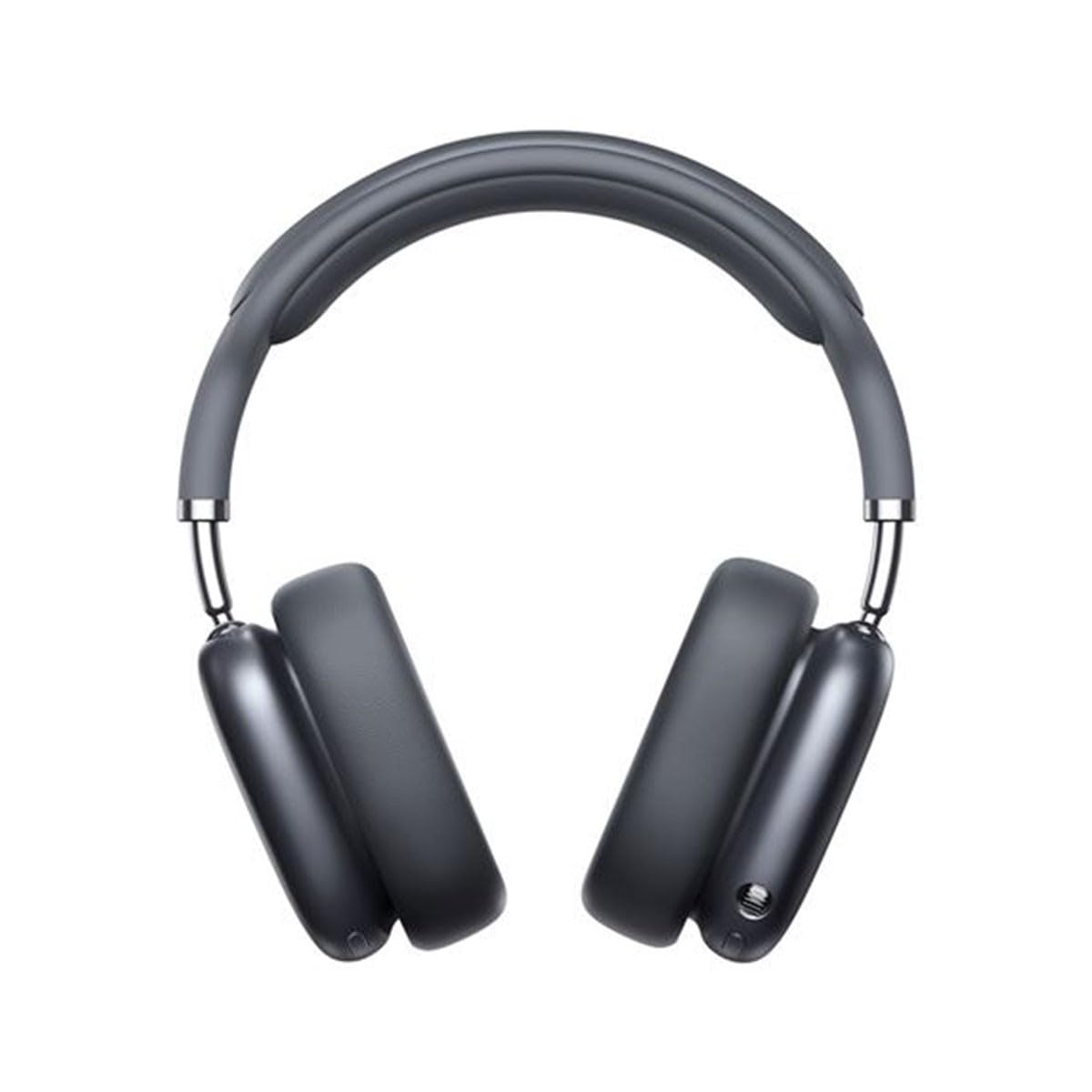
Image 1.1: Baseus Bowie H2 product overview. Please note that while this image displays over-ear headphones, the product described in this manual is the Baseus Bowie H2 True Wireless Earphones (in-ear type).
2. Què hi ha a la caixa
Carefully unpack the product and ensure all items are present and in good condition. The package should contain:
- Baseus Bowie H2 True Wireless Earphones (Left and Right)
- Estoig de càrrega sense fil
- Cable de càrrega USB
- Manual d'usuari

Imatge 2.1: Ex.ample of Baseus headphones in a case. The Baseus Bowie H2 True Wireless Earphones come with a compact wireless charging case.
3. Configuració
3.1 Càrrega dels auriculars i l'estoig
Before first use, fully charge the earphones and the charging case. Place the earphones into the charging case. Connect the USB charging cable to the charging port on the case and plug the other end into a USB power adapter (not included) or a computer's USB port. The indicator light on the case will show charging status and turn off or change color when fully charged.
3.2 Vinculació Bluetooth
- Assegureu-vos que els auriculars estiguin carregats.
- Open the charging case. The earphones will automatically enter pairing mode, and an indicator light (usually on the earphones or case) will flash, indicating they are ready to pair.
- Al dispositiu (telèfon intel·ligent, tauleta, ordinador portàtil), activeu el Bluetooth.
- Cerca available Bluetooth devices. Select "Baseus Bowie H2" from the list.
- Once connected, the indicator light will stop flashing, and you may hear a confirmation tone.
- If pairing fails, place the earphones back into the case, close it, and then reopen to re-enter pairing mode.
4. Funcionament dels auriculars
4.1 Com posar-se els auriculars
Gently insert the earphones into your ear canals. Adjust them for a comfortable and secure fit to ensure optimal sound quality and noise isolation. The left (L) and right (R) earphones are marked.

Imatge 4.1: Frontal view of Baseus headphones. For the Bowie H2 earphones, ensure a snug fit in the ear canal.
4.2 Controls tàctils
The Baseus Bowie H2 earphones feature touch controls for various functions. The specific touch gestures may vary slightly, but common functions include:
- Reproduir/pausa: Toqueu un sol cop a qualsevol dels auriculars.
- Pista següent: Toqueu dues vegades l'auricular dret.
- Pista anterior: Toqueu dues vegades l'auricular esquerre.
- Respondre/Finalitzar la trucada: Toqueu un sol cop a qualsevol dels auriculars.
- Rebutja la trucada: Long press on either earphone.
- Activa l'Assistent de veu: Toqueu tres vegades en qualsevol dels auriculars.
Refer to the quick start guide included in your package for precise touch control mapping.

Imatge 4.2: Part superior view of Baseus headphones. The touch control areas are typically located on the outer surface of the earphones.
5. Manteniment
Proper maintenance ensures the longevity and performance of your Baseus Bowie H2 earphones.
- Neteja: Feu servir un drap suau, sec i sense borrissol per netejar els auriculars i l'estoig de càrrega. No utilitzeu productes de neteja abrasius, alcohol ni dissolvents químics.
- Emmagatzematge: When not in use, always store the earphones in their charging case to protect them from dust, dirt, and damage.
- Eviteu l'aigua: While the earphones may have some water resistance, avoid submerging them in water or exposing them to excessive moisture.
- Temperatura: Do not expose the earphones to extreme temperatures (hot or cold) or direct sunlight for extended periods.
6. Solució De Problemes
If you encounter issues with your Baseus Bowie H2 earphones, try the following solutions:
| Problema | Solució |
|---|---|
| Els auriculars no s'emparellan |
|
| No hi ha so d'un auricular |
|
| Problema de càrrega |
|
| Volum baix o mala qualitat de so |
|
7. Especificacions
Key technical specifications for the Baseus Bowie H2 True Wireless Earphones (Model: NGTW260013):
- Número de model:
- NGTW260013
- Marca:
- Baseus
- Tecnologia de connectivitat:
- Sense fil (Bluetooth)
- Versió Bluetooth:
- 5.2
- Col·locació de les orelles:
- A l'orella
- Factor de forma:
- A l'orella
- Tipus de control:
- Control tàctil
- Tipus de controlador d'àudio:
- Conductor dinàmic
- Components inclosos:
- Estoig de càrrega sense fil
- Material:
- Plàstic
- Pes de l'article:
- 582 g (Note: This weight is unusually high for in-ear earphones and may refer to the package weight or a different product variant.)
- Dimensions del producte:
- 50 x 50 x 28 cm (Note: These dimensions are unusually large for in-ear earphones and may refer to the package dimensions or a different product variant.)
- Dispositius compatibles:
- Telèfons intel·ligents, tauletes, ordinadors portàtils, altaveus intel·ligents
8. Garantia i Suport
Baseus products are designed with quality and reliability in mind. For specific warranty information, please refer to the warranty card included with your purchase or visit the official Baseus weblloc web. Si necessiteu assistència tècnica o teniu preguntes que no es tracten en aquest manual, poseu-vos en contacte amb el servei d'atenció al client de Baseus a través dels seus canals oficials.
Conserveu el vostre comprovant de compra per a reclamacions de garantia.


