
Introducció
Gràcies per la compraasing the EENOUR DB01 Car Refrigerator Battery. This battery is designed to provide extended power for your compatible EENOUR car refrigerator, ensuring your items remain cool during travel, camping, and other outdoor activities. Please read this manual thoroughly before use to ensure proper operation and maintenance.
Informació de seguretat
- No exposeu la bateria a temperatures extremes, llum solar directa o foc.
- Eviteu deixar caure la bateria ni sotmetre-la a impactes forts.
- No desmunteu, modifiqueu ni intenteu reparar la bateria.
- Mantingueu la bateria allunyada de l'aigua i la humitat.
- Assegureu-vos una ventilació adequada durant la càrrega i el funcionament.
- This product has obtained PSE certification, ensuring its safety for use.
Configuració
1. Desembalatge
Carefully remove the DB01 battery from its packaging. Inspect for any signs of damage. If damaged, do not use and contact customer support.
2. Càrrega inicial
Before first use, fully charge the DB01 battery. The battery takes approximately 4 hours to fully charge using a PD compatible charger. During charging, the charging indicator light will be solid green, and the battery level indicator lights will blink blue. Once fully charged, both the charging indicator and battery level indicator lights will be solid blue.
3. Installation into Compatible EENOUR Car Refrigerators
The DB01 battery is designed for specific EENOUR car refrigerator models (D10, D10PRO, D18, D18PRO, D18PLUS, D23, D23PLUS, D35, D45, C20, CL20, CL38, CL48, CL58). Locate the battery compartment on your refrigerator, typically on the side or back. Insert the DB01 battery firmly into the compartment until it clicks into place. Ensure the refrigerator is powered off before installing or removing the battery.

Instruccions de funcionament
1. Powering the Refrigerator
Once the DB01 battery is installed and charged, turn on your EENOUR car refrigerator. The refrigerator will automatically draw power from the battery when external power is unavailable or when the vehicle's engine is off.

2. Mètodes de càrrega
The DB01 battery offers flexible charging options:
- PD Compatible Charger: For rapid charging, use a PD (Power Delivery) compatible charger. This method allows for a full charge in approximately 4 hours.
- Panell solar: Connect a separately sold EENOUR solar panel to the refrigerator. The battery can be charged via solar power, which is ideal for extended outdoor use or during power outages.
- Refrigerator Body: The battery can be charged while installed in the refrigerator, allowing the refrigerator to continue cooling simultaneously.


3. Sortida d'alimentació USB
The DB01 battery features USB output ports (USB-C PD3.0 60W and USB-A QC3.0 18W) allowing you to charge other devices such as smartphones, tablets, and other USB-powered gadgets directly from the battery. This provides additional utility beyond powering your refrigerator.


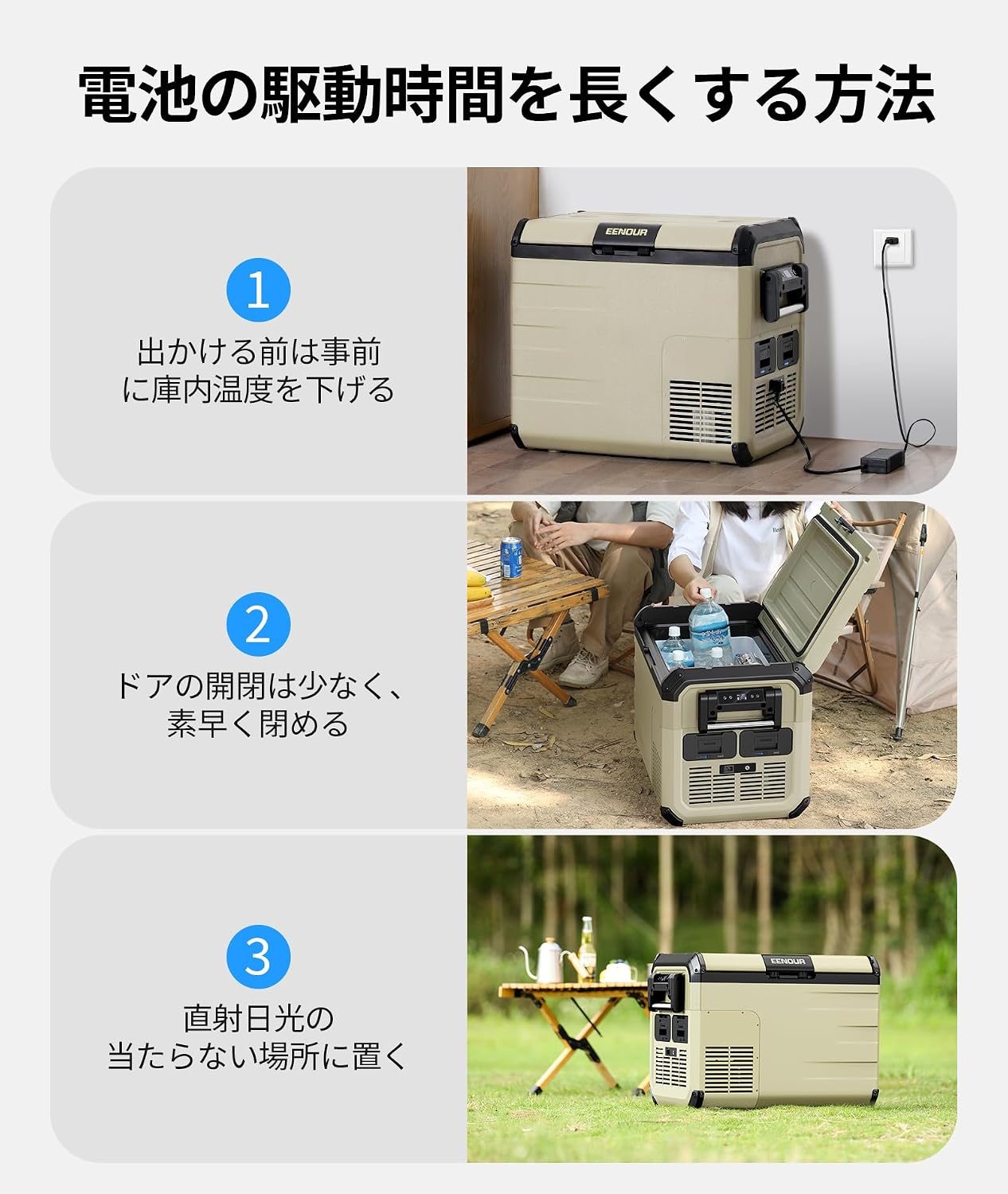
4. Extending Battery Operating Time
To maximize the operating time of your DB01 battery:
- Pre-cool the Refrigerator: Before heading out, pre-cool the refrigerator to your desired temperature (e.g., -20°C) while connected to an AC power source.
- Minimize Door Openings: Open the refrigerator door as infrequently as possible and close it quickly to prevent cold air from escaping.
- Eviteu la llum solar directa: Place the refrigerator in a shaded area, away from direct sunlight, to reduce the cooling load on the compressor.
5. Indicadors de bateria
The DB01 battery features indicator lights for charging status and remaining battery level:
- Indicador de càrrega: Solid green during charging, solid blue when fully charged.
- Indicadors de nivell de bateria: Blinking blue during charging, solid blue when fully charged.

Manteniment
- Clean the battery exterior with a soft, dry cloth. Do not use abrasive cleaners or solvents.
- Assegureu-vos que els contactes de la bateria estiguin nets i lliures de residus.
- For optimal battery life, it is recommended to remove the battery from the refrigerator once fully charged if not in continuous use.
- Store the battery in a cool, dry place when not in use, away from direct sunlight and extreme temperatures.
Resolució de problemes
La bateria no es carrega
- Comproveu si el cable de càrrega i l'adaptador estan connectats correctament.
- Assegureu-vos que la font d'alimentació estigui activa.
- Verify that the charging indicator lights are functioning as described in the 'Operating Instructions' section.
- If charging via the refrigerator, ensure the refrigerator itself is receiving power.
Refrigerator Not Powering On with Battery
- Ensure the DB01 battery is fully charged.
- Check that the battery is correctly installed in the refrigerator's compartment.
- Confirm that the refrigerator's power switch is in the 'on' position.
If you encounter persistent issues not covered here, please refer to the 'Warranty and Support' section for assistance.
Especificacions
| Característica | Especificació |
|---|---|
| Marca | EENOUR |
| Número de model | DB01 |
| Tipus de bateria | Ió de liti |
| Capacitat de la bateria | 15600 mAh / 170.82 Wh |
| Ús recomanat | Car Refrigerators |
| Reutilitzabilitat | Recarregable |
| Pes | 1.18 kg |
| Charging Time (PD Charger) | Aprox. 4 hores |
| Ports de sortida | USB-C (PD3.0 60W), USB-A (QC3.0 18W) |
Garantia i Suport
Informació de la garantia
This EENOUR DB01 battery comes with a 12 mesos de garantia from the date of purchase. This warranty covers defects in materials and workmanship under normal use as described in this manual.
Atenció al client
For initial defects, technical assistance, or any other issues, please contact EENOUR customer support. When contacting support, please have your order number ready to facilitate the process.
You can also download the official instruction manual for this product from the 'Product Guide and Documents' section on the product's Amazon page.


