
AZDOME M550 Pro
AZDOME M550 Pro 5G WiFi 3 Channel Dash Cam User Manual
Model: M550 Pro
Introducció
Thank you for choosing the AZDOME M550 Pro 5G WiFi 3 Channel Dash Cam. This manual provides detailed instructions for the installation, operation, and maintenance of your new dash camera. Please read this manual thoroughly before use to ensure proper functionality and to maximize your driving safety and recording capabilities.

The AZDOME M550 Pro dash cam, showcasing its main unit, rear camera, cabin camera, 64GB SD card, and the accompanying mobile application interface.
Què hi ha a la caixa
Si us plau, verifiqueu que tots els elements siguin presents al vostre paquet:
- 1 x M550 Pro Dash Cam (Front Camera)
- 1 x In-car Rear Camera
- 1 x Cabin Camera
- 1 cable d'alimentació de 12 peus amb carregador de cotxe
- 4 adhesius electrostàtics
- 1 x Kit d'eines d'instal·lació
- 1 x AZDOME M550 Pro User Manual
- 1 x Magnet Bracket Built-in GPS
- 1 x 64GB targeta de memòria

An illustration of all components included with the AZDOME M550 Pro dash cam, such as the front, cabin, and rear cameras, power cable, mounting bracket, and memory card.
Característiques del producte
Built-in 5.8G WiFi
The AZDOME M550 Pro features 5GHz WiFi connectivity, offering significantly faster data transfer speeds (4-6 times faster than 2.4GHz). This allows for quick downloading of large video files, such as an 800MB video within 10 seconds, directly to your mobile device via the AZDOME app.
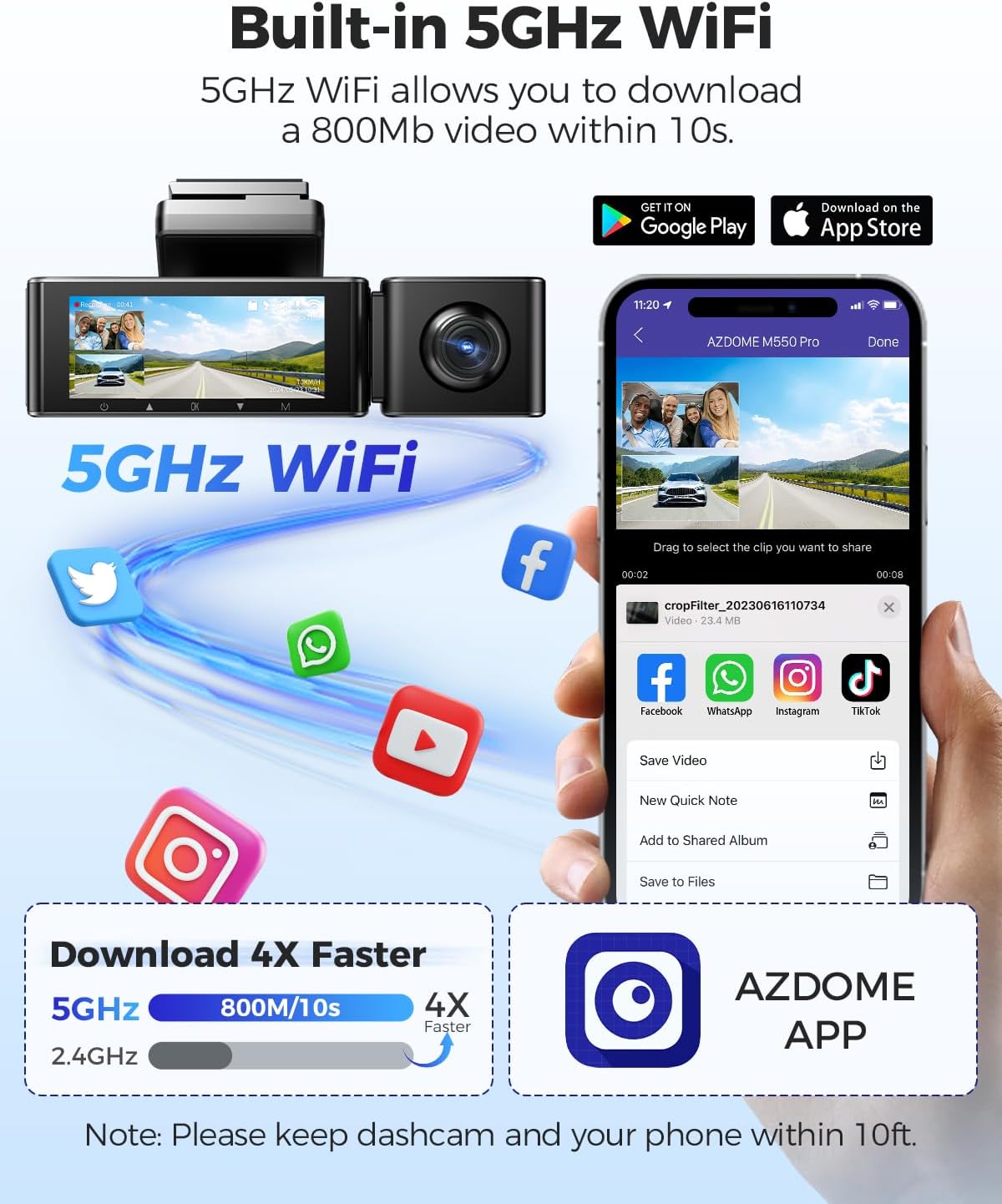
The dash cam connected to a smartphone via 5GHz WiFi, demonstrating faster video download speeds compared to 2.4GHz.
Enregistrament de 3 canals
The M550 Pro provides comprehensive coverage with its three-channel recording system:
- Càmera frontal: Records in 4K (3840x2160P) resolution.
- Davant i posterior: Records simultaneously in 4K (front) + 1080P (rear).
- Front and Inside: Records simultaneously in 2K (2560x1440P) + 1080P (cabin).
- Front, Inside, and Rear: Records simultaneously in 2K (front) + 1080P (cabin) + 1080P (rear).
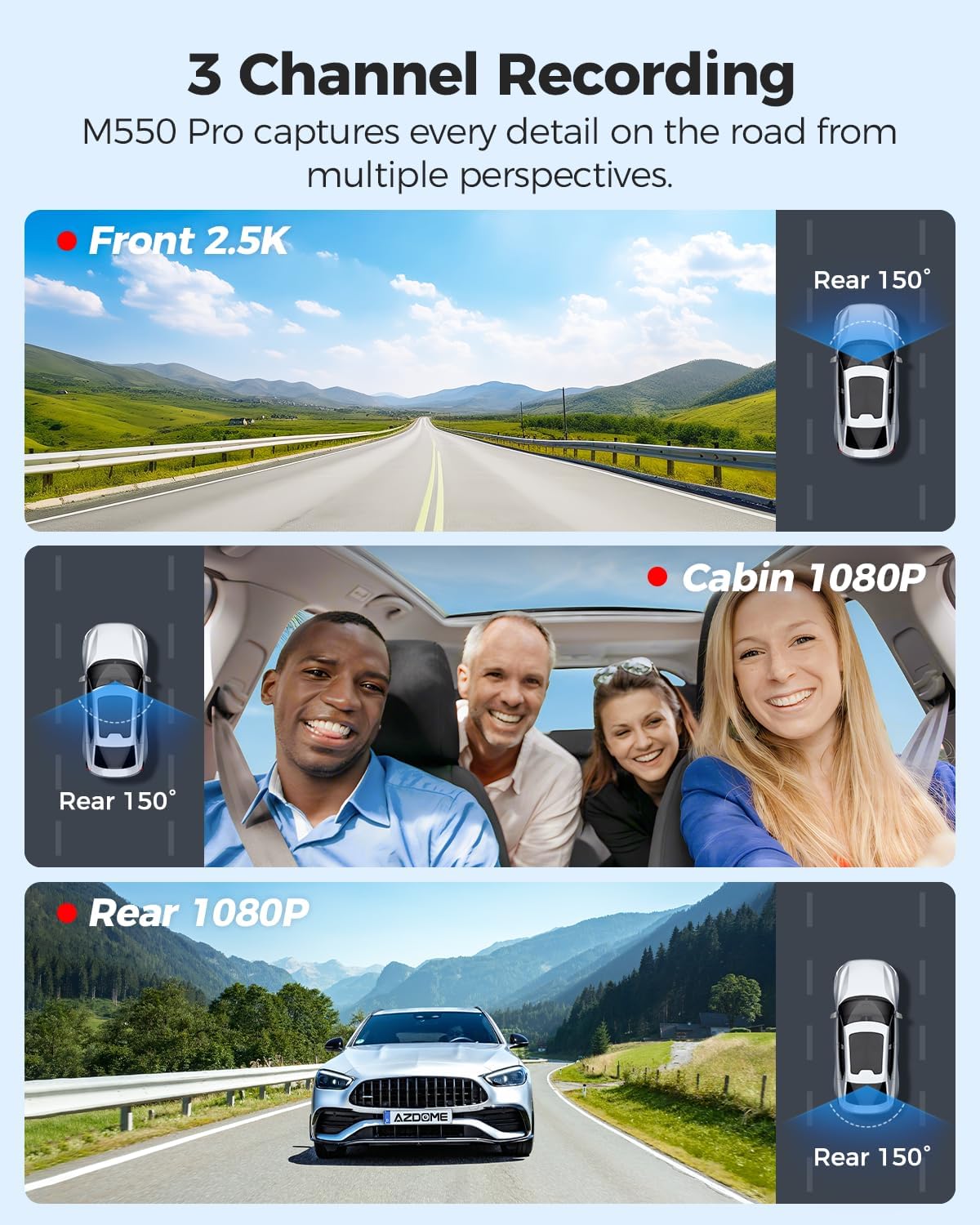
Visual representation of the three recording channels: front, cabin, and rear, capturing different perspectives around the vehicle.
Mode d'aparcament 24 hores
The dash cam offers two modes for 24-hour parking surveillance:
- Mode d'estacionament de detecció de col·lisions: Utilizes the built-in G-sensor to detect impacts and automatically lock the video footage, protecting it from being overwritten.
- Mode d'estacionament temporal: Records continuously at a low frame rate (1/5/10 FPS) for extended periods, compressing hours of footage into minutes for efficient review. This mode requires a 3-lead hardwire kit (not included, search ASIN: B096G6FKZP) for continuous power.

Depiction of the dash cam's 24-hour parking surveillance features, including collision detection and time-lapse recording for continuous monitoring.
Visió nocturna IR
Equipped with a Novatek 8629G Processor, SC401AI, GC2053, and SC223A sensors, the M550 Pro provides superior night vision capabilities. The cabin camera features 6 IR LEDs and an F/1.8 aperture 6-glass lens, ensuring clear recording in low-light conditions, both day and night.
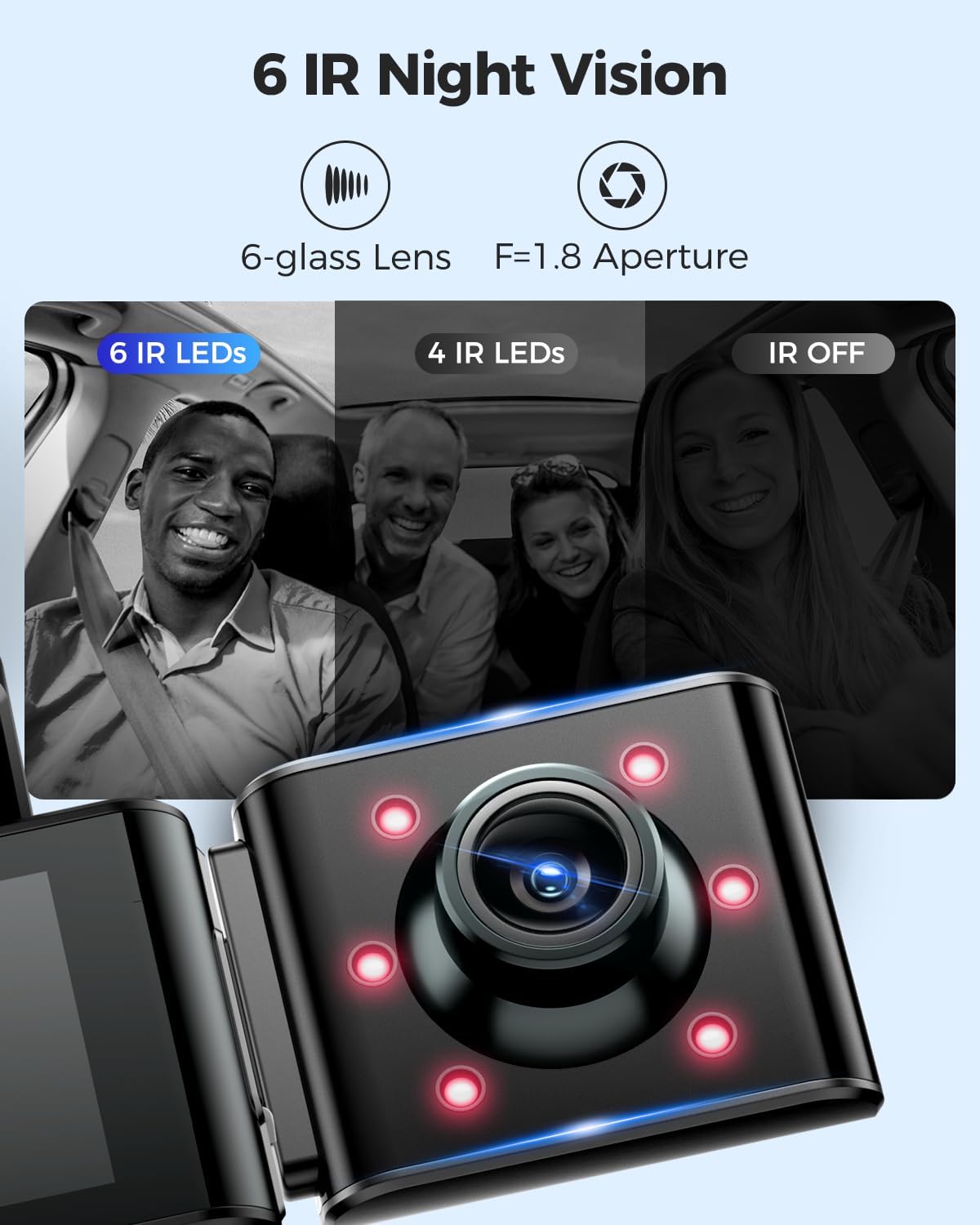
Comparison showing clear cabin view with IR LEDs on at night versus without IR LEDs, highlighting enhanced night vision.
GPS integrat
The integrated GPS module accurately records your driving route data, including speed, latitude, and longitude. This information can be viewed using the AZDOME GPS Player software on your computer, providing crucial evidence in case of incidents.

The AZDOME GPS Player interface displaying a recorded driving route on a map, along with speed and location information.
Emergency Lock & G-sensor
The G-sensor automatically detects sudden shakes or collisions. When an incident occurs, it triggers the dash cam to save and lock a 20-second video clip, starting 5 seconds before the event, ensuring all critical footage is secured and not overwritten.

A visual explanation of the G-sensor's function, showing how it captures and locks video footage 5 seconds before and 15 seconds after a collision.
Enregistrament en bucle sense interrupcions
The dash cam supports seamless loop recording, which means that when the memory card is full, the oldest unlocked videos will be automatically overwritten by new recordings. This ensures continuous recording without manual intervention. The included 64GB SD card provides approximately 4 hours of recording time.
Un acabatview of loop recording, showing how older files are overwritten and providing estimated recording durations for 32GB, 64GB, and 128GB cards.
Free 64GB SD Card Included
The AZDOME M550 Pro package includes a 64GB Class 10 U3 speed Micro SD Card, pre-inserted into the dash cam, allowing for immediate use. The device supports up to 128GB Micro SD Cards for extended recording capacity.
The included 64GB SD card, ready for use with the AZDOME M550 Pro dash cam.
Configuració i instal·lació
Follow these steps for proper installation of your AZDOME M550 Pro dash cam:
- Prepare the SD Card: For first-time use, it is crucial to format the included 64GB SD card directly within the dash cam's settings.
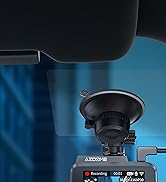
- Muntar la càmera frontal: Attach the front dash cam to your windshield using the magnetic bracket with built-in GPS. Ensure it is placed in a location that does not obstruct your view and allows for optimal recording.
- Install Cabin Camera: Connect the cabin camera to the main unit. Position it to capture the interior of your vehicle.
- Instal·leu la càmera posterior: Mount the in-car rear camera on your rear windshield. The rear camera is designed to be installed inside the car and offers 360-degree rotation for optimal angle adjustment.
- Ruta del cable d'alimentació: Connect the 12ft power supply cable to the dash cam and route it neatly along the edges of your car's interior to the car charger (cigarette lighter socket). Use the provided installation tools kit and cable clips for a clean setup.
- Connecteu-vos a l'alimentació: Plug the car charger into your vehicle's 12V power outlet.

An illustration demonstrating the recommended cable routing for a clean and discreet dash cam installation within a vehicle.
Connecting to WiFi and App
To connect your M550 Pro to the AZDOME app:
- Download and install the AZDOME app from Google Play Store or Apple App Store.
- Turn off cellular data on your phone and connect to the dash cam's 5GHz WiFi network (e.g., "M550 Pro").
- Open the AZDOME app. You can now view viu footage, descarregar gravacions i ajustar la configuració.

A visual guide detailing the process of connecting the AZDOME M550 Pro to its mobile application via WiFi.
Vídeo d'instal·lació
For a visual guide on unboxing and installation, please refer to the official AZDOME video below:
Official AZDOME video demonstrating the unboxing and installation process for the AZDOME 3 Channel Dash Cam.
Instruccions de funcionament
Once installed and powered on, the AZDOME M550 Pro will automatically begin recording. Familiarize yourself with the device's buttons and screen interface for various functions.
Funcionament bàsic
- Encès/apagat: The device powers on automatically when the car engine starts and powers off when the engine is turned off. You can also manually power it on/off by pressing and holding the power button.
- Gravació: Recording starts automatically upon power-on. A red dot or similar indicator on the screen confirms recording is active.
- Bloqueig d'emergència: Press the dedicated emergency button (often indicated by a key or lock icon) to manually lock the current recording, preventing it from being overwritten by loop recording.
- Reproducció: Access recorded videos through the device's menu or via the AZDOME app.
- Navegació del menú: Use the physical buttons below the screen to navigate through settings and playback options.
User-Friendly Additional Functions
The M550 Pro includes several thoughtful features for enhanced user experience:
- Ajust de velocitat: Calibrate or adjust speed display settings.
- Salvapantalles: Set the screen to turn off after 1, 2, or 3 minutes to avoid distraction while driving.
- Recordatori de conducció per fatiga: Set reminders for every 1, 2, or 4 hours to encourage breaks during long drives.
- SD Card Format Reminder: Receive prompts to format the SD card periodically to maintain optimal performance.

Screenshots of the M550 Pro's display, illustrating options for speed adjustment, screensaver settings, fatigue driving reminders, and SD card format reminders.
Manteniment
Proper maintenance ensures the longevity and optimal performance of your dash cam:
- Format de la targeta SD: It is recommended to format the SD card regularly (e.g., once a month) to prevent data corruption and ensure smooth recording. Always format the card using the dash cam itself, not a computer.
- Neteja de lents: Gently clean the camera lenses with a soft, lint-free cloth. Avoid abrasive materials or harsh chemicals that could scratch the lens.
- Actualitzacions de firmware: Check the AZDOME official website or app periodically for firmware updates. Keeping your firmware up-to-date can improve performance and add new features.
- Temperatura: Eviteu exposar la càmera del salpicader a temperatures extremes durant períodes prolongats.
Resolució de problemes
If you encounter issues with your AZDOME M550 Pro, please refer to the following common problems and solutions:
| Problema | Possible solució |
|---|---|
| La càmera del salpicader no s'encén. | Check the power connection. Ensure the car charger is properly plugged into the vehicle's 12V outlet and the dash cam. Test the car charger with another device if possible. |
| L'enregistrament s'atura inesperadament. | Format the SD card. Ensure the SD card is Class 10 U3 or higher. A faulty or slow SD card can cause recording issues. |
| Vídeo footage és borrós o poc clar. | Clean the camera lenses. Ensure the protective film has been removed from the lenses. Check if the windshield is clean. |
| WiFi connection issues or slow download speeds. | Ensure your phone's cellular data is off. Make sure your phone is within 10 feet of the dash cam. Restart both the dash cam and your phone. |
| GPS signal is not detected. | Assegureu-vos que la càmera del salpicader tingui una visió clara view of the sky. Avoid placing it near metallic objects that might interfere with the signal. Allow a few minutes for the GPS to acquire a signal after powering on. |
| La càmera del salpicader es bloqueja o falla. | Perform a factory reset (refer to the device's menu for this option). Ensure the firmware is up to date. |
If the problem persists after trying these solutions, please contact AZDOME customer support for further assistance.
Especificacions
| Característica | Detall |
|---|---|
| Nom del model | M550 Pro |
| Dimensions del producte | 1.18 x 5.47 x 1.3 polzades |
| Pes de l'article | 0.176 unces |
| Resolució de captura de vídeo | Front: 4K (3840x2160P); Front & Rear: 4K+1080P; Front & Inside: 2K+1080P; Front & Inside & Rear: 2K+1080P+1080P |
| Tecnologia de connectivitat | Wi-Fi (5.8 GHz) |
| Característiques especials | 3 Channel, Built-in 5GHz WiFi & GPS, 24 Hours Parking Mode, G-sensor, Loop Recording, Time-lapse, Infrared Night Vision, 64GB Card Included |
| Mostra | Pantalla IPS de 3.19" |
| Tipus de muntatge | Suport magnètic |
| Bateries | Necessita 1 bateria de metall de liti (inclosa) |
| País d'origen | Xina |
Garantia i Suport
AZDOME provides comprehensive customer support for the M550 Pro dash cam.
- Garantia: El producte té una garantia de 12 mesos a partir de la data de compra.
- Política de devolució: AZDOME offers a 30-day return policy for defects.
- Atenció al client: For any product inquiries, technical assistance, or additional accessories, please reach out to AZDOME's dedicated support team.

Details on AZDOME's 1-year warranty, 30-day return policy, and customer support contact information.
Thank you for choosing AZDOME.
Ask a question about this manual
Ask about setup, troubleshooting, compatibility, parts, safety, or missing instructions. Manuals+ will review the question and use this page’s manual context to help answer it.