1. Introducció
Thank you for choosing the TrueLife FitScale W7 BT Smart Scale. This manual provides essential information for the safe and effective use of your new smart scale. Please read it thoroughly before first use and keep it for future reference. The FitScale W7 BT is designed to help you monitor your body composition, including weight, and track your progress through its Bluetooth connectivity and companion application.
This scale supports up to 8 user profiles, allowing multiple individuals to track their personal health data independently.
2. Informació de seguretat
- No utilitzeu aquest dispositiu si teniu un marcapassos o un altre dispositiu mèdic intern.
- No utilitzeu aquest dispositiu si esteu embarassada.
- Always place the scale on a hard, flat surface for accurate measurements. Avoid carpets or soft flooring.
- The scale's surface can be slippery when wet. Ensure the surface is dry before stepping on.
- No saltis a la bàscula ni la facis servir per a altres finalitats que no siguin pesar-la.
- Mantingueu les piles fora de l'abast dels nens. En cas d'ingestió, busqueu atenció mèdica immediata.
- Eliminar les bateries usades d'acord amb la normativa local.
- Do not attempt to disassemble or repair the scale yourself. Contact customer support if issues arise.
3. Contingut del paquet
Assegureu-vos que tots els articles estiguin presents i en bon estat en desempaquetar-los:
- TrueLife FitScale W7 BT Smart Scale
- 1 x bateria de 12V
- Manual d'usuari (aquest document)
4. Configuració
4.1. Instal·lació de la bateria
The TrueLife FitScale W7 BT uses one 12V battery. The battery is included in the package.
- Gireu la bàscula per accedir al compartiment de les piles de la part inferior.
- Obriu la tapa del compartiment de la bateria.
- Insert the 12V battery, ensuring the polarity (+ and -) matches the indicators inside the compartment.
- Tanqueu bé la tapa del compartiment de la bateria.
4.2. Col·locació de l'escala
Place the scale on a hard, flat, and stable surface. Uneven or soft surfaces (like carpets) can affect measurement accuracy.
4.3. Descàrrega de l'aplicació i emparellament Bluetooth
To utilize the smart features and body composition analysis, download the official TrueLife companion app from your smartphone's app store (iOS or Android).
- Download and install the TrueLife app on your smartphone.
- Activa el Bluetooth al teu telèfon intel·ligent.
- Open the TrueLife app and follow the on-screen instructions to create your user profile.
- Step onto the scale briefly to activate it. The scale will automatically attempt to pair with the app via Bluetooth. Confirm the pairing within the app if prompted.
Note: Ensure your phone is within range of the scale during pairing and measurement synchronization.
5. Instruccions de funcionament
5.1. Calibració inicial
Before first use or after moving the scale, perform an initial calibration:
- Gently step on the scale until the display lights up, then step off immediately.
- The display will show "0.0" or similar, indicating it's ready for use.
5.2. Prendre una mesura
For accurate body composition analysis, ensure your feet are bare and clean.
- Step onto the scale with bare feet, positioning them evenly on the electrodes (metal pads).
- Stand still until your weight is displayed and stabilized.
- If connected to the app, your data (weight and body composition metrics) will automatically synchronize to your profile.
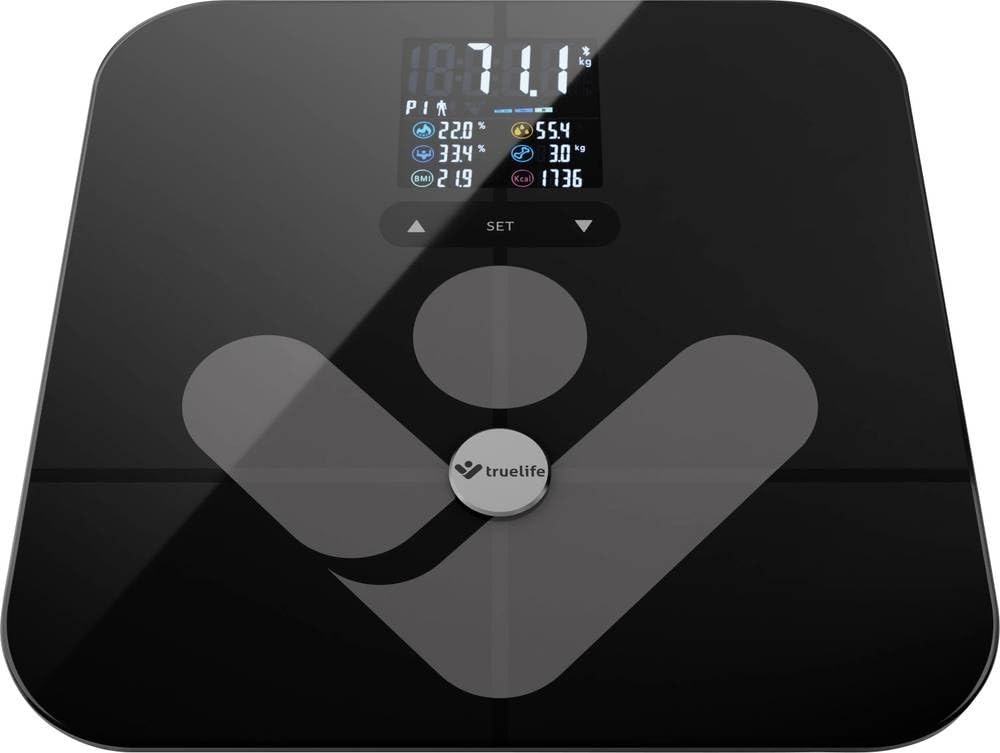
Image: TrueLife FitScale W7 BT Smart Scale. This image shows the sleek black glass surface of the scale with a digital display.
5.3. Managing User Profiles
L'escala admet fins a 8 usuaris professionalsfiles. Each user should create their profile within the TrueLife app. The scale will automatically recognize the user based on their weight and body composition data once a profile s'estableix.
- Creació d'un Profile: Open the app, navigate to the user management section, and add a new user. Enter personal details such as age, height, and gender for accurate body composition calculations.
- Reconeixement automàtic: When a registered user steps on the scale, the app will identify them and record the measurement to their specific profile.
6. Manteniment
6.1. Neteja
To keep your scale in optimal condition:
- Netegeu la superfície amb un suau, damp tela.
- No utilitzeu productes de neteja abrasius ni submergiu la bàscula en aigua.
- Ensure the scale is dry before storage or next use.
6.2. Emmagatzematge
Guardeu la bàscula en un lloc fresc i sec, allunyat de la llum solar directa i de temperatures extremes.
6.3. Substitució de la bateria
When the display shows a "Lo" indicator, it's time to replace the battery. Follow the steps in section 4.1 for battery installation.
7. Solució De Problemes
| Problema | Causa possible | Solució |
|---|---|---|
| No display / Scale won't turn on | La bateria està morta o mal instal·lada. | Comproveu la polaritat de la bateria o substituïu la bateria de 12 V. |
| Es mostra "Lo" | Potència de bateria baixa. | Substituïu la bateria de 12V. |
| Es mostra "Err" | Overload (weight exceeds 180 kg) or measurement error. | Ensure weight is within limits. Step off and on again. Ensure scale is on a flat surface. |
| Lectures inexactes | Scale on uneven surface, not calibrated, or feet not properly placed. | Place on a hard, flat surface. Perform initial calibration (Section 5.1). Ensure bare feet are centered on electrodes. |
| Problemes de connexió Bluetooth | Bluetooth off, app not open, or scale not activated. | Ensure Bluetooth is enabled on your phone. Open the TrueLife app. Step on the scale to activate it. Try restarting both the scale (by removing/reinserting battery) and your phone. |
| Body composition data not showing | Feet not bare, not making good contact with electrodes, or profile not set up in app. | Ensure bare, clean feet are making full contact with the metal electrodes. Verify your profile is complete in the TrueLife app. |
8. Especificacions
| Model: | TLFSW7BTB |
| Marca: | TrueLife |
| Dimensions: | 35 x 34 x 4 cm |
| Pes: | 1.8 kg |
| Capacitat de pes màxim: | 180 quilos |
| Tipus de visualització: | LCD |
| Material: | Vidre |
| Font d'alimentació: | 1 bateria de 12 V (inclosa) |
| Característiques especials: | Body Composition Analysis, Bluetooth Connectivity, Up to 8 User Profiles |
9. Garantia i Suport
9.1. Informació de la garantia
TrueLife products are covered by a manufacturer's warranty. For specific warranty terms and conditions, please refer to the warranty card included with your product or visit the official TrueLife website. Keep your proof of purchase for warranty claims. Information regarding spare parts availability is not provided in this manual; please consult the manufacturer's weblloc web o el vostre minorista.
9.2. Atenció al client
If you encounter any issues or have questions regarding your TrueLife FitScale W7 BT, please contact TrueLife customer support or your retailer. Contact details can typically be found on the TrueLife official weblloc web o a l'embalatge del producte.