
1. Introducció
Welcome to the ECHO RAINBOW Smartwatch user manual. This guide provides essential information for setting up, operating, and maintaining your new smartwatch. The ECHO RAINBOW Smartwatch is designed to enhance your active lifestyle with integrated sports functions, health sensors, and seamless smartphone connectivity.
Què hi ha a la caixa
- ECHO RAINBOW Smartwatch
- Cable de càrrega
- Manual d'usuari

Image: The ECHO RAINBOW Smartwatch worn on a wrist, showing the time, date, and activity tracking data on its display.
2. Guia de configuració
2.1 Càrrega inicial
Before first use, fully charge your ECHO RAINBOW Smartwatch.
- Connecteu el cable de càrrega al port de càrrega de la part posterior del rellotge intel·ligent.
- Connecteu l'extrem USB del cable a un adaptador de corrent USB estàndard (no inclòs) o al port USB d'un ordinador.
- The watch display will indicate charging status. Allow approximately 2 hours for a full charge.
2.2 Emparellament amb el telèfon intel·ligent
To unlock all features, pair your smartwatch with the DaFit application on your smartphone.
- Descarrega't el DaFit application from the Google Play Store (for Android 4.4 and above) or Apple App Store (for iOS 8.0 and above).
- Assegureu-vos que el Bluetooth estigui habilitat al vostre telèfon intel·ligent.
- Open the DaFit app and follow the on-screen instructions to add your device.
- Select "ECHO RAINBOW" from the list of available devices to complete the pairing process.

Image: The ECHO RAINBOW Smartwatch positioned beside a smartphone, illustrating the connection with the DaFit mobile application.
3. Com fer funcionar el rellotge intel·ligent
3.1 Navegació per la interfície
The ECHO RAINBOW Smartwatch features a 1.69-inch rectangular TFT touchscreen.
- Llisca cap amunt/avall: Desplaça't pels menús i les notificacions.
- Llisca cap a l'esquerra/dreta: Accedeix a widgets ràpids o a diferents esferes de rellotge.
- Toca: Selecciona un element o confirma una acció.
- Premeu el botó lateral: Torna a la pantalla d'inici o encén/apaga.
3.2 Vigilància de la salut
Utilize the advanced health sensors for comprehensive tracking.
- Freqüència cardíaca: Tap the heart rate icon to measure your current heart rate. Continuous monitoring can be enabled in the DaFit app.
- Pressió arterial: Accediu a la funció de pressió arterial per prendre una lectura.
- Seguiment del son: Wear the watch during sleep for automatic sleep analysis, including deep sleep and light sleep duration. View detailed reports in the DaFit app.
- Seguiment de calories: The watch automatically tracks calories burned based on your activity.
3.3 Funcions esportives
Engage in various sports modes to track your physical activity.
- Podòmetre: Automatically counts your steps throughout the day.
- Seguiment de distància: Records the distance covered during your activities.
- Multiple Exercise Modes: Select from various sports modes like outdoor running, cycling, rope skipping, badminton, tennis, mountaineering, walking, basketball, and volleyball to get specific workout data.
3.4 Connectivitat intel·ligent
Stay connected with your smartphone for real-time notifications and controls.
- Notificacions: Receive messages, call alerts, and app notifications directly on your watch. Configure notification settings in the DaFit app.
- Temps: View condicions meteorològiques actuals i previsions.
- Control de música: Controla la reproducció de música al teu telèfon intel·ligent (reproduir, pausar, saltar pistes).
- Control de la càmera: Feu servir el rellotge com a disparador remot per a la càmera del vostre telèfon intel·ligent.
- Esferes de rellotge personalitzables: Personalize the watch face and display settings via the DaFit app.
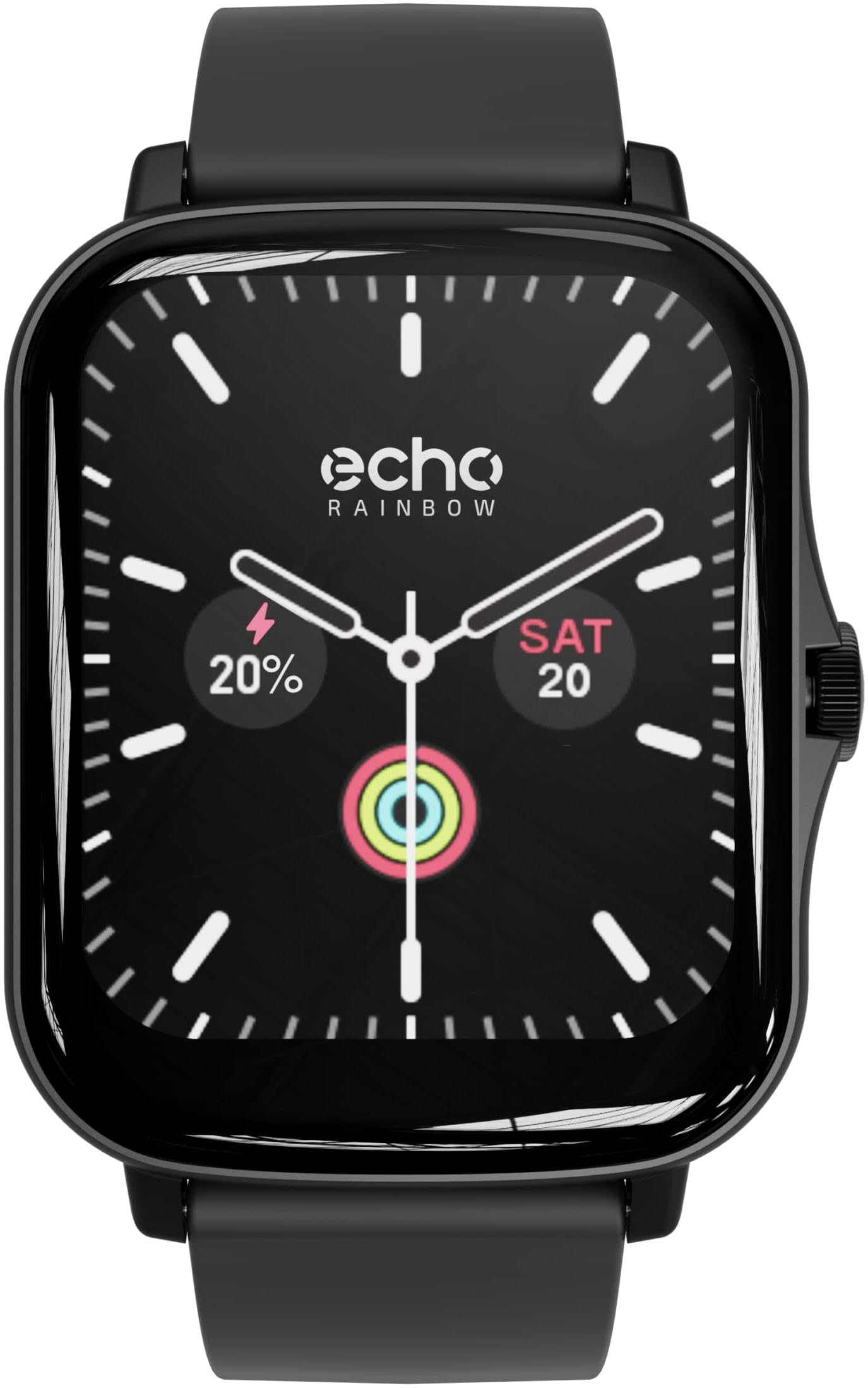
Image: The ECHO RAINBOW Smartwatch worn on a wrist, showing the time, date, and activity tracking data on its display.
4. Característiques clau
- Sensors de salut avançats: Accurately measure calories, blood pressure, and heart rate. Benefit from in-depth sleep tracking and analysis for optimized well-being.
- Integrated Sports Functions: Use the pedometer to count steps, track distance, and engage in various exercises to achieve your fitness goals.
- Connectivitat intel·ligent: Receive messages, check weather, control music and smartphone camera, and customize your watch face and display settings.
- Connectivitat Bluetooth: Easily connect your watch to your smartphone via Bluetooth for a smooth user experience.
- 1.69-inch Rectangular TFT Touchscreen: Enjoy a high-quality touchscreen with a 240*280 pixel resolution, offering a clear and responsive visual experience.

Image: A display of three ECHO RAINBOW Smartwatches, each featuring a different color strap and watch face, highlighting the product's design versatility.
5. Especificacions
| Marca | ECO |
| Número de model | 3662515021580 |
| Color | Shark Black |
| Sistema operatiu | Proprietary (DaFit App compatible with Android 4.4+ & iOS 8.0+) |
| Pantalla | 1.69-inch TFT Touchscreen, 240*280 pixels |
| Connectivitat | Bluetooth (2.4 GHz radio frequency) |
| Característiques especials | DaFit App, Metallic casing, Fashion & design, Health and sport tracking |
| Dispositius compatibles | Smartphone |
| Tipus de bateria | Polímer de liti |
| Bateria recarregable | Sí |
| Capacitat de la bateria | 180 mAh (approximate) |
| GPS | A través del telèfon intel·ligent |
| Forma | Rectangular |
6. Manteniment
6.1 Neteja del rellotge intel·ligent
To ensure accurate readings and prolong the life of your device, keep your smartwatch clean.
- Netegeu la pantalla i el cos amb un drap suau i sense borrissol.
- Per a taques difícils, lleugerament dampRenta el drap amb aigua. Evita utilitzar productes químics agressius o materials abrasius.
- Clean the sensor area on the back of the watch regularly to maintain optimal performance.
6.2 Cura de la bateria
- Eviteu descarregar completament la bateria amb freqüència.
- Charge the watch using the provided charging cable.
- No exposeu el rellotge a temperatures extremes, ja que això pot afectar la durada de la bateria.
7. Solució De Problemes
7.1 El rellotge no s'encén
- Assegura't que el rellotge estigui completament carregat. Connecta'l al carregador durant almenys 30 minuts.
- Press and hold the side button for 10-15 seconds to perform a forced restart.
7.2 Problemes d'aparellament
- Assegureu-vos que el Bluetooth estigui activat al telèfon intel·ligent i que el rellotge estigui dins del seu abast.
- Reinicieu tant el telèfon intel·ligent com el rellotge intel·ligent.
- Ensure the DaFit app is updated to the latest version.
- If previously paired, try unpairing the device from your phone's Bluetooth settings and then re-pairing through the DaFit app.
7.3 Lectures de salut inexactes
- Assegureu-vos de portar el rellotge ben ajustat al canell, ni massa ajustat ni massa fluix.
- Netegeu el sensor de la part posterior del rellotge.
- Eviteu moviments excessius durant les mesures.
- Tingueu en compte que els rellotges intel·ligents no són dispositius mèdics i les lectures són només de referència.
8. Garantia i Suport
8.1 Garantia del fabricant
The ECHO RAINBOW Smartwatch comes with a 2 any de garantia del fabricantSi us plau, conserveu el comprovant de compra per a reclamacions de garantia.
8.2 Atenció al client
For further assistance, technical support, or warranty inquiries, please contact ECHO customer service through the official weblloc web o el vostre minorista.