
Introducció
This manual provides detailed instructions for the installation, operation, and maintenance of your Mars Gaming MARSGAMING MCX ATX PC Gaming Case, Model MCF. Please read this manual thoroughly before beginning assembly to ensure proper setup and optimal performance.

Figure 1: Mars Gaming MARSGAMING MCX ATX PC Gaming Case (Model MCF)
Característiques clau
- Advanced Gaming Lighting: Features triple vented front and rear fans with ARGB lighting, complemented by a Metal-Mesh front design and tempered glass side window.
- Disseny aerodinàmic: Sophisticated look with pure geometric lines and premium finishes. The aerodynamically designed front panel enhances ventilation and airflow.
- Compatibilitat completa amb ARGB: ARGB lighting with multiple preset effects, controllable via an ARGB connector or motherboard for extensive aesthetic customization.
- Capacitat de refrigeració màxima: Includes a triple front fan system and a 120mm rear fan. Supports up to 6 x 120mm fans, removable magnetic top and bottom filters, and dual chamber design. Full support for up to 360mm liquid cooling.
- Maximum Internal Capacity: Supports ATX, micro-ATX, and mini-ITX motherboards, up to 5 hard drives, and efficient internal cable management. Accommodates VGAs up to 305mm long (330mm without front fan) and 167mm wide, and heatsinks up to 177mm high.
Contingut del paquet
Verifiqueu que tots els components siguin presents al paquet abans de continuar amb la instal·lació.
- Mars Gaming MARSGAMING MCX ATX PC Gaming Case (Model MCF)
- 4 x 120mm ARGB Fans (pre-installed)
- Accessory kit (screws, standoffs, cable ties)
- Manual d'usuari (aquest document)
Instruccions de configuració
1. Preparació del cas
Place the case on a stable, flat surface. Remove the tempered glass side panel by unscrewing the thumb screws at the rear of the case and carefully sliding the panel off.
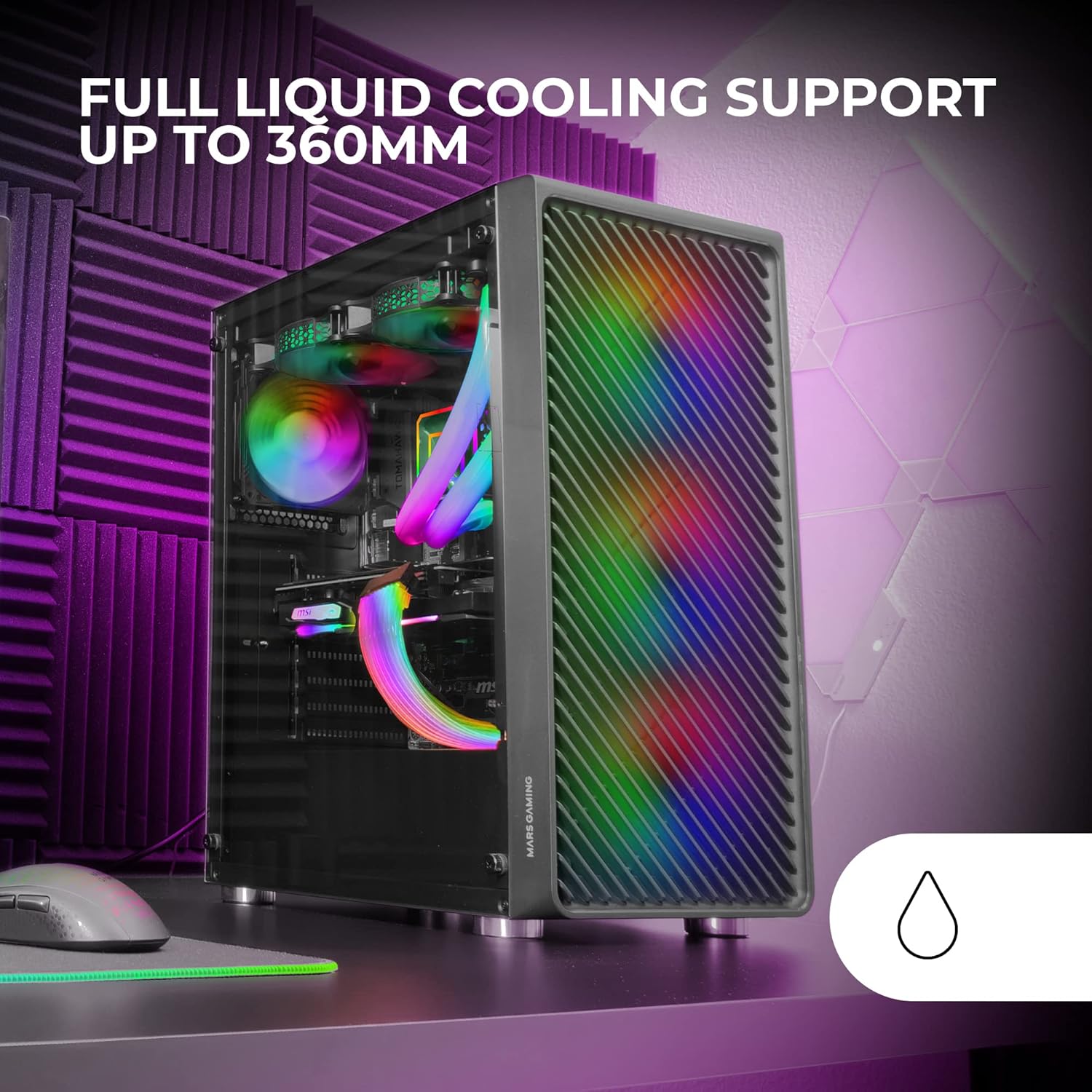
Figure 2: Tempered Glass Side Window
The front panel features a Metal-Mesh design for optimal airflow.

Figure 3: Metal-Mesh Front Panel
2. Instal·lació de la placa base
Install the appropriate standoffs for your ATX, Micro-ATX, or Mini-ITX motherboard. Carefully place the motherboard into the case, aligning it with the standoffs and the I/O shield opening. Secure the motherboard with screws from the accessory kit.
3. Instal·lació de la font d'alimentació (PSU)
The case features a bottom-mount power supply design. Slide your PSU into its designated compartment at the bottom rear of the case and secure it with screws. Route the necessary cables through the cable management cutouts.
4. Instal·lació de la unitat d'emmagatzematge
Install your 3.5-inch hard drives and 2.5-inch solid-state drives into the available drive bays. The case supports up to 5 hard drives. Refer to the internal layout diagram for bay locations.
5. Instal·lació de la targeta gràfica (VGA)
Remove the necessary PCI-E slot covers. Insert your graphics card into the appropriate PCI-E slot on your motherboard and secure it with screws. The case supports VGAs up to 305mm long (330mm without a front fan) and 167mm wide.
6. Instal·lació del sistema de refrigeració (ventiladors i refrigeració líquida)
The case comes with four pre-installed 120mm ARGB fans (three front, one rear). Additional fans can be installed as follows:
- A dalt: Up to 2 x 120mm or 2 x 140mm fans.
- Davant: Up to 3 x 120mm or 2 x 140mm fans (pre-installed).
- posterior: 1 ventilador de 120 mm (preinstal·lat).
For liquid cooling, the case supports radiators up to 360mm.

Figure 4: Pre-installed 4x 120mm ARGB Fans

Figure 5: Internal Layout and Cooling Support
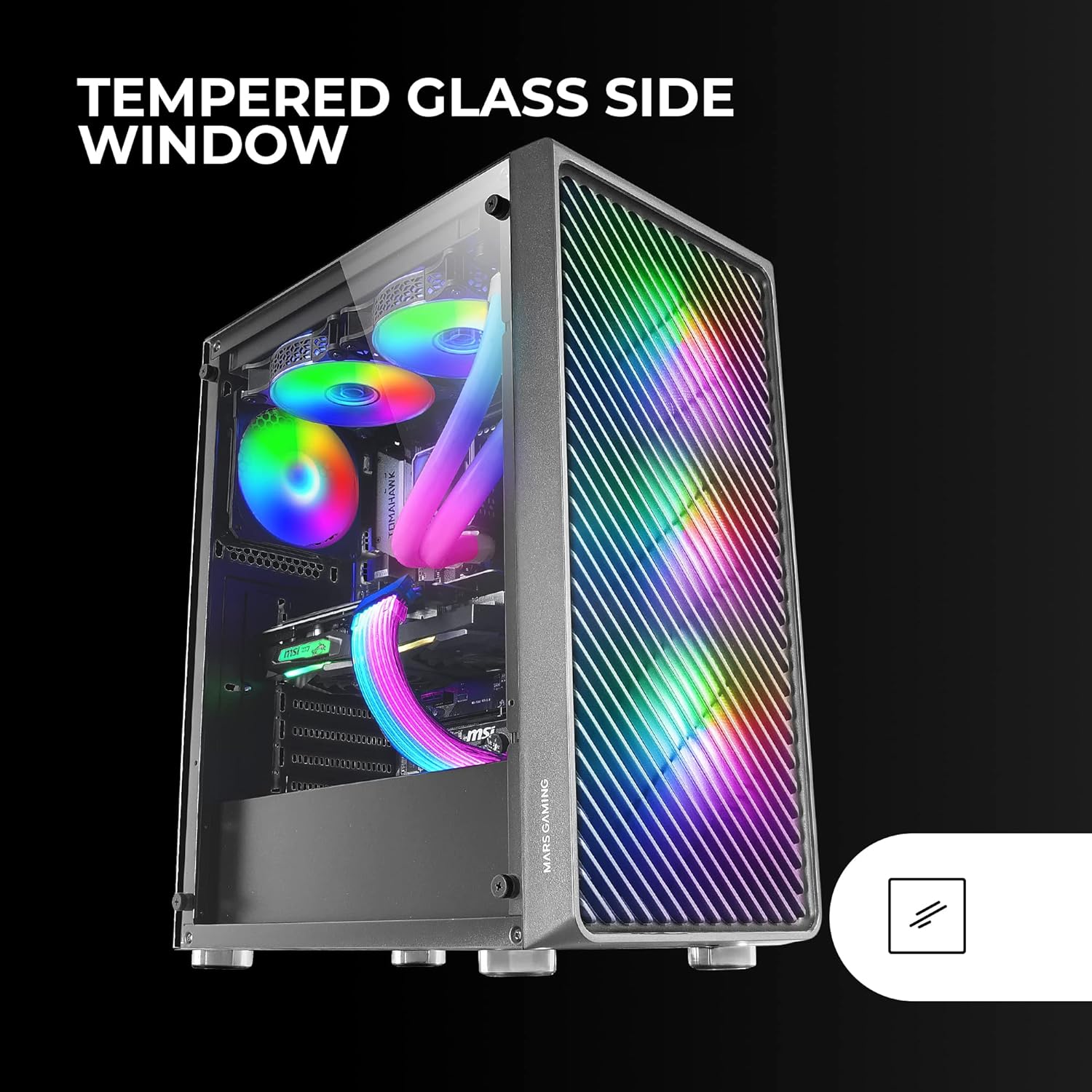
Figure 6: Liquid Cooling Support
7. Gestió de cables
Utilize the cable management cutouts and tie-down points behind the motherboard tray to route and secure cables. This improves airflow and aesthetics.
8. Assemblea Final
Un cop instal·lats tots els components i gestionats els cables, torneu a fixar el panell lateral de vidre temperat i fixeu-lo amb els cargols de polze.
Instruccions de funcionament
Encès
Connect your power supply to a wall outlet. Press the power button located on the top panel of the case to turn on your system.
Control d'il·luminació ARGB
The pre-installed ARGB fans can be controlled via your motherboard's ARGB software (if connected to an ARGB header) or through the integrated controller (if applicable). Refer to your motherboard manual for specific ARGB software instructions. The case offers multiple preset lighting effects.
Manteniment
Neteja de la caixa
Netegeu regularment l'exterior de la carcassa amb un drap suau iamp cloth. Avoid abrasive cleaners. For interior cleaning, use compressed air to remove dust from components and fans.
Manteniment del filtre de pols
The case features removable magnetic dust filters on the top and bottom. Periodically remove and clean these filters to maintain optimal airflow and prevent dust buildup inside the system. Wash with water and mild soap, then dry completely before reattaching.
Resolució de problemes
Els ventiladors no giren / L'RGB no funciona
- Check all fan and ARGB connections to the motherboard or controller.
- Assegureu-vos que la font d'alimentació subministri la potència adequada.
- Verify that ARGB software or physical controls are correctly configured.
Poor Airflow / Overheating
- Clean all dust filters and fans.
- Ensure proper fan orientation for intake and exhaust.
- Verify that no cables are obstructing airflow.
- Consider adding additional fans if temperatures remain high.
El sistema no s'encén
- Comproveu totes les connexions d'alimentació de la font d'alimentació a la placa base i els components.
- Assegureu-vos que el cable del botó d'engegada del panell frontal estigui connectat correctament a la placa base.
- Verify the PSU is switched on.
Especificacions
| Característica | Detall |
|---|---|
| Marca | Mars Gaming |
| Nom del model | MCF |
| Tipus de cas | Torre mitja |
| Compatibilitat amb la placa base | ATX, Micro ATX, Mini-ITX |
| Material | Metall |
| Color | Negre |
| Dimensions de l'article (D x W x H) | 14.96 "P x 8.5" W x 18.11" H |
| Pes de l'article | 4.7 quilos |
| Internal Bays Quantity | 5 (for 3.5" Hard Disk Form Factor) |
| Longitud màxima de la GPU | 305mm (330mm without front fan) |
| Alçada màxima del refrigerador de la CPU | 177 mm |
| Ventiladors preinstal·lats | 4 ventiladors ARGB de 120 mm |
| Mètode de refrigeració | Aire, Aigua |
| Suport de refrigeració líquida | Up to 360mm radiator |
| Tipus de muntatge de la font d'alimentació | Muntatge inferior |
| Ports USB totals | 2 (USB 2.0) |
| Característiques especials | RGB Lighting, Tempered Glass Side Panel, Metal-Mesh Front Panel |
Garantia i Suport
Per obtenir informació sobre la garantia i assistència tècnica, consulteu la pàgina oficial de Mars Gaming. weblloc web o poseu-vos en contacte amb el seu departament d'atenció al client. Conserveu el comprovant de compra per a reclamacions de garantia.
Fabricant: Mars Gaming