
1. Introducció
The Metapen Pencil A8 is a versatile stylus designed for seamless interaction with compatible Apple iPad models. It offers pixel-level accuracy, tilt sensitivity, and palm rejection, enhancing your digital writing, drawing, and navigation experience. This manual provides essential information for setting up, operating, maintaining, and troubleshooting your Pencil A8.
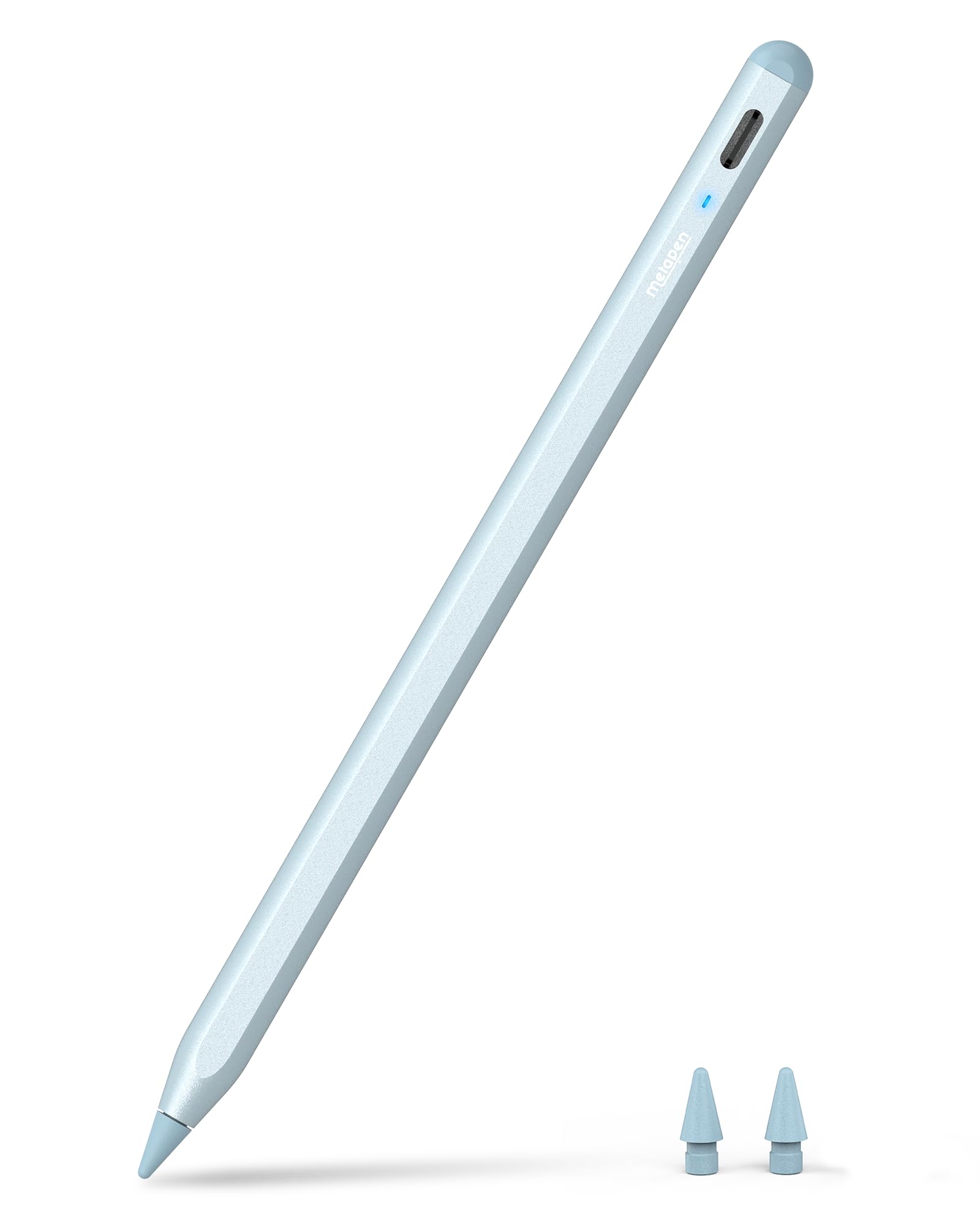
Image 1.1: Metapen Pencil A8 in blue color.
2. Compatibilitat
The Metapen Pencil A8 is compatible with specific Apple iPad models released between 2018 and 2025. Please verify your iPad model before use.
Models d'iPad compatibles:
- iPad 11th, 10th, 9th, 8th, 7th, 6th Generation
- iPad Pro de 13 polzades M4
- iPad Pro 11-inch 1st, 2nd, 3rd, 4th, M4 Generation
- iPad Pro 12.9-inch 3rd, 4th, 5th, 6th Generation
- iPad Air 3rd, 4th, 5th, M2, M3 Generation
- iPad Mini 5th, 6th Generation
Models NOT Supported:
- iPads released before 2018
- dispositius iPhone
- dispositius Android
- Microsoft devices

Image 2.1: Detailed compatibility chart for Metapen Pencil A8.
How to Identify Your iPad Model:
To confirm your iPad model, navigate to Configuració > General > Quant a on your iPad. Look for 'Model Name' or 'Model Number'.

Image 2.2: Steps to identify your iPad model name.
3. Configuració
3.1 Encès/Apagat
To power on the Metapen Pencil A8, double-tap the invisible touch switch located on the rounded end of the pen. Double-tap again to power off.
3.2 Càrrega
The Pencil A8 charges via a USB-C port. A full charge takes approximately 30 minutes and provides up to 10 hours of use. A 1-minute charge yields 50 minutes of use, and a 4-minute charge provides 2 hours of use.
- Indicador LED: The LED light displays different colors to indicate battery level:
- Blanc: nivell de bateria > 60%
- Blue: Battery level 20% - 60%
- Vermell: nivell de bateria < 20%
- Breathing Red: Charging
- Blanc sòlid: completament carregat
The pen automatically shuts down after 5 minutes of inactivity to conserve energy.
3.3 Parellament
No Bluetooth pairing or app connection is required. Simply power on the Pencil A8, and it will instantly connect to your compatible iPad.

Image 3.1: Visual guide for LED indicator, tip replacement, and power control.
4. Instruccions de funcionament
4.1 Pixel Precision
The upgraded smart chip provides 0.1 mm pixel-level accuracy with high responsiveness, ensuring no breakpoints or delays during use. This allows for precise writing of small words and drawing of fine lines.
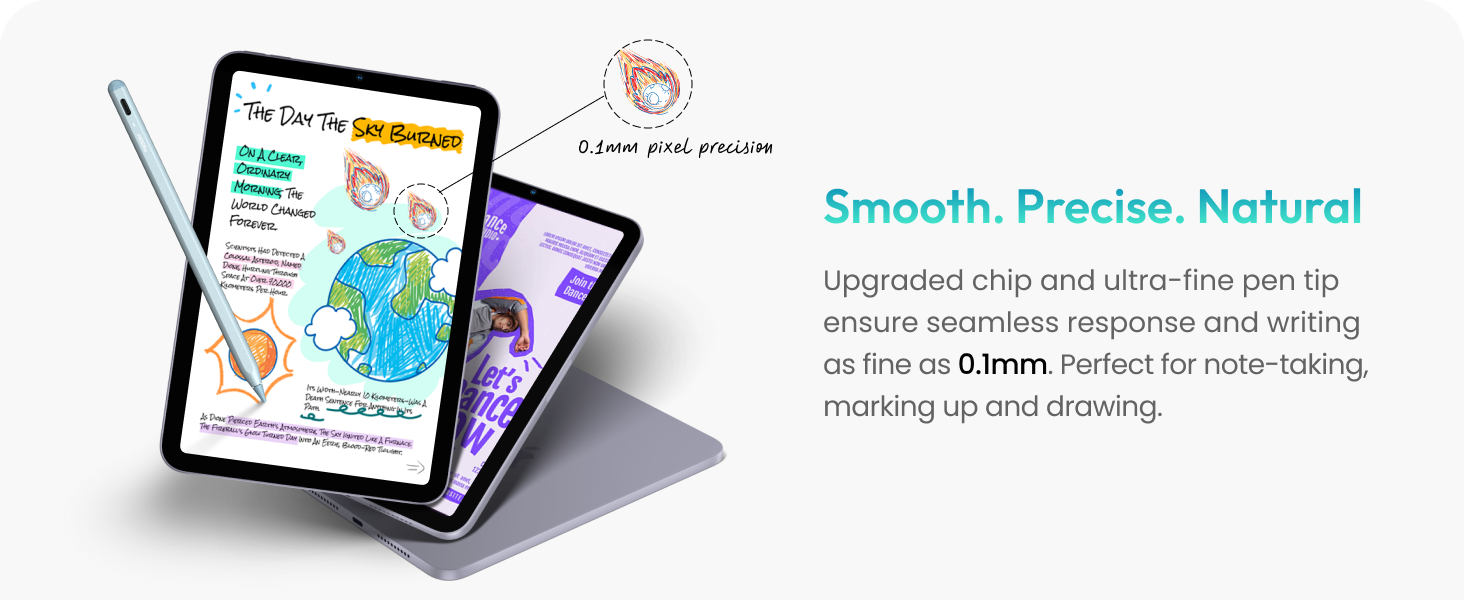
Image 4.1: The Metapen Pencil A8 offers smooth and precise input on an iPad.
4.2 Tilt Sensitivity
The Pencil A8 supports tilt sensitivity, allowing you to create varying line thicknesses and shadows by changing the angle of the pen. This feature is useful for shading in drawing applications or creating thicker lines with a marker brush.

Image 4.2: Demonstrating how tilt sensitivity affects line thickness and shading.
4.3 Rebuig del palmell
The stylus features palm rejection technology, allowing you to rest your palm or fingers on the iPad screen while writing, drawing, or sketching without causing unintended marks.

Image 4.3: Palm rejection allows comfortable use without accidental screen input.
4.4 Fixació magnètica
The Metapen Pencil A8 includes two built-in magnets for secure attachment to compatible iPad models. This helps prevent the pen from rolling away or getting lost.
- Nota: Magnetic attachment is only supported for iPad Air 5/4, iPad mini 6, iPad Pro 12.9"/11" (excluding iPad Pro M4). Wireless charging is NOT supported.

Image 4.4: Magnetic attachment feature for convenient storage.
4.5 Smart Doodle (Apple Notes)
When drawing common shapes in Apple Notes, hold the pen for 2 seconds on the last stroke, and the shape will automatically convert into a regular, refined form.

Image 4.5: Smart Doodle feature in action, refining hand-drawn shapes.
4.6 Nota ràpida
Double-tap the locked screen of your iPad with the Pencil A8 to quickly access the Notes interface and start writing or drawing immediately.

Image 4.6: Quick Memo allows instant note-taking from the locked screen.
5. Manteniment
5.1 Substitució de puntes
The Metapen Pencil A8 comes with two extra replaceable tips. To replace a tip, unscrew the old tip and screw on a new one. The high-quality polymer tips are designed for durability, passing a 20 km durability test and maintaining internal structure after 3,000 impacts.
5.2 Cura de la bateria
To maximize battery life, ensure the pen is charged when the LED indicator shows red. The automatic shutdown feature after 5 minutes of inactivity helps conserve battery.
6. Solució De Problemes
6.1 Pencil A8 Not Working with iPad
- Comprovar la compatibilitat: Verify that your iPad model is compatible with the Pencil A8 (refer to Section 2).
- Cicle d'alimentació: Double-tap the rounded end of the pen to power it off, then double-tap again to power it on.
- Consell de comprovació: Loosen the pen tip slightly or replace it with one of the extra tips provided.
- iPad Software: Ensure your iPad is running iOS 12.2 or later.
- Unpair Other Stylus: If you have previously used an Apple Pencil or another stylus, go to Settings > Bluetooth > Tap (i) next to Apple Pencil > Forget This Device.
- Screen Replacement: If your iPad's original screen has been replaced, the Pencil A8 may not function correctly.

Image 6.1: Common troubleshooting steps for Pencil A8.
6.2 La bateria es descarrega ràpidament
Generally, the Pencil A8 should last for approximately 10 hours on a full charge. If the battery drains significantly faster, you may have a defective product. Please contact customer support for assistance.
7. Especificacions
| Característica | Detall |
|---|---|
| Número de model | ME-APP152 |
| Marca | metapen |
| Color | Blau |
| Material | Alumini |
| Pes de l'article | 0.53 unces |
| Dimensions de l'article (L x A x A) | 6.54 x 0.35 x 0.35 polzades |
| Tipus de bateria | Lithium-Ion (1 CR5 battery required, not included) |
| Temps de càrrega | 30 minuts |
| Battery Life (Active Use) | Fins a 10 hores |
| Durada de la bateria (mode d'espera) | 365 dies |
| Pixel Precision | 0.1 mm |
| Sensibilitat a la inclinació | Sí |
| Rebuig de palmera | Sí |
| Enganxament magnètic | Yes (for compatible iPad models) |
| Càrrega sense fils | No |
8. Garantia i Suport
The Metapen Pencil A8 comes with a 12-month warranty.
Atenció al client:
For any product inquiries, technical assistance, or warranty claims, please contact Metapen Official customer support. They offer 7x24 hours customer service and a 30-day replacement policy.
Correu electrònic: Support@metapen.com
Video 8.1: Official Metapen video showcasing the available colors of the Pencil A8.
Video 8.2: Official Metapen video demonstrating 8 reliability tests performed on the stylus.


