
1. Introducció
This manual provides detailed instructions for the proper setup, operation, and maintenance of your Radioddity QT40 10 Meter SSB Ham Radio. Please read this manual thoroughly before using the device to ensure safe and optimal performance.
2. Informació de seguretat
- Do not operate the radio without a properly connected antenna.
- Assegureu-vos que la font d'alimentació voltage coincideix amb els requisits de la ràdio.
- Eviteu exposar la ràdio a temperatures extremes, llum solar directa o humitat.
- No intenteu desmuntar ni modificar la ràdio. Encarregueu tot el manteniment a personal qualificat.
- Maintain a safe distance from the antenna during transmission to avoid exposure to RF energy.
3. Contingut del paquet
Verifiqueu que tots els elements siguin presents al vostre paquet:
- QT40 Radio x 1
- Micròfon x 1
- USB Programming Cable x 1
4. Producte acabatview
The Radioddity QT40 is a 10-meter SSB ham radio designed for reliable communication. It features 40 watts of transmission power, digital noise reduction, and a frequency range of 28.000-29.695MHz.
4.1 Controls del panell frontal

This image displays the front panel of the Radioddity QT40, highlighting the various controls and indicators. Key elements include the S-Meter, NB/ANL control, NRC function control, Monitor/10K on/off switch, Echo function control, H/L/WX band switch, TX/RX indicator, Channel Display, 4-Pin Mic Connector, Power/Volume control, Squelch Level control, SSB Frequency FINE function, RF Gain Level, PA/FM/AM/USB/LSB Mode selector, Working Band Selection, Mic Gain Level control, Power Level control, and Channel Switch.
- S-Meter: Indicates signal strength and output power.
- NB/ANL Control: Noise Blanker and Automatic Noise Limiter.
- NRC Function Control: Digital Noise Reduction activation.
- Control Monitor/10K on/off: Monitor function and 10KHz step switch.
- ECHO Function Control: Activates and adjusts echo effect.
- H/L/WX Band Switch: High/Low power and Weather band selection.
- Indicador TX / RX: Shows transmit (TX) or receive (RX) status.
- Visualització del canal: Shows the current operating channel.
- 4-Pin Mic Connector: For connecting the supplied microphone.
- Power/Volume Control: Turns the radio on/off and adjusts audio volume.
- Squelch Level Control: Adjusts the squelch threshold.
- SSB Frequency FINE Function: Fine-tunes SSB frequency.
- RF Gain Level: Adjusts receiver RF gain.
- PA/FM/AM/USB/LSB Mode: Selects the operating modulation mode.
- Working Band Selection: Selecciona la banda de freqüència de funcionament.
- Mic Gain Level Control: Ajusta la sensibilitat d'entrada del micròfon.
- Power Level Control: Adjusts transmit power output.
- Canvi de canal: Selects operating channels.
4.2 Connexions del panell posterior

This image illustrates the rear panel connections of the Radioddity QT40. These include the SO-239 Antenna Connector, External PA Jack, PC Programming Port, 3.5MM External Speaker Jack, and Power Supply Jack.
- SO-239 Antenna Connector: For connecting your external antenna.
- External PA Jack: For connecting an external Public Address speaker.
- PC Programming Port: For connecting the USB programming cable to a computer.
- 3.5MM External Speaker Jack: For connecting an optional external speaker.
- Presa d'alimentació: For connecting the DC power cable.
4.3 Micròfon

The included microphone features Channel Up/Down buttons, a Push-To-Talk (PTT) button, the microphone element, and a 4-Pin Microphone Connector for connection to the radio.
- Canal amunt: Augmenta el número de canal.
- Canal avall: Disminueix el número de canal.
- PTT (Push-To-Talk): Activa la transmissió quan es prem.
- Micròfon: Microphone element.
- Cable del micròfon: Connects the microphone to the radio.
- 4-Pin Microphone Connector: Connects to the radio's front panel.
5. Configuració
5.1 Connexió de l'antena
Connect a suitable 10-meter antenna to the SO-239 Antenna Connector on the rear panel of the radio. Ensure the connection is secure. An improperly connected or mismatched antenna can damage the radio.
5.2 Connexió d'alimentació
Connect the DC power cable to the Power Supply Jack on the rear panel. Connect the other end of the power cable to a compatible 13.8V DC power source. Observe correct polarity (red to positive, black to negative).
5.3 Connexió del micròfon
Plug the 4-Pin Microphone Connector into the corresponding jack on the front panel of the radio.
6. Instruccions de funcionament
6.1 Funcionament bàsic
- Encès/apagat: Gira el Control de potència/volum clockwise to turn the radio on. Continue rotating to adjust the audio volume.
- Ajust del silenciador: Gira el Control de nivell de silenciador clockwise until background noise disappears. Rotate counter-clockwise to hear weaker signals.
- Selecció de canals: Utilitza el Canvi de canal botó del panell frontal o del Canal amunt/avall buttons on the microphone to select your desired operating channel.
6.2 Modulation Modes (AM/FM/SSB)
Utilitza el PA/FM/AM/USB/LSB Mode selector to choose your desired modulation mode:
- AM (Amplitude Modulation): Common for local communication.
- FM (Frequency Modulation): Offers clearer audio over shorter distances.
- USB (Upper Sideband) / LSB (Lower Sideband): Used for long-distance SSB communication. Fine-tune with the SSB Frequency FINE Function.
- PA (Public Address): Outputs audio to an external PA speaker.
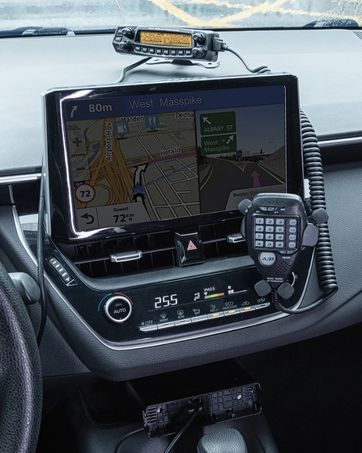
This image shows the Radioddity QT40 radio in a vehicle, illustrating its capability for AM/FM/SSB modulation, crucial for various communication needs.
6.3 Digital Noise Reduction (NRC)
The QT40 features TX and RX digital noise reduction technology. Activate the NRC Function Control to reduce background noise during transmission and reception, improving audio clarity.
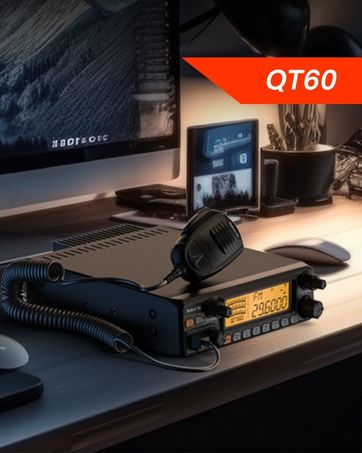
This image depicts the Radioddity QT40 radio installed in a vehicle, emphasizing its digital noise reduction feature for clearer communication in noisy environments.
6.4 Weather Channel and NOAA Alert
To access weather channels and NOAA alerts, use the H/L/WX Band Switch to select the WX band. This feature provides timely weather information and alerts.
6.5 CTCSS/DCS
The radio supports CTCSS (Continuous Tone-Coded Squelch System) and DCS (Digital Coded Squelch) for selective calling. These features can be configured via the programming software.
6.6 Funció VOX
The VOX (Voice Operated Transmit) function allows for hands-free operation. When activated, the radio will transmit automatically when it detects your voice. Adjust VOX sensitivity via the programming software.
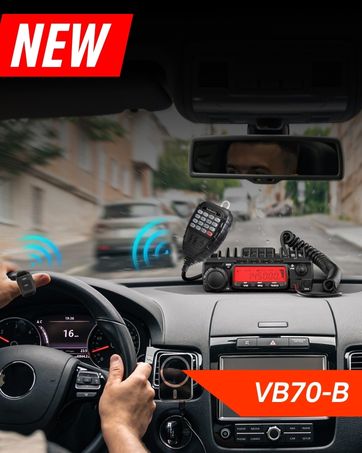
This image shows the Radioddity QT40 microphone mounted in a vehicle, demonstrating the convenience of the VOX hands-free function for drivers.
6.7 Programació per a PC
The Radioddity QT40 can be customized using PC programming software and the included USB programming cable. This allows for advanced settings adjustments, including CTCSS/DCS codes, VOX levels, and other features. Software and drivers are typically available on the manufacturer's weblloc.
7. Manteniment
- Neteja: Utilitzeu un suau, damp drap per netejar l'exterior de la ràdio. No utilitzeu productes químics agressius ni netejadors abrasius.
- Emmagatzematge: When not in use for extended periods, store the radio in a dry, dust-free environment.
- Comprovació de l'antena: Periodically inspect antenna connections for corrosion or damage.
8. Solució De Problemes
| Problema | Causa possible | Solució |
|---|---|---|
| Sense poder | Power cable disconnected; incorrect voltage; blown fuse. | Check power connections; verify power source; inspect fuse. |
| Sense recepció | Squelch too high; antenna disconnected; incorrect channel/mode. | Adjust squelch; check antenna connection; verify channel and mode settings. |
| No es pot transmetre | Microphone not connected; PTT button faulty; antenna issue. | Ensure microphone is connected; test PTT; check antenna and SWR. |
| Mala qualitat d'àudio | Low signal strength; high noise; incorrect mode. | Adjust RF Gain; activate NRC; ensure correct modulation mode. |
| Codi d'error E5 | High SWR (Standing Wave Ratio) detected, indicating an antenna mismatch or fault. | Check antenna connection; verify antenna tuning for the operating frequency; inspect antenna cable for damage. Do not transmit with high SWR to prevent radio damage. |
9. Especificacions
| Característica | Especificació |
|---|---|
| Marca | Radioditat |
| Número de model | QT40 |
| Interval de freqüència | 28.000-29.7 MHz |
| Nombre de canals | 40 |
| Potència de transmissió | 40 watts |
| Modes de modulació | AM, FM, SSB (USB/LSB), PA |
| Característiques especials | Automatic Squelch, Echo, PC programmable, VOX Function, Digital Noise Reduction, NOAA Alert |
| Pes de l'article | 3.3 lliures (1.5 kg) |
| Dimensions del producte | 11.3 x 7.87 x 2.4 polzades (287 x 200 x 61 mm) |
| Interval de conversa màxim | 10 Miles (approximate, depends on conditions) |
| Nivell de resistència a l'aigua | No resistent a l'aigua |

This image provides a visual representation of the Radioddity QT40's dimensions (11.2 inches length, 7.9 inches width, 2.4 inches height) and weight (3.3 lbs).
10. Informació de la garantia
The Radioddity QT40 comes with an 18-month warranty from the date of purchase. This warranty covers manufacturing defects. Please retain your proof of purchase for warranty claims. The warranty does not cover damage caused by misuse, unauthorized modifications, or improper installation.
11. Suport
For technical assistance, troubleshooting beyond this manual, or warranty inquiries, please contact Radioddity customer support. Refer to the official Radioddity weblloc web per obtenir la informació de contacte i els recursos d'assistència més actualitzats.
Official Radioddity Weblloc: www.radioddity.com