
BRAINWAVZ BWAVZ-EUFYW02-WH
BRAINWAVZ Screwless Wall Mount for Eufy T8410X (IndoorCam S220 / E220)
Manual d'instruccions
Introducció
This manual provides detailed instructions for the installation and use of your BRAINWAVZ Screwless Wall Mount, designed specifically for the Eufy T8410X (IndoorCam S220 / E220) security camera. Please read these instructions carefully before installation to ensure proper setup and optimal performance.
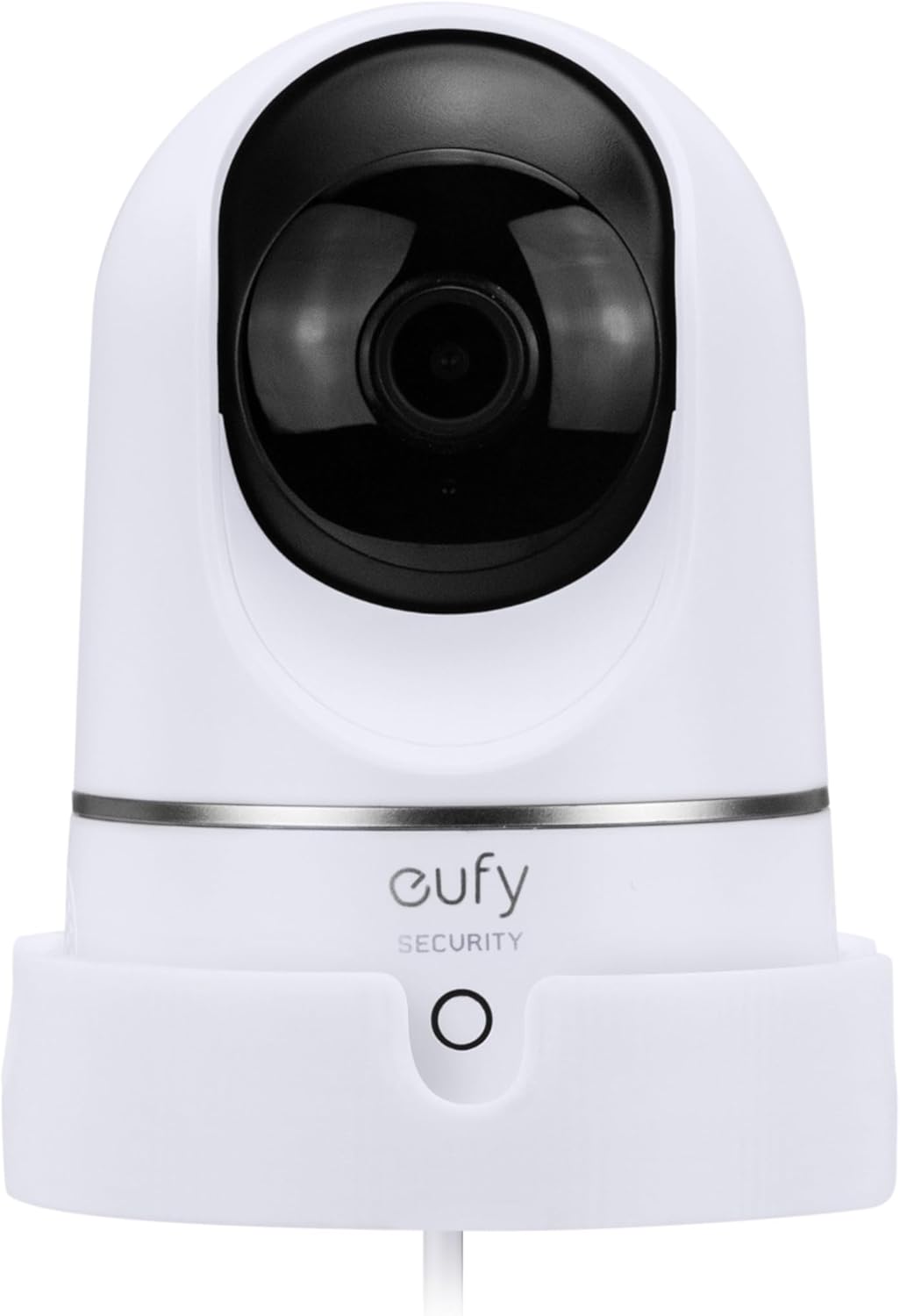
Image: The BRAINWAVZ Wall Mount shown with a compatible Eufy T8410X camera, illustrating how the camera sits securely in the mount.
Producte acabatview
The BRAINWAVZ Wall Mount offers a secure and versatile solution for positioning your Eufy T8410X camera. It allows for improved viewing angles and helps reduce blind spots by mounting the camera on a vertical surface.
Característiques principals:
- Compatibilitat: Specifically designed for Eufy T8410X (IndoorCam S220 / E220).
- Muntatge segur: Camera sits firmly in the base, secured with an included ¼” mounting bolt.
- Gestió de cables: Power cord exits neatly to the rear of the hanger.
- Instal·lació versàtil: Supports both screw mounting and 3M VHB adhesive mounting.
- Orientació flexible: Can be mounted upside down for tighter locations and better angles.
- Construcció duradora: Made from tough and durable plastic.
Què hi ha a la caixa:
- BRAINWAVZ Wall Mount
- 3M VHB Tape (pre-attached for adhesive mounting option)
- Screws, Washers, Wall Plugs, and Screw Caps (for screw mount option)
- ¼” Mounting Bolt
Compatibilitat
This BRAINWAVZ Wall Mount is exclusively compatible with the following Eufy camera models:
- Eufy T8410X
- Eufy IndoorCam S220
- Eufy IndoorCam E220
Please ensure your camera model matches one of the listed compatible devices before proceeding with installation. This mount is not designed for use with other camera models or brands.

Image: Visual confirmation of compatibility with Eufy T8410X, IndoorCam S220, and E220 models, highlighting the camera's model number location.
Guia d'instal·lació
The BRAINWAVZ Wall Mount offers two installation methods: screw mounting for maximum security and adhesive mounting for a quick, tool-free setup. Choose the method best suited for your wall surface and needs.
Method 1: Screw Mount Option (Recommended for maximum security)
This method provides the most secure attachment for your camera mount. All necessary hardware is included.
- Seleccioneu la ubicació: Choose a suitable vertical surface for mounting. Consider viewing angles and power cable access.
- Marqueu els forats de perforació: Hold the mount against the wall at the desired location. Use a pencil to mark the positions for the screw holes.
- Perforar forats pilot: Using an appropriate drill bit for your wall type, drill pilot holes at the marked positions. If mounting into drywall, insert the provided wall plugs.
- Adjuntar el muntatge: Align the mount with the pilot holes/wall plugs. Insert the screws through the mount and tighten them securely using a screwdriver. Place screw caps over the screw heads for a finished look.
- Càmera segura: Place your Eufy camera into the mount. Ensure the power cable is routed through the designated access hole at the rear. Secure the camera to the mount using the included ¼” mounting bolt.
- Adjust Orientation (Optional): The mount can be installed upside down if required for specific viewing angles or to fit into tighter spaces.

Image: Illustration showing the screw mount option with a screwdriver, alongside the 3M VHB adhesive tape for alternative installation.

Image: Diagram demonstrating how to install the Eufy camera upside down into the wall mount, securing it with the ¼” bolt.
Method 2: Self-Adhesive Mount Option (Tool-free installation)
This method uses strong 3M VHB tape for a quick and easy installation without tools. Important: This method is NOT suitable for painted, damp, or plastered walls. These surfaces are not appropriate for adhesive mounting.
- Superfície neta: Ensure the chosen vertical surface is clean, dry, and smooth. Wipe away any dust, dirt, or grease.
- Preparació de l'adhesiu: The 3M VHB tape is pre-attached to the back of the mount. Carefully peel off the red protective backing from the tape.
- Posició de muntatge: Firmly press the mount onto the desired location on the wall. Apply strong, even pressure for at least 30 seconds to ensure good adhesion.
- Permet establir: For optimal adhesion, allow the mount to set for a few hours (ideally 24 hours) before placing the camera into it. This allows the adhesive to fully bond with the surface.
- Càmera segura: Once the adhesive has fully set, place your Eufy camera into the mount. Ensure the power cable is routed through the designated access hole at the rear. Secure the camera to the mount using the included ¼” mounting bolt.

Imatge: Primer pla view of the strong 3M VHB adhesive tape on the rear of the BRAINWAVZ Wall Mount, ready for application.

Image: Diagram illustrating the drop-in design for easy camera placement and the cable access hole for neat power cord routing.
Funcionament de la muntura
Once installed, the BRAINWAVZ Wall Mount provides a stable platform for your Eufy T8410X camera. The mount itself does not have moving parts; its function is to securely hold the camera in an elevated position, allowing the camera's pan and tilt features to operate effectively from a better vantage punt.
- Millora Viewing: By mounting your camera on a wall, you can achieve wider coverage and reduce blind spots compared to placing it on a flat surface.
- Seguretat: The secure fit and optional screw mount prevent accidental knocks or movement, keeping your camera safe.
- Gestió de cables: The integrated cable access ensures a tidy installation, keeping the power cord out of the way.

Imatge: Examples of the Eufy camera mounted in different home environments such as a living room, nursery, garage, and home office, demonstrating versatile placement options.
Manteniment
The BRAINWAVZ Wall Mount requires minimal maintenance.
- Neteja: To clean the mount, simply wipe it with a soft, dry, or slightly damp drap. Eviteu utilitzar productes químics agressius o netejadors abrasius, ja que poden danyar l'acabat.
- Inspecció: Periodically check the mount for any signs of wear or damage. Ensure the camera remains securely fastened with the ¼” bolt.
- Comprovació d'adhesiu: If using the adhesive mount, occasionally check that the mount is still firmly attached to the wall. If it shows signs of loosening, consider re-securing it with screws if the surface allows, or relocating it to a more suitable surface.
Resolució de problemes
If you encounter any issues with your BRAINWAVZ Wall Mount, please refer to the following common solutions:
- Mount is not sticking (Adhesive Option):
- Ensure the wall surface was clean, dry, and smooth before application.
- Verify the surface is not painted, damp, or plastered, as these are unsuitable for adhesive mounting.
- Ensure sufficient pressure was applied during installation and that the adhesive was allowed to set for several hours (24 hours recommended) before placing the camera.
- If issues persist, consider using the screw mount option for a more permanent and secure installation.
- Camera feels loose in the mount:
- Ensure the ¼” mounting bolt is fully tightened, securing the camera to the mount.
- Verify that your camera is indeed a compatible Eufy T8410X, IndoorCam S220, or E220 model.
- Mount is wobbly (Screw Option):
- Assegureu-vos que tots els cargols estiguin ben ajustats.
- If mounting into drywall, ensure wall plugs were used and are properly seated.
- Check if the wall surface itself is stable and can support the weight of the camera and mount.
Especificacions
| Marca | BRAINWAVZ |
| Número de model | BWAVZ-EUFYW02-WH |
| Dispositius compatibles | Eufy T8410X (IndoorCam S220 / E220) |
| Tipus de muntatge | Wall Mount (Screw or Adhesive) |
| Material | Plàstic durador |
| Color | Blanc |
| Pes de l'article | 1.44 unces |
| Dimensions del paquet | 7.13 x 4.53 x 3.43 polzades |
| Característica especial | Enhanced Mounting Security and Durability |
Garantia i Suport
BRAINWAVZ products are designed for quality and durability. For specific warranty information or technical support, please refer to the official BRAINWAVZ weblloc web o contacteu directament amb el seu servei d'atenció al client. Conserveu el rebut de compra com a comprovant de compra.
Per a més ajuda, podeu visitar el BRAINWAVZ Store on Amazon.
Ask a question about this manual
Ask about setup, troubleshooting, compatibility, parts, safety, or missing instructions. Manuals+ will review the question and use this page’s manual context to help answer it.