
Informació important de seguretat
Read all instructions carefully before operating the BlackSmith 3 Gun Safe. Failure to follow these instructions may result in injury or damage to the product.
- Always ensure the safe is properly mounted to prevent tip-overs.
- Do not exceed the weight capacity or internal storage limits.
- Use appropriate safety gloves when handling firearms.
- Keep all keys and access codes in a secure location, away from children and unauthorized individuals. Never store spare keys inside the safe.
- This safe is designed to protect young children and limit unsupervised access to valuables. It is not fireproof or waterproof.
Producte acabatview
The BlackSmith 3 Gun Safe (Model SE0103) provides secure storage for firearms and valuables with a digital keypad and key access. It features a durable alloy steel construction and internal organization for rifles, handguns, and ammunition.

Imatge: Frontal view of the BlackSmith 3 Gun Safe, highlighting the digital keypad and key lock for secure access.
Característiques principals:
- Capacitat: Designed for 3 long rifles and 2 handguns.
- Emmagatzematge: Includes 3 gun magazine racks, 2 pistol pockets, and a removable storage shelf with a 4-slot rifle holder.
- Construcció: Sturdy alloy steel with 3 locking bolts.
- Accés: Digital keypad (3-8 digit password) and traditional key access.
- Seguretat: Smart alarm system triggers after 3 or 6 consecutive incorrect password entries.
- Interior: Fully carpeted to prevent scratches.
- Instal·lació: 4 pre-drilled holes for wall mounting.

Image: Detailed interior view of the safe, illustrating the bullet shelf, adjustable 3-slot rifle holder, pistol pockets, gun magazine racks, and pre-drilled mounting holes.
Configuració i instal·lació
Desembalatge:
- Carefully remove the safe from its packaging.
- Inspect the safe for any signs of damage. Contact customer support immediately if damage is found.
- Locate the accessory bag containing keys, mounting hardware, and the instruction manual.
Instal·lació de la bateria:
- Open the safe using the emergency keys.
- Locate the battery compartment on the inside of the door, typically behind the keypad unit.
- Insert the required batteries (usually AA, refer to the battery compartment label) ensuring correct polarity.
- Tanqueu la tapa del compartiment de la bateria.
Muntatge a la paret:
The safe is equipped with 4 pre-drilled holes on the back for secure wall mounting. Proper mounting is crucial for security and to prevent tip-overs.
- Choose a suitable location for mounting, such as a wall or inside a closet. Ensure the surface can support the weight of the safe and its contents.
- Mark the positions of the 4 pre-drilled holes on the wall.
- Drill pilot holes into the wall at the marked positions using an appropriate drill bit for your wall material.
- Align the safe with the drilled holes and secure it using the provided mounting hardware (e.g., anchor bolts for concrete walls). Ensure all bolts are tightened securely.

Image: The gun safe securely mounted to a wall, demonstrating the anti-tip design for enhanced stability.
Instruccions de funcionament
Setting/Changing the Digital Password:
The safe comes with a default password. It is highly recommended to change this immediately.
- Obre la porta de la caixa forta.
- Locate the red reset button on the inside of the safe door, near the hinge or battery compartment.
- Press the red reset button. You will hear a beep, and the indicator light on the keypad will illuminate.
- On the keypad, enter your new 3-8 digit password.
- Press the "ENTER" button to confirm. You will hear a confirmation beep.
- Test the new password with the door open before closing it.

Image: Close-up of the red setting button located on the inside of the safe door, used for programming the digital password.
Opening the Safe with Digital Keypad:
- Enter your 3-8 digit password on the keypad.
- Press the "ENTER" button.
- En 5 segons, gireu la maneta en sentit horari per obrir la porta.

Image: A hand demonstrating the process of entering a password on the digital keypad to unlock the safe.
Opening the Safe with Emergency Keys:
In case of battery failure or forgotten password, use the emergency keys.
- Locate the keyhole, usually concealed behind a cover on the keypad panel.
- Introduïu la clau d'emergència i gireu-la en sentit antihorari.
- Gireu la maneta en sentit horari per obrir la porta.

Image: Close-up of the emergency keyhole and handle, showing how to manually open the safe.
Sistema d'alarma:
The safe features a smart alarm system to deter unauthorized access.
- If an incorrect password is entered 3 or 6 times consecutively, the alarm will activate.
- The alarm will sound for a set period or until the correct password is entered or the safe is opened with the emergency key.

Image: The BlackSmith gun safe with an alarm icon, visually representing the active alarm system feature.
Manteniment
Substitució de la bateria:
Replace batteries annually or when the low battery indicator light appears. Use high-quality alkaline batteries.
- Open the safe using the current password or emergency key.
- Localitzeu el compartiment de la bateria.
- Traieu les piles velles i elimineu-les correctament.
- Introduïu piles noves, assegurant la polaritat correcta.
- Test the keypad functionality.
Neteja:
- Netegeu l'exterior de la caixa forta amb un drap suau iamp tela. Eviteu els netejadors abrasius.
- Clean the interior carpeted surfaces with a soft brush or vacuum cleaner.
- Do not spray cleaning solutions directly onto the keypad or locking mechanism.
Locking Mechanism Check:
Periodically check the locking bolts and door hinges for smooth operation. Apply a small amount of lubricant if necessary.
Resolució de problemes
| Problema | Causa possible | Solució |
|---|---|---|
| El teclat no respon | Bateries esgotades | Replace batteries. Use emergency key to open if needed. |
| Safe does not open with password | Incorrect password entered; Password not confirmed; Handle not turned within 5 seconds | Re-enter password carefully. Ensure 'ENTER' is pressed. Turn handle promptly. Use emergency key if password is forgotten. |
| Alarm sounds frequently | Incorrect password attempts; Safe moved or vibrated excessively | Ensure correct password entry. Check mounting for stability. |
| La porta no es tanca correctament | Obstruction in door frame; Misaligned locking bolts | Check for obstructions. Contact customer support if locking bolts are misaligned. |
| Contrasenya oblidada | Contrasenya oblidada | Use emergency key to open the safe. Reset the password using the red reset button inside the door. |

Image: The red button inside the safe, used for resetting the digital password to factory settings or programming a new code.
Especificacions
| Característica | Detall |
|---|---|
| Número de model | SE0103 |
| Dimensions exteriors (P x A x A) | 8.6" x 10" x 52" |
| Material | Acer d'aliatge |
| Tipus de bloqueig | Electronic (Digital Keypad), Key |
| Pes de l'article | 57.3 lliures |
| Capacitat | Up to 3 long rifles, 2 handguns |
| Tipus de muntatge | Suport a la paret (forats pretallats) |
| Característiques interiors | Fully carpeted, removable shelf, 4-slot rifle holder, 3 magazine racks, 2 pistol pockets |
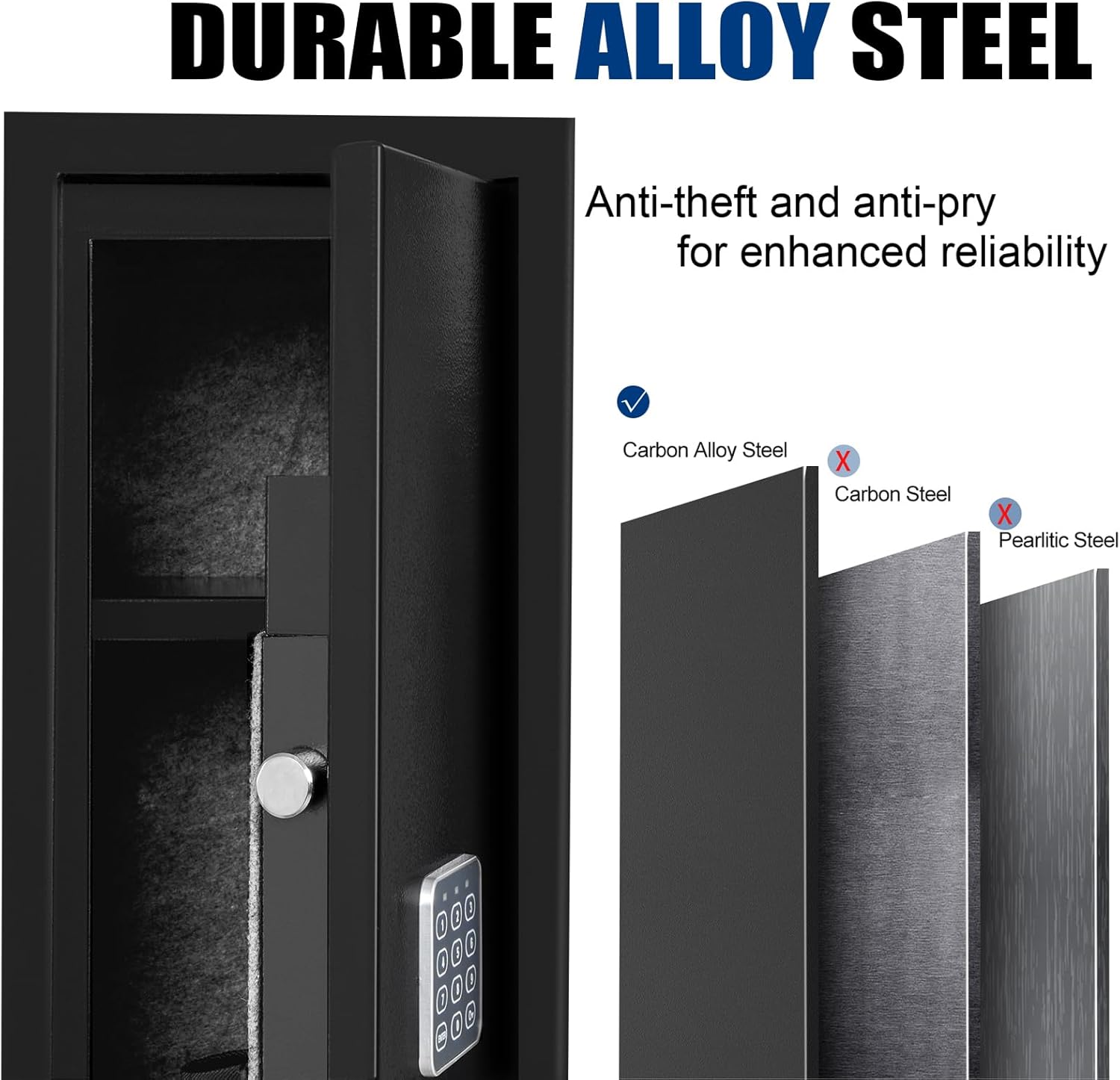
Imatge: Una imatge detallada view of the safe's construction, emphasizing the durable alloy steel material used for anti-theft and anti-pry resistance.