
Cuifati CUIFATIm8zosxag3e-12
Cuifati Unlocked Flip Phone User Manual
Model: CUIFATIm8zosxag3e-12
Producte acabatview
The Cuifati Unlocked Flip Phone is a compact and easy-to-use mobile device designed for simplicity and essential communication. It features a 0.66-inch OLED screen, 32MB/64MB memory, and supports 2G GSM networks. Its mini design and clear sound make it a practical choice for basic phone functions.

Image: The Cuifati Unlocked Flip Phone shown in both its open, flip-up position revealing the screen and keypad, and its closed, compact form. The phone is white with a black screen and keypad.
Contingut del paquet
En obrir el paquet, assegureu-vos que hi hagi tots els elements següents:
- 1 x Cuifati Flip Phone
- 1 cable de dades (micro USB)
- 1 x manual d'instruccions
Guia de configuració
1. Inserció de la targeta SIM
This phone uses a Micro SIM card. Ensure your SIM card is GSM enabled and supports 2G GSM frequencies (850/900/1800/1900MHz). Compatible carriers include T-Mobile (in some states), LYCAMOBILE, SPEEDTALK, TING GSM, and SIMPLE MOBILE.
- Locate the SIM card slot on the device. This is typically found under the battery cover or on the side.
- Introduïu amb cura la targeta Micro SIM a la ranura designada amb els contactes daurats cap avall, assegurant-vos que encaixi al seu lloc.
2. Carregant la bateria
The phone comes with a built-in 300mAh Lithium Battery. It is recommended to fully charge the phone before first use.
- Connect the provided Micro USB data cable to the charging port on the phone.
- Connecteu l'altre extrem del cable USB a un adaptador de corrent USB compatible (no inclòs) o al port USB d'un ordinador.
- The charging indicator on the screen will show the charging status. Disconnect the charger once the battery is full.

Imatge: Un primer pla view of the Cuifati Flip Phone showing the Micro USB charging port located at the bottom of the device when flipped open.
Instruccions de funcionament
Encès/Apagat
- Per engegar: manteniu premut el botó d'engegada/finalització de trucada fins que la pantalla s'il·lumini.
- To power off: Press and hold the Power/End Call button until the power off options appear, then select 'Power off'.
Realització de trucades
- Marqueu el número de telèfon desitjat amb el teclat.
- Press the Call button (green phone icon) to initiate the call.
- To end a call, press the End Call button (red phone icon).
Recepció de trucades
- When an incoming call rings, press the Call button (green phone icon) to answer.
- To reject a call, press the End Call button (red phone icon).
Missatgeria
The phone supports basic SMS messaging. Navigate to the 'Messages' menu to compose, read, and manage your text messages.
Llibreta d'adreces
Store up to 500 contacts in the phone's address book. You can add, edit, and delete contacts, and assign them to a whitelist for call filtering.
Connectivitat Bluetooth
The phone supports Bluetooth 3.0 for wireless connection. This allows for Bluetooth dialing, call synchronization, phonebook synchronization, and intelligent anti-loss functions when connected to another smartphone.

Image: An illustration showing the Cuifati Flip Phone wirelessly connecting via Bluetooth to a larger smartphone, demonstrating its Bluetooth dialing and synchronization capabilities.
Manteniment
Neteja
- Feu servir un drap suau i sec per netejar l'exterior del telèfon.
- Eviteu utilitzar netejadors líquids o aerosols, ja que poden fer malbé el dispositiu.
Cura de la bateria
- Per allargar la durada de la bateria, eviteu exposar el telèfon a temperatures extremes.
- Charge the phone regularly, but avoid overcharging for extended periods.
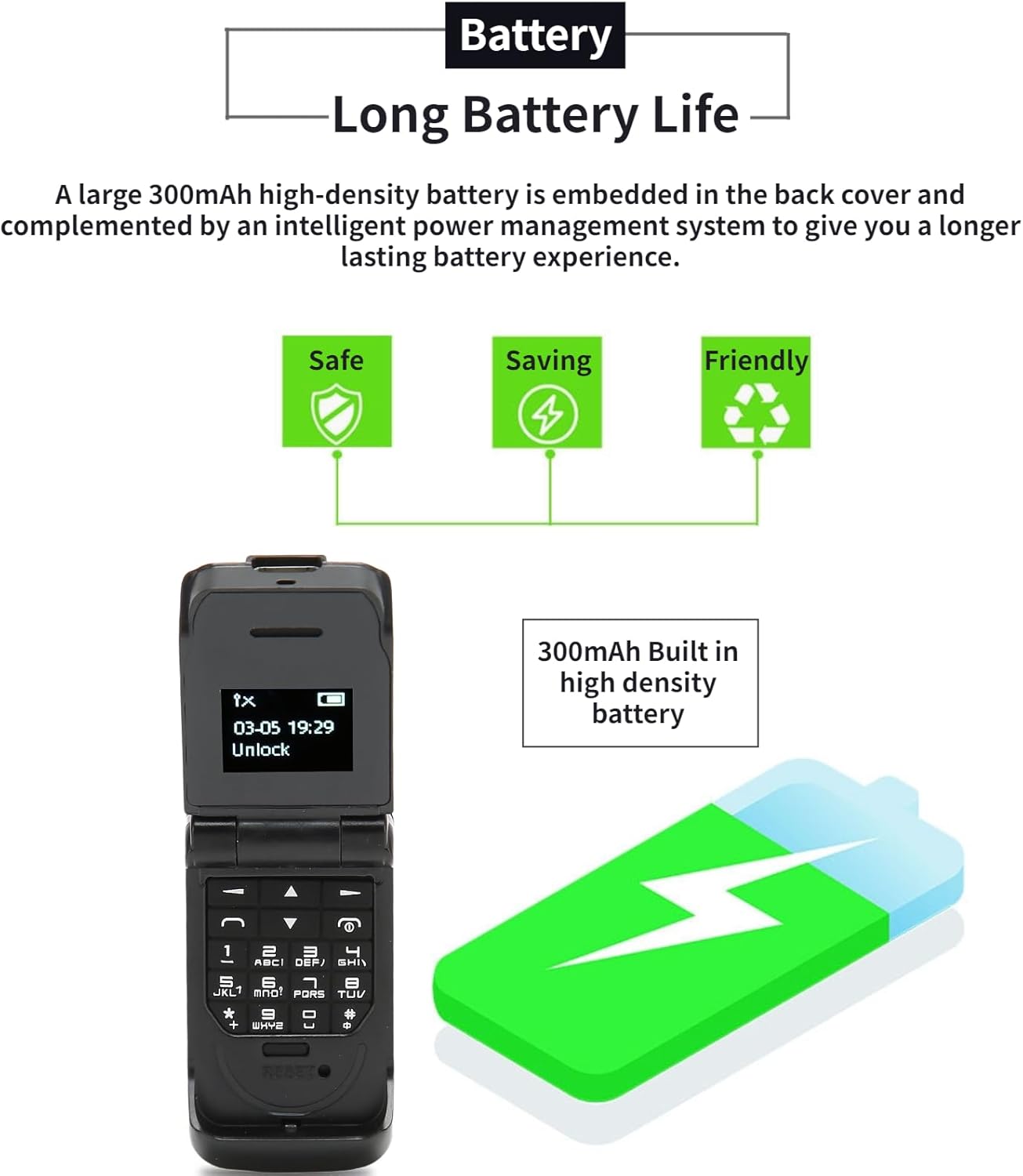
Image: The Cuifati Flip Phone displayed alongside icons representing safe, saving, and friendly battery usage, emphasizing its long battery life and efficient power management.
Resolució de problemes
| Problema | Causa possible | Solució |
|---|---|---|
| El telèfon no s'encén. | La bateria està esgotada. | Charge the phone for at least 30 minutes. |
| No es poden fer ni rebre trucades. | No SIM card inserted or SIM card not active/compatible. | Ensure a compatible 2G GSM Micro SIM card is correctly inserted and activated. Check network signal strength. |
| Poor call quality (HiFi Sound). | Weak network signal or interference. | Move to an area with better network coverage. Avoid obstacles. |
| Problemes de connexió Bluetooth. | Bluetooth is off or device is out of range. | Ensure Bluetooth is enabled on both devices and they are within 10m (10.9yd) without obstacles. |
Especificacions
- Tipus d'element: Telèfon Flip
- Material: ABS
- Mida de la pantalla: OLED de 0.66 polzades
- Resolució: 64 x 48 píxels
- Body Memory: 32MB and 64MB ROM
- Capacitat de la bateria incorporada: Bateria de liti de 300 mAh
- Port de càrrega: Micro USB
- Sistema de xarxa: GSM 2G Single Card Single Standby (Micro Sim)
- Network Frequency Band: GSM 850 900 1800 1900MHz
- Phone Storage: 500 contactes
- Phone Card: Targeta Micro SIM
- Suport lingüístic: 13 National Languages
- Distància Bluetooth: Within 10m/10.9yd Without Obstacles
- Altres característiques: Messages, Address Book, Blacklist, Alarm Clock, Bluetooth Dialer, Whitelist Address Book, Intelligent Anti-loss Function.
- Pes: Approximately 18g (0.63oz) - 2.68 ounces (product spec)

Image: A graphic illustrating the 0.66-inch OLED HD display of the Cuifati Flip Phone, highlighting its 64x48 pixel resolution and compact screen size.

Image: An illustration depicting the wide compatibility of the Cuifati Flip Phone with various operating systems (Windows, iOS, Android) and devices like mobile phones, tablets, and laptops.

Image: A visual representation of the Cuifati Flip Phone's support for 13 languages, shown with various national flags.
Garantia i Suport
Cuifati offers a 90-day warranty for this product. For any issues or support inquiries, please refer to the contact information provided in your purchase documentation or visit the official Cuifati store on Amazon.

Image: The Cuifati brand logo, indicating the manufacturer.
Ask a question about this manual
Ask about setup, troubleshooting, compatibility, parts, safety, or missing instructions. Manuals+ will review the question and use this page’s manual context to help answer it.