
Kobo N605-KU-BK-K-BU+N605-AC-BK-E-PU
Kobo Elipsa 2E User Manual
Model: N605-KU-BK-K-BU+N605-AC-BK-E-PU
1. Introducció
The Kobo Elipsa 2E is an advanced eReader designed for reading, note-taking, and drawing. This manual provides essential information for setting up, operating, maintaining, and troubleshooting your device.
1.1 Contingut del paquet
En desembalar, assegureu-vos que hi hagi tots els elements:
- Kobo Elipsa 2E eReader
- Kobo SleepCover (Black)
- Bolígraf
- Cable USB-C (per carregar i transferir dades)

Image: Kobo Elipsa 2E eReader with its SleepCover and the included stylus pen, showcasing el paquet complet.
2. Guia de configuració
2.1 Càrrec inicial
Before first use, fully charge your Kobo Elipsa 2E. Connect the included USB-C cable to the device's charging port and the other end to a compatible USB power adapter (not included) or a computer's USB port. The charging indicator will show progress.
2.2 Engegada/apagada
- Per encendre: Press and hold the power button (usually located on the side or bottom edge) for a few seconds until the screen activates.
- Per apagar: Mantingueu premut el botó d'engegada fins que aparegui una opció d'apagada a la pantalla i, a continuació, confirmeu.
- Per dormir/despertar-se: Briefly press the power button to put the device to sleep or wake it up. The SleepCover also automatically puts the device to sleep when closed and wakes it when opened.
2.3 Connexió a Wi-Fi
A Wi-Fi connection is required to access the Kobo store, sync content, and update firmware.
- Des de la pantalla d'inici, toqueu Configuració icon (gear icon).
- Seleccioneu Wi-Fi.
- Trieu la xarxa Wi-Fi que vulgueu de la llista.
- Introduïu la contrasenya de xarxa si us demana i, a continuació, toqueu Connecta't.
2.4 Kobo Account Setup
To purchase and manage eBooks, you will need a Kobo account. You can create one directly on the device or link an existing account.
- Follow the on-screen prompts during initial setup to sign in or create a Kobo account.
- If you skip this step, you can always sign in later via Configuració > Comptes.
3. Operating Your Kobo Elipsa 2E
3.1 Reading eBooks
The Kobo Elipsa 2E features a 10.3-inch E Ink Carta HD display for a comfortable reading experience.
- Obertura de llibres: Tap on a book cover from your Library to open it.
- Passant pàgines: Tap the left or right side of the screen, or swipe left/right to turn pages.
- Reading Settings: Tap the center of the screen while reading to access reading settings, including font size, font style, line spacing, and margin adjustments.
- ComfortLight PRO: Adjust the screen's brightness and warmness by swiping up/down on the left side of the screen or through the reading settings menu.
3.2 Note-Taking and Drawing
Utilize the included stylus pen for advanced note-taking and drawing directly on the screen.
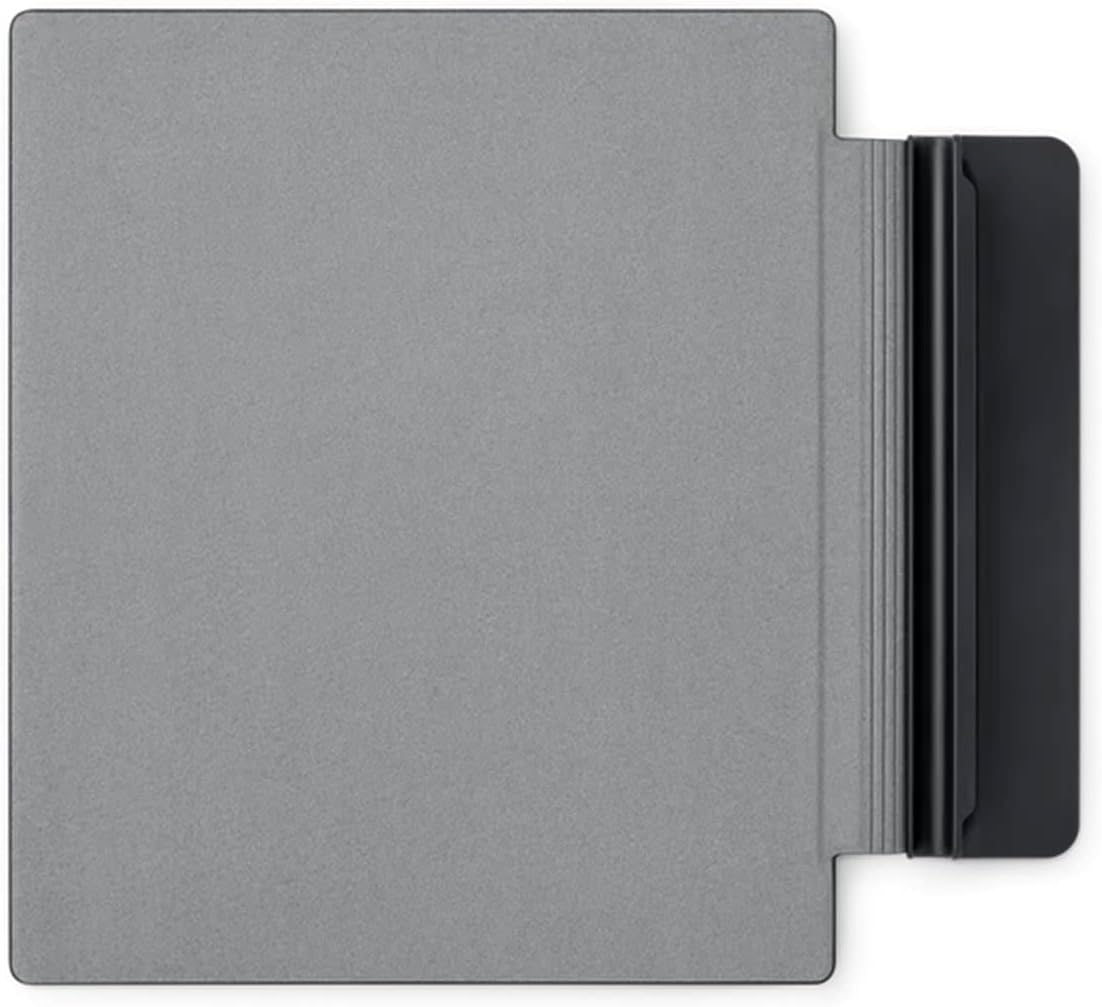
Image: The Kobo Elipsa 2E displaying a notebook page where handwritten text is being converted to typed text, demonstrating the device's handwriting recognition feature.
- Creating Notebooks: From the Home screen, navigate to the My Notebooks section to create new notebooks for freehand drawing or structured notes.
- Writing on eBooks/Documents: While reading, you can often annotate directly on the page. Check the specific document's compatibility. PDFs with digital rights management or permission limitations may not support markups.
- Stylus Functions: The stylus typically has buttons for quick access to eraser or highlighter functions. Refer to the on-screen guide for specific stylus button assignments.
- Exporting Notes: Notes can be exported to PDF or Word documents for easy organization and sharing.

Image: A person is shown actively writing on the screen of a Kobo Elipsa 2E eReader using the stylus, illustrating the device's note-taking capability on documents.
3.3 Kobo Store and Content Management
Access over 6 million eBooks through the built-in Kobo store.
- Navegació: Toqueu Descobreix icon to browse the Kobo store.
- Compraasing: Select a book and follow the prompts to purchase. Your Kobo account payment method will be used.
- Library Sync: Ensure your device is connected to Wi-Fi and tap the Sincronització icon to download new purchases or updates to your library.
- Emmagatzematge: The device has 32GB of storage, allowing for thousands of eBooks and documents.
4. Manteniment i cura
4.1 Neteja del vostre dispositiu
- Feu servir un drap suau i sense borrissol, lleugerament humitampened with water, to clean the screen and body of the eReader.
- Eviteu utilitzar productes químics agressius, netejadors abrasius o aerosols.
- Assegureu-vos que el dispositiu estigui apagat i desconnectat abans de netejar-lo.
4.2 Cura de la bateria
The Kobo Elipsa 2E features a long-lasting battery. To maximize battery life:
- Carregueu el dispositiu regularment, però eviteu deixar-lo completament descarregat durant períodes prolongats.
- Reduce screen brightness or turn off Wi-Fi when not needed to conserve power.
- Guardeu el dispositiu en un lloc fresc i sec quan no l'utilitzeu.
4.3 SleepCover Protection
The included SleepCover provides protection for your device. Keep the cover clean and avoid exposing it to extreme temperatures or sharp objects.

Imatge: Un primer pla view of the Kobo Elipsa 2E SleepCover, showcasing its textured black exterior.
5. Solució De Problemes
If you encounter issues with your Kobo Elipsa 2E, try the following solutions:
| Problema | Possible solució |
|---|---|
| El dispositiu no s'encén | Ensure the battery is charged. Connect to a power source for at least 30 minutes. Perform a soft reset by holding the power button for 15-20 seconds. |
| Screen is frozen or unresponsive | Perform a soft reset (hold power button for 15-20 seconds). If the issue persists, ensure the device is charged. |
| No es pot connectar a la Wi-Fi | Verify your Wi-Fi password. Restart your Wi-Fi router. Ensure the device is within range of the Wi-Fi signal. Try forgetting the network and reconnecting. |
| El llapis no respon | Ensure the stylus is charged (if rechargeable). Check if the stylus tip is damaged. Restart the eReader. |
| Els llibres no es sincronitzen | Check your Wi-Fi connection. Ensure you are signed into your Kobo account. Manually initiate a sync from the Home screen. |
If these steps do not resolve the issue, please refer to the Kobo support weblloc per obtenir més ajuda.
6. Especificacions tècniques
| Característica | Detall |
|---|---|
| Nom del model | Kobo Elipsa 2E |
| Número de model | N605-KU-BK-K-BU+N605-AC-BK-E-PU |
| Mostra | 10.3-inch E Ink Carta HD, 1448 x 1072 resolution |
| Emmagatzematge | 32 GB |
| Connectivitat | Wi-Fi |
| Durada de la bateria | Weeks (typical usage), 14 Hours (specific test condition) |
| Dimensions (A x A x P) | 8.95 x 7.59 x 0.31 polzades |
| Pes | 13.6 unces |
| Components inclosos | Kobo Elipsa 2E eReader, SleepCover, Stylus Pen |
| Color | Negre |
7. Garantia i Suport
7.1 Garantia del producte
Kobo products typically come with a limited manufacturer's warranty. Please refer to the warranty card included with your product or visit the official Kobo weblloc web per obtenir informació detallada sobre els termes i condicions de la garantia específics per a la vostra regió i data de compra. Conserveu el comprovant de compra per a reclamacions de garantia.
7.2 Atenció al client
For technical assistance, troubleshooting beyond this manual, or warranty inquiries, please contact Kobo Customer Support:
- Assistència en línia: Visit the official Kobo Help Center at help.kobo.com per a preguntes freqüents, guies i opcions de contacte.
- Suport telefònic: Check the Kobo weblloc web per a números de telèfon regionals i horaris d'atenció.
When contacting support, please have your device's model number (N605-KU-BK-K-BU+N605-AC-BK-E-PU) and serial number ready.
Documents relacionats - N605-KU-BK-K-BU+N605-AC-BK-E-PU
 |
Guia d'inici ràpid de Kobo Sage Una guia concisa per començar a utilitzar el teu lector electrònic Kobo Sage, que cobreix les funcions essencials com ara l'encesa i l'apagada, la càrrega, l'ús del Kobo Stylus i la descàrrega de l'aplicació Kobo. |
 |
Guia d'inici ràpid de Kobo Clara 2e Una guia d'inici ràpid per al lector electrònic Kobo Clara 2e, que cobreix operacions bàsiques com ara encendre/apagar el dispositiu i carregar-lo, juntament amb informació sobre l'aplicació Kobo i els materials ecològics del dispositiu. |
 |
Etiqueta electrònica i informació normativa de Kobo Clara BW (P365) Accediu als detalls del lector electrònic Kobo Clara BW (P365), incloent-hi com trobar l'etiqueta electrònica, el número de model i les marques de certificació reglamentàries. També es proporciona informació sobre la tecnologia de tinta electrònica, els drets d'autor i els detalls del proveïdor. |
 |
Guia de seguretat, garantia i ús del Tolino Flip | Kobo Instruccions de seguretat completes, detalls de la garantia, pautes de neteja i informació de conformitat amb la UE per al dispositiu Kobo Tolino Flip. Aprèn a utilitzar i cuidar el teu Tolino Flip de manera segura. |
 |
Guia d'inici ràpid del Kobo Stylus 2 Comença ràpidament amb el teu Kobo Stylus 2. Aquesta guia explica la configuració bàsica, com ara com substituir la punta del llapis òptic i on trobar assistència. |
 |
Kobo Elipsa 2E Quick Start Guide Quick start guide for the Kobo Elipsa 2E eReader, including instructions on powering on, charging, using the Kobo Stylus 2, and accessing help. |
Ask a question about this manual
Ask about setup, troubleshooting, compatibility, parts, safety, or missing instructions. Manuals+ will review the question and use this page’s manual context to help answer it.