
1. Introducció
This manual provides detailed instructions for the safe and efficient operation, maintenance, and troubleshooting of your FOHERE 20L/24h Electric Dehumidifier. Please read this manual thoroughly before using the appliance and retain it for future reference.
2. Instruccions de seguretat
Always observe the following basic safety precautions when using electrical appliances to reduce the risk of fire, electric shock, or injury.
- Assegureu-vos que la font d'alimentació voltagcoincideix amb l'etiqueta de classificació del deshumidificador.
- No feu funcionar el deshumidificador amb un cable o endoll danyats.
- No submergiu la unitat, el cable d'alimentació ni l'endoll en aigua ni altres líquids.
- Mantingueu l'aparell lluny de fonts de calor i de la llum solar directa.
- Ensure adequate ventilation around the unit; do not block air inlets or outlets.
- Always unplug the dehumidifier before cleaning, moving, or performing any maintenance.
- Do not allow children to play with or operate the dehumidifier.
- Buideu el dipòsit d'aigua regularment per evitar que es desbordi.
- No utilitzeu l'aparell en zones on s'emmagatzemin gasos o líquids inflamables.
3. Producte acabatview
3.1 Components

Figure 3.1: The FOHERE 20L/24h Dehumidifier, showcasing its compact design and the mobile application interface for smart control. The unit is white with a top control panel and side air vents.
3.2 Tauler de control

Figure 3.2: Close-up of the dehumidifier's top control panel, indicating buttons for Timer, Swing, Humidity Adjustment (+/-), Mode, and ON/OFF, along with indicators for Timer, WiFi, Tank Full, Dry, Fan, and Laundry modes.
The control panel features an LED display and touch-sensitive buttons for various functions:
- Botó del temporitzador: Sets the auto-on or auto-off time.
- Botó de swing: Activates or deactivates the oscillating air outlet.
- Humidity Adjustment (+/-) Buttons: Increases or decreases the desired humidity level.
- Botó de mode: Cycles through operating modes (Dry, Fan, Laundry).
- Botó ON/OFF: Encén o apaga la unitat.
- Indicadors: Lights for Timer, WiFi connection, Tank Full, Dry mode, Fan mode, and Laundry mode.
4. Configuració
4.1 Desembalatge
Carefully remove the dehumidifier from its packaging. Inspect the unit for any signs of damage. Retain the packaging materials for future storage or transport.
4.2 Col·locació
Place the dehumidifier on a flat, stable surface in the desired room. Ensure there is at least 20 cm (8 inches) of clear space around all sides of the unit for proper airflow. Avoid placing it near heat sources or in direct sunlight.
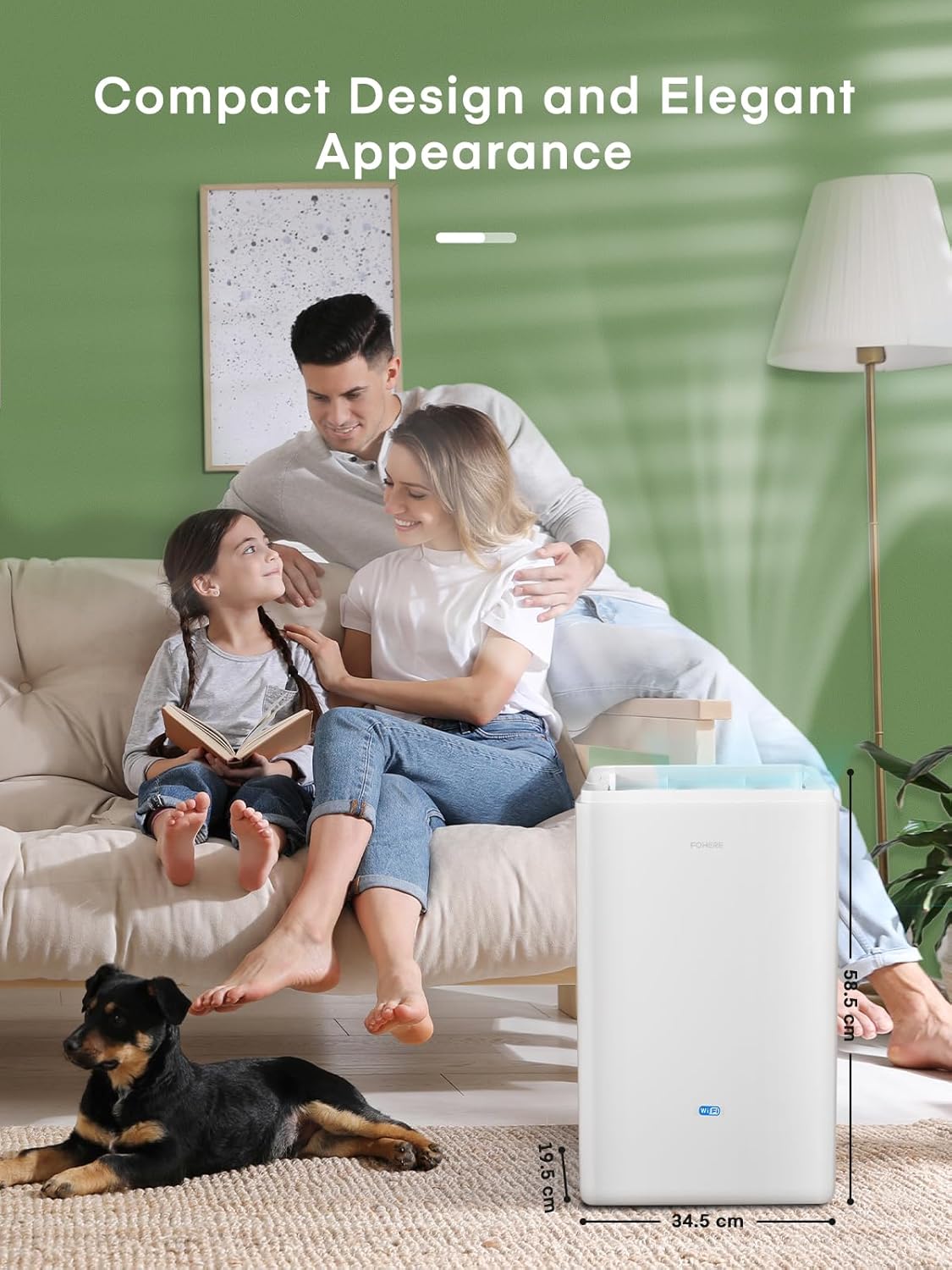
Figure 4.1: The dehumidifier positioned in a living room, illustrating its compact dimensions of 39.7 cm (height) x 24.3 cm (width) x 64 cm (depth), making it suitable for various indoor spaces.
4.3 Connexió d'alimentació
Connecteu el cable d'alimentació a una presa de corrent amb connexió a terra. Assegureu-vos que la presa compleixi els requisits de potència del deshumidificador.
4.4 Opcions de drenatge
El vostre deshumidificador ofereix dos mètodes de drenatge:
- Manual Tank Drainage: The dehumidifier collects water in its internal 4.2L water tank. When the tank is full, the unit will automatically shut off and the 'Tank Full' indicator will illuminate. Empty the tank by carefully pulling it out from the side of the unit and pouring out the collected water. Reinsert the tank firmly until it clicks into place.
- Drenatge continu: For continuous operation without needing to empty the tank, connect the included drain hose to the continuous drainage port on the back of the unit. Route the hose to a suitable drain (e.g., floor drain, sink) ensuring it is sloped downwards for gravity drainage.
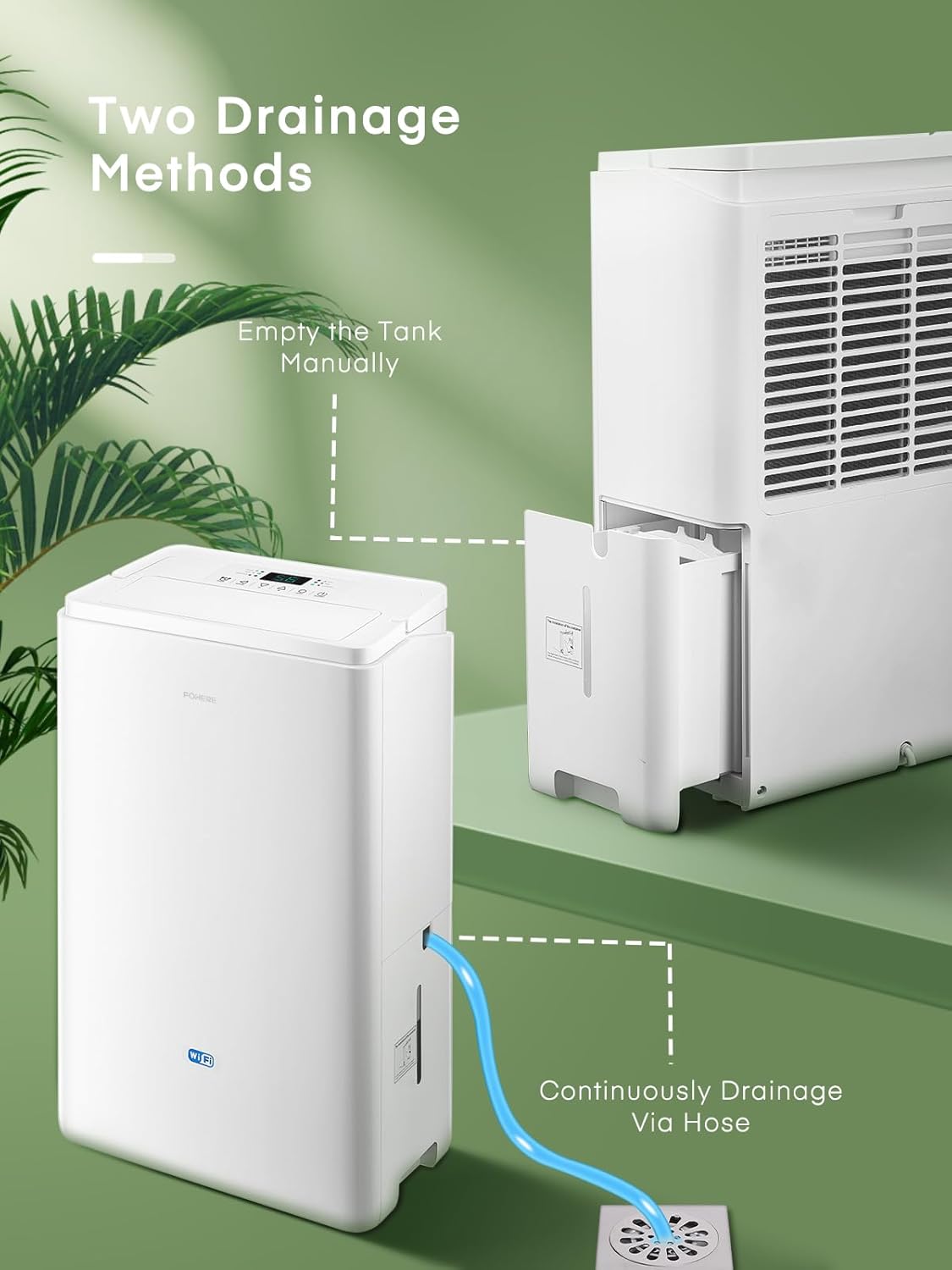
Figure 4.2: Illustration of the two drainage methods: manually emptying the removable water tank and connecting a hose for continuous drainage directly to a floor drain.
5. Instruccions de funcionament
5.1 Funcionament bàsic
- Premeu el botó ON/OFF button to power on the dehumidifier.
- The unit will start operating in its default mode.
5.2 Modes de funcionament
Premeu el botó Mode botó per anar ciclant pels modes de funcionament disponibles:

Figure 5.1: The control panel highlighting the three main operation modes: Dry, Fan, and Laundry, along with the Swing function.
- Mode sec: Standard dehumidification for general use.
- Mode de ventilador: Operates as a fan, circulating air without dehumidification.
- Mode de bugaderia: Designed for faster drying of clothes in a confined space. The unit operates at a higher fan speed and continuous dehumidification.
5.3 Configuració d'humitat
In Dry mode, use the + or - buttons to set your desired humidity level (e.g., 40% to 80% relative humidity). The unit will operate until the ambient humidity reaches the set level, then cycle on and off to maintain it.
5.4 Funció de temporitzador
Premeu el botó Temporitzador button to set an auto-on or auto-off time (from 1 to 24 hours). Each press increases the time by one hour. The timer indicator will light up when active.
5.5 Oscillating Mode
Premeu el botó Swing button to activate the oscillating function, which helps distribute dehumidified air more evenly throughout the room. Press again to stop oscillation.
5.6 APP and WiFi Control
The dehumidifier can be controlled remotely via a smartphone application. Follow the instructions provided in the separate APP setup guide to connect your device to your home WiFi network. Once connected, you can adjust modes, set humidity, create schedules, and monitor real-time humidity from your phone.

Figure 5.2: An illustrative diagram demonstrating how smart app control simplifies life by allowing users to adjust modes, humidity, create schedules, view real-time humidity, and set timers remotely.
6. Manteniment
Un manteniment regular garanteix un rendiment òptim i allarga la vida útil del deshumidificador.
6.1 Neteja del filtre d'aire
El filtre d'aire s'ha de netejar cada dues setmanes o amb més freqüència, depenent de l'ús i la qualitat de l'aire. Un filtre brut pot reduir l'eficiència i el flux d'aire.
- Apagueu el deshumidificador i desendolleu-lo de la presa de corrent.
- Locate the air filter cover on the back or side of the unit.
- Traieu el filtre estirant-lo suaument cap enfora.
- Netegeu el filtre amb un aspirador o renteu-lo amb aigua tèbia i sabó. Esbandiu-lo bé.
- Deixeu que el filtre s'assequi completament a l'aire abans de tornar-lo a col·locar. No utilitzeu assecadora ni calor directa.
- Slide the dry filter back into its slot and close the cover.

Figure 6.1: A hand demonstrating the removal of the washable air filter from the back of the dehumidifier for cleaning.
6.2 Neteja del dipòsit d'aigua
Netegeu el dipòsit d'aigua regularment per evitar el creixement de floridura i fongs.
- Apagueu i desconnecteu la unitat.
- Traieu el dipòsit d'aigua.
- Wash the tank with mild detergent and warm water. Rinse thoroughly.
- Dry the tank completely before reinserting it into the dehumidifier.

Figure 6.2: A hand demonstrating the removal of the 4.2L water tank from the side of the dehumidifier.
6.3 Emmagatzematge
Si el deshumidificador no s'utilitzarà durant un període prolongat:
- Buideu i netegeu el dipòsit d’aigua.
- Netegeu el filtre d'aire.
- Desendolleu la unitat i enrotlleu el cable d'alimentació amb cura.
- Store the dehumidifier in a cool, dry place, preferably in its original packaging.
7. Solució De Problemes
Abans de contactar amb l'atenció al client, consulteu la taula següent per veure els problemes habituals i les seves solucions.
| Problema | Causa possible | Solució |
|---|---|---|
| El deshumidificador no s'encén. | No power supply; Power cord not plugged in; Power outage. | Check power outlet; Ensure plug is fully inserted; Check household circuit breaker. |
| Unit stops operating, 'Tank Full' indicator is on. | Water tank is full or not properly inserted. | Buideu el dipòsit d'aigua i torneu-lo a inserir correctament. |
| No or low dehumidification. | Air filter is dirty; Room temperature is too low; Air inlet/outlet blocked; Humidity setting is too high. | Clean the air filter; Ensure room temperature is above 5°C (41°F); Clear obstructions; Lower the desired humidity setting. |
| La unitat fa soroll. | Unit is not on a level surface; Air filter is dirty; Internal components vibrating. | Col·loqueu-lo sobre una superfície plana i estable; netegeu el filtre d'aire; si el soroll persisteix, poseu-vos en contacte amb el servei d'atenció al client. |
| Fuita d'aigua de la unitat. | Water tank not properly inserted; Continuous drain hose is loose or clogged. | Ensure water tank is fully seated; Check continuous drain hose connection and clear any blockages. |
8. Especificacions
| Característica | Especificació |
|---|---|
| Marca | FORA |
| Número de model | DEW 20LEB |
| Capacitat de deshumidificació | 20 Litres/24h |
| Capacitat del dipòsit d'aigua | 4.2 litres |
| Potència/Wattage | 445 watts |
| Nivell de soroll | 41 dB |
| Dimensions del producte (L x A x A) | 39.7 x 24.3 x 64 cm |
| Pes de l'article | 13.7 kg |
| Superfície recomanada | Fins a 50 metres quadrats |
| Material | Plàstic, metall |
| Característiques especials | Continuous Draining, Timer, Automatic, APP WiFi Control, Oscillating Mode, Clothes Drying |
9. Garantia i Suport
FOHERE products are manufactured to high-quality standards. For information regarding warranty coverage, technical support, or service inquiries, please refer to the warranty card included with your purchase or contact FOHERE customer service through the official weblloc web o el vostre minorista.