
Introducció
This manual provides essential instructions for setting up, operating, and maintaining your MiLi MiTag Bluetooth Tracker. The MiLi MiTag is designed to help you locate your personal items using the Apple Find My network. Please read this manual thoroughly before use.
Informació de seguretat
- Keep the device out of reach of small children and pets to prevent accidental ingestion of the battery or small parts.
- No intenteu desmuntar, modificar o reparar el dispositiu vosaltres mateixos. Això pot anul·lar la garantia i causar danys.
- Dispose of batteries and the device according to local regulations. Do not incinerate.
- Eviteu exposar el dispositiu a temperatures extremes o a la llum solar directa durant períodes prolongats.
Contingut del paquet
Your MiLi MiTag package should contain the following items:
- MiLi MiTag Bluetooth Tracker (1 unit)
- CR2032 Battery (1 pre-installed)
- Keyring/Lanyard (1 unit)
- Manual d'usuari

Image: The MiLi MiTag Bluetooth Tracker shown with its packaging, highlighting the compact design and included keyring.
Configuració
- Assegureu-vos la compatibilitat: The MiLi MiTag is compatible with Apple iOS devices only. Ensure your device's operating system is up to date.
- Activa el Bluetooth: On your iOS device, go to Settings and ensure Bluetooth is turned on.
- Obre Cerca la meva aplicació: Launch the "Find My" app on your iPhone or iPad.
- Afegeix un element nou: Navigate to the "Items" tab at the bottom of the screen. Tap the "+" icon, then select "Add Other Item".
- Power On MiTag: Press the button on your MiLi MiTag once to power it on. It should emit a short beep.
- Connectar: Your iOS device will search for nearby compatible items. When "MiTag" appears on the screen, tap "Connect".
- Anomena el teu article: Follow the on-screen prompts to name your MiTag (e.g., "Keys", "Luggage", "Dog Collar") and choose an emoji to represent it.
- Confirma la configuració: Tap "Finish" to complete the pairing process. Your MiTag ara està vinculat al teu ID d'Apple i llest per utilitzar.
Video: This video demonstrates the unboxing and initial setup process of the MiLi MiTag with an iOS device, showing how to pair it using the Apple Find My app.
Instruccions de funcionament
Localització del vostre article
Once your MiTag is paired, you can locate your item using the Apple Find My app:
- View al mapa: Open the "Find My" app and select the "Items" tab. Your MiTag's last known location will be displayed on the map.
- Reproduir so: If your item is within Bluetooth range (up to 100m/350ft), tap "Play Sound" in the app. The MiTag will emit an audible alert to help you pinpoint its exact location.
- Precision Finding: For closer proximity, the app may offer "Find Nearby" or directional guidance, leading you directly to your MiTag.
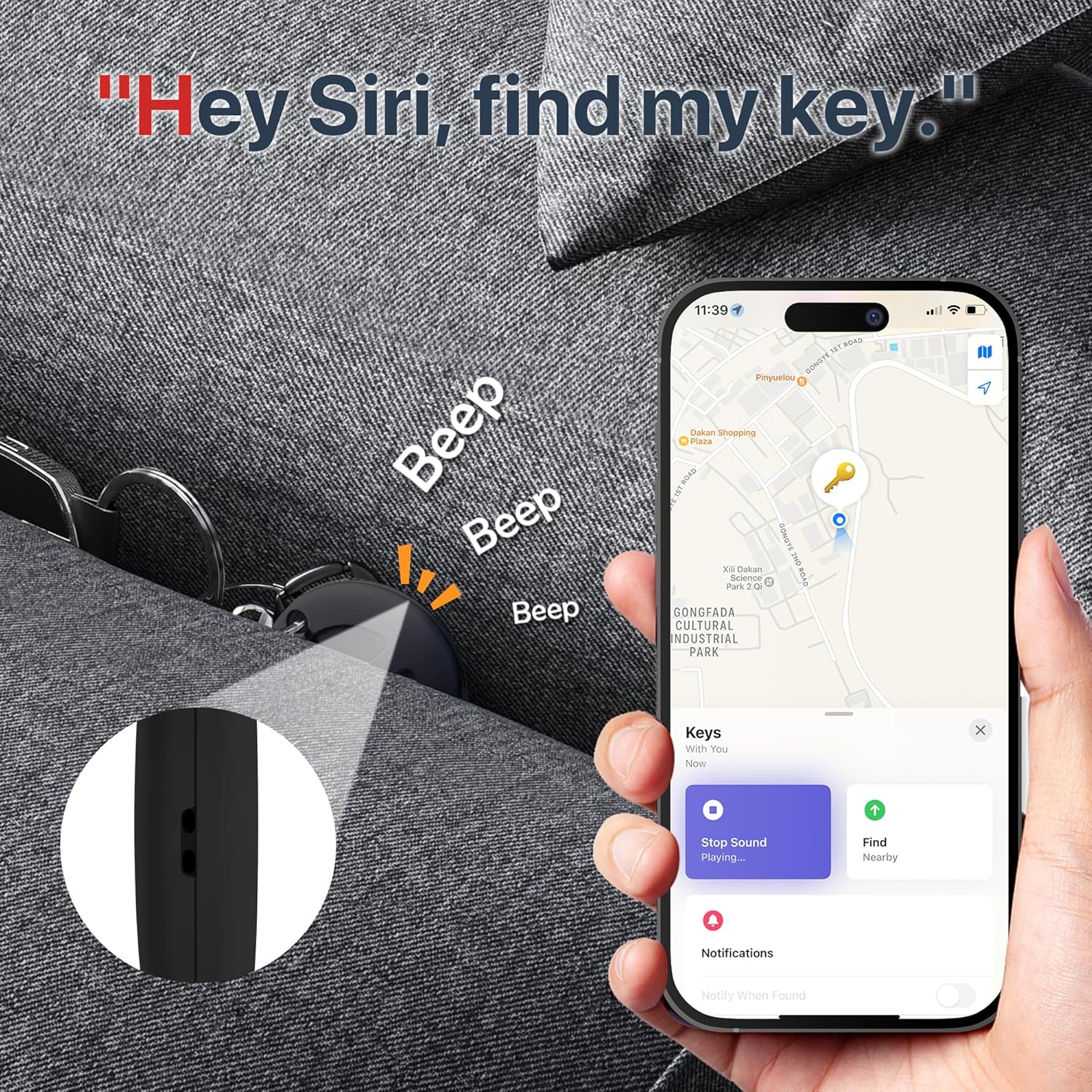
Image: The MiLi MiTag's location displayed on the Apple Find My map, with an option to play a sound for easy retrieval.
Left Behind Reminders
To receive alerts when you leave an item behind:
- In the "Find My" app, select your MiTag.
- Under "Notifications", enable "Notify When Left Behind". You can customize locations where you don't want to be notified (e.g., home).
- If you leave the item beyond Bluetooth range, you will receive a notification within 10 minutes.

Image: An iPhone displaying a "Keys left behind" notification, indicating the MiLi MiTag's reminder feature.
Mode perdut
If your item is lost, you can enable "Lost Mode" in the Find My app. This allows you to:
- Display a custom message and contact number to anyone who finds your MiTag.
- Receive a notification when your MiTag is located by another device in the Apple Find My network.
Sharing Your Item
You can share your MiTag's location with others:
- In the "Find My" app, select your MiTag.
- Tap "Share This Item" and follow the instructions to add a person.
Bateria
Battery Type and Life
The MiLi MiTag uses a replaceable CR2032 coin cell battery. The battery life is approximately 6-12 months, depending on usage frequency.
You can check the current battery status of your MiTag within the "Items" tab of the Apple Find My app.
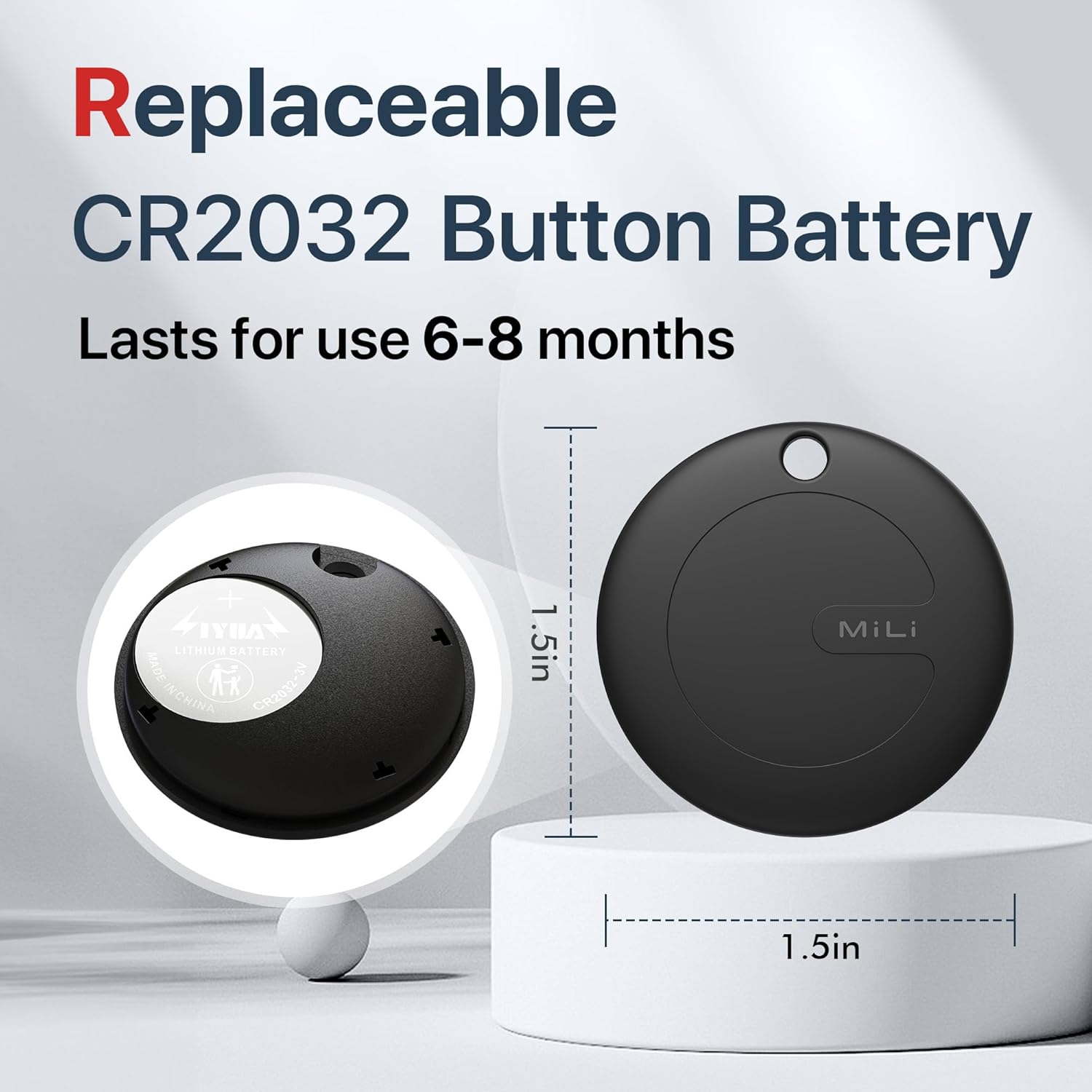
Image: The MiLi MiTag disassembled to show the replaceable CR2032 coin battery.
Canvi de bateria
Per substituir la bateria:
- Gently twist the back cover of the MiTag en sentit antihorari per obrir-lo.
- Traieu la bateria CR2032 antiga.
- Inseriu una nova bateria CR2032 amb el costat positiu (+) cap amunt.
- Align the back cover and twist clockwise until it clicks securely into place.
Especificacions
| Característica | Detall |
|---|---|
| Model | US-P16-1 |
| Dimensions | 1.5 x 1.5 x 0.01 polzades (38 mm x 38 mm x 9 mm) |
| Pes | 1.13 ounces (approx 9g) |
| Connectivitat | Bluetooth de baixa energia (BLE 5.2) |
| Interval | Up to 100m (350ft) in open areas |
| Tipus de bateria | CR2032 (substituïble) |
| Durada de la bateria | 6-12 mesos |
| Resistència a l'aigua | IP67 (30 minutes underwater at 1-meter depth) |
| Compatibilitat | Apple Find My network (iOS ONLY) |
Cura i Manteniment
- Clean the MiTag amb un drap suau i sec. Eviteu utilitzar productes químics o materials abrasius.
- While the device is IP67 waterproof, prolonged submersion or exposure to high-pressure water jets is not recommended.
- Guardeu el dispositiu en un lloc fresc i sec quan no l'utilitzeu.
Resolució de problemes
- MiTag not connecting: Ensure Bluetooth is enabled on your iOS device and the MiTag battery is not depleted. Try restarting your iOS device and pressing the MiTag botó de nou.
- Ubicació incorrecta: The accuracy of the location depends on the density of Apple devices in the vicinity. In areas with fewer Apple devices, location updates may be less frequent or precise.
- Sound not playing: Check the battery level in the Find My app. Ensure your iOS device is within Bluetooth range of the MiTag.
- Left Behind Reminders not working: Verify that "Notify When Left Behind" is enabled for your MiTag in the Find My app settings and that location services are active.
Garantia i Suport
The MiLi MiTag is covered by a standard manufacturer's warranty. For detailed warranty information, technical support, or service inquiries, please refer to the official MiLi weblloc web o contacteu directament amb el seu servei d'atenció al client.
You can visit the MiLi Store on Amazon for more products and support: MiLi Store


