
Introducció
Thank you for choosing the Bobtot ET2240 Portable Bluetooth Speaker. This speaker is designed for versatility and durability, featuring IPX7 waterproofing, loud stereo sound with enhanced bass, and True Wireless Stereo (TWS) pairing capabilities. This manual provides essential information for setting up, operating, and maintaining your speaker to ensure optimal performance and longevity.
Què hi ha a la caixa
Si us plau, comproveu el contingut del paquet per assegurar-vos que hi hagi tots els elements:
- 1 x Bobtot ET2240 Portable Bluetooth Speaker
- 1 x cable de càrrega USB tipus C
- 1 x Manual d'usuari
Producte acabatview
The Bobtot ET2240 speaker combines robust features with a compact design, making it ideal for various environments and activities.
Característiques clau
- Classificació impermeable IPX7: Submersible in water up to 30 feet for 30 minutes, making it suitable for poolside, beach, or shower use.
- Loud and Crisp Stereo Sound: Equipped with a 2-inch full-range speaker and dual passive radiators for clear midrange, treble, and rich bass.
- Disseny portàtil i durador: Features a sleek triangle exterior with a durable fabric cover and includes a carrying strap for easy transport.
- Emparellament True Wireless Stereo (TWS): Connect two ET2240 speakers wirelessly for an immersive stereo sound experience.
- Trucades mans lliures: Built-in microphone allows for convenient call management.
- Temps de joc ampliat: Up to 15 hours of playback on a single charge with its 1200mAh battery.

Image: The Bobtot ET2240 speaker submerged in water, highlighting its IPX7 waterproof capability.

Image: The Bobtot ET2240 speaker with visual sound waves, representing its powerful and clear audio output.

Image: The Bobtot ET2240 speaker shown in different outdoor settings, demonstrating its portable design and included carrying strap.
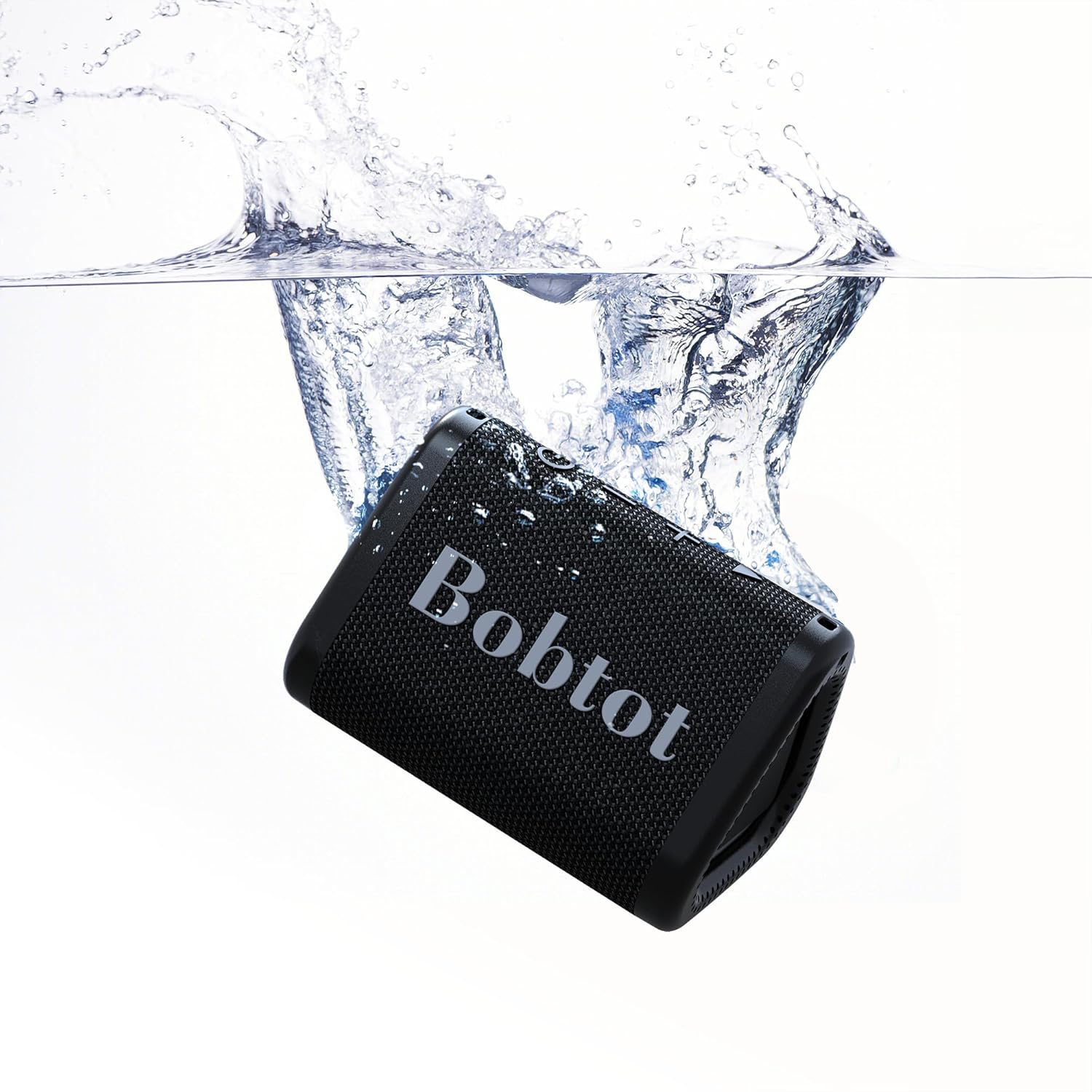
Image: Two Bobtot ET2240 speakers paired together, showcasing the True Wireless Stereo (TWS) functionality for enhanced sound.
Video: An official Bobtot video demonstrating the speaker's features, including charging, control buttons, TWS pairing, hands-free calling, and waterproofing.
Guia de configuració
1. Carregant l’altaveu
Before first use, fully charge your speaker. Use the provided USB Type-C charging cable.
- Connect the Type-C end of the cable to the speaker's charging port.
- Connecteu l'extrem USB-A a un adaptador de corrent USB compatible (no inclòs) o al port USB d'un ordinador.
- El llum indicador de càrrega s'il·luminarà durant la càrrega i s'apagarà quan estigui completament carregat. Una càrrega completa sol trigar aproximadament 2.5 hores.
2. Encès / apagat
- Per encendre, premeu i manteniu premut Botó d'encesa (
 ) durant 2-3 segons fins que sentiu un senyal audible.
 - Per apagar-lo, manteniu premut el botó Botó d'encesa de nou durant 2-3 segons.
3. Emparellament Bluetooth
Follow these steps to connect your speaker to a Bluetooth-enabled device:
- Ensure the speaker is powered on and in Bluetooth pairing mode (the LED indicator will flash blue).
- Al dispositiu (telèfon intel·ligent, tauleta, ordinador portàtil), activeu el Bluetooth i cerqueu els dispositius disponibles.
- Select "ET2240" from the list of devices.
- Un cop connectat, l'indicador LED s'il·luminarà de color blau fix i sentireu un to de confirmació.
4. Emparellatge estèreo sense fil veritable (TWS)
To pair two Bobtot ET2240 speakers for stereo sound:
- Ensure both speakers are powered on and disconnected from any Bluetooth device.
- En un altaveu (aquest serà l'altaveu principal), premeu dues vegades el botó Botó Reproduir/Pausa. The speaker will enter TWS pairing mode.
- The two speakers will automatically connect to each other. Once connected, you will hear a confirmation tone, and the LED indicator on the primary speaker will flash blue, while the secondary speaker's LED will be solid blue.
- Now, connect your device to the primary speaker via Bluetooth as described in step 3.
Instruccions de funcionament
Reproducció de música
- Reproduir/pausa: Premeu el botó Botó Reproduir/Pausa una vegada.
- Pista següent: Manteniu premut el botó Volume Up (+) button.
- Pista anterior: Manteniu premut el botó Volume Down (-) button.
- Pujar el volum: Premeu breument Volume Up (+) button.
- Baixar el volum: Premeu breument Volume Down (-) button.
Gestió de trucades
- Respon a la trucada: Premeu el botó Botó Reproduir/Pausa una vegada quan sona una trucada entrant.
- Finalitzar la trucada: Premeu el botó Botó Reproduir/Pausa una vegada durant una trucada.
- Rebutja la trucada: Manteniu premut el botó Botó Reproduir/Pausa for 2 seconds when an incoming call rings.
- Torna a marcar l'últim número: Premeu dues vegades el botó Botó Reproduir/Pausa.
Manteniment
- Mantingueu l'altaveu net netejant-lo amb un drap suau iamp drap. Eviteu productes químics agressius o netejadors abrasius.
- Ensure the charging port cover is securely closed when not charging to maintain its waterproof rating.
- Guardeu l'altaveu en un lloc fresc i sec, allunyat de temperatures extremes.
- To preserve battery life, charge the speaker fully at least once every three months if not used regularly.
Resolució de problemes
| Problema | Possible solució |
|---|---|
| L'altaveu no s'encén. | Ensure the speaker is charged. Press and hold the Power button for 2-3 seconds. |
| No es pot emparellar amb un dispositiu Bluetooth. | Ensure the speaker is in pairing mode (flashing blue LED). Turn off and on your device's Bluetooth. Move closer to the speaker. |
| Sense so o amb un volum baix. | Adjust volume on both the speaker and your connected device. Ensure the speaker is not muted. |
| Mala qualitat de so. | Move the speaker closer to your device. Ensure no obstacles are between the speaker and device. Check the audio source quality. |
| L'emparellament TWS falla. | Ensure both speakers are disconnected from other Bluetooth devices before initiating TWS pairing. Follow TWS pairing steps carefully. |
Especificacions

Image: A diagram showing the dimensions of the Bobtot ET2240 speaker.
| Característica | Detall |
|---|---|
| Nom del model | ET2240 |
| Marca | Bobtot |
| Tecnologia de connectivitat | Bluetooth 5.3 |
| Interval de comunicació sense fils | Fins a 30 peus |
| Nivell de resistència a l'aigua | IPX7 (impermeable) |
| Tipus d'altaveu | Altaveu portàtil |
| Mida de l'altaveu | 2 polzades |
| Potència de sortida màxima dels altaveus | 10 watts |
| Mode de sortida d'àudio | estèreo |
| Característiques especials | Bass Boost, Built-in Microphone, Stereo Pairing, Waterproof |
| Font d'alimentació | Funciona amb bateria |
| Capacitat de la bateria | 1200 mAh |
| Temps de joc | Fins a 15 hores (amb un 50% de volum) |
| Temps de càrrega | Aprox. 2.5 hores |
| Dimensions del producte | 3.9 "P x 2.9" W x 2.7" H |
| Pes de l'article | 0.5 lliures (8 unces) |
| Material | Acrilonitril butadiè estirè (ABS) |
| Mètode de control | Toca |
Garantia i Suport
The Bobtot ET2240 Portable Bluetooth Speaker comes with an extended warranty. For detailed warranty information, product support, or technical assistance, please refer to the official Bobtot weblloc web o contacteu directament amb el servei d'atenció al client. Conserveu el rebut de compra per a reclamacions de garantia.