
1. Producte acabatview
The SURFOU Wireless Doorbell System M9 is designed for convenience and reliability. This system includes one waterproof push button (transmitter) and three plug-in receivers. It offers a long operating range, a variety of ringtones, adjustable volume, and visual alerts, making it suitable for various home and office environments.

Image: The SURFOU wireless doorbell system, featuring a transmitter and receiver, shown in a modern home setting.
2. Contingut del paquet
Si us plau, verifiqueu que tots els elements que s'enumeren a continuació estiguin inclosos al vostre paquet:
- 1 x Botó de timbre sense fil (transmissor)
- 3 receptors de timbre endollables
- 1 x 12V23A Battery (for Transmitter)
- 1 x Mini tornavís
- 2 x Double-sided Adhesive Tapes
- 2 x cargols
- 2 x Tacs
- 1 x Door Sign
- 1 x manual d'instruccions

Image: All components included in the SURFOU Wireless Doorbell kit.
3. Configuració i instal·lació
The SURFOU Wireless Doorbell System is designed for easy installation without complex wiring.
3.1 Instal·lació del receptor
- Plug each receiver into a standard electrical outlet in your desired locations. Ensure the outlets are within the doorbell's operating range from the transmitter.
- The receivers will power on and are ready for configuration.
3.2 Instal·lació del transmissor (botó)
The transmitter can be mounted using either the provided adhesive tape or screws.
- Muntatge adhesiu: Clean the mounting surface thoroughly. Peel off one side of the double-sided adhesive tape and attach it to the back of the transmitter. Peel off the other side and firmly press the transmitter onto the desired location (e.g., door frame, wall).
- Muntatge de cargols: Use the provided screws and dowels to securely attach the transmitter to the wall. This method is recommended for uneven surfaces or for a more permanent installation.

Image: The SURFOU wireless doorbell push button mounted on a wall.
4. Instruccions de funcionament
4.1 Ajust del volum
Each receiver has a volume button. Press the Botó de volum (usually marked with a speaker icon) repeatedly to cycle through 5 adjustable volume levels, from 0dB (mute) to 110dB (maximum).
4.2 Canviar els tons de trucada
The receivers offer 55 different ringtones. Use the Botó Endavant (up arrow) and Botó enrere (down arrow) on the side of the receiver to browse and select your preferred melody.

Image: Illustration of the 5 volume levels and 55 ringtones on the doorbell receiver.
4.3 Mute Mode and LED Flash
When the volume is set to 0dB, the receiver enters mute mode. In this mode, the doorbell will only provide a visual alert via its flashing LED light, which is particularly useful for the hearing impaired or when quiet is desired.

Image: A doorbell receiver with a flashing LED light, indicating its visual alert function.
5. Característiques clau
- 1300-ft (400m) Long Range: The doorbell utilizes high-frequency electronic technology for a strong wireless signal, ensuring reliable operation over a significant distance in open environments.
- Transmissor impermeable IP55: The push button is designed with IP55 dust and water protection, allowing it to withstand various harsh weather conditions, from -22 °F to 158 °F (-30 °C to 70 °C).
- 55 tons de trucada i 5 nivells de volum: Customize your doorbell experience with a wide selection of melodies and volume settings, including a mute mode with LED flash.
- Funció de memòria: The system retains your last selected melody and volume settings even after a power outage, eliminating the need for frequent re-configuration.
- Sistema ampliable: You can expand your doorbell system by adding more SURFOU brand transmitters or receivers of the same model to cover larger areas or multiple entry points.

Image: A floor plan diagram showing the extensive wireless coverage of the doorbell system.
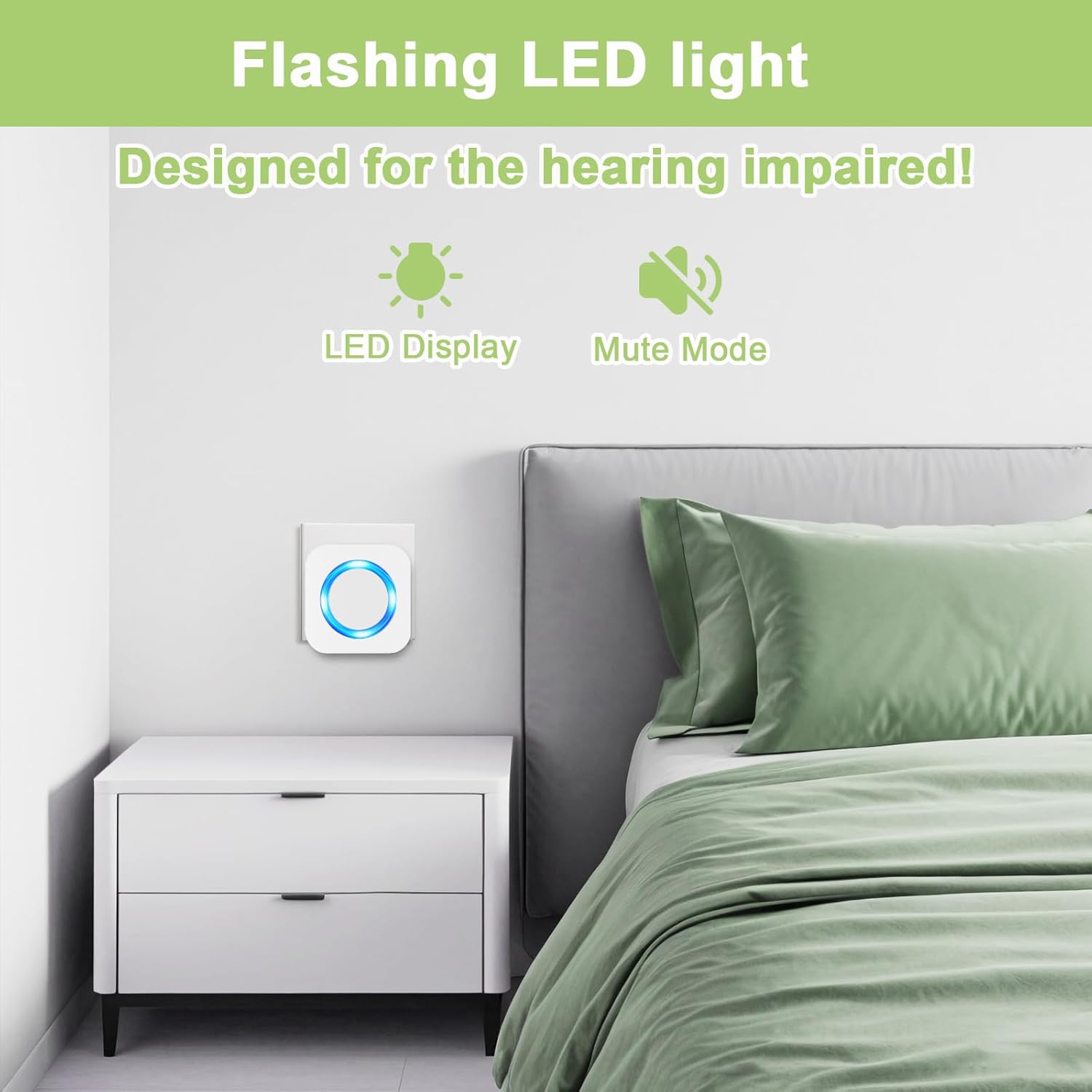
Image: The doorbell transmitter highlighting its IP55 waterproof and dustproof features, suitable for all weather.
Vídeo: Un overview of the SURFOU wireless doorbell system, demonstrating its stable signal, 1300ft range, IP55 waterproof rating, multiple ringtones, and suitability for various scenarios.
6. Manteniment
6.1 Battery Replacement (Transmitter)
The transmitter is powered by a 12V23A battery, which typically lasts up to 3 years. When the transmitter's indicator light no longer illuminates or the signal becomes weak, it's time to replace the battery.
- Insert the mini screwdriver (provided) into the small notch at the bottom of the transmitter at a 45-degree angle.
- Gently pry off the back cover to expose the internal circuit board and battery.
- Carefully remove the old 12V23A battery.
- Insert a new 12V23A battery, ensuring correct polarity (negative contact spring).
- Torneu a col·locar la coberta posterior, assegurant-vos que encaixi correctament al seu lloc.
Video: This video demonstrates the process of replacing the battery in the SURFOU wireless doorbell transmitter. It shows how to open the transmitter casing, remove the old battery, insert a new 12V23A battery with correct polarity, and reassemble the unit.
6.2 Neteja
Wipe the doorbell transmitter and receivers with a soft, dry cloth. Avoid using abrasive cleaners or solvents that could damage the finish or electronic components.
7. Solució De Problemes
| Problema | Causa possible | Solució |
|---|---|---|
| El timbre no sona. | Receiver unplugged or power outage. Transmitter battery is dead. Volume set to 0dB (mute). Transmitter and receiver not paired. | Ensure receiver is plugged in and powered. Replace transmitter battery. Increase receiver volume. Re-pair transmitter and receiver (refer to pairing instructions in the full manual, if applicable). |
| Curt abast operatiu. | Thick walls or metal structures causing interference. Other wireless devices causing interference. Low transmitter battery. | Relocate receivers or transmitter to minimize obstructions. Ensure no strong electromagnetic interference sources nearby. Replace transmitter battery. |
| Receiver unpairs from transmitter. | Power fluctuation or interference. | Re-pair the transmitter and receiver. This usually involves pressing a pairing button on the receiver and then activating the transmitter. |
8. Especificacions
| Característica | Detall |
|---|---|
| Número de model | M9 |
| abast sense fils | Up to 1300 ft (400m) in open environment |
| Tons de trucada | 55 melodies seleccionables |
| Nivells de volum | 5 nivells (de 0 dB a 110 dB) |
| Classificació d'impermeabilitat del transmissor | IP55 |
| Temperatura de funcionament | -22 °F a 158 °F (-30 °C a 70 °C) |
| Tipus de bateria del transmissor | 1 x 12V23A Alkaline Battery |
| Font d'alimentació del receptor | AC Plug-in (120VAC) |
| Dimensions del producte (transmissor) | 8.6 cm / 3.38 in (Height) |
| Dimensions del producte (receptor) | 7 cm / 2.75 in (Width) x 7 cm / 2.75 in (Height) |
| Pes de l'article | 8.8 unces (paquet total) |
9. Garantia i Suport
SURFOU provides after-sales support for all its products. If you encounter any questions or issues regarding your wireless doorbell system, please contact SURFOU customer service for assistance. Refer to the product packaging or the official SURFOU weblloc per obtenir informació de contacte.