
1. Introducció
Thank you for choosing the Shanrya Portable 1080p HD Mini Pocket Video Recorder. This compact and versatile device is designed for discreet video recording and photography, featuring 1080p HD resolution, infrared night vision, motion detection, and a powerful magnetic clip for easy placement. This manual provides detailed instructions to help you set up, operate, and maintain your device for optimal performance.
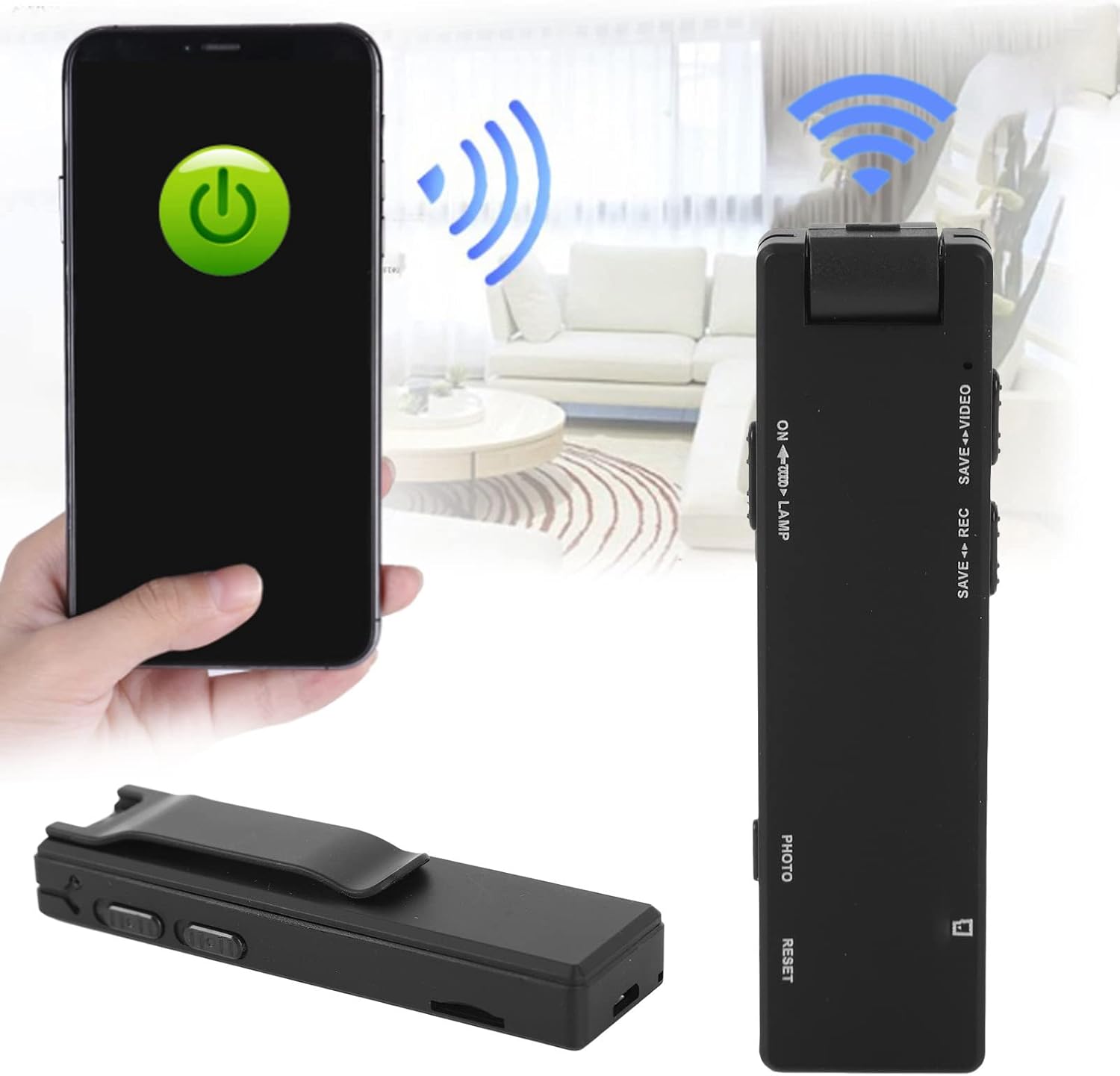
Image: The Shanrya Mini Pocket Video Recorder demonstrating its compact form factor and potential for wireless connectivity with a smartphone, highlighting its portability.
2. Producte acabatview
Familiarize yourself with the components and features of your Shanrya Mini Pocket Video Recorder.

Image: A detailed diagram illustrating the various buttons and ports on the Shanrya Mini Pocket Video Recorder, including controls for video, recording, photo capture, TF card slot, USB interface switch, and LED/night vision light control.
Característiques principals:
- Gravació de vídeo HD 1080p: Captura imatges clares i detalladestage.
- Lent HD: Equipped with a high-definition lens for superior image quality.
- Detecció de moviment: Automatically records when movement is detected.
- Visió nocturna per infrarojos: Records in low-light conditions with LED fill light.
- Gravació mentre es carrega: Continuous operation while connected to power.
- One-Click Photo: Easy single-button photo capture.
- Tret gran angular: Broader field of view per a una cobertura integral.
- Adsorció magnètica: Strong magnetic base for secure and flexible mounting.

Image: Visual representation of the camera's core functionalities, including its HD capabilities, motion detection, night vision, and the practical magnetic adsorption for versatile placement.
3. Configuració
3.1 Càrrega del dispositiu
Before first use, fully charge the device. Connect the camera to a USB power adapter (not included) or a computer's USB port using the provided USB cable. The indicator light will show charging status and turn off when fully charged.

Image: The Shanrya Mini Pocket Video Recorder displayed alongside its USB charging cable, illustrating the components required for power replenishment.
3.2 Inserció d'una targeta TF
The camera requires a TF (microSD) card for storing recordings. Insert a formatted TF card (up to 32GB, Class 10 recommended) into the TF Card Slot until it clicks into place. Ensure the card is inserted correctly to avoid damage.
4. Instruccions de funcionament
4.1 Encès/Apagat
- Per encendre: Premeu i manteniu premut el botó d'engegada fins que l'indicador lluminós s'encengui.
- Per apagar: Premeu i manteniu premut el botó d'engegada fins que l'indicador lluminós s'apagui.
4.2 Gravació de vídeo
To start video recording, slide the 'SAVE VIDEO' switch to the video recording position. The indicator light will flash, indicating that recording is in progress. To stop and save the video, slide the 'SAVE VIDEO' switch back to the neutral position.

Imatge: Un primer pla view of the control panel on the Shanrya Mini Pocket Video Recorder, highlighting the 'SAVE REC' and 'SAVE VIDEO' switches for initiating and saving recordings.
4.3 Fer fotos
To take a photo, press the 'PHOTO' button briefly. The indicator light will flash once to confirm a photo has been taken and saved.
4.4 Night Vision / LED Fill Light
The camera features an LED fill light for recording in dark environments, capable of capturing images within 5-8 meters. To activate or deactivate the LED fill light and night vision, use the 'ON LAMP' switch.

Image: The Shanrya Mini Pocket Video Recorder with its LED fill light engaged, demonstrating its effectiveness in capturing clear images in low-light conditions, suitable for security monitoring.

Image: A close-up of the 'ON LAMP' switch on the camera, which controls the LED fill light and night vision functions.
4.5 Detecció de moviment
The camera can be set to record automatically when motion is detected. Refer to the device's specific mode settings (if available via firmware or companion app) for activation. When motion detection is active, the camera will only record when movement is sensed, conserving battery and storage space.

Image: The Shanrya Mini Pocket Video Recorder positioned alongside a vibrant family photograph, emphasizing its capability to capture high-quality 2 million HD images and videos.
5. Connexió a un ordinador
Per accedir gravat files, connect the camera to your computer using the provided USB cable. The device will appear as a removable disk. You can then transfer or view el teu vídeo i foto files.
6. Manteniment
- Neteja: Use a soft, dry cloth to clean the camera body. For the lens, use a specialized lens cleaning cloth. Avoid abrasive materials or harsh chemicals.
- Emmagatzematge: Guardeu la càmera en un lloc fresc i sec, allunyat de la llum solar directa i de temperatures extremes.
- Cura de la bateria: Per allargar la durada de la bateria, eviteu descarregar-la completament amb freqüència. Carregueu el dispositiu regularment, fins i tot si no l'utilitzeu durant períodes prolongats.
7. Solució De Problemes
- El dispositiu no s'encén: Assegureu-vos que la bateria estigui carregada. Connecteu-la a una font d'alimentació i torneu-ho a provar.
- No es pot gravar: Check if a TF card is inserted and properly formatted. Ensure there is sufficient storage space on the card.
- Poor video/photo quality: Ensure the lens is clean. Check lighting conditions; activate night vision if necessary.
- L'ordinador no reconeix el dispositiu: Try a different USB port or cable. Ensure the USB interface switch on the camera is in the correct position (if applicable).
- Indicator lights not working as expected: Refer to the specific operating mode instructions. If issues persist, try resetting the device using the 'RESET' button (if available, typically a small pinhole).
8. Especificacions
| Marca | Shanrya |
| Model | B0C6J93638 |
| Resolució de gravació de vídeo | 1080p |
| Tecnologia del sensor fotogràfic | CMOS |
| Estabilització d'imatge | No |
| Fabricant | Shanrya |
| Primera data disponible | 18 de setembre de 2023 |
9. Garantia i Suport
For warranty information or technical support, please contact the manufacturer, Shanrya, through your purchase platform or their official weblloc web. Conserveu el rebut de compra com a comprovant de compra per a qualsevol reclamació de garantia.