
1. Introducció
Thank you for choosing the Choetech True Wireless Earbuds. This manual provides detailed instructions on how to set up, operate, and maintain your earbuds to ensure optimal performance and longevity. Please read this manual carefully before using the product and keep it for future reference.
2. Contingut del paquet
- Choetech True Wireless Earbuds (Left & Right)
- Estoig de càrrega
- Cable de càrrega USB
- Múltiples mides de puntes d'orella
- Manual d'usuari
3. Producte acabatview
Familiarize yourself with the components of your Choetech True Wireless Earbuds.

Image: The Choetech True Wireless Earbuds and their compact charging case.

Image: The earbuds placed inside the open charging case, showing the charging contacts.
Components dels auriculars:
- Àrea de control tàctil: Per gestionar la reproducció, les trucades i l'assistent de veu.
- Indicador LED: Mostra l'estat de l'emparellament i el nivell de la bateria.
- Micròfon: Per a trucades i ordres de veu.
- Contactes de càrrega: Per carregar dins de la caixa.
Components de la caixa de càrrega:
- Ranures de càrrega per a auriculars: Subjecta i carrega els auriculars de manera segura.
- Indicador LED de la caixa de càrrega: Mostra l'estat de la bateria de la caixa.
- Port de càrrega USB: Per carregar la funda.
4. Configuració
4.1 Càrrega dels auriculars i l'estoig
Abans del primer ús, carregueu completament els auriculars i l'estoig de càrrega.
- Col·loca els auriculars a l'estoig de càrrega, assegurant-te que estiguin correctament col·locats.
- Connecteu el cable de càrrega USB al port de càrrega de la carcassa i a una font d'alimentació (per exemple, un adaptador de paret USB, un port USB de l'ordinador).
- The LED indicators on the earbuds and case will show charging status. They will turn off or change color when fully charged.
A full charge provides over 5 hours of playback time for the earbuds, and the charging case extends total usage to approximately 120 hours in standby mode.

Image: Visual representation of the earbuds' long battery endurance, indicating playback, talk, and standby times.
4.2 Pairing with Your Device (Bluetooth 5.2)
The earbuds utilize advanced Bluetooth 5.2 technology for a fast and stable connection.
- Open the charging case. The earbuds will automatically power on and enter pairing mode. The earbud LED indicators will flash, indicating they are ready to pair.
- Al dispositiu (telèfon intel·ligent, tauleta, etc.), activeu el Bluetooth.
- Cerca available Bluetooth devices and select "Choetech BH-T06" from the list.
- Once connected, the earbud LED indicators will stop flashing. You will hear a confirmation tone.
The earbuds support seamless switching, allowing each earbud to independently fast switch between two different audio devices.
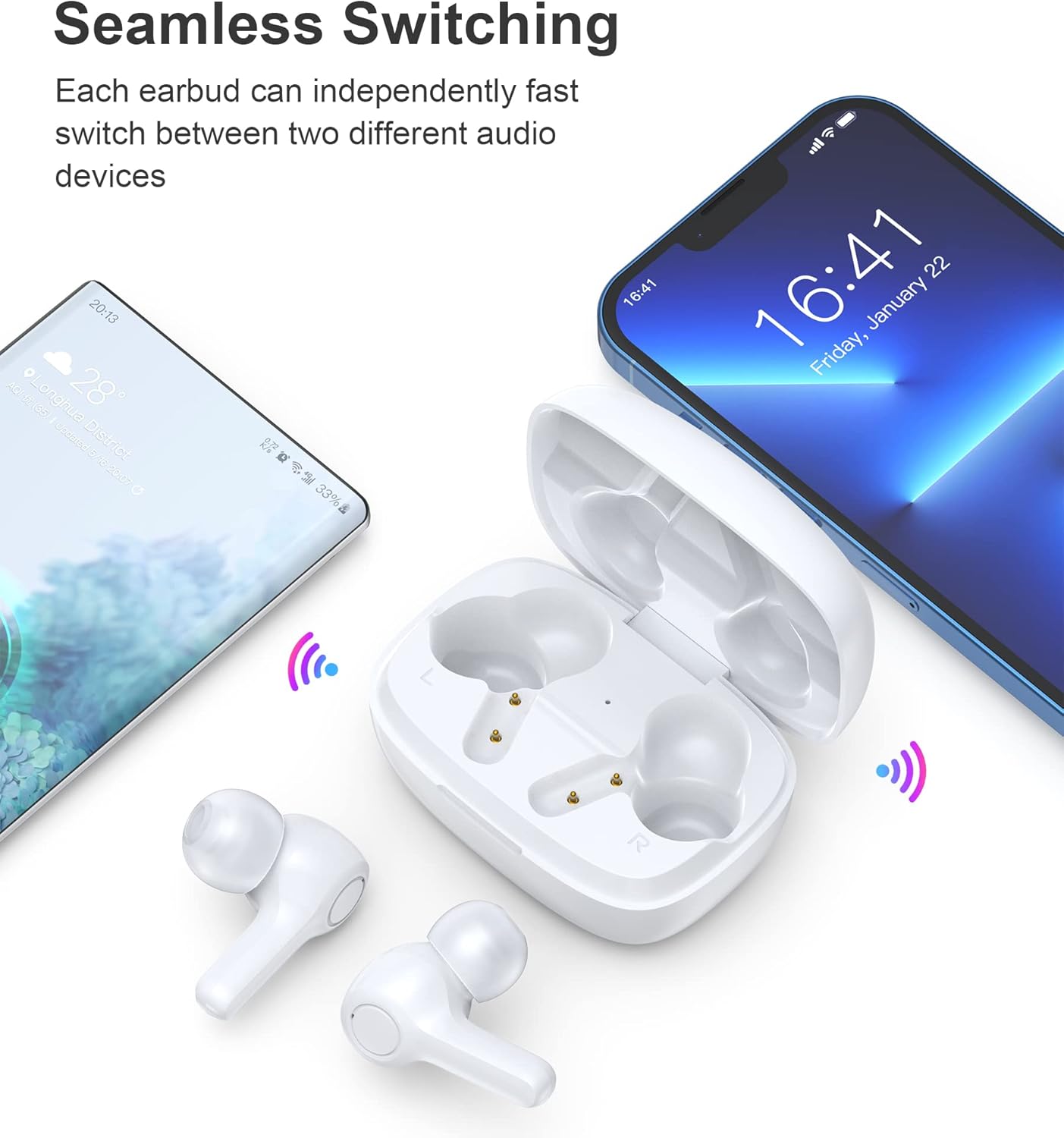
Image: Illustration demonstrating the seamless switching capability between a smartphone and another device.
Nota: Després de l'emparellament inicial, els auriculars es connectaran automàticament a l'últim dispositiu emparellat quan es treguin de l'estoig, sempre que el Bluetooth estigui activat al dispositiu.
5. Instruccions de funcionament
5.1 Encès/Apagat
- Encès: Obriu la funda de càrrega i els auriculars s'encendran automàticament.
- Apagar: Torneu a col·locar els auriculars a l'estoig de càrrega i tanqueu la tapa. S'apagaran automàticament i començaran a carregar-se.
5.2 Controls tàctils
The earbuds feature sensitive touch controls for easy operation.
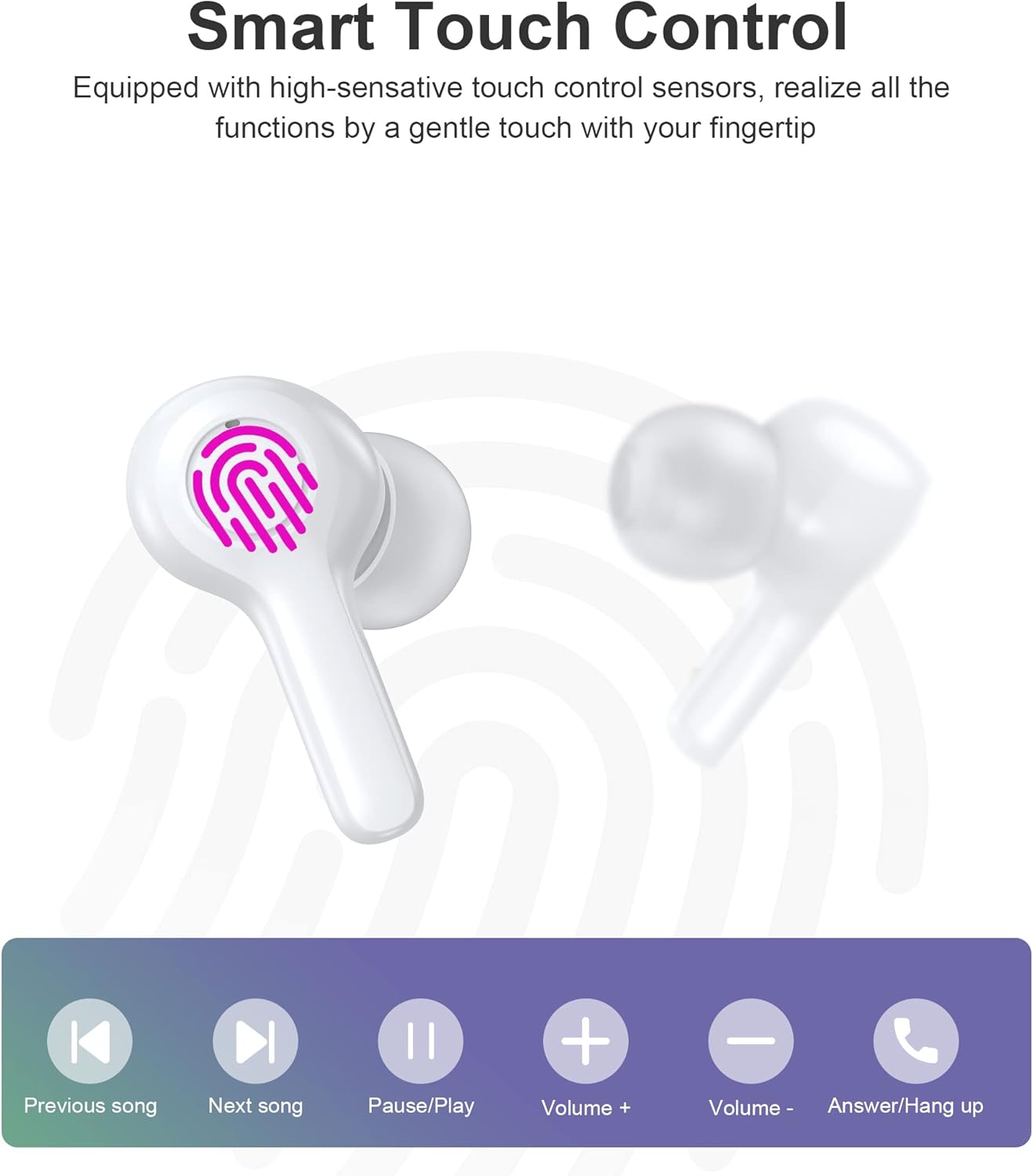
Image: Diagram illustrating the various touch control functions on the earbuds, including playback, volume, and call management.
| Acció | Auricular esquerre | Auricular dret |
|---|---|---|
| Reproduir/Pausa | Un sol toc | Un sol toc |
| Següent Cançó | Fes doble toc | |
| Cançó anterior | Fes doble toc | |
| Puja el volum | Toca tres vegades | |
| Baixa el volum | Toca tres vegades | |
| Respondre/Finalitzar la trucada | Un sol toc | Un sol toc |
| Rebutja la trucada | Premsa llarga (2 s) | Premsa llarga (2 s) |
| Activa l'Assistent de veu | Premsa llarga (2 s) | Premsa llarga (2 s) |
Nota: Specific touch control functions may vary slightly depending on your connected device and its operating system.
6. Manteniment
6.1 Neteja
The earbuds are IPX8 waterproof, making them resistant to sweat and water. They can be easily cleaned.
- Netegeu els auriculars i l'estoig de càrrega amb un drap suau, sec i sense borrissol.
- Per a la brutícia persistent, lleugerament dampRenta el drap amb aigua. No utilitzeu productes químics agressius ni materials abrasius.
- Assegura't que els contactes de càrrega tant dels auriculars com de la funda estiguin nets i secs per evitar problemes de càrrega.

Image: Visual representation of the earbuds' IPX8 waterproof protection, showing them submerged in water.
6.2 Emmagatzematge
- Quan no els utilitzeu, guardeu els auriculars a la seva funda de càrrega per protegir-los i mantenir-los carregats.
- Guardeu el producte en un lloc fresc i sec, allunyat de temperatures extremes i de la llum solar directa.
7. Solució De Problemes
Si teniu algun problema, consulteu les solucions habituals següents:
- Auriculars que no s'emparellan: Assegura't que tots dos auriculars estiguin fora de la funda i en mode d'emparellament. Desactiva i activa el Bluetooth del dispositiu. Prova d'oblidar el dispositiu a la configuració del Bluetooth i torna a emparellar-lo.
- Només funciona un auricular: Torna a col·locar els dos auriculars a l'estoig de càrrega, tanca la tapa, espera uns segons i torna'ls a treure. Sovint això els torna a sincronitzar.
- Sense so: Comprova el nivell de volum del dispositiu i dels auriculars. Assegura't que els auriculars estiguin connectats correctament al dispositiu.
- Problemes de càrrega: Clean the charging contacts on both earbuds and the case. Try a different USB cable and power source.
- Qualitat de trucada baixa: Ensure the microphones are not obstructed. Move closer to your device. The smart noise reduction technology helps provide clear calls, but extreme noisy environments may still affect quality.

Image: Visual representation of the noise reduction technology, showing sound waves being processed for clearer audio.
Si el problema persisteix, poseu-vos en contacte amb l'atenció al client.
8. Especificacions
| Característica | Detall |
|---|---|
| Model | BH-T06 |
| Versió Bluetooth | 5.2 |
| Classificació impermeable | IPX8 (Waterproof to 1 meter for 30 minutes) |
| Capacitat de la bateria dels auriculars | 40 mAh (cada auricular) |
| Caixa de càrrega Capacitat de la bateria | 300 mAh |
| Temps de reproducció | ~5+ hours (earbuds) |
| Standby Time (with case) | ~120 hores |
| Mida de l'altaveu | 8 mm |
| Micròfons | 4 (per a trucades clares) |
| Tecnologia de connectivitat | Sense fil (Bluetooth) |
| Control de soroll | Automatic Noise Reduction |
9. Informació de seguretat
- No desmunteu ni modifiqueu el producte.
- Mantenir allunyat de temperatures extremes, llum solar directa i flames obertes.
- Eviteu deixar caure o sotmetre el producte a forts impactes.
- Mantenir fora de l'abast dels nens i mascotes.
- No utilitzeu els auriculars a volums excessivament alts durant períodes prolongats per evitar danys auditius.
10. Garantia i Suport
Choetech products come with a standard warranty. Please refer to the warranty card included in your package or visit the official Choetech website for detailed warranty terms and conditions. For technical support, troubleshooting assistance, or any inquiries, please contact Choetech customer service through their official channels.


