
PELONIS PBF15T4AWW
Manual d'usuari del ventilador de torre sense aspes PELONIS
Model: PBF15T4AWW
Marca: PELONIS
1. Introducció
Thank you for choosing the PELONIS Bladeless Tower Fan. This manual provides important information for the safe operation, maintenance, and troubleshooting of your new fan. Please read it thoroughly before use and retain it for future reference.

Image: The PELONIS Bladeless Tower Fan demonstrating its powerful airflow.
2. Instruccions de seguretat importants
Seguiu sempre les precaucions de seguretat bàsiques quan utilitzeu aparells elèctrics per reduir el risc d'incendi, descàrrega elèctrica i lesions a les persones.
- Llegiu totes les instruccions abans d'utilitzar aquest ventilador.
- Ensure the power source matches the fan's requirements.
- No feu funcionar cap ventilador amb un cable o un endoll danyats.
- Keep the fan away from water or wet surfaces.
- No introduïu els dits ni objectes estranys en cap obertura.
- Unplug the fan from the outlet when not in use or before cleaning.
- Aquest aparell només és per a ús interior.
- Mantenir fora de l'abast dels nens i les mascotes. El disseny sense fulles millora la seguretat.
3. Configuració
The PELONIS Bladeless Tower Fan requires minimal assembly.
- Traieu amb cura el ventilador i tots els materials d'embalatge de la caixa.
- Col·loqueu el ventilador sobre una superfície ferma i anivellada.
- Assegureu-vos que el cable d'alimentació no estigui pessigat ni danyat.
- Connecteu el ventilador a una presa elèctrica estàndard.
- For smart features, download the PELONIS app from your smartphone's app store and follow the in-app instructions to connect your fan to your Wi-Fi network.
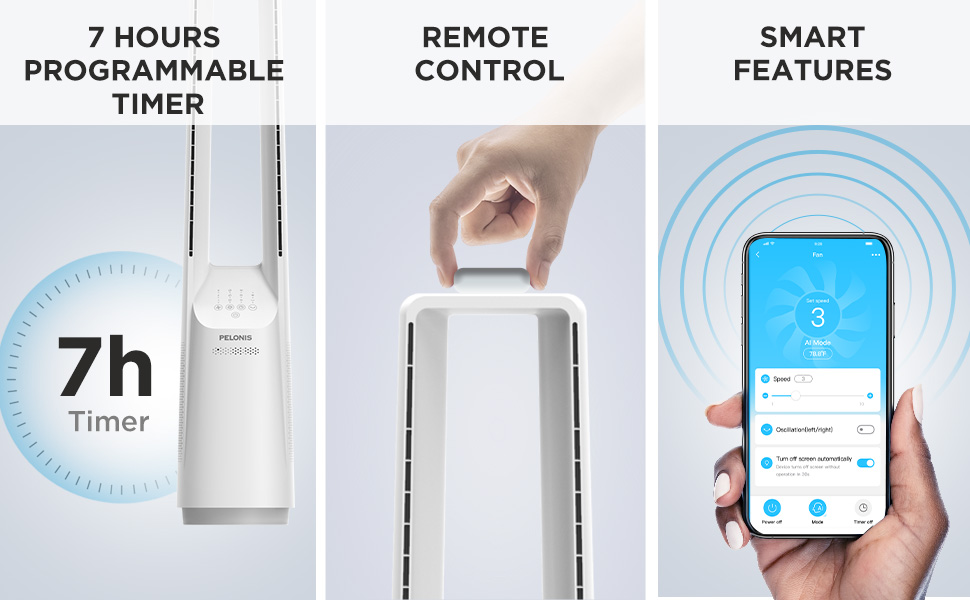
Image: The fan can be controlled via remote or a smartphone app, enabling smart features.
4. Instruccions de funcionament
Your PELONIS Bladeless Tower Fan offers multiple ways to customize your cooling experience.
Tauler de control i control remot

Imatge: Detallada view of the fan's intuitive control panel, showing buttons for speed, modes, timer, and oscillation.
- Botó d'encesa: Premeu per encendre o apagar el ventilador.
- Speed Settings (6-Speed): Adjust the fan speed from 1 (lowest) to 6 (highest) for personalized airflow.
- Wind Modes (4 Modes): Cycle through different wind modes:
- Normal: Flux d'aire constant a la velocitat seleccionada.
- natural: Simulates a natural breeze with varying speeds.
- Dormir: Gradually decreases fan speed for quiet operation during sleep.
- AI Mode (Sensi Cool Technology): Automatically adjusts fan speed based on ambient room temperature.
- Oscillation (120°): Press to activate or deactivate the 120-degree oscillation function, distributing air across a wider area.
- Timer (7-Hour): Set the fan to automatically turn off after a specified period (1, 2, 4, or 7 hours).
Smart Control (Wi-Fi and Voice Control)
This fan is compatible with Alexa and Google Assistant for convenient voice control. After connecting the fan to your Wi-Fi network via the PELONIS app, you can use voice commands such as:
- "Alexa, turn on the fan."
- "Hey Google, set the fan speed to 3."
- "Alexa, turn off oscillation on the fan."
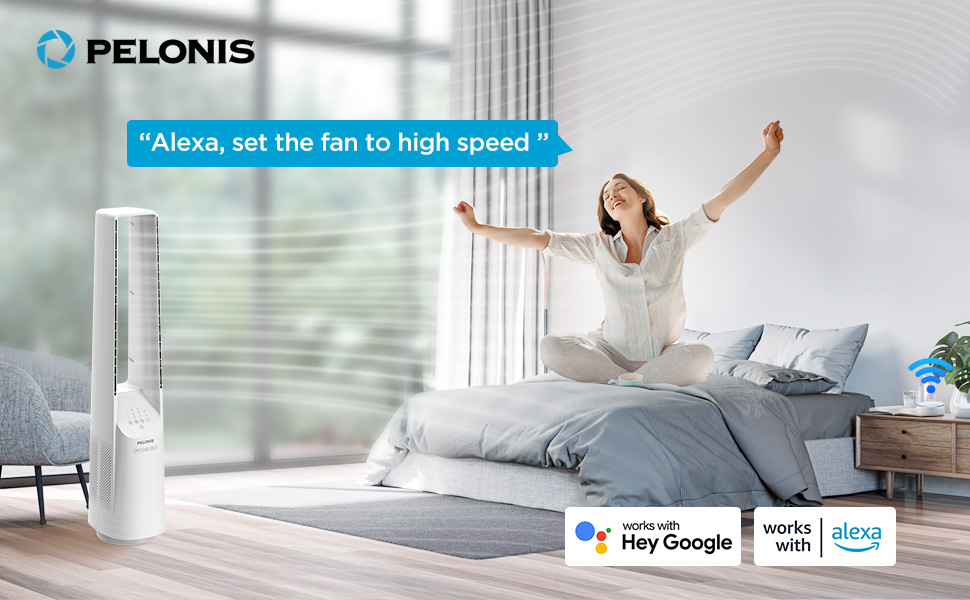
Image: The fan integrates seamlessly with smart home systems like Alexa and Google Assistant for voice-activated control.
Vídeo: Un producte acabatview demonstrating the features and operation of the PELONIS Bladeless Tower Fan.
5. Manteniment i Neteja
Regular cleaning will help maintain your fan's performance and extend its lifespan. Always unplug the fan before cleaning.
- Neteja exterior: Utilitzeu un suau, damp cloth (towel) to wipe the exterior surfaces of the fan. Do not use abrasive cleaners or solvents.
- Entrada/sortida d'aire: Use a vacuum cleaner with a brush attachment to gently remove dust from the air inlet and outlet grilles. The bladeless design makes cleaning easier compared to traditional fans.
- No submergiu el ventilador a l'aigua ni deixeu que l'aigua degoti a la carcassa del motor.
- Guardeu el ventilador en un lloc fresc i sec quan no l'utilitzeu.
6. Solució De Problemes
| Problema | Causa possible | Solució |
|---|---|---|
| El ventilador no s'encén. | No està connectat; la presa de corrent no funciona; el botó d'engegada no està premut. | Ensure fan is securely plugged into a working outlet. Press the power button. |
| Flux d'aire feble. | Low speed setting; air inlets/outlets blocked by dust. | Increase fan speed. Clean air inlets and outlets as per maintenance instructions. |
| El ventilador s'atura inesperadament. | Timer activated; safety auto-off feature (after 10-15 hours of no commands). | Check timer settings. This is a built-in safety feature to prevent overheating. Turn the fan back on if desired. |
| Smart features not working. | Fan not connected to Wi-Fi; incorrect app setup; Wi-Fi signal issues. | Ensure fan is connected to your home Wi-Fi via the PELONIS app. Check Wi-Fi signal strength. Refer to app instructions for troubleshooting connectivity. |
| Soroll inusual. | Fan not on a level surface; internal obstruction. | Place fan on a stable, flat surface. If noise persists, contact customer support. |
7. Especificacions
- Model: PBF15T4AWW
- Marca: PELONIS
- Dimensions (P x A x A): 8.07" x 9.76" x 39.76"
- Pes: 3.46 lliures
- Nivell de soroll: 32 dB (mínim)
- Interval de flux d'aire: 26-33 peus
- Configuració de velocitat: 6
- Modes de vent: 4 (Normal, Natural, Sleep, AI Mode)
- Oscil·lació: 120°
- Temporitzador: Programable les 7 hores
- Mètode de control: Touch Panel, Remote Control, Voice (Alexa/Google), App
- Font d'alimentació: DC
- Material de la fulla: Plastic (Bladeless Design)
- Certificacions: UL
8. Garantia i Suport
PELONIS provides a Garantia del fabricant de 1 anys with the purchase of this product. This warranty covers defects in materials and workmanship under normal use.
For warranty claims, technical support, or any questions regarding your PELONIS Bladeless Tower Fan, please contact PELONIS Customer Service. Please have your model number (PBF15T4AWW) and proof of purchase ready.
You can also refer to the official PELONIS website for additional support resources and FAQs: Visit the PELONIS Store on Amazon
Ask a question about this manual
Ask about setup, troubleshooting, compatibility, parts, safety, or missing instructions. Manuals+ will review the question and use this page’s manual context to help answer it.