
1. Introducció
This manual provides essential information for setting up, operating, and maintaining your HOTWAV Pad 8 Android 13 Tablet. Please read this guide thoroughly to ensure proper use and to maximize the performance and longevity of your device.
The HOTWAV Pad 8 is a 10.4-inch tablet featuring Android 13, an Octa-Core processor, 16GB (8+8 Virtual) RAM, 256GB internal storage expandable up to 1TB via TF card, a 7500mAh battery, 2000x1200 FHD+ display, 13MP rear camera, 5MP front camera, 4G LTE, 5G WiFi, Dual SIM support, OTG, and GPS capabilities.
2. Què hi ha a la caixa
Upon unboxing your HOTWAV Pad 8 tablet, verify that all the following items are included:
- HOTWAV Pad 8 Tablet
- Adaptador de càrrega
- USB Type-C Charging and Data Cable
- Eina expulsora de SIM
- Screen Protector (one pre-applied, one spare)
- Soft Silicone Case
- Manual d'usuari (aquest document)
3. Producte acabatview
The HOTWAV Pad 8 features a sleek design with a 10.4-inch display and a durable build. Familiarize yourself with the physical components of your tablet.

Image: HOTWAV Pad 8 dimensions (24 x 15 x 0.7 cm) and weight (460g).
Components físics:
- Visualització: 10.4-inch 2K FHD+ (2000x1200) screen.
- Càmera frontal: 5MP per a videotrucades i selfies.
- Càmera posterior: 13MP primary camera.
- Botó d'encesa: Situat al lateral, s'utilitza per encendre/apagar o activar/reposar el dispositiu.
- Botons de volum: Situat al lateral, serveix per ajustar el volum de l'àudio.
- Port USB tipus C: Per a càrrega i transferència de dades.
- Ranura per a targetes SIM/SD: Supports Dual Nano SIM cards or 1 Nano SIM + 1 TF card (up to 1TB).
- Altaveus estèreo duals: For enhanced audio output.

Image: Close-up of the 13MP main rear camera and 5MP front camera on the HOTWAV Pad 8.
4. Configuració
4.1 Càrrega inicial
Before first use, fully charge your tablet. Connect the USB Type-C cable to the tablet's charging port and the other end to the charging adapter. Plug the adapter into a power outlet. The battery indicator on the screen will show charging progress.
4.2 Engegada/apagada
- Per encendre: Press and hold the Power button until the HOTWAV logo appears.
- Per apagar: Mantingueu premut el botó d'engegada fins que apareguin les opcions d'engegada a la pantalla i, a continuació, seleccioneu "Apagar".
- Per reiniciar: Mantingueu premut el botó d'engegada fins que apareguin les opcions d'engegada i, a continuació, seleccioneu "Reiniciar".
4.3 Instal·lació de la targeta SIM i TF
The HOTWAV Pad 8 supports either two Nano SIM cards or one Nano SIM card and one TF (MicroSD) card for expanded storage.
- Localitza la safata de la targeta SIM/SD al lateral de la tauleta.
- Introduïu l'eina d'expulsió de la SIM al forat petit que hi ha al costat de la safata i premeu suaument fins que la safata surti.
- Place your Nano SIM card(s) and/or TF card into the designated slots on the tray, ensuring correct orientation.
- Empenyeu amb cura la safata cap a dins de la tauleta fins que encaixi al seu lloc.
4.4 Assistent de configuració inicial
After powering on for the first time, follow the on-screen instructions to complete the initial setup, including:
- Selecció de la llengua
- Connexió a la xarxa Wi-Fi
- Inici de sessió al compte de Google
- Configuració de data i hora
- Screen lock setup (PIN, pattern, or password)
5. Instruccions de funcionament
5.1 Sistema operatiu Android 13
The HOTWAV Pad 8 runs on Android 13, offering enhanced privacy controls, improved performance, and a user-friendly interface. Navigate through the system using gestures or the traditional navigation bar.
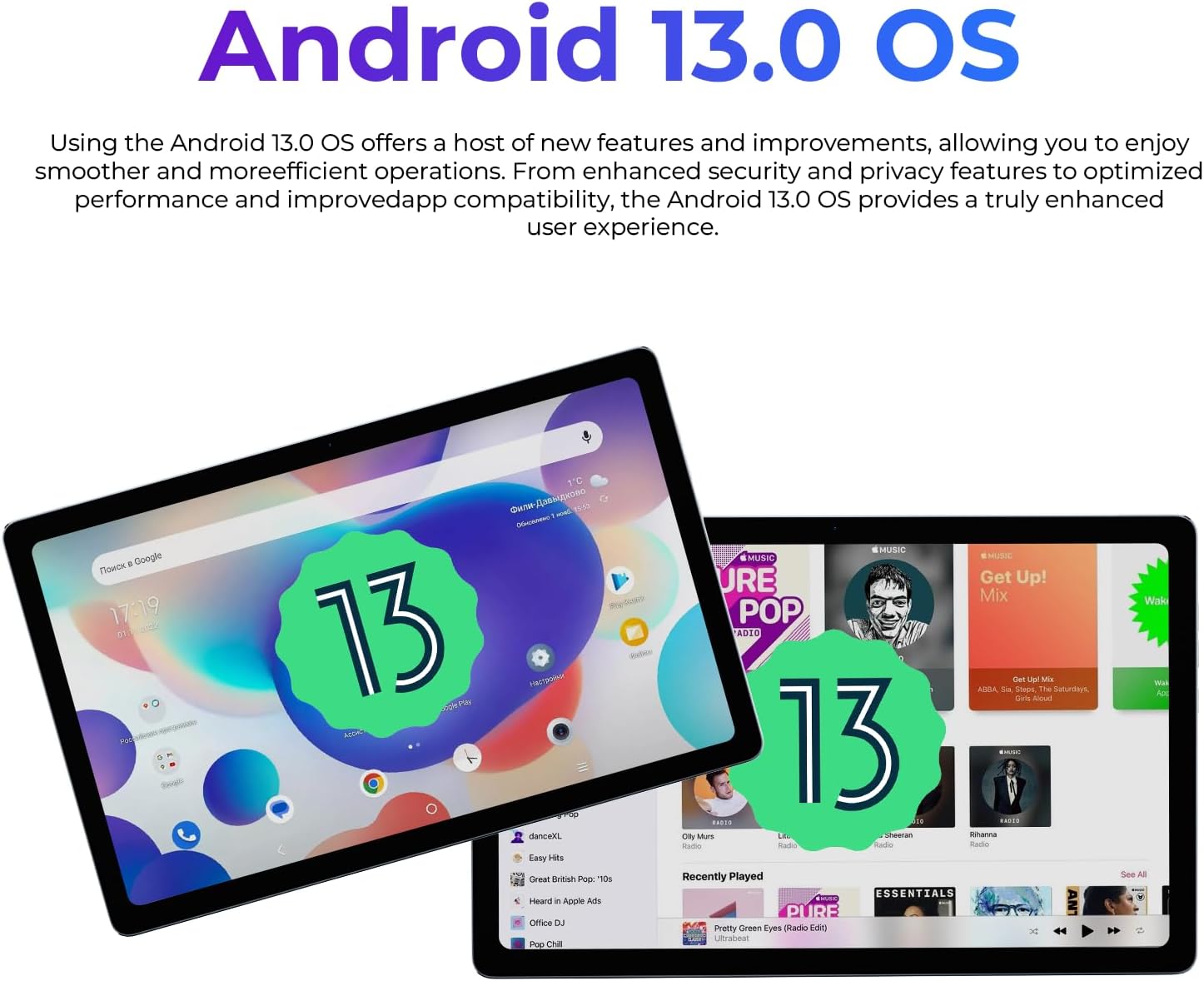
Image: The HOTWAV Pad 8 displaying the Android 13 operating system interface.
5.2 Connectivitat
- Wi-Fi: Connecteu-vos a les xarxes Wi-Fi disponibles mitjançant Configuració > Xarxa i Internet > Wi-Fi.
- 4G LTE: Insert a Nano SIM card to access mobile data. Configure APN settings if necessary via Settings > Network & internet > Mobile network.
- Bluetooth: Emparella amb dispositius Bluetooth (auriculars, teclats) a través de Configuració > Dispositius connectats > Bluetooth.
- GPS: Utilize the built-in GPS, GLONASS, Beidou, and Galileo for navigation and location services.
- OTG (On-The-Go): Connect USB peripherals like flash drives or external keyboards using an OTG adapter (sold separately).

Image: The HOTWAV Pad 8 displaying navigation with GPS, GLONASS, Beidou, and Galileo support.
5.3 Ús de la càmera
Open the Camera app to capture photos and videos. The tablet features a 13MP rear camera and a 5MP front camera.
- Toqueu el botó de l'obturador per fer una foto.
- Canvia entre els modes foto i vídeo.
- Fes servir la càmera frontal per fer selfies i videotrucades.
5.4 Mode de pantalla dividida
Multitask efficiently using the split-screen feature. This allows you to run two applications side-by-side.
- Open the first app you wish to use.
- Llisca cap amunt des de la part inferior de la pantalla i mantén premut per accedir a les aplicacions recents.
- Tap the app icon at the top of the first app's card, then select "Split top".
- Choose a second app from your recent apps or app drawer to fill the other half of the screen.

Image: The HOTWAV Pad 8 demonstrating split-screen functionality, running two apps simultaneously.
5.5 Child Mode
For family use, the Child Mode feature allows you to set parental controls for network access and usage duration, ensuring a safe environment for children.
6. Especificacions
Detailed technical specifications for the HOTWAV Pad 8 tablet:
| Característica | Especificació |
|---|---|
| Marca | HOTWAV |
| Nom del model | Pad 8 |
| Sistema operatiu | Android 13 |
| Processador | 1.6 GHz Octa-Core UNISOC T606 |
| RAM | 16 GB (8 GB físic + 8 GB virtual) |
| Emmagatzematge intern | 256 GB |
| Emmagatzematge ampliable | Up to 1 TB via TF card |
| Mida de la pantalla | 10.4 polzades |
| Resolució de visualització | 2000x1200 FHD+ |
| Càmera posterior | 13 MP |
| Càmera frontal | 5 MP |
| Capacitat de la bateria | Polímer de liti de 7500 mAh |
| Connectivitat | 4G LTE, 5G Wi-Fi (802.11g), Bluetooth |
| Navegació | GPS, GLONASS, Beidou, Galileo |
| Suport SIM | Nano SIM dual |
| Dimensions (L x A x A) | 24 x 15 x 0.7 cm |
| Pes | 460 g |

Imatge: Un cop mésview of the HOTWAV Pad 8's key features including display, RAM, battery, processor, and cameras.
7. Manteniment
To ensure the longevity and optimal performance of your HOTWAV Pad 8 tablet, follow these maintenance guidelines:
- Neteja: Feu servir un drap suau i sense borrissol per netejar la pantalla i la carcassa. Eviteu materials abrasius o productes químics agressius.
- Cura de la bateria: Eviteu temperatures extremes. No deixeu que la bateria es descarregui completament amb freqüència. Per a l'emmagatzematge a llarg termini, carregueu la bateria fins a un 50-60%.
- Actualitzacions de programari: Regularly check for and install system updates to benefit from performance improvements and security patches. Go to Settings > System > System update.
- Gestió d'emmagatzematge: Netegeu periòdicament els innecessaris filei aplicacions per alliberar espai d'emmagatzematge i mantenir el rendiment.
- Protecció: Use the provided silicone case and screen protector to guard against scratches and minor impacts.
8. Solució De Problemes
If you encounter issues with your HOTWAV Pad 8, refer to the following common troubleshooting steps:
- La tauleta no s'encén: Assegureu-vos que la bateria estigui carregada. Connecteu el carregador i espereu uns minuts abans d'intentar tornar-lo a engegar.
- La pantalla no respon: Prova de reiniciar la tauleta mantenint premut el botó d'engegada durant uns 10-15 segons fins que es reiniciï.
- Les aplicacions es bloquegen/es bloquegen: Close the problematic app and reopen it. If the issue persists, clear the app's cache (Settings > Apps > [App Name] > Storage & cache > Clear cache).
- Problemes de connectivitat Wi-Fi/mòbil: Toggle Wi-Fi or mobile data off and on. Restart your router or contact your service provider if the issue persists across multiple devices.
- Rendiment lent: Close unused apps, clear cache, and ensure sufficient storage space. A factory reset (Settings > System > Reset options > Erase all data) can resolve persistent performance issues, but will delete all data. Back up important files abans de continuar.
9. Garantia i Suport
For warranty information, please refer to the warranty card included with your product or visit the official HOTWAV website. If you require further assistance or technical support, please contact HOTWAV customer service through their official channels.