
Introducció
Welcome to the instruction manual for your Yunseity Mini CCTV Camera. This guide provides essential information for the proper setup, operation, and maintenance of your security camera. Please read this manual thoroughly before using the product and retain it for future reference.
Informació de seguretat
- Ensure the camera is connected to a compatible power source as specified in the product specifications.
- Avoid exposing the camera to water or excessive moisture, despite its IP67 rating, for optimal indoor performance.
- No intenteu desmuntar ni modificar la càmera. Això pot anul·lar la garantia i causar danys.
- Keep the camera away from strong magnetic fields or sources of electromagnetic interference to prevent signal disruption.
- If you are unsure about installation or wiring, consult a qualified professional.
Contingut del paquet
- 1 x Yunseity Mini CCTV Camera (with integrated mounting bracket and lens)
- 1 x RCA Cable (for video, audio, and power connections)
Producte acabatview
The Yunseity Mini CCTV Camera is a compact surveillance device designed for various indoor security applications. It features infrared night vision, audio/video recording capabilities, and strong anti-interference technology for reliable performance.

This image displays the Yunseity Mini CCTV Camera, highlighting its audio recording, video recording, and night vision features. The camera is shown in a home setting, emphasizing its ease of operation, installation, and concealment.
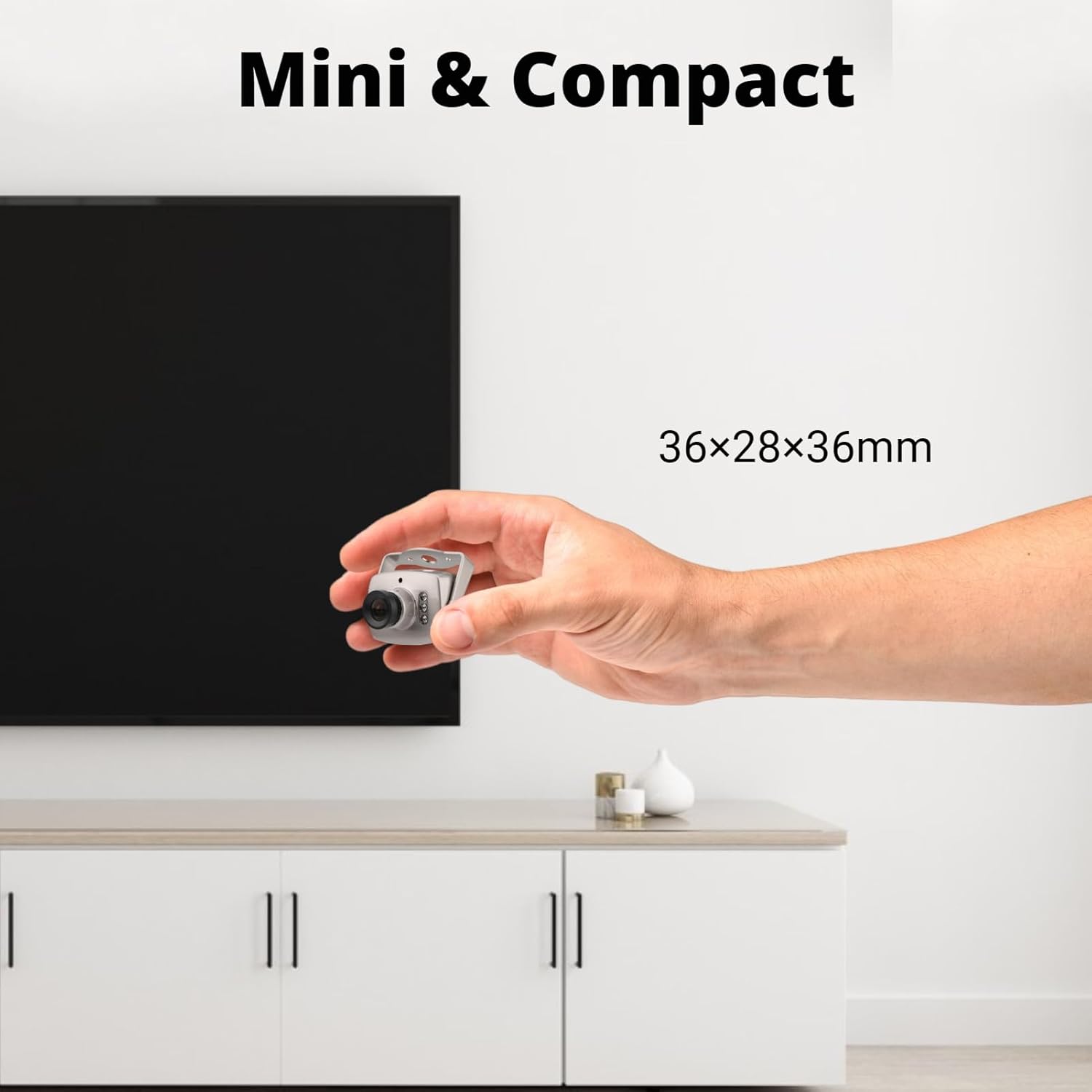
This image illustrates the compact size of the Yunseity Mini CCTV Camera, showing it held in a hand next to a television, with dimensions 36x28x36mm.
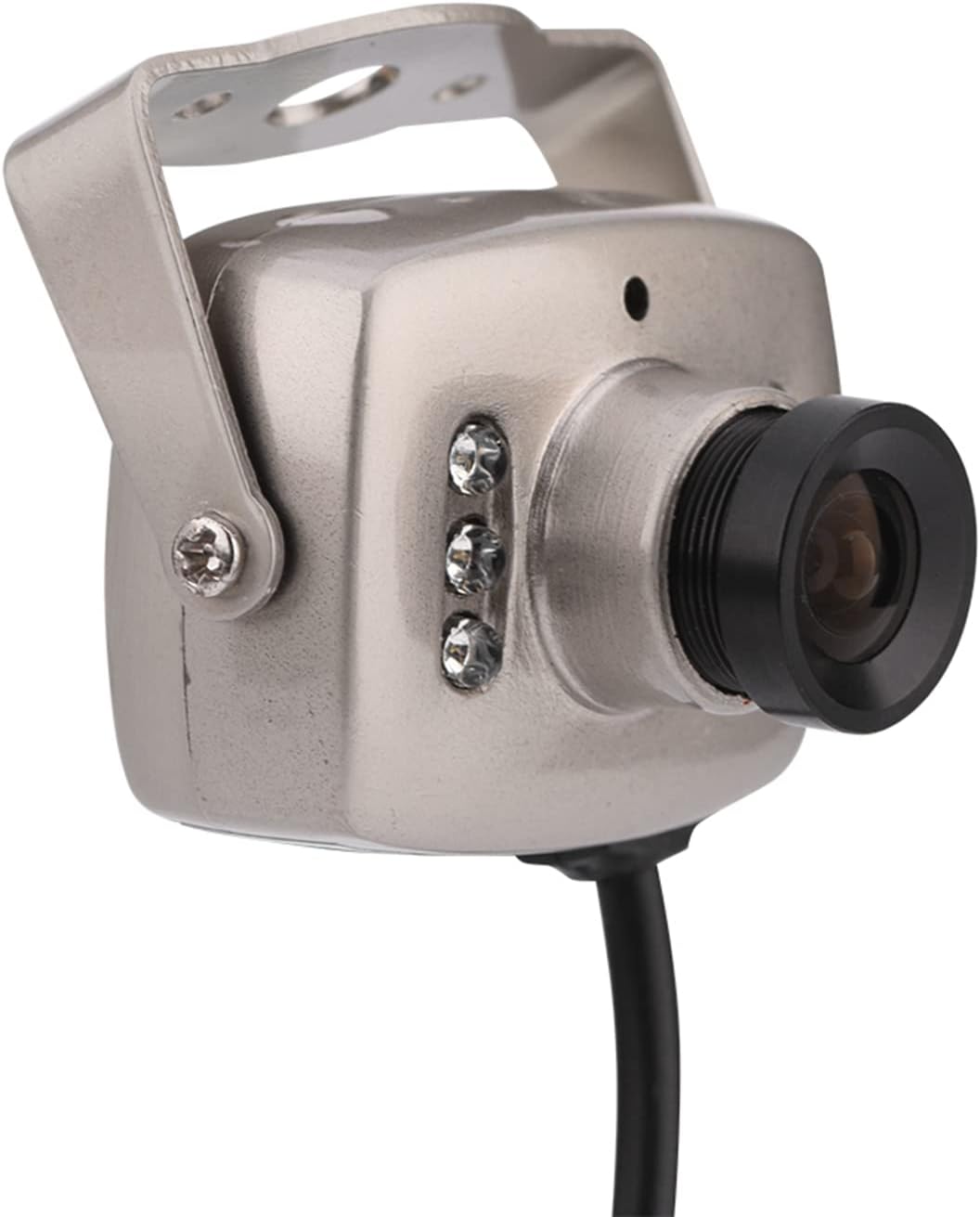
Un primer pla detallat view of the Yunseity Mini CCTV Camera, showing its lens, infrared LEDs, and mounting bracket.
Instruccions de configuració
1. Desembalatge
Traieu amb cura tots els components de l'embalatge. Inspeccioneu-los per detectar qualsevol signe de dany.
2. Connexió de la càmera
The camera uses standard RCA connectors for video and audio output. Connect these to your display or recording device.

This image shows the Yunseity Mini CCTV Camera connected to its RCA video (yellow), audio (white), and power (red) cables.
- Connecteu el groc RCA connector to the video input of your monitor or recording device.
- Connecteu el blanc RCA connector to the audio input of your monitor or recording device (if applicable).
- Connecteu el vermell RCA connector to a compatible DC 12V power source (power adapter not included).
3. Muntatge de la càmera
Use the integrated mounting bracket to secure the camera in your desired location. Ensure the camera has a clear line of sight and is positioned to capture the desired area.

Un altre view of the Yunseity Mini CCTV Camera with its RCA cables, demonstrating the compact design and connection points for mounting.
Instruccions de funcionament
Encès
Once connected to a power source, the camera will automatically power on and begin transmitting video and audio signals to your connected display or recording device.
Video Format Selection (PAL/NTSC)
This camera offers an optional choice between NTSC and PAL video formats. The product is labeled and shipped with the specified format. Ensure your display or recording device is compatible with the camera's format to avoid display issues.
Visió nocturna
The camera is equipped with infrared night vision. It will display images in color during the day and automatically switch to black and white in low-light conditions, providing continuous surveillance.

This image highlights the infrared night vision capability of the camera, stating that it displays in color during the day and black/white at night.
Tecnologia anti-interferència
The camera utilizes analog modulation technology with high frequency electromagnetic radiation for strong anti-interference ability, ensuring stable video transmission even in environments with potential signal disruptions.

This image explains the camera's strong anti-interference feature, which uses analog modulation technology for stable performance.
Manteniment
- Neteja de la lent: Use a soft, dry, lint-free cloth to gently clean the camera lens. Avoid using abrasive materials or chemical cleaners that could scratch or damage the lens.
- Inspecció del cable: Periodically check all cable connections to ensure they are secure and free from damage. Replace any frayed or damaged cables immediately.
- Condicions ambientals: While the camera is designed for indoor use, avoid placing it in areas with extreme temperatures, high humidity, or direct sunlight for prolonged periods.
Resolució de problemes
Sense senyal de vídeo
- Comproveu les connexions: Ensure all video (yellow RCA) and power (red RCA) cables are securely connected to both the camera and the display/recording device.
- Font d'alimentació: Verify that the power adapter is functioning correctly and providing adequate power to the camera.
- Selecció d'entrada: Confirm that your monitor or recording device is set to the correct video input channel and that the video format (PAL/NTSC) matches the camera's output.
Poor Image Quality
- Neteja la lent: A dirty lens can significantly degrade image quality. Clean the lens as described in the Maintenance section.
- Condicions d'il·luminació: Ensure adequate lighting in the surveillance area during the day. For night vision, confirm there are no obstructions blocking the infrared LEDs.
- Interferència: Check for strong electromagnetic interference sources nearby that might affect video signal clarity.
Sense àudio
- Connexió d'àudio: Verify the audio cable (white RCA) is properly connected to the audio input of your display or recording device.
- Configuració del dispositiu: Ensure your monitor or recording device has audio input capabilities and that its audio settings are configured correctly.
Especificacions
| Característica | Detall |
|---|---|
| Equips d'imatge | OV7030 |
| Resolució | Línia de televisió 700 |
| Format de vídeo | PAL/NTSC (opcional) |
| Píxels | 768X492 píxels |
| Scanning Frequency (Horizontal) | 15.625 KHz |
| Scanning Frequency (Vertical) | 60 Hz |
| Lent | 3.6 mm |
| Obturador electrònic | 1/50-1/15000sec |
| Relació senyal/soroll | > 72 dB |
| Il·luminació mínima | 3.0 Lux/F1.2 |
| Balanç de blancs | Automàtic |
| Sortida de vídeo | 1.0vp-75 Ohms |
| Mida | 36*28*36mm / 1.42*1.10*1.42inch |
| Placement Environment | (-)30°C TO (+)60°C |
| Entorn de funcionament | (-)10°C TO (+)50°C |
| Usos recomanats per al producte | Seguretat interior |
| Tecnologia de connectivitat | Amb cable |
| Característica especial | Sensor de moviment, visió nocturna |
| Ús interior exterior | Interior |
| Classificació impermeable | IP67 |
| Resolució de captura de vídeo | 720p |
Àmplies aplicacions
The Yunseity Mini CCTV Camera is suitable for various indoor environments requiring discreet surveillance, including residential communities, homes, hotels, parking lots, warehouses, factories, railway stations, and supermarkets.

This image demonstrates the wide range of applications for the camera, including homes, parking lots, warehouses, and supermarkets.
Vídeos de productes
Mini CCTV Camera, Infrared Night Vision Wired Security Camera
Aquest vídeo ofereix un finalview of the Yunseity Mini CCTV Camera, showcasing its infrared night vision and wired connectivity features.
Mini CCTV Camera
A brief video demonstrating the Yunseity Mini CCTV Camera.
Garantia i Suport
For detailed warranty information, technical support, or customer service inquiries, please refer to the product packaging or visit the official Yunseity website. You may also contact Yunseity customer service directly for assistance.