
Introducció
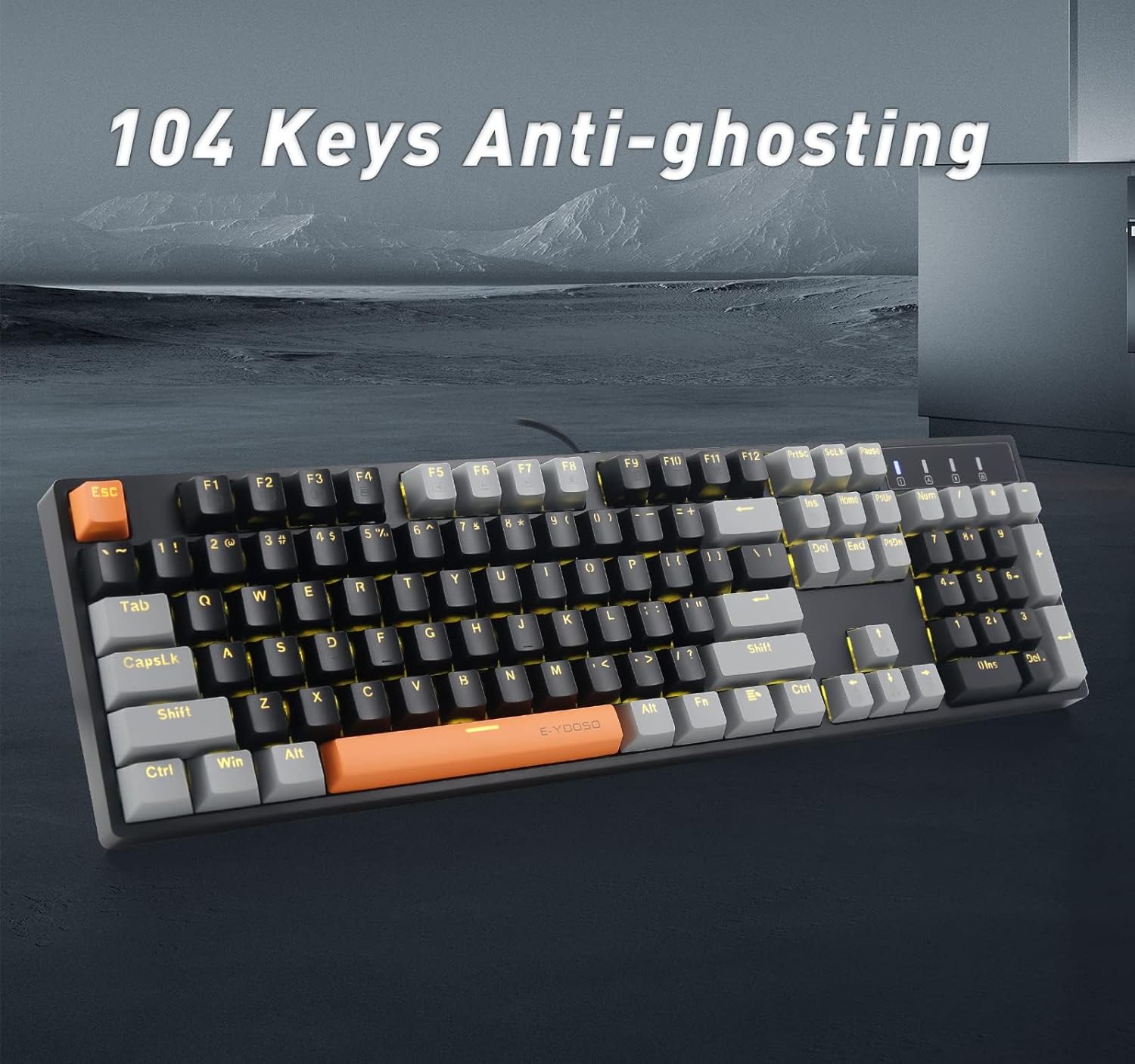
Thank you for choosing the E-YOOSO Z-14 Wired Mechanical Keyboard. This manual provides detailed instructions for setting up, operating, maintaining, and troubleshooting your new keyboard. The Z-14 features 104 keys, hot-swappable red switches, yellow LED backlighting, and an ergonomic design for enhanced typing and gaming experiences.

Configuració
Contingut del paquet
- E-YOOSO Z-14 Wired Mechanical Keyboard
- Cable USB (adjunt)
Connexió del teclat
- Desembaleu el teclat del seu embalatge.
- Locate the USB-A connector on the keyboard's attached cable.
- Plug the USB-A connector into an available USB port on your computer (PC or Mac).
- The keyboard is plug-and-play and should be recognized automatically by your operating system. No additional drivers are typically required.
Instruccions de funcionament
Funcions bàsiques
- Mecanografia: Use the standard QWERTY layout for typing.
- 104 Key Rollover Anti-ghosting: All 104 keys are anti-ghosting, ensuring that every key press is registered accurately, even during rapid input.
Control de la llum de fons
The Z-14 keyboard features yellow LED backlighting with 9 different patterns. Use the following key combinations to control the backlighting:
- FN + Ins: Switches between 9 different backlight modes.
- FN + ← / FN + →: Adjusts the backlight running speed.
- FN + ↑ / FN + ↓: Ajusta la brillantor de la llum de fons.

FN Key Media Controls and Special Functions
The keyboard includes 12 function (FN) keys for media control and other special functions:
- FN + F1-F12: Control various media functions (e.g., volume, play/pause, skip track, mute) and other system functions (e.g., toggle lighting, Windows lock). Refer to the keycap legends for specific functions.
- FN + W: Locks the W, A, S, D keys and swaps their functions with the four arrow keys. Press FN+W again to revert to standard functionality.
Disseny ergonòmic
El teclat té duestage tilt legs on the underside. Adjust these legs to your preferred typing angle for improved comfort and ergonomics.

Manteniment
Neteja del teclat
Per mantenir un rendiment i un aspecte òptims, netegeu el teclat regularment:
- Desconnecteu el teclat de l'ordinador abans de netejar-lo.
- Utilitzeu un drap suau i sense pelusa lleugerament dampEsbandiu amb aigua o una solució netejadora suau per netejar les tecles i el xassís.
- Per a la pols i les restes entre les tecles, feu servir aire comprimit o un raspall petit.
- Eviteu utilitzar productes químics agressius o materials abrasius, ja que poden danyar l'acabat del teclat o les llegendes de les tecles.
Interruptors intercanviables en calent
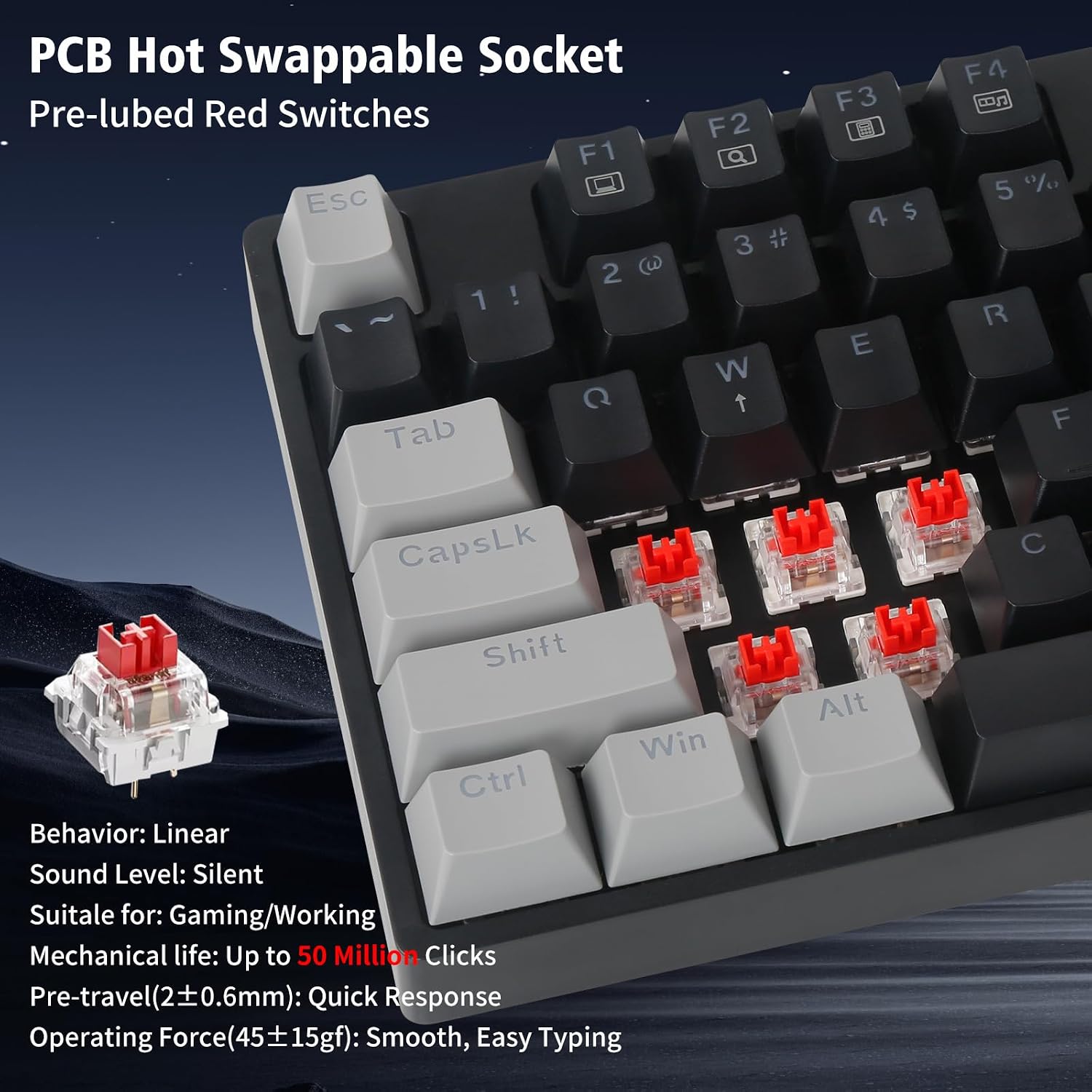
The E-YOOSO Z-14 keyboard features hot-swappable switches, allowing you to replace individual switches without soldering. This enables customization and easy replacement of faulty switches.
- Extracció d'una tapa de teclat: Use a keycap puller (not included) to gently pull the keycap straight up from the switch.
- Extracció d'un interruptor: Use a switch puller (not included) to grasp the clips on the top and bottom of the switch. Gently rock and pull the switch straight up to remove it from the PCB.
- Instal·lació d'un nou interruptor: Alineeu els pins del nou interruptor amb els forats de la placa de circuit imprès. Premeu l'interruptor fermament fins que encaixi al seu lloc. Assegureu-vos que els pins no estiguin doblegats.
- Instal·lació d'una tapa de teclat: Place the keycap over the new switch and press down firmly until it is seated.

Video demonstrating the Z-14 Mechanical Keyboard, including keycap and switch removal/installation for hot-swapping.
Resolució de problemes
El teclat no respon
- Assegureu-vos que el cable USB estigui connectat correctament tant al teclat com a l'ordinador.
- Prova de connectar el teclat a un port USB diferent de l'ordinador.
- Prova el teclat en un altre ordinador per descartar un problema específic de l'ordinador.
- Reinicieu l'ordinador.
La retroiluminació no funciona o parpelleja
- Ensure the backlight brightness is not set to the lowest level (FN + ↑ to increase brightness).
- Cycle through backlight modes using FN + Ins to see if it resolves the issue.
- If individual keys have backlight issues, it might indicate a faulty LED or switch. Due to the hot-swappable design, switches can be replaced.
Claus que no es registren o que es teclegen dues vegades
- Clean around the affected key to ensure no debris is interfering with the switch.
- Since the switches are hot-swappable, you can try removing and re-inserting the problematic switch to ensure it is seated correctly.
- If the issue persists, consider replacing the individual switch.
Especificacions
| Marca | E-YOOSO |
| Número de model | Z-14 |
| Tecnologia de connectivitat | USB-A (amb cable) |
| Descripció del teclat | Mecànica |
| Tipus de canvi | Linear (Red Switch) |
| Nombre de claus | 104 |
| Rollover de claus | 104 Key Anti-ghosting |
| Il·luminació de fons | Yellow LED (9 patterns) |
| Característiques especials | Hot-Swappable, Ergonomic (Foldable Tilt Legs), Multimedia FN Keys |
| Sistemes operatius compatibles | Windows, macOS |
| Dimensions del producte (L x A x A) | 16.5" x 4.5" x 1.3" (41.9 cm x 11.4 cm x 3.3 cm) |
| Pes de l'article | 0.94 kg (2.07 lliures) |
Informació de la garantia
The E-YOOSO Z-14 Wired Mechanical Keyboard comes with a 1 anys de garantia del fabricantAquesta garantia cobreix els defectes de materials i fabricació en condicions d'ús normal. Si us plau, conserveu el comprovant de compra per a reclamacions de garantia. La garantia no cobreix els danys causats per un mal ús, accidents, modificacions no autoritzades o desgast normal.
Suport
If you encounter any issues not covered in the troubleshooting section or require further assistance, please contact the seller or manufacturer directly. Refer to your purchase documentation for specific contact details.