
1. Introducció
Thank you for choosing the EBTOOLS 4G LTE USB WiFi Modem. This device provides a portable wireless hotspot, allowing you to connect multiple devices to the internet using a 3G or 4G SIM card. This manual will guide you through the setup, operation, maintenance, and troubleshooting of your device to ensure optimal performance and a seamless user experience.
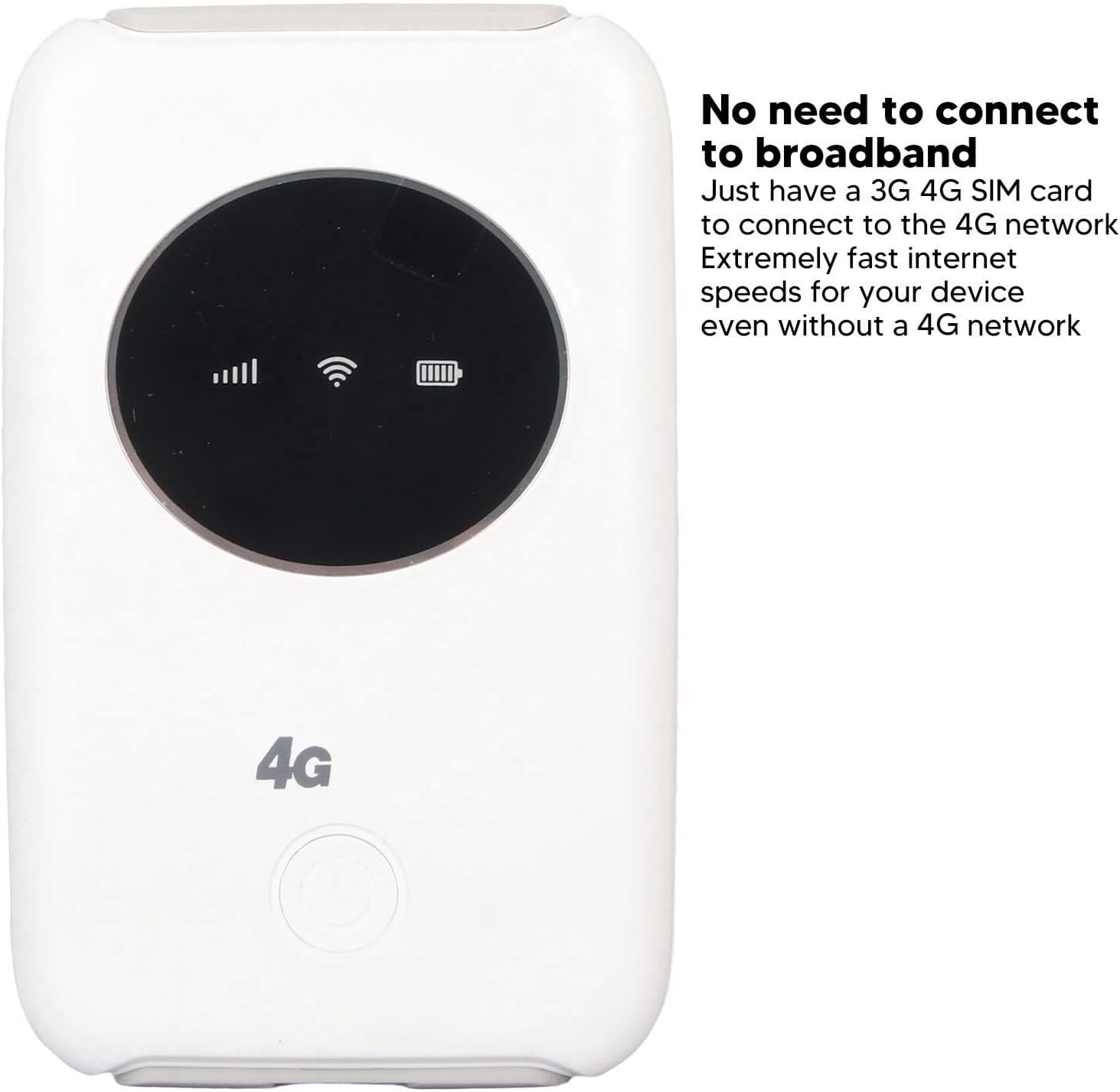
Imatge 1.1: Frontal view of the EBTOOLS 4G LTE USB WiFi Modem, showing its compact design and indicator lights for signal strength, WiFi status, and battery level. This device allows internet access without a traditional broadband connection, requiring only a 3G or 4G SIM card.
2. Producte acabatview
2.1 Característiques clau
- Portable 4G LTE Hotspot: Provides wireless internet access using a 3G/4G SIM card.
- Connectivitat d'alta velocitat: Supports LTE CAT4 with internet access speeds up to 300Mbps, depending on signal strength.
- Suport multiusuari: Connecta fins a 10 dispositius simultàniament.
- Bateria incorporada: Features a 3200mAh Lithium-ion polymer battery for extended use.
- Càrrega flexible: Can be charged via computer USB port, car USB charger, or other external power sources.
- Disseny compacte: Small and lightweight, ideal for travel, business trips, outdoor activities, and car WiFi.
2.2 Contingut del paquet
- 1 x EBTOOLS 4G LTE USB WiFi Modem
- 1 x cable USB
- 1 x Manual d'usuari

Image 2.1: The EBTOOLS 4G LTE USB WiFi Modem shown alongside its Micro USB charging cable. This image illustrates the main components included in the product package.
3. Configuració
3.1 Inserció de la targeta SIM i la bateria
- Locate the SIM card slot on the device. The device uses a standard SIM card.
- Carefully insert your active 3G or 4G SIM card into the designated slot. Ensure it is inserted correctly according to the diagram or markings on the device.
- Install the built-in Lithium-ion polymer battery into its compartment.
- Tanqueu bé la tapa del compartiment de la bateria.

Imatge 3.1: Una imatge detallada view of the modem, illustrating the process of inserting the SIM card and battery. Proper insertion is crucial for the device to function correctly.
3.2 Configuració inicial (configuració APN)
Even if your SIM card is active and supports hotspot devices, you may need to configure the Access Point Name (APN) settings for internet connectivity. Follow these steps:
- Ensure your SIM card's PIN code is disabled. This can usually be done through a mobile phone before inserting it into the modem.
- Connect a device (e.g., laptop, smartphone) to the modem's WiFi network. The default WiFi name (SSID) and password are usually found on a sticker inside the battery compartment or on the device itself.
- Obre a web browser on the connected device and enter the router's IP address: 192.168.43.1.
- Log in to the modem's administration interface. Default login credentials are often 'admin' for both username and password. Refer to the device's label for specific details.
- Navegueu fins a la secció de configuració de xarxa o configuració d'APN.
- Enable APN for the network and modify the APN settings according to your mobile network provider's specifications. This information can typically be found on your provider's weblloc o posant-se en contacte amb el seu servei d'atenció al client.
- Save the changes and restart the modem if prompted.
Important: Ensure your SIM card is active and has an active data plan for internet access.
4. Instruccions de funcionament
4.1 Engegada/apagada
- Per encendre: Press and hold the power button (usually located on the front or side) for a few seconds until the indicator lights illuminate.
- Per apagar: Press and hold the power button again for a few seconds until the indicator lights turn off.
4.2 Connexió de dispositius
The EBTOOLS 4G LTE USB WiFi Modem can support up to 10 connected devices simultaneously. The effective WiFi range is approximately 10 meters (32.8 feet).
- Ensure the modem is powered on and the WiFi indicator light is active.
- On your device (smartphone, tablet, laptop), search for available WiFi networks.
- Select the network name (SSID) corresponding to your EBTOOLS modem.
- Enter the WiFi password (WPA/WPA2 key) when prompted. This is typically found on a sticker on the device or in the battery compartment.
- Un cop connectat, el dispositiu hauria de tenir accés a Internet.

Image 4.1: The modem is shown with an overlay indicating its ability to connect up to 10 devices simultaneously, including smartphones, tablets, and laptops. The effective range is approximately 10 meters.
4.3 Càrrega del dispositiu
The modem can be charged using the provided USB cable. Connect the Micro USB end to the modem and the standard USB end to any of the following power sources:
- Port USB de l'ordinador
- Car USB charger
- Standard USB power adapter (e.g., smartphone charger)
The battery indicator light will show the charging status. The device can operate while charging when connected to an external power source, without a time limit.
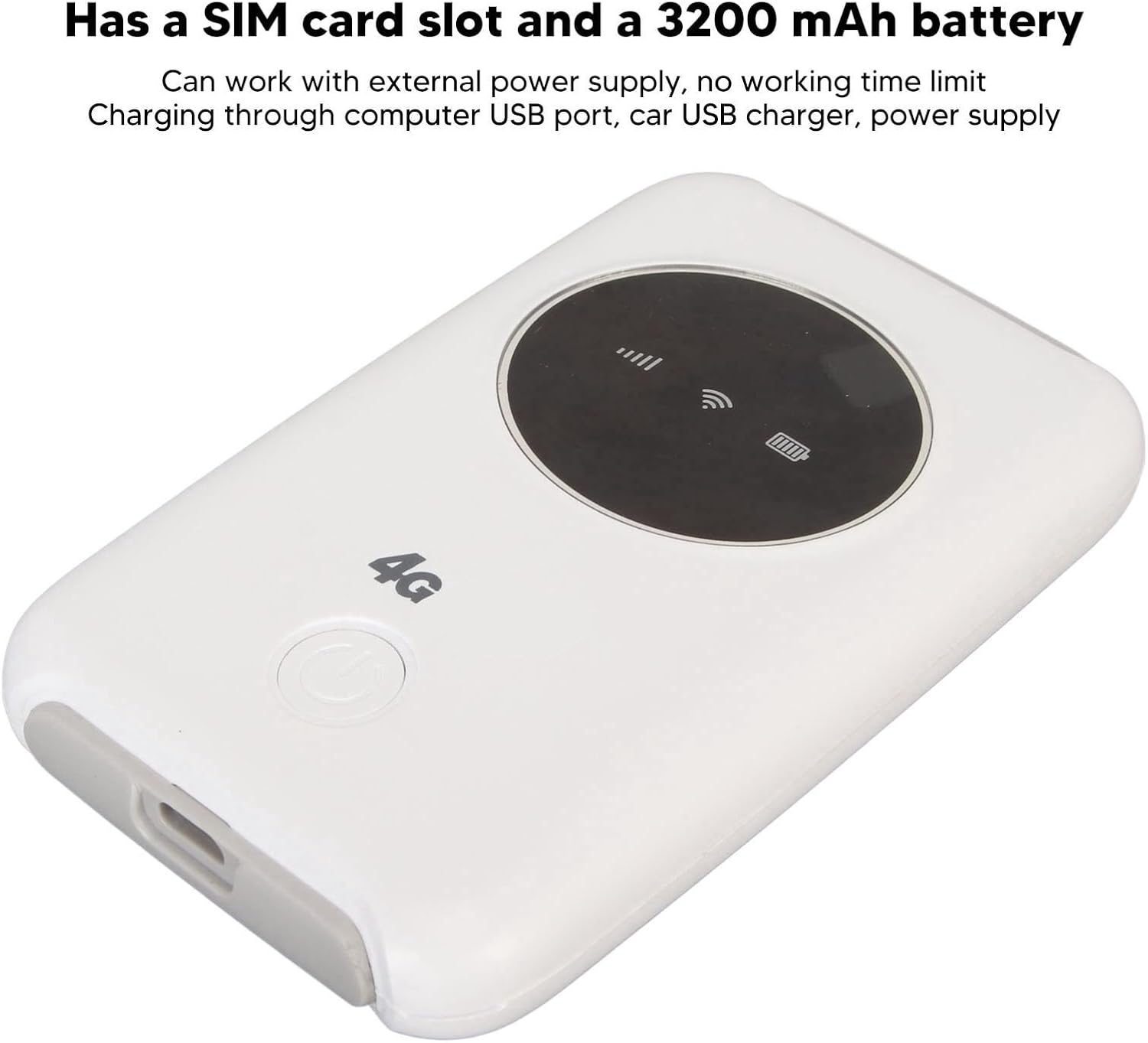
Image 4.2: This image emphasizes the modem's integrated SIM card slot and its 3200mAh battery. It also notes that the device can function continuously when connected to an external power supply.
5. Manteniment
- Dissipació de calor: If the WiFi modem operates for an extended period, it requires proper heat dissipation. Ensure it is placed in a well-ventilated area to prevent overheating, which could damage internal components.
- Neteja: Feu servir un drap suau i sec per netejar el dispositiu. Eviteu utilitzar netejadors líquids o materials abrasius.
- Emmagatzematge: Guardeu el dispositiu en un lloc fresc i sec, allunyat de la llum solar directa i de temperatures extremes.
- Exposició a l'aigua: Mantingueu el dispositiu allunyat de l'aigua i la humitat per evitar danys.
6. Solució De Problemes
6.1 Problemes comuns i solucions
| Problema | Causa possible | Solució |
|---|---|---|
| Sense connexió a Internet |
|
|
| Sobreescalfament del dispositiu |
|
|
| Cannot connect more devices |
|
|
7. Especificacions
| Característica | Detall |
|---|---|
| Tipus de producte | 4G LTE USB WiFi Modem |
| Marca | EBTOOLS |
| Número de model | EBTOOLS794cgdg3qo |
| Color | Blanc |
| Dimensions (L x A x A) | Aprox. 10 x 6 x 1.5 cm (3.9 x 2.4 x 0.6 polzades) |
| Pes | 125 g |
| Tipus de bateria | Built-in Lithium-ion Polymer Battery |
| Capacitat de la bateria | 3200 mAh |
| Ranura per a targeta SIM | 1 x Standard SIM Card Slot (SIM card not included) |
| Bandes de xarxa | B1/2/3/5/7/8/20/40 |
| Velocitat màxima de descàrrega | Up to 300Mbps (LTE CAT4) |
| Usuaris connectats màxims | 10 |
| Estàndard sense fils | 802.11ac (for WiFi broadcast) |
| Entrada Voltage | 5V DC |
| Interfície | Micro USB |
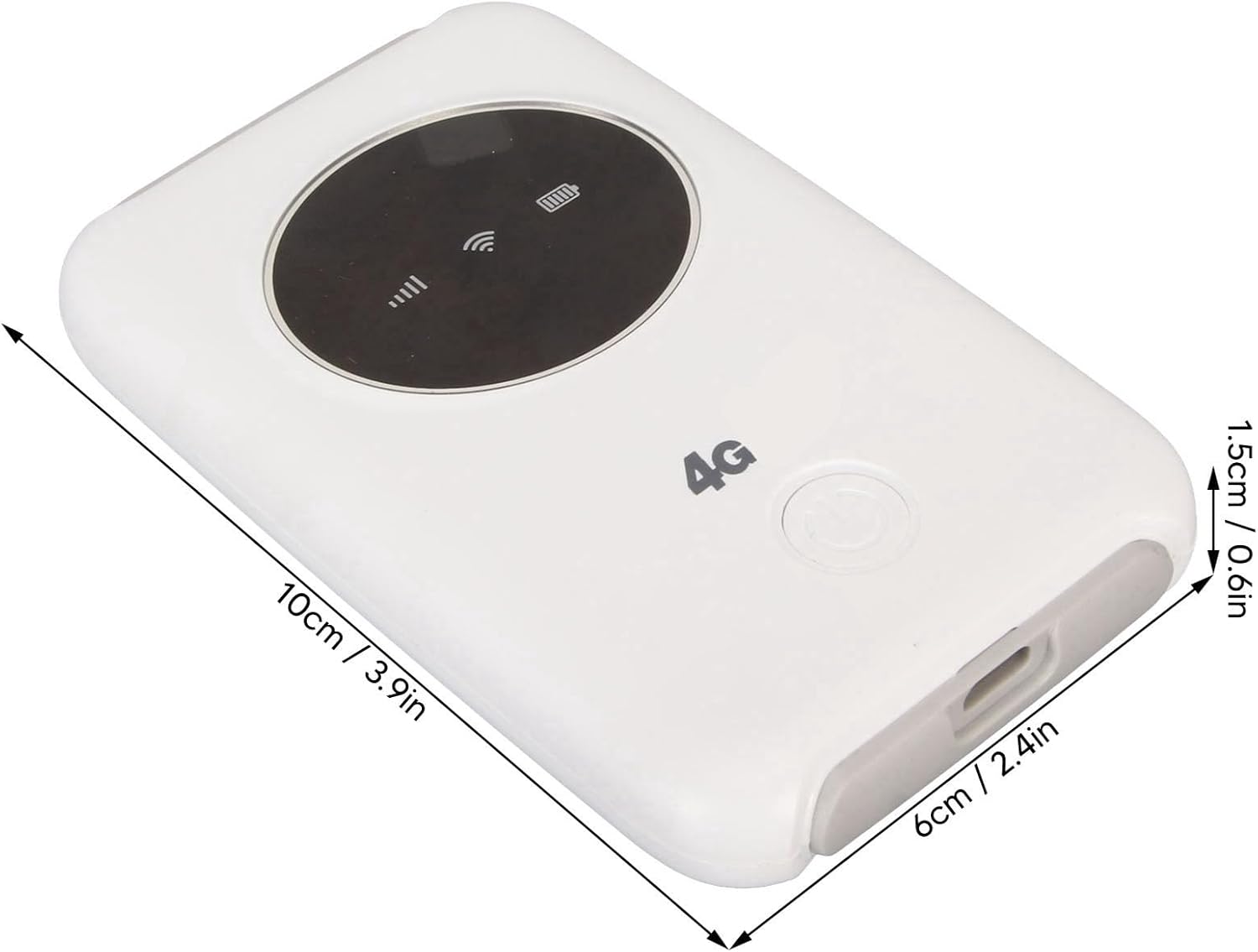
Image 7.1: The modem with its physical dimensions clearly marked, showing its compact size of approximately 10cm x 6cm x 1.5cm.
8. Informació de seguretat
- No intenteu desmuntar, reparar o modificar el dispositiu.
- Eviteu exposar el dispositiu a temperatures extremes, llum solar directa o humitat elevada.
- Mantingueu el dispositiu lluny de materials inflamables o explosius.
- Use only the provided or recommended charging cable and power sources.
- Mantenir fora de l'abast dels nens.
9. Garantia i Suport
Specific warranty information for this product is not available in this manual. Please refer to the documentation provided with your purchase or contact your retailer for details regarding warranty coverage and customer support. For technical assistance, please reach out to the manufacturer or seller through their official channels.