
TECKNET Wireless Doorbell
Manual d'usuari del timbre sense fil TECKNET
Model: Wireless Doorbell
Introducció
This user manual provides detailed instructions for the TECKNET Wireless Doorbell, a self-powered doorbell system designed for homes, classrooms, and offices. It features a receiver with integrated AC and USB ports, a self-generating transmitter, multiple chime options, and adjustable volume levels. This guide will help you set up, operate, and maintain your doorbell for optimal performance.
Producte acabatview
The TECKNET Wireless Doorbell system consists of two main components: the receiver and the transmitter.
Components
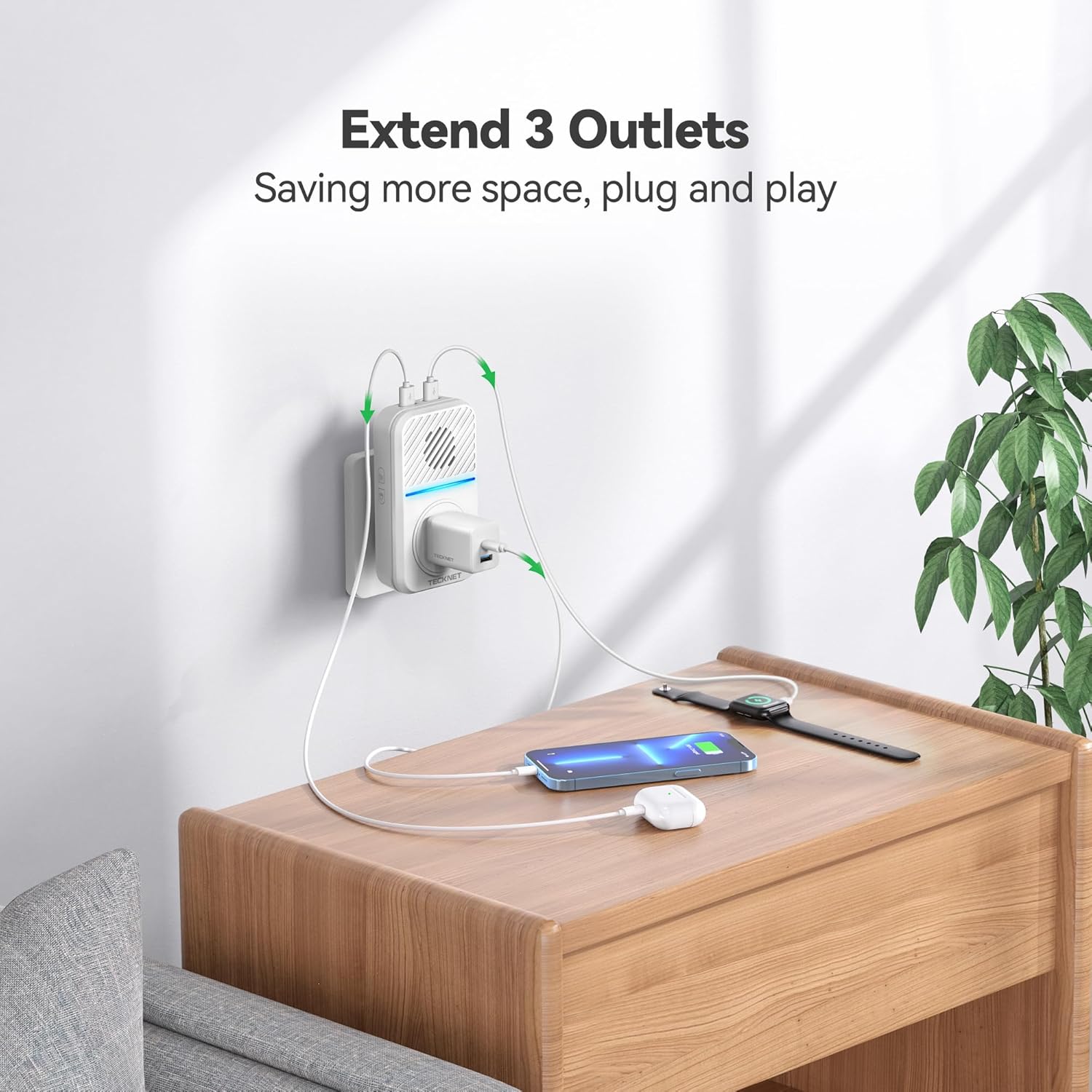
- Receptor: This unit plugs into a standard AC outlet and acts as the chime. It also features 1 AC outlet and 2 USB ports for additional power needs.
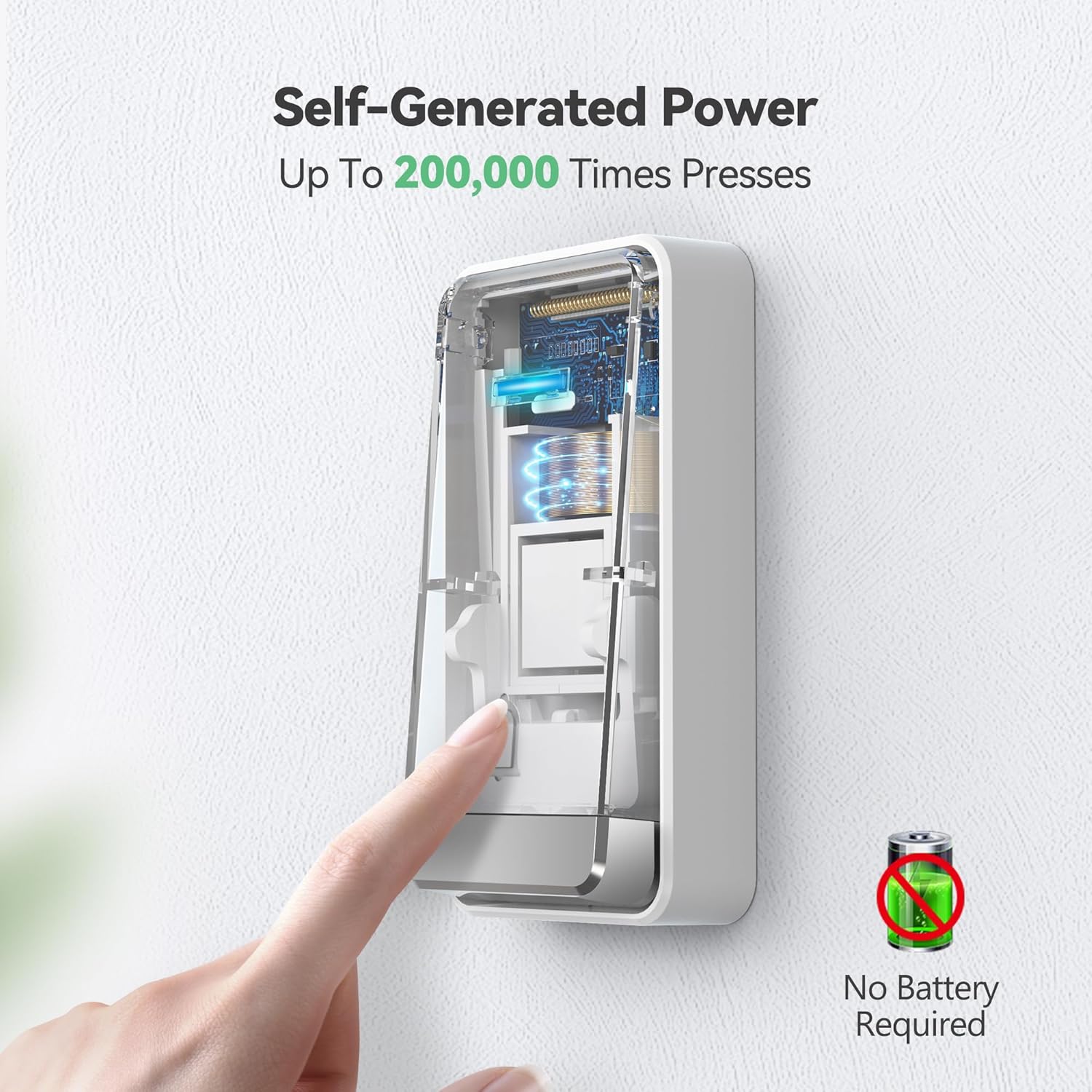
- Transmissor: This is the self-powered doorbell button that sends a signal to the receiver when pressed. No batteries are required for the transmitter.
- Accessoris: Includes adhesive tape, screws, and anchors for installation.
Imatges del producte

Vídeos oficials de productes
Video: This video demonstrates the IP65 waterproof rating of the TECKNET doorbell, showing its resilience to various weather conditions.
Configuració
Follow these steps to set up your TECKNET Wireless Doorbell:
- Desempaquetar components: Carefully remove the receiver, transmitter, and accessories from the packaging.
- Connecteu el receptor: Insert the receiver into a standard 120V AC wall outlet. Ensure it is in a central location where the chime can be heard throughout your desired area.
- Instal·leu el transmissor:
- Method 1 (Adhesive Tape): Clean the desired installation surface thoroughly. Peel off the protective film from the included 3M double-sided adhesive tape and firmly attach it to the back of the transmitter. Press the transmitter firmly onto the clean surface for at least 30 seconds.
- Method 2 (Screw Mount): Open the transmitter casing to reveal the screw holes. Mark the desired drilling points on the wall. Drill pilot holes and insert the provided anchors. Secure the transmitter to the wall using the provided screws.
Note: Avoid installing the transmitter on metal objects (e.g., metal doors or windows) as this can interfere with wireless signals and reduce the operating range.
- Pairing (Pre-paired from factory): The units are pre-paired. If re-pairing is needed, refer to the "Operating Instructions" section.

Instruccions de funcionament
Ajust de volum
The receiver has 5 adjustable volume levels, with a maximum of 120 dB. To adjust the volume:
- Locate the volume button on the side of the receiver.
- Press the button repeatedly to cycle through the 5 volume levels.
- An LED-only silent mode is also available for times when you do not wish to be disturbed.
Canviar els tons de trucada
The doorbell offers 60 different chimes. To change the ringtone:
- Locate the melody choice button on the side of the receiver.
- Press the button to cycle through the available 60 ringtones.
- The doorbell has an internal memory function that will remember your last settings after a power outage.
Pairing Additional Transmitters/Receivers (if applicable)
While units are pre-paired, you may need to re-pair or add new components. Consult the full user manual for detailed pairing instructions if needed.
Manteniment
To ensure the longevity and optimal performance of your TECKNET Wireless Doorbell, follow these maintenance guidelines:
- Neteja: Wipe the surfaces of both the receiver and transmitter with a soft, dry cloth. Do not use abrasive cleaners or solvents.
- Col·locació del transmissor: Periodically check the transmitter's adhesion or screw tightness to ensure it remains securely mounted.
- Condicions ambientals: Although the transmitter is IP65 waterproof and designed for outdoor use, extreme conditions outside the specified operating temperature range (-4°F to 140°F / -20°C to 60°C) may affect performance.
- Col·locació del receptor: Ensure the receiver is plugged into a stable 120V AC outlet and is not obstructed, which could affect sound clarity or signal reception.
Resolució de problemes
If you encounter issues with your TECKNET Wireless Doorbell, try the following solutions:
| Problema | Causa possible | Solució |
|---|---|---|
| El timbre no sona. | Receiver unplugged or power outage. Transmitter out of range or signal interference. | Ensure receiver is securely plugged in. Check power supply. Relocate receiver closer to transmitter. Avoid metal objects between units. |
| Curt abast operatiu. | Obstructions (thick walls, metal structures). Interference from other wireless devices. | Move receiver closer to transmitter. Avoid installing transmitter on metal surfaces. Try different receiver locations. |
| Chime rings randomly. | Environmental interference or faulty unit. | Ensure no other devices are causing interference. If problem persists, contact customer support. |
| Volume too low/high. | Incorrect volume setting. | Press the volume button on the side of the receiver to adjust to desired level. |
Especificacions
| Característica | Detall |
|---|---|
| Número de model | Farola sense fil |
| Font d'alimentació (receptor) | CA (120 volts) |
| Font d'alimentació (transmissor) | Self-Powered (No batteries required) |
| abast sense fils | Fins a 1300 peus (aproximadament 400 metres) |
| Tons de trucada | 60 Campanes |
| Nivells de volum | 5 (Max 120 dB) |
| Classificació d'impermeabilitat (transmissor) | IP65 |
| Temperatura de funcionament | -4 °F a 140 °F (-20 °C a 60 °C) |
| Dimensions | 4.9 x 3.9 x 2.3 polzades |
| Pes de l'article | 7 unces |
| Components inclosos | 1 Transmitter, 1 Plug-in Receiver, 1 Adhesive tape, 2 Screws & 2 Anchors, 1 User manual |
Garantia i Suport
TECKNET offers a 36-month warranty for this product (registration may be required). If you encounter any problems or have questions regarding your wireless home doorbell chime kit, please feel free to contact the professional customer service team for assistance.
Please note that this TECKNET self-powered wireless doorbell is not a video doorbell.
Documents relacionatsFarola sense fil


Ask a question about this manual
Ask about setup, troubleshooting, compatibility, parts, safety, or missing instructions. Manuals+ will review the question and use this page’s manual context to help answer it.