
1. Introducció
Thank you for choosing the XROCKER Agility Esports RGB Neo Motion LED Gaming Chair. This manual provides essential information for the safe assembly, operation, and maintenance of your new gaming chair. The Agility Esports chair features patented Neo Motion Sync lighting technology, offering over 200 different color modes and effects, controllable via a dedicated smartphone application. It is designed for comfort and adjustability, suitable for gaming, office work, and relaxation.

Image 1.1: The XROCKER Agility Esports RGB Neo Motion LED Gaming Chair illuminated with dynamic lighting in a gaming environment.
2. Informació de seguretat
Si us plau, llegiu totes les instruccions de seguretat abans del muntatge i l'ús. Si no seguiu aquestes instruccions, podeu patir lesions o danys al producte.
- Assembly is required. Ensure all components are correctly installed before use.
- No supereu la capacitat màxima de pes de 110 kg (242 lliures).
- Always follow the safety instructions provided with the product packaging.
- Mantingueu les peces petites allunyades dels nens durant el muntatge.
- Use the chair on a stable, level surface.
- Eviteu estar dret a la cadira o utilitzar-la com a tamboret.
- Do not expose the chair to excessive moisture or direct sunlight for prolonged periods.
3. Muntatge i muntatge
The XROCKER Agility Esports Gaming Chair requires assembly. Please ensure you have all components before beginning. Refer to the included assembly guide for detailed step-by-step instructions. A general overview of the assembly process is provided below.
3.1 Desembalatge i comprovació de components
Carefully unpack all parts and lay them out on a clean, soft surface to prevent scratches. Verify that all components listed in the assembly guide are present.
3.2 Passos de muntatge (generals)
- Fixeu les rodes a la base de la cadira.
- Introduïu el cilindre d'elevació de gas al centre de la base.
- Secure the mechanism plate to the underside of the seat.
- Col·loqueu els recolzabraços al seient.
- Connect the backrest to the seat assembly.
- Col·loqueu el seient i el respatller muntats sobre el cilindre d'elevació de gas.
- Attach the headrest and lumbar support cushions.

Image 3.1: Product dimensions of the XROCKER Agility Esports Gaming Chair. The chair measures approximately 128cm in height, 59.9cm in width, and 66cm in depth.
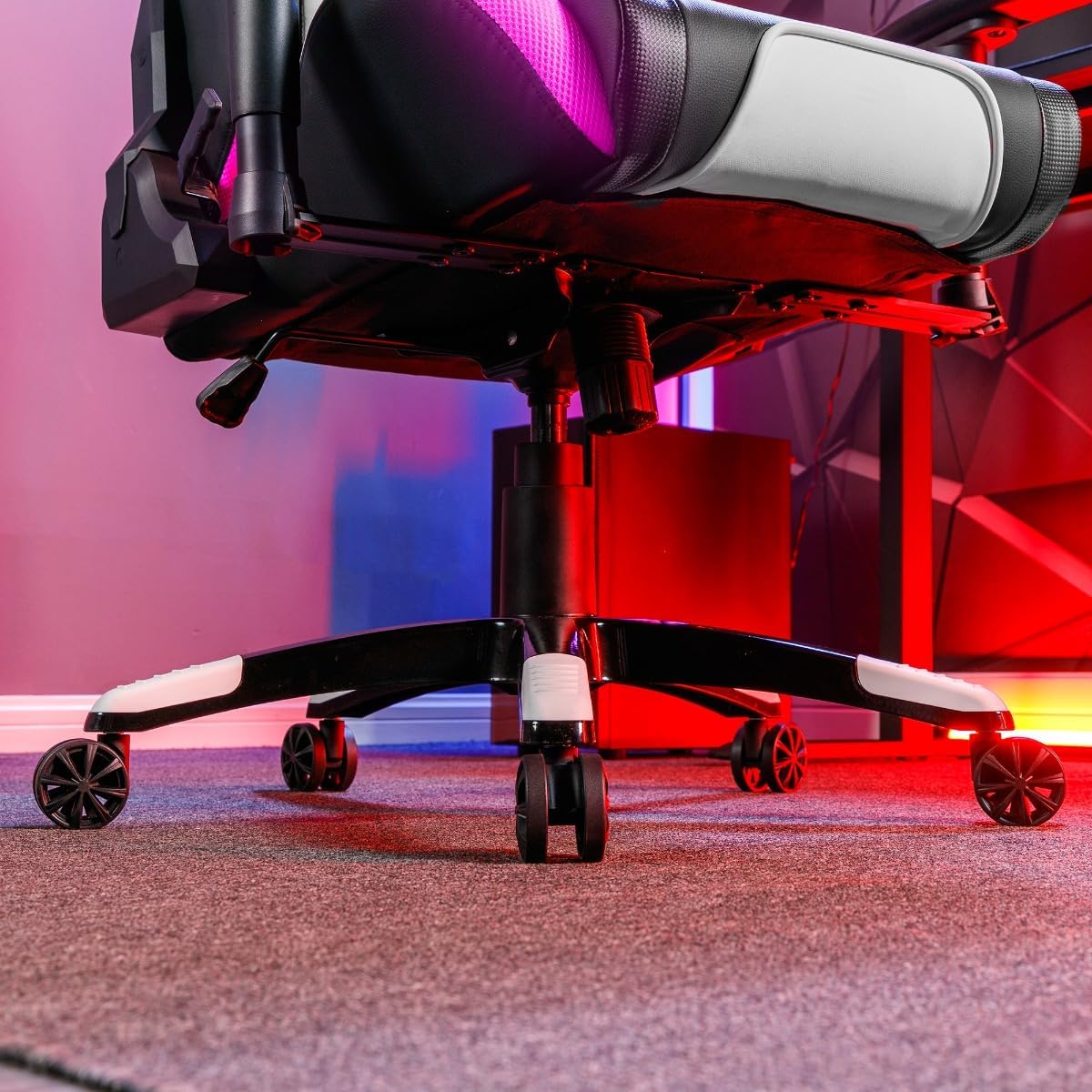
Image 3.2: The sturdy five-star base of the chair with smooth-rolling caster wheels, designed for stability and mobility.
4. Instruccions de funcionament
4.1 Ajustaments de la cadira
- Ajust d'alçada: Use the lever located under the seat on the right side to adjust the chair's height. Pull the lever up to raise the chair; sit on the chair and pull the lever up to lower it.
- Funció de balancín: The chair features a rocker function for relaxation. Engage or disengage the rocking mechanism using the lever under the seat.
- Funció reclinable: The backrest can be reclined to two positions. Use the recline lever on the side of the chair to adjust the angle.
- Reposabraços 3D: The armrests are adjustable in three dimensions (height, forward/backward, pivot) to provide optimal support. Use the buttons or levers on the armrests to make adjustments.
- Cushion Support: The included neck and lumbar cushions can be positioned for additional support and comfort.
4.2 Neo Motion Sync RGB Lighting
The Agility Esports chair is equipped with advanced Neo Motion Sync RGB lighting. This technology allows for dynamic lighting effects and synchronization with other compatible X Rocker products.
- Encès/apagat: Locate the control panel on the side of the chair (refer to Image 4.5). Press the power button to turn the lighting on or off.
- Selecció del mode: Use the buttons on the control panel to cycle through over 200 different color modes, patterns, and lighting effects.
- Control de l'aplicació per a telèfon intel·ligent: For advanced control and customization, download the Neo Motion Sync app on your smartphone. The app allows you to:
- Selecciona i personalitza els modes d'il·luminació.
- Adjust brightness and speed.
- Sync lighting with music or game sounds.
- Manage and synchronize up to 16 Neo Motion Sync products simultaneously.

Image 4.1: Detail of the chair's armrest, showcasing the integrated RGB Neo Motion LED lighting.
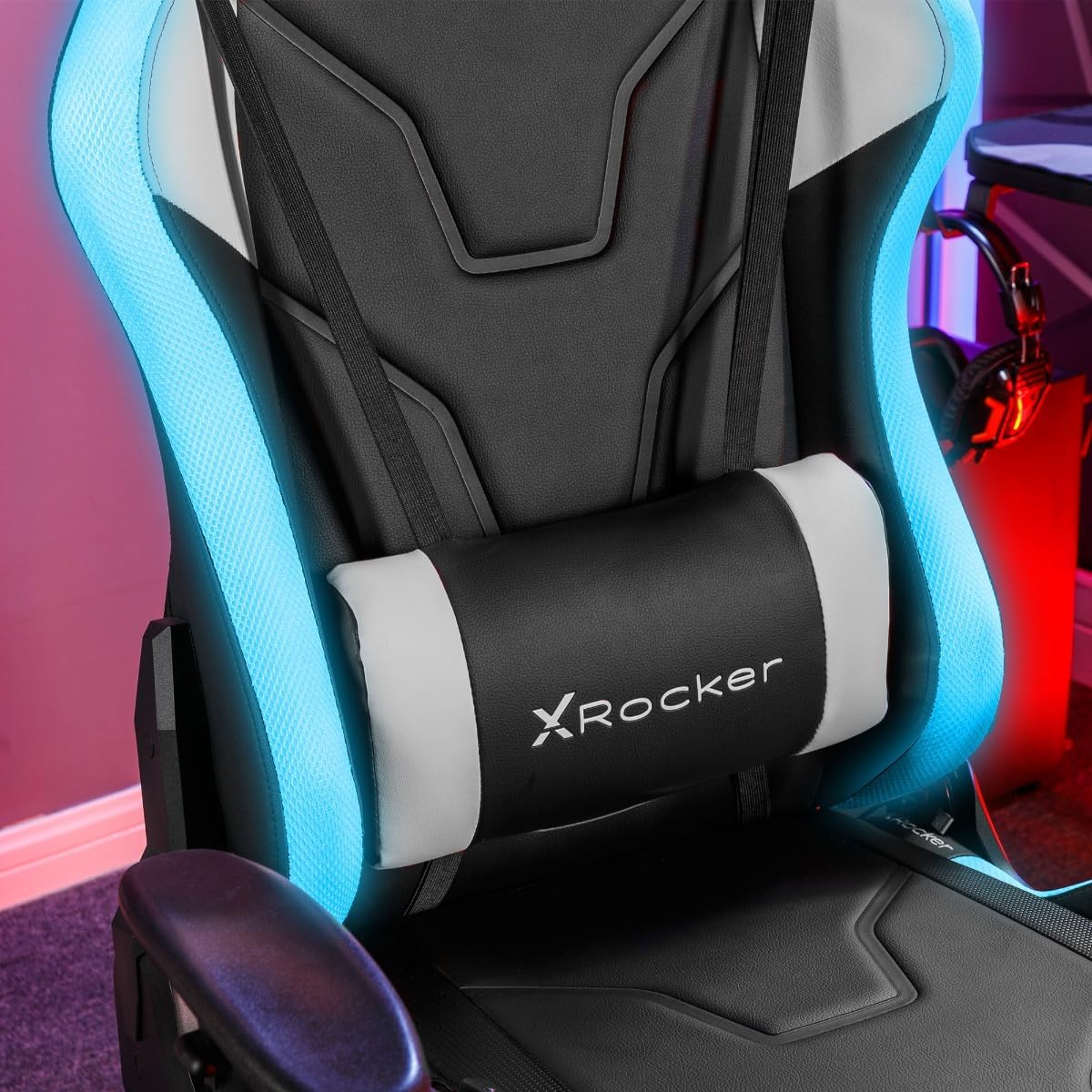
Image 4.2: The adjustable lumbar cushion, featuring integrated RGB lighting for enhanced visual appeal.

Image 4.3: The headrest cushion, providing neck support and incorporating RGB lighting elements.

Imatge 4.4: Un pro lateralfile of the chair, illustrating the continuous flow of RGB lighting along its contours.

Image 4.5: The discreetly placed control panel for managing the chair's RGB lighting effects.
5. Manteniment
Proper maintenance will extend the life and appearance of your XROCKER Agility Esports Gaming Chair.
- Neteja: Netegeu amb un anunciamp cloth. For faux leather surfaces, use a mild, non-abrasive cleaner specifically designed for synthetic leather. Avoid harsh chemicals or abrasive materials.
- Comprovacions periòdiques: Reviseu periòdicament tots els cargols i perns per assegurar-vos que estiguin ben ajustats. Torneu a estrènyer-los si cal per mantenir l'estabilitat i la seguretat.
- Cura de les rodes: Keep the caster wheels free of hair and debris to ensure smooth movement.
- Eviteu la sobrecàrrega: Do not place excessive weight on the chair or its components.
6. Solució De Problemes
Si teniu problemes amb la cadira, consulteu els següents problemes i solucions habituals:
| Problema | Causa possible | Solució |
|---|---|---|
| La cadira no ajusta l'alçada | Mal funcionament de l'elevador de gas o palanca no accionada. | Ensure the height adjustment lever is fully engaged. If the issue persists, the gas lift may need replacement. |
| La cadira trontolla | Cargols solts o muntatge desigual. | Check and tighten all assembly screws, especially those connecting the seat to the mechanism and the backrest. Ensure the chair is on a level surface. |
| Les rodes no giren suaument | Deixalles atrapades a les rodes. | Gireu la cadira i traieu els cabells, la pols o les restes de les rodes. |
| La il·luminació RGB no funciona | Power issue, loose connection, or app malfunction. | Ensure the power cable for the RGB lighting is securely connected. Check the control panel for power. Restart the Neo Motion Sync app and ensure Bluetooth is enabled on your device. |
7. Especificacions
| Característica | Detall |
|---|---|
| Marca | X Rocker |
| Nom del model | Agility Esports |
| Número de model | AGILITYRGB |
| Color | Blanc i negre |
| Material | Faux Leather (Seat), Foam, Polyester (Fill) |
| Material del marc | Acer d'aliatge |
| Dimensions del producte (P x A x A) | 66 cm de profunditat x 59.9 cm d'amplada x 137 cm d'alçada |
| Pes de l'article | 23 quilos (50.7 lliures) |
| Recomanació de pes màxim | 110 quilos (242 lliures) |
| Muntatge obligatori | Sí |
| Estil d'esquena | Esquena alta |
| Estil de braç | Rounded (3D Adjustable) |
| Estil de coixí | Lumbar, Head |
| Moviment de base de mobles | Giratòria |
| Recompte de posicions reclinables | 2 |
| Inclinació | Yes (Rocker Function) |
| Tecnologia d'il·luminació | Neo Motion Sync RGB LED |
| Mètode de control | On-chair controls, Smartphone App |
8. Garantia i assistència
8.1 Informació de la garantia
Specific warranty details for the XROCKER Agility Esports RGB Neo Motion LED Gaming Chair are typically provided with your purchase documentation or can be obtained directly from the retailer or X Rocker's official weblloc web. Si us plau, conserveu el comprovant de compra per a qualsevol reclamació de garantia.
8.2 Atenció al client
For technical assistance, missing parts, or any other inquiries regarding your XROCKER product, please contact X Rocker customer support or the retailer from whom you purchased the chair. Contact information can usually be found on the X Rocker official weblloc web o el vostre rebut de compra.
X Rocker Official Weblloc: www.xrockeruk.com (Please check for your regional weblloc)

