
1. Introducció
The Rosonway 10-Port Powered USB 3.2/USB C Hub (Model RSH-A10QPD) is designed to expand your device's connectivity, offering a versatile solution for data transfer and charging. This hybrid hub instantly adds 3 USB 3.2 ports, 4 USB 3.0 ports, and 3 fast charging ports to your laptop, desktop, gaming console, or other compatible devices. It features a durable aluminum housing and individual on/off switches for each data port, ensuring efficient power management and stable performance.
Vídeo: Acabatview of the Rosonway 10-Port Powered USB 3.2/USB C Hub 60W, showcasing les seves característiques i disseny.
2. Configuració
Follow these steps to set up your Rosonway USB Hub:
- Connecteu l'adaptador de corrent: Plug the provided 60W (12V/5A) power adapter into the DC 12V/5A input port on the hub, then connect it to a wall outlet. This ensures stable power for all connected devices and high-speed data transfer.
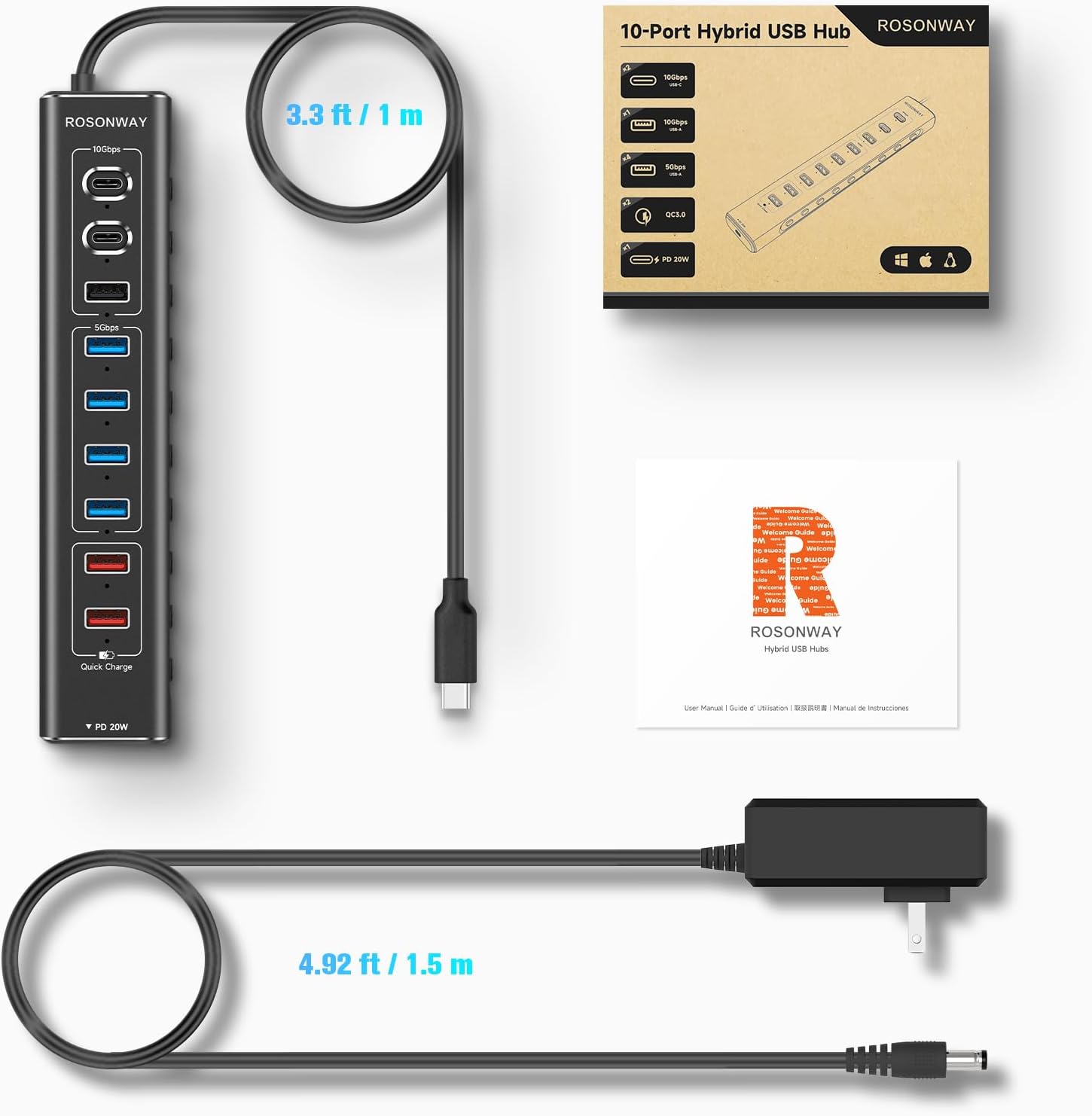
- Connecteu-vos al vostre dispositiu: Use the integrated 3.3 ft USB Type-C long cable to connect the hub to a compatible USB-C or Thunderbolt 3 port on your laptop, desktop, or other host device. The hub is plug-and-play, requiring no additional drivers for most operating systems.
- Connecteu els perifèrics: Once the hub is powered and connected to your host device, you can begin connecting your USB devices (e.g., external hard drives, keyboards, mice, cameras, smartphones) to the available data and charging ports.

Imatge: Un cop mésview of the Rosonway 10-Port USB Hub, highlighting its 10-in-1 functionality with different port types and power input.
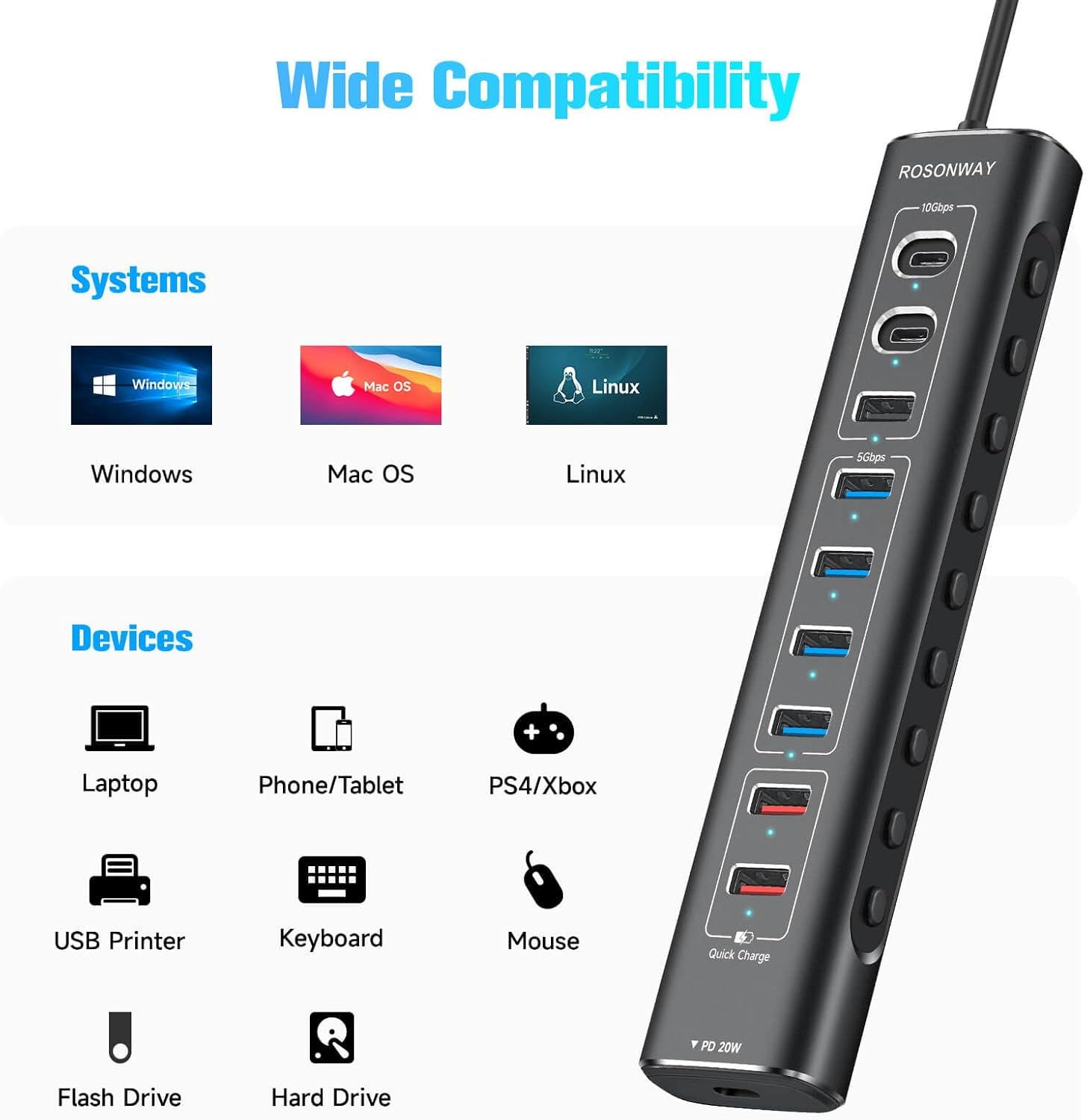
Image: The Rosonway USB Hub connected to a laptop, demonstrating the 3.3 ft USB-C long cable for flexible placement.
Imatge: Un primer pla view of the DC 12V/5A power adapter connection, emphasizing overcurrent and overvoltage protection for stable transmission and heat dissipation.
3. Instruccions de funcionament
The Rosonway USB Hub is designed for ease of use with individual controls for each data port:
- Interruptors individuals d'encesa/apagada: Each super-speed USB data port features an individual On/Off switch with an LED indicator.
- Estat de l'alimentació: The LED indicator shows the power status of each port.
- Activating/Deactivating Ports: To activate a port, lightly press its corresponding button. To deactivate a port, press and hold the button for two seconds. This allows you to manage power to individual devices without unplugging the entire hub.
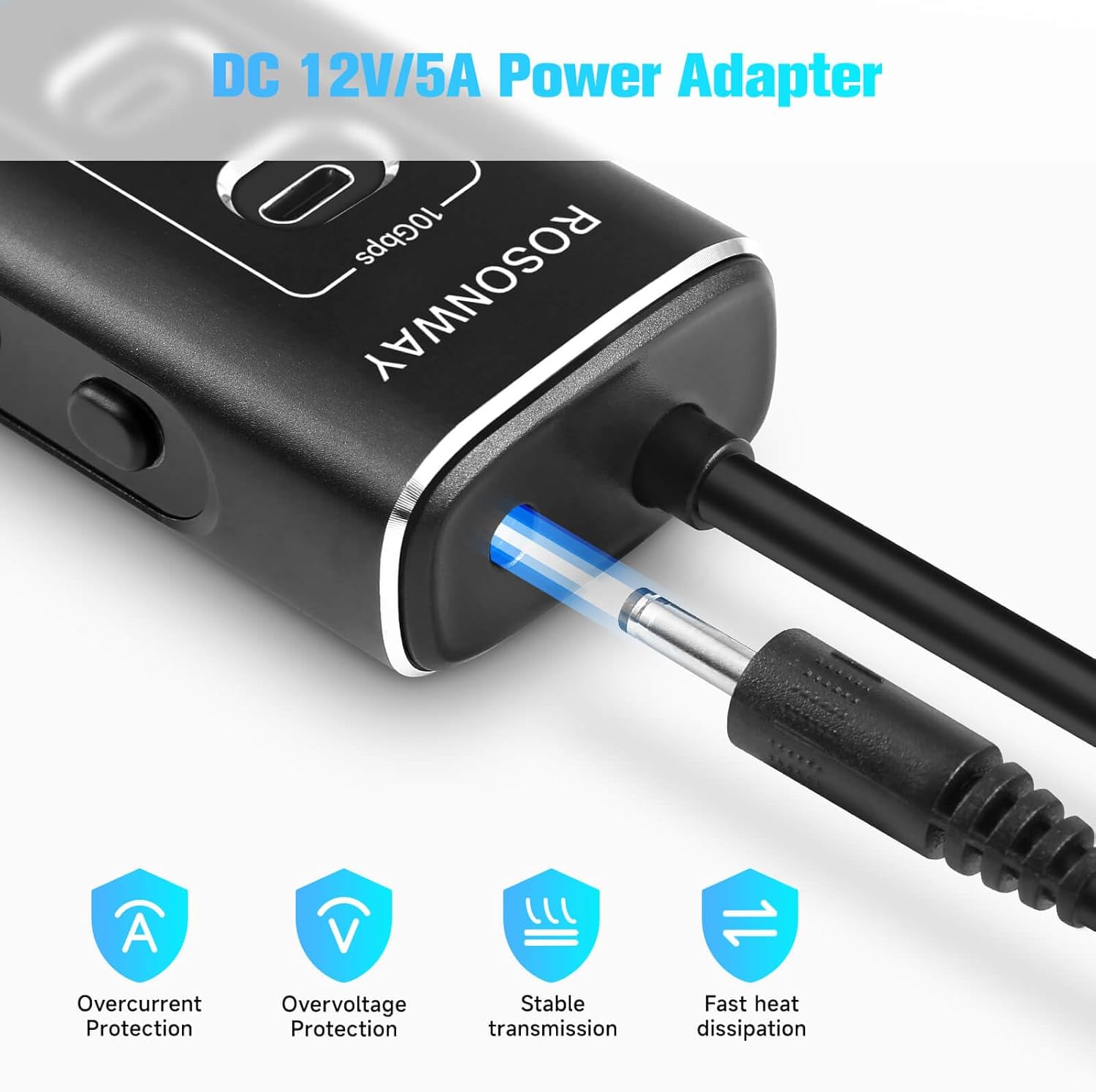
Image: The Rosonway USB Hub highlighting the individual On/Off switches and LED indicators for each port, along with an anti-slip mat.
4. Transferència de dades
Experience blazing-fast data transfer speeds with the Rosonway USB Hub:
- Ports USB 3.2: The hub includes 1 USB-A 3.2 port and 2 USB-C 3.2 ports, all supporting data transfer speeds of up to 10Gbps. This allows for rapid transfer of large files, HD photos, and videos in seconds.
- Ports USB 3.0: Four USB-A 3.0 ports provide data transfer speeds of up to 5Gbps, suitable for a wide range of peripherals and everyday file transferències.

Image: The Rosonway USB Hub facilitating fast data transfer between a laptop and an external hard drive, showing speeds up to 10Gbps and 5Gbps.

Image: A visual representation of the SuperSpeed Data Transfer capabilities, detailing 10Gbps for USB-C 3.2 and USB-A 3.2, and 5Gbps for USB-A 3.0.
5. Charging Capabilities
The hub offers dedicated charging ports to power your mobile devices:
- Port USB-C PD: One 20W USB-C Power Delivery (PD) port is available for fast charging compatible devices like tablets and smartphones.
- USB-A Fast Charging Ports: Two USB-A fast charging ports provide up to 2.4A output, suitable for charging various devices such as phones, cameras, and speakers.
- 60W Power Adapter: The included 60W (12V/5A) power supply ensures sufficient power for simultaneous data transfer and charging across all ports.
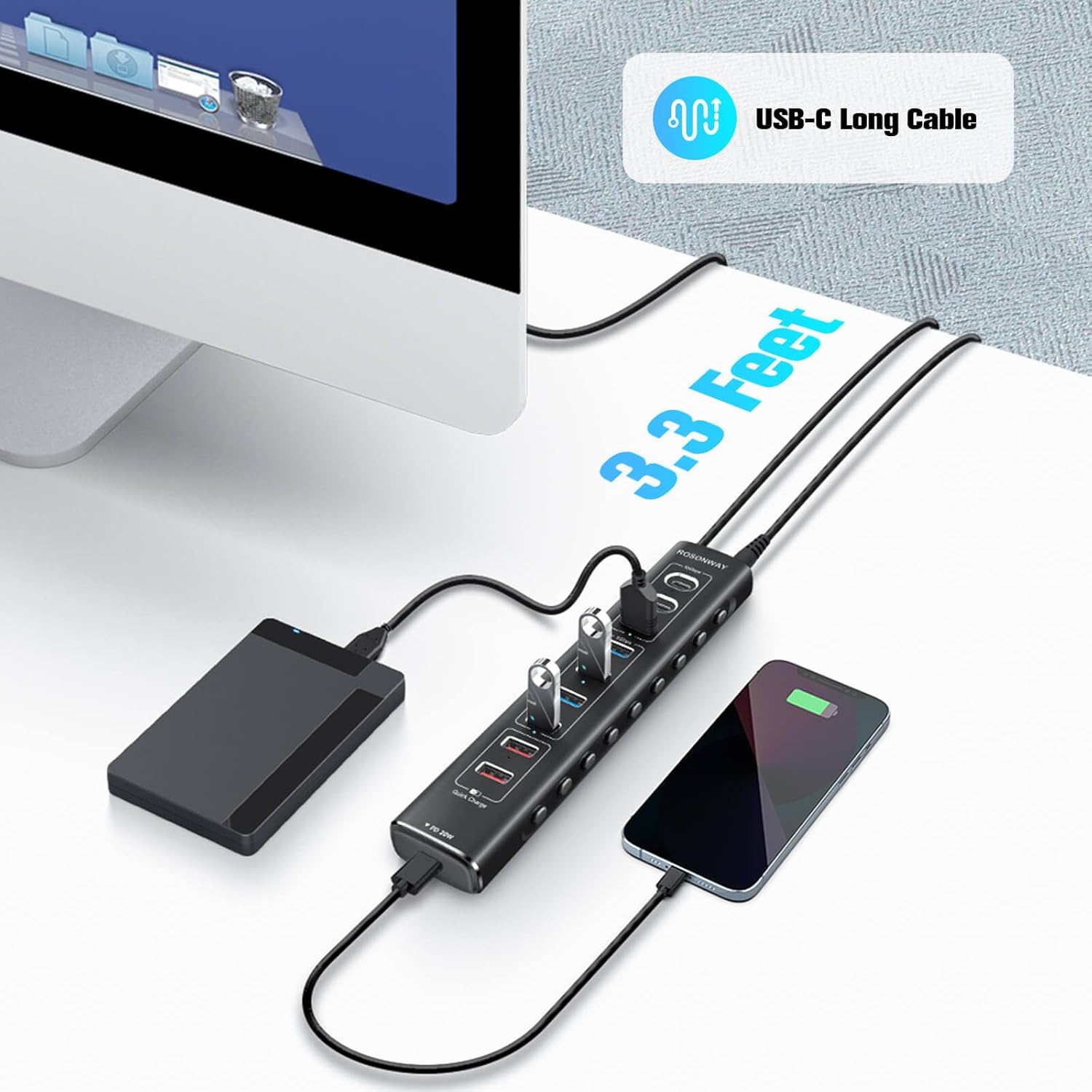
Image: The Rosonway USB Hub connected to a power outlet and charging multiple devices, illustrating its 3 fast charging ports and the 60W power adapter.
6. Compatibilitat
The Rosonway USB Hub offers broad compatibility with various operating systems and devices:
- Sistemes operatius: Compatible with Windows 11, 10, 8.1, 8, 7, Mac OS X, and Linux.
- Dispositius amfitrions: Works with USB-C/Thunderbolt 3 enabled devices such as M1 Mac mini, MacBook, iMac, XPS, Surface Pro, laptops, and PCs.
- Perifèrics: Supports a wide range of USB devices including gaming consoles, smartphones, tablets, USB printers, keyboards, mice, and flash drives.
Image: A visual guide to the wide compatibility of the Rosonway USB Hub, listing supported operating systems and various devices.
7. Manteniment
To ensure the longevity and optimal performance of your Rosonway USB Hub, follow these maintenance guidelines:
- Neteja: Regularly wipe the hub with a soft, dry cloth to remove dust and debris. Avoid using liquid cleaners or abrasive materials.
- Emmagatzematge: Quan no l'utilitzeu, guardeu el concentrador en un lloc fresc i sec, allunyat de la llum solar directa i de temperatures extremes.
- Gestió de cables: Avoid sharp bends or kinks in the USB-C cable and power adapter cable to prevent internal damage.
- Ventilació: Ensure the hub has adequate ventilation to prevent overheating, especially during prolonged use with multiple devices.
8. Solució De Problemes
If you encounter issues with your Rosonway USB Hub, try the following troubleshooting steps:
- No Power/LED Indicators Off:
- Ensure the 60W power adapter is securely plugged into both the hub and a working wall outlet.
- Check if the individual port switches are activated (lightly press the button).
- Dispositiu no reconegut:
- Verify that the hub's main USB-C cable is securely connected to your computer's USB-C/Thunderbolt 3 port.
- Try connecting the device directly to your computer to confirm it's functioning correctly.
- Ensure the individual port switch for the connected device is turned on.
- Reinicieu l'ordinador i torneu a connectar el concentrador.
- Transferència lenta de dades:
- Ensure you are using the correct ports for high-speed devices (USB 3.2 for 10Gbps, USB 3.0 for 5Gbps).
- Confirm the 60W power adapter is connected, as insufficient power can affect transfer speeds.
- Avoid connecting too many power-hungry devices simultaneously if experiencing slowdowns.
- Problemes de càrrega:
- Check if your device supports the charging standards (20W PD for USB-C, 2.4A for USB-A fast charging).
- Ensure the charging cable is functional and properly connected.
9. Especificacions
| Número de model | RSH-A10QPD |
| Ports | 3x USB 3.2 (2C + 1A), 4x USB 3.0 Data, 1x USB-C PD, 2x USB-A Fast Charging |
| Velocitat de transferència de dades | Up to 10Gbps (USB 3.2), Up to 5Gbps (USB 3.0) |
| Sortida de càrrega | 20W USB-C PD, 2.4A USB-A Fast Charging |
| Adaptador d'alimentació | 60 W (12 V/5 A) |
| Longitud del cable | 3.3 ft USB Type-C |
| Material | Carcassa d'alumini |
| Característiques especials | Individual On/Off Switches, LED Indicators, Built-in Surge Protector, Overvoltage/Protecció de sobreintensitat |
10. Garantia i Suport
Rosonway provides the following warranty and support for your product:
- Garantia limitada: A 2-year limited warranty is included.
- Garantia ampliada: Register your product to receive an additional 6 months of extended warranty.
- Suport tècnic: Lifetime technical support is available for all Rosonway products.
- Contacte: For support or warranty claims, please visit the official Rosonway weblloc o poseu-vos en contacte amb el seu servei d'atenció al client.