
1. Introducció
This manual provides essential information for the installation, operation, and maintenance of your Phillips MX7053 Digital Deadbolt PCD-360. Please read these instructions carefully before installation and use to ensure proper function and longevity of the product.
The Phillips MX7053 Digital Deadbolt is designed for interior wood or metal doors, offering secure keyless entry via a numeric keypad or traditional key access. It features a light indicator for status updates and supports up to 50 unique user codes.
2. Característiques del producte
- Fàcil instal·lació: Designed for straightforward installation using basic tools.
- Muntatge versàtil: Features an interior mounting plate that can be screwed or welded.
- Teclat numèric: Exterior keypad supports 4 to 10-digit codes for up to 50 users.
- Indicador d'estat: Integrated light indicator shows lock/unlock status and alerts for incorrect code entries.
- Dual Access: Keyless entry via keypad or traditional high-security key access.
- Funciona amb piles: Requires 4 AA batteries (not included), eliminating the need for electrical wiring.
3. Contingut del paquet
Verifiqueu que tots els components siguin presents abans de començar la instal·lació:
- Phillips MX7053 Digital Deadbolt (Exterior Keypad Unit)
- Interior Thumb Turn Unit
- Placa de muntatge
- High-Security Keys (Quantity may vary)
- Installation Screws and Hardware
- Manual d'instruccions (Aquest document)

Imatge 3.1: Packaging of the Phillips MX7053 Digital Deadbolt, illustrating the included components and highlighting the 1-year warranty.
4. Especificacions
| Fabricant | Phillips |
| Número de model | MX7053 |
| Color | Negre |
| Acabar | Raspallat |
| Material | Metall, plàstic |
| Tipus de bloqueig | forrellat |
| Característiques especials | Touch keypad, Keyless entry |
| Font d'alimentació | 4 piles AA (no incloses) |
| Pes | 1.12 quilos |
| Dimensions (L x A x A) | 21.01 x 11 x 23.01 cm |
5. Informació de seguretat
- Do not expose the lock to extreme temperatures or direct moisture.
- Feu servir només piles alcalines AA especificades. No barregeu piles velles i noves ni piles de diferents tipus.
- Guardeu les claus en un lloc segur lluny del pany.
- Regularly check battery levels and replace batteries when indicated to prevent lock-out.
- Eviteu utilitzar netejadors o dissolvents abrasius a la superfície del pany.
6. Instal·lació
The Phillips MX7053 Digital Deadbolt is designed for surface-mount installation on interior wood or metal doors. It is compatible with both left and right-opening doors.
6.1 Eines necessàries
- Tornavís (es recomana el de capçal Phillips)
- Drill (if new holes are required)
- Cinta mètrica o regle
- Llapis
6.2 Passos d'instal·lació
- Prepara la porta: Ensure the door is clean and free of obstructions. If replacing an existing lock, remove it.
- Instal·leu el pestell de forrellat: Insert the deadbolt latch into the door edge. Ensure the latch is oriented correctly for your door's handing (left or right).
- Mount the Exterior Keypad: Position the exterior keypad unit on the outside of the door, aligning it with the deadbolt latch.
- Instal·leu la placa de muntatge interior: On the inside of the door, attach the interior mounting plate. Secure it with the provided screws. This plate can be screwed directly or welded for added security.
- Connect the Interior Unit: Connect the cable from the exterior keypad to the interior thumb turn unit. Carefully tuck any excess cable into the door cavity.
- Secure the Interior Unit: Attach the interior thumb turn unit to the mounting plate using the remaining screws. Ensure it is flush against the door.
- Prova de funcionament: Before closing the door, test the deadbolt's operation using both the thumb turn and the key. Ensure the deadbolt extends and retracts smoothly.
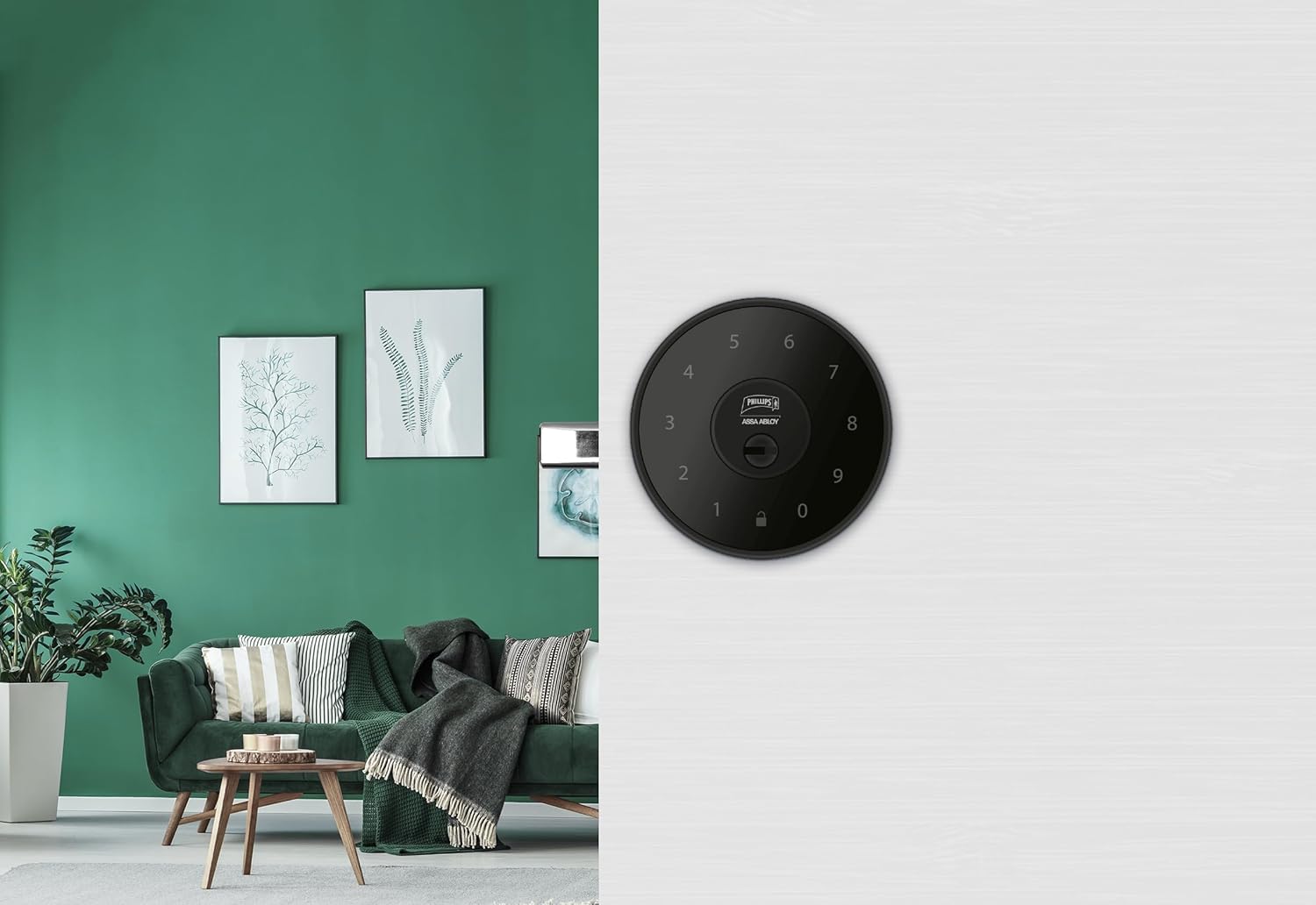
Imatge 6.1: An installed Phillips MX7053 Digital Deadbolt, showcasing its exterior keypad on a door.

Imatge 6.2: Primer pla frontal view of the exterior keypad, highlighting the numeric interface and keyhole.
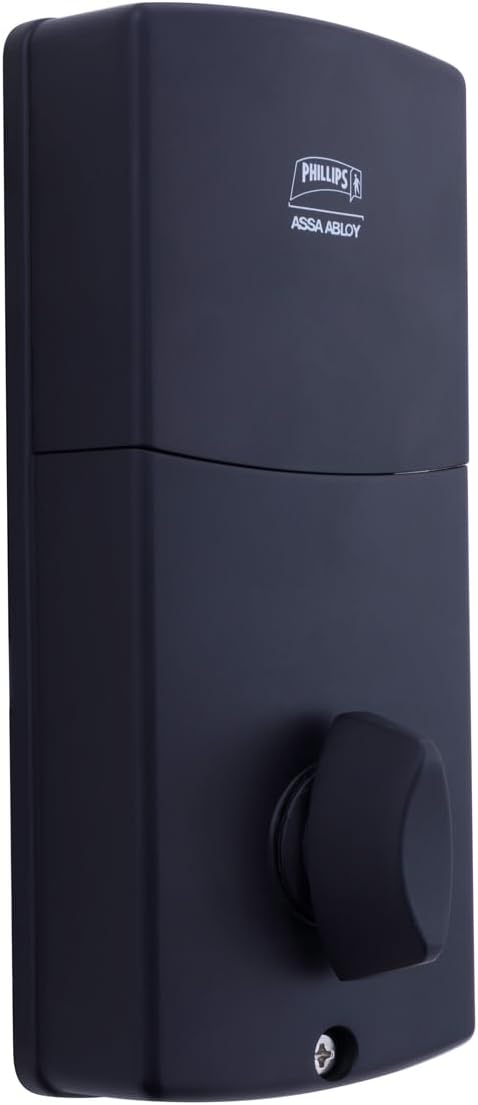
Imatge 6.3: posterior view of the interior unit, which houses the battery compartment and the thumb turn for manual locking/unlocking.
7. Instal·lació i substitució de la bateria
The Phillips MX7053 Digital Deadbolt requires 4 AA alkaline batteries for operation. Batteries are not included.
- Accés al compartiment de la bateria: Locate the battery cover on the interior thumb turn unit. Slide or unclip the cover to open the compartment.
- Insereix les piles: Insert 4 new AA alkaline batteries, ensuring correct polarity (+/-) as indicated inside the compartment.
- Compartiment tancat: Replace the battery cover, ensuring it is securely closed.
- Prova: After installing batteries, the lock should emit a beep and the keypad lights may illuminate briefly, indicating power.
Nota: Replace all four batteries simultaneously. Do not mix old and new batteries or different battery types. Low battery indication will typically be a series of beeps or a specific light pattern when operating the lock.
8. Funcionament
8.1 Desbloqueig de la porta
- Using a Code: Enter your 4 to 10-digit user code on the exterior keypad. The light indicator will confirm successful entry, and the deadbolt will retract.
- Ús de la clau: Insert the high-security key into the keyhole on the exterior keypad and turn it to unlock the deadbolt.
- Des de dins: Turn the thumb turn on the interior unit to retract the deadbolt.
8.2 Tancar la porta
- Des de fora: Press any key on the keypad or simply wait for the auto-lock feature (if enabled) to engage the deadbolt.
- Ús de la clau: Insert the high-security key into the keyhole on the exterior keypad and turn it to extend the deadbolt.
- Des de dins: Turn the thumb turn on the interior unit to extend the deadbolt.
9. Programació de codis d'usuari
The lock supports up to 50 unique user codes, each 4 to 10 digits long. Refer to the specific programming instructions included with your lock for detailed steps on adding, deleting, or modifying user codes. Generally, this involves entering a master code followed by a sequence of commands and the desired user code.
Important: Keep your master code confidential and do not share it. It is essential for managing all other user codes.
10. Manteniment
- Neteja: Netegeu la superfície del pany amb un drap suauamp tela. No utilitzeu productes químics aggressivs ni netejadors abrasius.
- Comprovació de la bateria: Canvieu les piles immediatament quan aparegui l'indicador de bateria baixa.
- Comprovació mecànica: Periodically check that all screws are tight and the lock operates smoothly. Lubricate the deadbolt mechanism with a silicone-based lubricant if necessary.
11. Solució De Problemes
- El bloqueig no respon: Check battery installation and replace batteries if necessary. Ensure the keypad is clean and free of debris.
- Deadbolt Not Extending/Retracting: Verify that the door frame strike plate is properly aligned with the deadbolt. Check for any obstructions in the door jamb.
- Incorrect Code Entry: If the light indicator flashes or beeps after entering a code, re-enter the code carefully. Ensure you are using a valid, programmed user code.
- El teclat no s'il·lumina: This may indicate very low batteries or a power issue. Replace batteries.
12. Garantia i Suport
The Phillips MX7053 Digital Deadbolt PCD-360 comes with a 1 any de garantia des de la data de compra, que cobreix els defectes de fabricació. Conserveu el comprovant de compra per a reclamacions de garantia.
For technical assistance, troubleshooting beyond this manual, or warranty inquiries, please contact Phillips customer support. Refer to the contact information provided on the product packaging or Phillips' official weblloc.
Additional protection plans may be available from third-party providers for extended coverage.