
BAISHUN CJX-C051-US
Thermal Mini Printer with RGB Light - User Manual
Model: CJX-C051-US
Introducció
This user manual provides comprehensive instructions for the operation and maintenance of your BAISHUN Thermal Mini Printer with RGB Light. This portable, inkless printer is designed for convenience, allowing you to print photos, labels, messages, and more directly from your mobile device. Its compact size and RGB lighting feature make it a versatile tool for various personal and creative uses.
Què hi ha a la caixa
- 1 x Mini Thermal Printer
- 9 rolls of thermal paper (3 rolls of sticker paper + 5 rolls of thermal paper, 1 roll pre-installed in printer)
- Cable de càrrega USB
- Manual d'usuari

Image: The BAISHUN Thermal Mini Printer shown with various types of thermal paper rolls and examples of printed content, including QR codes, shopping lists, and drawings.
Guia de configuració
1. Descarrega l'aplicació
To operate the printer, you need to download the "Fun Print" application. It is available on both the Apple App Store for iOS devices and Google Play Store for Android devices.

Image: A visual guide illustrating the four main setup steps: downloading the "Fun Print" app, long-pressing the power button to turn on the printer, loading thermal paper, and initiating printing from the app.
2. Power On and Connect via Bluetooth
- Ensure the printer is charged.
- Long press the power button on the printer to turn it on. The RGB light will illuminate.
- Open the "Fun Print" app on your smartphone or tablet.
- Within the app, navigate to the connection settings and select your printer from the available Bluetooth devices. The printer should connect automatically or after a simple pairing process.
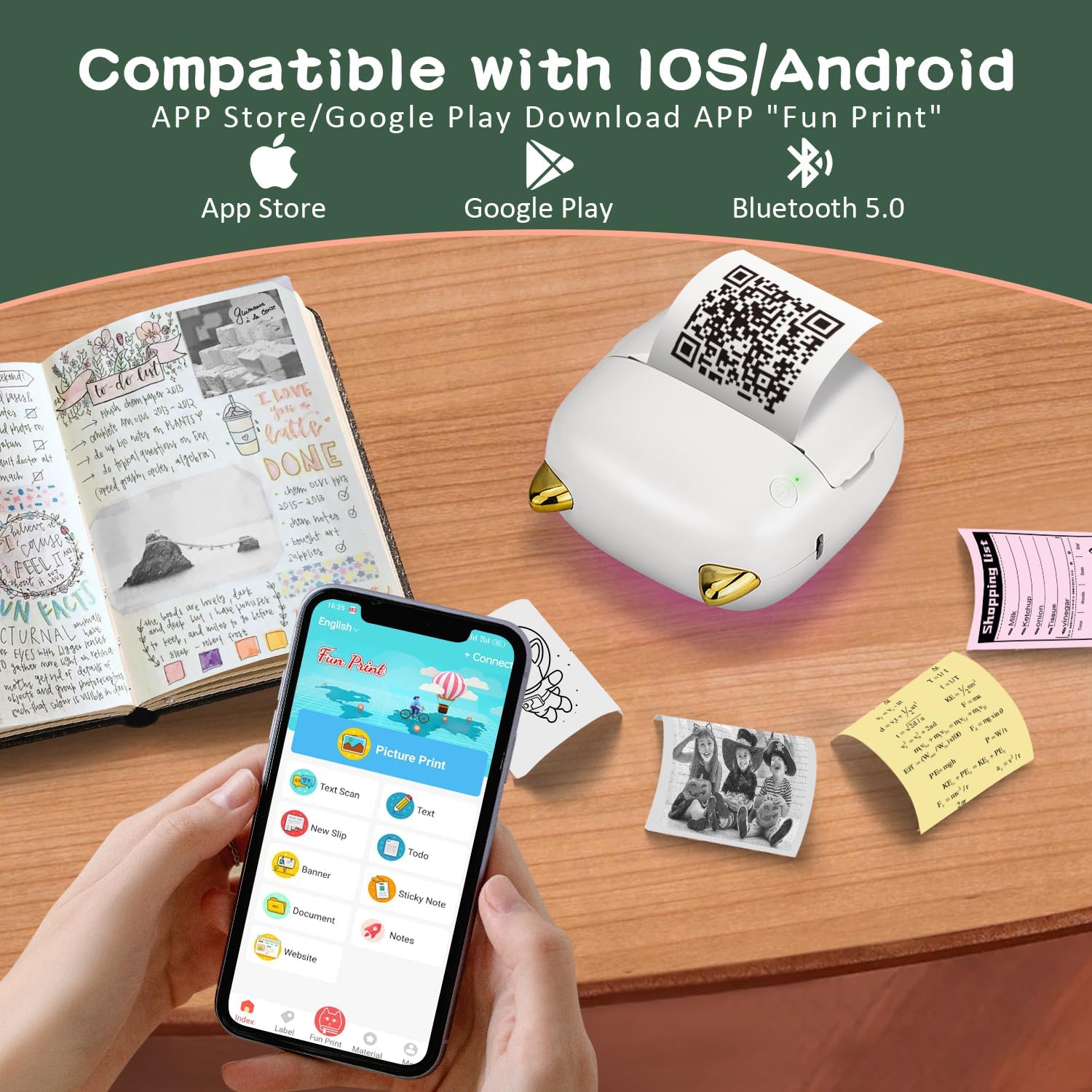
Image: The mini printer positioned next to a smartphone displaying the "Fun Print" app, indicating its compatibility with iOS and Android devices via Bluetooth 5.0.
3. Load Thermal Paper
Open the printer's paper compartment. Take a roll of thermal paper (57mm x 30mm) and insert it into the compartment, ensuring the paper feeds out smoothly. Close the compartment securely. To avoid paper jams, ensure the paper roll is wrapped tightly before insertion.

Image: A selection of thermal paper rolls, including plain white, colored, and sticker paper, compatible with the printer.
Instruccions de funcionament
Once connected and paper is loaded, you can begin printing. The "Fun Print" app offers various functions:
- Impressió d'imatges: Print photos directly from your phone's gallery.
- Text Scan: Convert scanned text into printable content.
- To-Do List: Create and print daily tasks or shopping lists.
- Notes d'estudi: Print notes, diagrams, or educational materials.
- Labels Printing: Design and print custom labels for organization.
- Codi QR: Generate and print QR codes.
- Sticky Note: Create and print quick reminders.
- Web Page Printing: Imprimeix contingut directament des de web pàgines.

Image: A collage demonstrating the versatile applications of the mini printer, such as printing images, to-do lists, study notes, labels, QR codes, and sticky notes.
Funcionalitat de llum RGB
The printer features 7 different colors of RGB LED lights, providing a visually appealing experience. These lights can be adjusted or cycled through via the companion app, adding a personalized touch to your device.

Image: A display of the mini printer showcasing its seven adjustable LED colors, including Pink, Yellow, Purple, Dark Blue, Blue, Teal, and Verdant, highlighting its aesthetic feature.
Manteniment
Cura de la bateria
The printer is equipped with a built-in 1200 mAh battery. For optimal battery life, charge the device using the provided USB cable and a 5V charger. Avoid overcharging or completely draining the battery frequently. A full charge provides approximately one week of standby time.

Image: The mini printer alongside an icon representing its 1200mAh battery, emphasizing its long standby time of one week on a full charge.
Neteja i emmagatzematge
Wipe the exterior of the printer with a soft, dry cloth. Do not use liquid cleaners or abrasive materials. Store the printer in a cool, dry place away from direct sunlight and extreme temperatures.
Resolució de problemes
| Problema | Causa possible | Solució |
|---|---|---|
| La impressora no s'encén. | Problema de bateria baixa o energia. | Charge the printer using the provided USB cable. Ensure the charging indicator light is on. |
| No es pot connectar per Bluetooth. | Bluetooth is off on device, printer is not in pairing mode, or interference. | Ensure Bluetooth is enabled on your mobile device. Restart both the printer and your device. Try pairing again through the "Fun Print" app. Move closer to the printer. |
| Poor print quality or blank prints. | Incorrect paper loading, low battery, or faulty thermal paper. | Ensure thermal paper is loaded correctly with the printable side facing the print head. Check battery level. Try a different roll of thermal paper. |
| Emballament de paper. | Paper not inserted tightly or foreign object. | Turn off the printer, carefully open the paper compartment, remove any jammed paper, and re-insert the paper roll tightly. |
Especificacions
| Característica | Detall |
|---|---|
| Número de model | CJX-C051-US |
| Tecnologia de connectivitat | Bluetooth |
| Tecnologia d'impressió | Impressió tèrmica sense tinta |
| Resolució d'impressió màxima | 200 DPI |
| Dispositius compatibles | iOS & Android Smartphones/Tablets |
| Mida màxima del suport | 57mm x 30mm (Thermal Paper) |
| Capacitat de la bateria | 1200 mAh d'ions de liti |
| Dimensions del producte | 3.15 x 3.15 x 1.38 polzades |
| Pes de l'article | 14.4 unces |
| Característiques especials | Wireless, Portable, Compact, RGB Light |

Image: A diagram illustrating the compact dimensions of the mini printer, showing its width, length, and height measurements.
Garantia i Suport
For warranty information and technical support, please refer to the contact details provided on the product packaging or visit the official BAISHUN weblloc. Conserveu el rebut de compra per a reclamacions de garantia.