
1. Introducció
Thank you for choosing the Dpofirs Ultra-Slim Keyboard. This compact and lightweight keyboard is designed for portability and ease of use, compatible with various operating systems. This manual provides essential information for setting up, operating, and maintaining your new keyboard.

Image: The Dpofirs ultra-slim keyboard, illustrating its compact design and overall layout. Dimensions are approximately 20cm (7.9in) by 12.5cm (4.9in).
With an ultra-thin profile of just 6mm, this keyboard is ideal for travel and mobile computing, easily fitting into bags and cases.

Image: The Dpofirs keyboard demonstrating its ultra-thin design (0.6cm / 0.2 inches thick) when placed alongside a tablet.
2. Contingut del paquet
Si us plau, comproveu el paquet per veure si hi ha els elements següents:
- 1 x Dpofirs Ultra-Slim Keyboard
- 1 x cable de càrrega USB
- 1 x Manual d'usuari (aquest document)
3. Especificacions
| Especificació de Bluetooth | V3.0 |
| Vol. Operatiutage | 1.8-3.6V |
| Corrent de funcionament | <2 mA |
| Interval d'operació | Fins a 10 m / 33 peus |
| Temps de treball continu | 44 hores |
| Temps d'espera | > 30 dies |
| Força clau | 80 ± 10 g |
| Vida clau | 5 milions de clics |
| Dimensions | Aprox. 20 x 12.5 x 0.6 cm (7.9 x 4.9 x 0.2 polzades) |
| Pes | Aprox. 188 g |
| Bateria | Built-in 110mAh rechargeable Li-battery |
4. Configuració i emparellament
Follow these steps to connect your Dpofirs keyboard to your device:
- Carregueu el teclat: Before first use, ensure the keyboard is fully charged. Connect the provided USB charging cable to the keyboard's charging port and the other end to a USB power source (e.g., computer USB port, USB wall adapter). The "Charge" indicator light will illuminate during charging and turn off when fully charged.
- Engegueu el teclat: Locate the "OFF/ON" switch on the top right side of the keyboard. Slide the switch to the "ON" position. The "Power" indicator light will briefly illuminate.
- Introduïu el mode de vinculació: Premeu el botó "CONNECT" button located next to the "Power" indicator. The "CONNECT" indicator light will start blinking, indicating the keyboard is in pairing mode and discoverable by other devices.
- Activa el Bluetooth al teu dispositiu: On your tablet, smartphone, or computer, go to the Bluetooth settings.
- Cerca Dispositius: Your device will scan for available Bluetooth devices. Look for "Bluetooth Keyboard" or a similar name in the list of found devices.
- Emparellar el teclat: Select the keyboard from the list. Your device may prompt you to enter a pairing code displayed on your screen. Type this code on the Dpofirs keyboard and press Entra.
- Confirmació de connexió: Once successfully paired, the "CONNECT" indicator light on the keyboard will stop blinking and turn off, and your device will show the keyboard as connected.

Image: Close-up of the keyboard's top right section, showing the "OFF/ON" switch, "Charge", "Power", and "CONNECT" indicator lights, and the "CONNECT" button.
5. Instruccions de funcionament
5.1. Compatibilitat
The Dpofirs keyboard is universally compatible with Bluetooth-enabled devices running on the following operating systems:
- Windows
- iOS (for iPad/iPhone)
- Android

Image: The keyboard demonstrating compatibility with Windows, iOS, and Android devices.
5.2. Ús bàsic
- Mecanografia: Use the keyboard as you would a standard computer keyboard.
- Tecles de funció: The top row of keys (F1-F12) may have secondary functions (e.g., volume control, media playback, home screen) accessible by pressing the Fn key simultaneously with the desired function key. Refer to the icons on the keys for specific functions.
- Distància d'operació: The keyboard maintains a stable connection up to 10 meters (33 feet) from your paired device.

Image: The keyboard being used with a tablet, illustrating its effective Bluetooth working distance of up to 10 meters (33 feet).
6. Càrrega del teclat
The keyboard features a built-in rechargeable lithium battery. When the battery is low, the "Power" indicator light may blink or turn off. To charge:
- Connect the small end of the included USB charging cable to the charging port on the keyboard.
- Connect the larger end of the USB cable to a standard USB power source (e.g., computer, USB wall adapter, power bank).
- The "Charge" indicator light will illuminate during charging. It will turn off once the keyboard is fully charged.
A full charge provides approximately 44 hours of continuous working time and over 30 days of standby time.
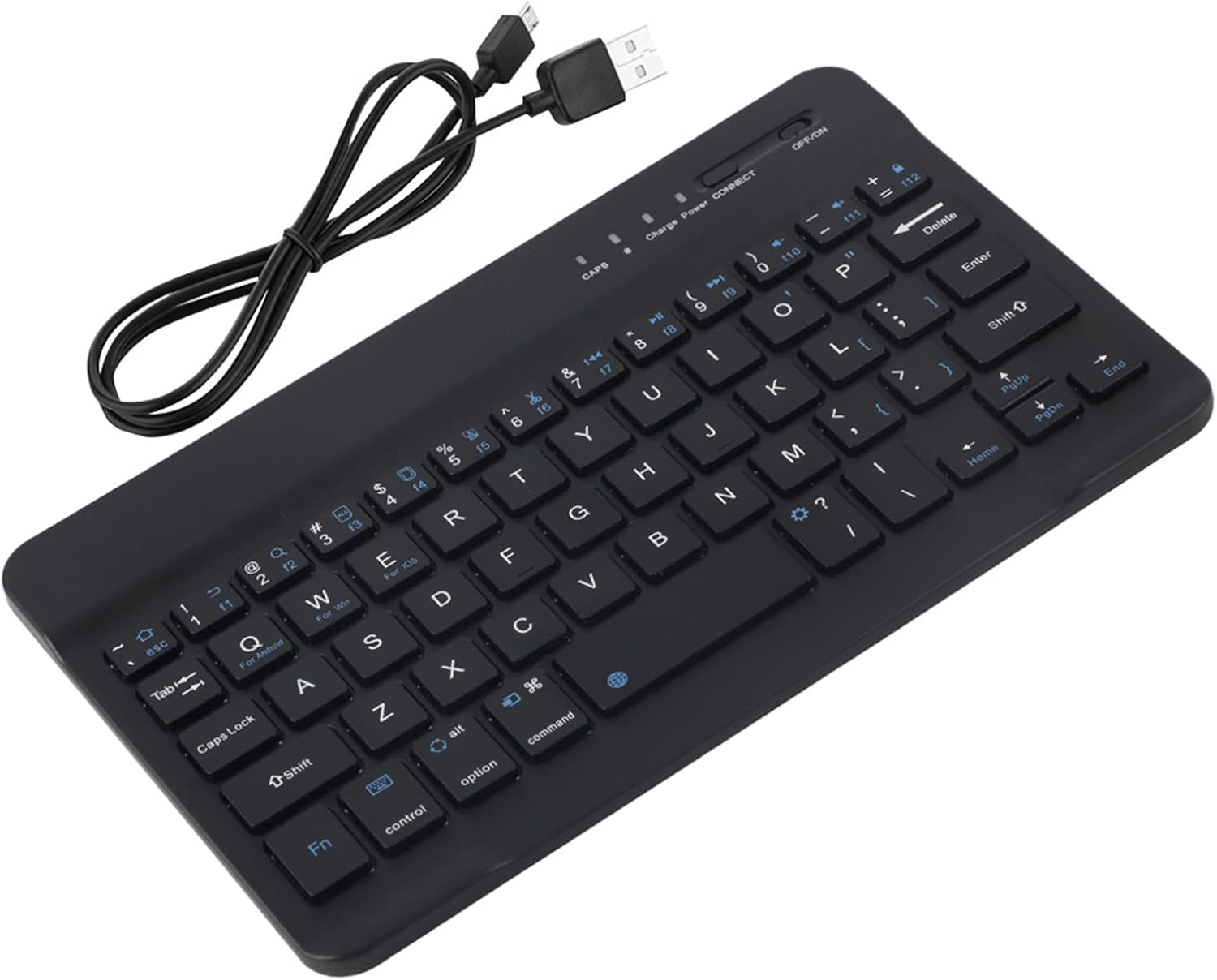
Image: The Dpofirs keyboard shown with the included USB charging cable.
7. Manteniment
- Neteja: Feu servir un drap suau, sec i sense borrissol per netejar el teclat. Per a la brutícia persistent, netegeu lleugeramentampNetegeu el drap amb aigua o una solució de neteja suau. Eviteu l'excés d'humitat.
- Emmagatzematge: Guardeu el teclat en un lloc fresc i sec, allunyat de la llum solar directa i de temperatures extremes.
- Eviteu líquids: Do not expose the keyboard to liquids.
- Eviteu les gotes: Manipuleu el teclat amb cura per evitar danys per caigudes o impactes.
- Key Durability: The keys are designed with film treatment to prevent fading of characters, ensuring long-term readability.
8. Solució De Problemes
| Problema | Solució |
|---|---|
| El teclat no s'encén. |
|
| Keyboard does not connect to device. |
|
| Typing is delayed or unresponsive. |
|
| Certain keys do not work. |
|
9. Garantia i Suport
Dpofirs products are designed for reliability and performance. For specific warranty information, please refer to the warranty card included with your purchase or contact your retailer. If you encounter any issues not covered in this manual, please contact Dpofirs customer support through the retailer's platform or the official brand weblloc d'assistència.
Conserveu el vostre comprovant de compra per a reclamacions de garantia.