
Introducció
The Apricorn Aegis NVX is a high-speed, hardware-encrypted external solid-state drive designed for secure data storage. It features 256-bit AES XTS encryption, onboard keypad PIN authentication, and USB 3.2 (10Gbps) connectivity. This device is cross-platform compatible, supporting Windows, Linux, Mac, Android, and Chrome operating systems. Its robust design protects against physical tampering and malware attacks, meeting U.S. government standards for information technology and computer security (NIST FIPS 140).

Image: The Apricorn Aegis NVX hardware-encrypted drive, featuring a numeric keypad for PIN entry.
Contingut del paquet
- Apricorn Aegis NVX ANVX-1TB Hardware-Encrypted Drive
- 1 x USB Cable (integrated)
- Estoig de transport (pot variar segons el model/paquet)
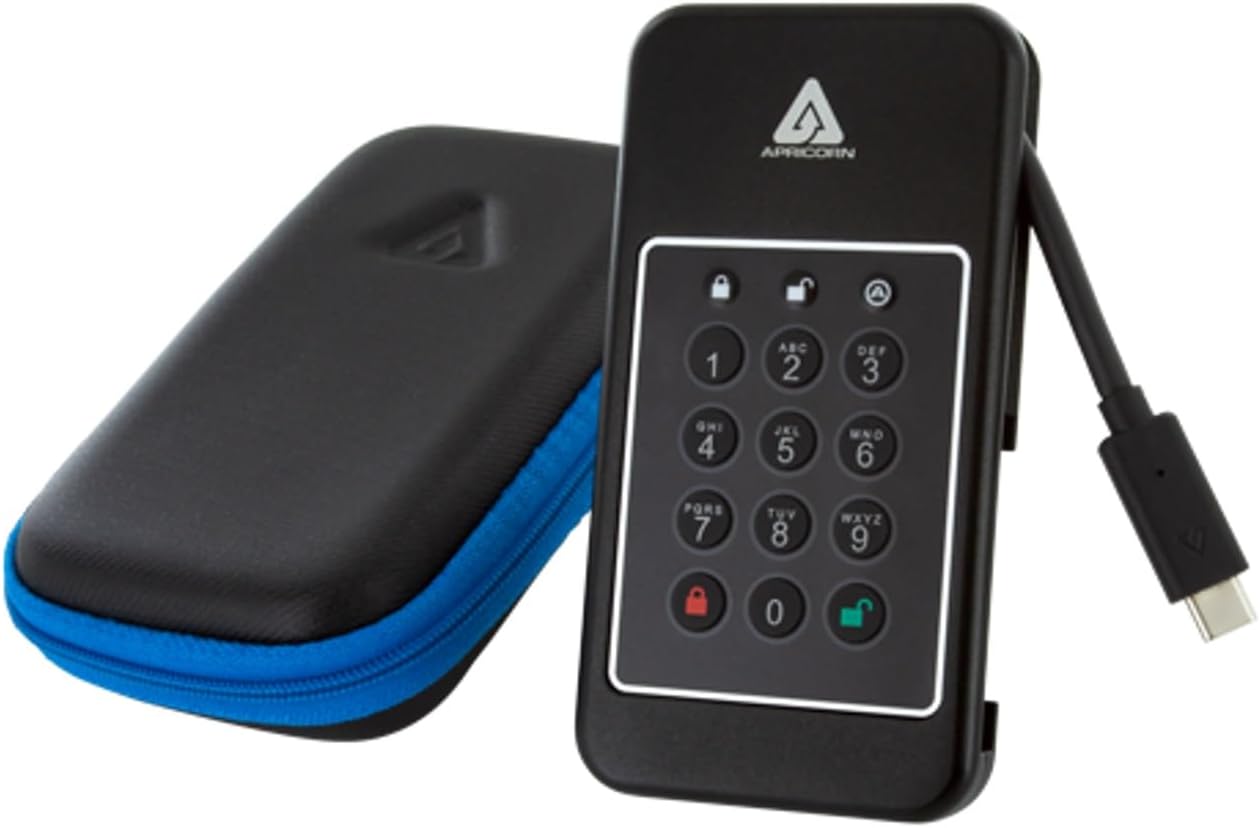
Image: The Apricorn Aegis NVX drive shown alongside its protective carrying case.
Configuració i configuració inicial
1. Connexió de la unitat
The Aegis NVX features an integrated USB-C cable. Carefully extend the cable from its housing and connect it to an available USB-C port on your computer or device. The drive is powered via the USB connection.

Image: The Apricorn Aegis NVX drive with its integrated USB-C cable extended and ready for connection.
2. Setting the Administrator PIN
Upon first use, you must set an Administrator PIN. This PIN is crucial for managing the drive and accessing its features.
- Connect the Aegis NVX to your computer.
- Premeu el botó BLOC button (red padlock icon).
- Enter a PIN of 7-16 digits.
- Premeu el botó BLOC botó de nou per confirmar.
- Re-enter the same PIN to verify.
- Premeu el botó BLOC botó una última vegada.
The drive's LED indicators will confirm successful PIN setup. Refer to the full Apricorn manual for detailed LED status meanings.
3. Formatting the Drive
After setting the Admin PIN, the drive may need to be formatted for your operating system.
- Windows: Use Disk Management to initialize and format the drive (e.g., NTFS or exFAT).
- macOS: Use Disk Utility to erase and format the drive (e.g., APFS or HFS+).
- Linux: Use disk utilities like GParted or
fdisk/mkfsto partition and format.
For cross-platform compatibility, exFAT is often recommended.
Funcionament de l'accionament
1. Unlocking the Drive
To access your data, the drive must be unlocked using a valid PIN.
- Connect the Aegis NVX to your computer.
- Enter your Administrator or User PIN.
- Premeu el botó DESBLOQUEAR button (green padlock icon).
The drive will unlock, and the appropriate LED will indicate its status. It will then be accessible as a standard external drive on your operating system.
2. Locking the Drive
To secure your data, always lock the drive when not in use or before disconnecting it.
- Bloqueig manual: Premeu el botó BLOC button (red padlock icon) while the drive is connected and unlocked.
- Bloqueig automàtic: The drive is configured to automatically lock after a period of inactivity. This feature can be configured via the Admin PIN.
- Desconnexió: Safely eject the drive from your operating system before physically disconnecting it. The drive will automatically lock upon disconnection.
3. Admin and User Modes
The Aegis NVX supports separate Administrator and User PINs. The Administrator PIN has full control over the drive's settings, including creating and deleting User PINs, configuring auto-lock, and managing other security features. User PINs can only access and transfer data.
Consult the comprehensive Apricorn Aegis NVX manual for instructions on setting up and managing User PINs and other advanced features.
Manteniment
- Cura física: Keep the drive clean and free from dust. Avoid exposing it to extreme temperatures or moisture. The integrated cable should be handled with care to prevent damage.
- Actualitzacions de firmware: Reviseu periòdicament l'Apricorn website for any available firmware updates for your Aegis NVX model. Follow the provided instructions carefully for any update procedures.
- Bones pràctiques de seguretat: Regularly change your PINs. Do not share your PINs with unauthorized individuals. Utilize the "Provision Lock with Unattended Auto Lock" feature to enhance security when the drive is left unattended.
Resolució de problemes
Drive Disconnects or Becomes Unresponsive
If the drive disconnects unexpectedly or becomes unrecognized by your computer, especially after a period of inactivity, check the following:
- USB Power Settings (Windows): In Windows, power-saving features for USB ports can sometimes cause external drives to disconnect. Navigate to Device Manager → Universal Serial Bus controllers → USB Root Hub (or similar entries). Right-click, select Properties, go to the Power Management tab, and uncheck "Allow the computer to turn off this device to save power." Repeat for all relevant USB Root Hubs.
- Connexió per cable: Ensure the integrated USB-C cable is securely connected to both the drive and your computer. Try a different USB port if available.
- Reinicieu l'ordinador: A simple restart of your computer can often resolve temporary connection issues.
Forgotten PIN or Brute-Force Defense Activation
The Aegis NVX includes a "Programable Brute-Force Defense" mechanism. If too many incorrect PINs are entered, the drive may lock down or wipe its data, depending on the configured settings.
- Data Recovery PINs: The drive supports Data Recovery PINs. If you have set one up, refer to the full manual for instructions on how to use it to regain access.
- Resetting the Drive: If the PIN is lost and no recovery options are available, a factory reset may be necessary. WARNING: A factory reset will erase all data on the drive. Consult the Apricorn support documentation for the specific procedure.
Drive Not Recognized After Unlocking
Ensure the drive is properly formatted for your operating system. If it's a new drive or has been reset, it may need to be initialized and formatted via your OS's disk management tools.
Especificacions
| Característica | Detall |
|---|---|
| Número de model | ANVX-1TB |
| Capacitat d'emmagatzematge digital | 1024 GB (1 TB) |
| Interfície de disc dur | USB 3.2 |
| Tecnologia de connectivitat | USB tipus C |
| Xifratge | Hardware Encryption (256-bit AES XTS) |
| Característiques especials | Programable Brute-Force Defense, Provision Lock with Unattended Auto Lock, Admin/User Modes |
| Factor de forma del disc dur | 2.5 Inches (Internal SSD) |
| Dispositius compatibles | Desktop (Windows, Linux, Mac, Android, Chrome) |
| Color | Negre |
| Velocitat de lectura | Fins a 1000 megabytes per segon |
| Velocitat de transferència de dades | Up to 1000 Megabytes Per Second (10Gbps) |
| Fabricant | Albercorn |
| UPC | 708326915151 |
Informació de la garantia
The Apricorn Aegis NVX ANVX-1TB drive comes with a Garantia del fabricant de 3 anysAquesta garantia cobreix els defectes de materials i de fabricació en condicions d'ús normal. Si us plau, conserveu el comprovant de compra per a reclamacions de garantia.
For full details regarding warranty terms, conditions, and limitations, please refer to the official warranty documentation provided with your product or visit the Apricorn weblloc.
Suport
For further assistance, technical support, or to access the complete user manual with advanced features and detailed instructions, please visit the official Apricorn support weblloc.
Apricorn Official Weblloc: www.apricorn.com
When contacting support, please have your product model number (ANVX-1TB) and serial number ready.

