
Introducció
Welcome to the user manual for your new Candy Smart Pro Washing Machine. This appliance is designed to provide efficient and convenient laundry care with advanced features such as intelligent KG detection, delayed start, and remote control via the Simply-Fi app. Please read this manual carefully before using the appliance to ensure safe and optimal operation.

Figura 1: Davant view of the Candy Smart Pro Washing Machine, showcasing its sleek white design and central control panel.
Informació de seguretat
Seguiu sempre les següents precaucions de seguretat per evitar lesions o danys a l'aparell:
- Assegureu-vos que l'aparell estigui ben connectat a terra.
- No permeteu que els nens juguin amb la rentadora ni la facin funcionar.
- Desendolleu l'aparell abans de netejar-lo o fer-ne cap manteniment.
- No renteu articles que hagin estat embrutats amb substàncies inflamables.
- Mantingueu la zona al voltant de la rentadora lliure d'obstacles.
Què hi ha a la caixa
Upon unpacking your Candy Smart Pro Washing Machine, please ensure all the following components are present:
- Manual d'usuari
- Mànega de desguàs
- Unitat de rentadora
Configuració i instal·lació
Una instal·lació correcta és crucial per al rendiment i la longevitat de la rentadora. Es recomana que la instal·li l'aparell un tècnic qualificat.
1. Desembalatge i posicionament
- Traieu amb cura tots els materials d'embalatge.
- Remove the transport bolts from the rear of the machine. These bolts secure the drum during transit and must be removed before operation. Refer to the diagram below for bolt locations.
- Place the washing machine on a firm, level surface. Ensure there is adequate space around the unit for ventilation and access.

Figura 2: Dimensions of the washing machine: 85cm height, 60cm width, 53cm depth. Ensure sufficient space for installation.
2. Water and Drain Connections
- Connecteu la mànega d'entrada d'aigua a una aixeta d'aigua freda. Assegureu-vos que el segellat estigui ben tancat per evitar fuites.
- Insert the drain hose into a suitable drain pipe or sink, ensuring it is securely positioned to prevent dislodgement during operation.
3. Connexió elèctrica
- Connecteu el cable d'alimentació a una presa de corrent amb connexió a terra. No utilitzeu cables d'extensió ni adaptadors.
Instruccions de funcionament
Your Candy Smart Pro washing machine offers a variety of programs and smart features for optimal laundry care.
Tauler de control acabatview

Figura 3: The control panel features a program selector dial, a digital display, and touch buttons for various functions.
- Selector de programes: S'utilitza per seleccionar el programa de rentat desitjat.
- Pantalla digital: Mostra la durada del programa, els codis d'error i les opcions seleccionades.
- Botons de funció: Allow selection of temperature, spin speed, delayed start, and other special functions.
Carregant la bugaderia

Figura 4: Open the door and load laundry into the drum, ensuring not to overload the machine.
Open the washing machine door and load your laundry into the drum. Do not overload the machine; leave enough space for clothes to tumble freely. The intelligent KG detector will automatically adjust water and electricity consumption based on the load weight.
Selecció d'un programa de rentat
- Turn the program selector dial to choose the appropriate wash program for your laundry type (e.g., Cotton, Synthetics, Delicates).
- Adjust the temperature and spin speed using the corresponding buttons on the control panel if desired.
- Per utilitzar el Inici retardat function, press the relevant button and set the desired delay time (up to 24 hours).
- Premeu el botó Inici/Pausa per començar el cicle.
Simply-Fi App Connectivity
The Candy Smart Pro washing machine can be controlled remotely via the Simply-Fi app (Wi-Fi + BLE connection). This allows you to manage cycles, receive washing advice, and monitor the appliance from your smartphone.
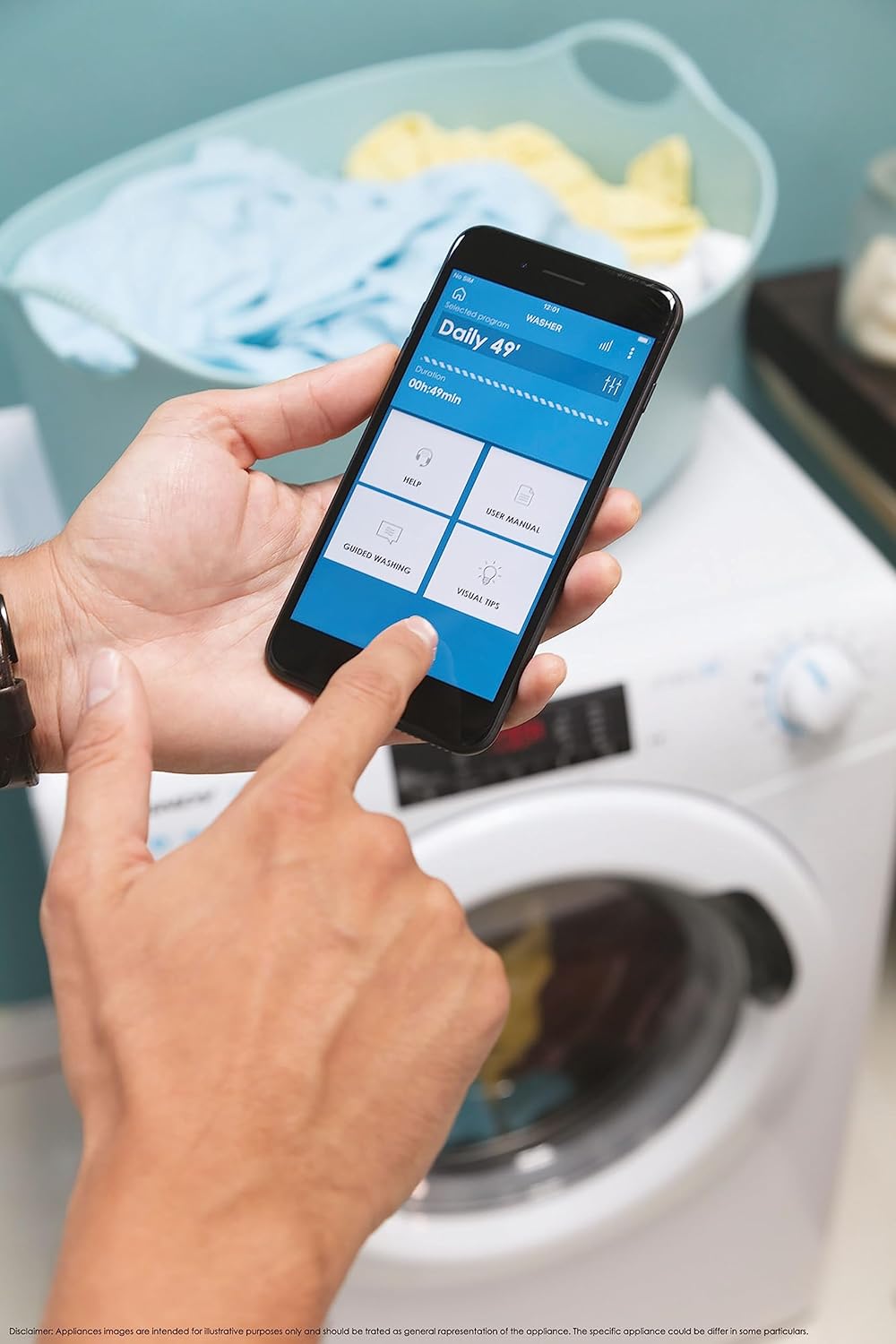
Figura 5: Control your washing machine remotely using the Simply-Fi app on your smartphone.
- Download the Simply-Fi app from your smartphone's app store.
- Follow the in-app instructions to connect your washing machine to your home Wi-Fi network.
- Once connected, you can access additional programs, monitor cycle status, and receive maintenance reminders.
Manteniment
Regular maintenance ensures the efficiency and extends the lifespan of your washing machine.
Neteja del dispensador de detergent
- Traieu el calaix del dispensador de detergent.
- Remove any residue and rinse thoroughly under running water.
- Torneu a inserir el calaix.
Neteja del filtre
- Localitzeu la tapa del filtre a la part inferior frontal de la màquina.
- Col·loca un recipient poc profund a sota per recollir l'aigua residual.
- Unscrew the filter slowly to drain water, then remove and clean it of lint and debris.
- Torneu a enroscar el filtre fermament.
Neteja de bidons
- Run a hot wash cycle with no laundry and a washing machine cleaner or a cup of white vinegar to remove odors and residue.
Smart Check-Up Function
Utilize the Smart Check-Up function via the Simply-Fi app to monitor the health of your washing machine. It provides notifications for errors or malfunctions, helping you maintain the appliance effectively.
Resolució de problemes
Abans de contactar amb el servei d'atenció al client, consulteu els següents problemes comuns i les seves solucions:
| Problema | Causa possible | Solució |
|---|---|---|
| La màquina no arrenca | Power cord unplugged, door not closed properly, delayed start active. | Check power connection, ensure door is latched, cancel delayed start. |
| Vibració / soroll excessius | Cargols de transport no retirats, màquina no anivellada, càrrega desigual. | Remove transport bolts, adjust leveling feet, redistribute laundry inside drum. |
| Fuga d'aigua | Hoses loose, drain filter clogged, excessive detergent. | Check hose connections, clean drain filter, use appropriate amount of detergent. |
| Problemes de connectivitat de l'aplicació | Wi-Fi signal weak, app not updated, incorrect pairing. | Ensure strong Wi-Fi signal, update app, re-pair device following app instructions. |
Especificacions
| Característica | Detall |
|---|---|
| Marca | Caramels |
| Model | CSO 1295TW4/1-S |
| Capacitat | 9 quilos |
| Dimensions (AxAxP) | 85 x 60 x 53 cm |
| Pes | 65 quilos |
| Classe d'eficiència energètica | B |
| Velocitat màxima de gir | 1200 RPM |
| Connectivitat | Wi-Fi + BLE (Simply-Fi App) |
| Tipus de control | Touch, Dial |
Garantia i Suport
Your Candy Smart Pro Washing Machine is covered by a manufacturer's warranty. For specific details regarding the warranty period and terms, please refer to the documentation provided with your purchase or visit the official Candy weblloc.
For technical assistance, spare parts, or to schedule a service appointment, please contact Candy customer support. Have your model number (CSO 1295TW4/1-S) and serial number ready when contacting support.
Política de devolució: Si voleu retornar un producte en un termini de 30 dies des de la recepció perquè heu canviat d'opinió, consulteu la política de devolucions a la pàgina web del venedor. website. If you have received a defective or damaged product, please refer to the retailer's help page on defective or damaged products.


