
TAURÓ D'ATAC X3
Manual d'usuari del ratolí de jocs sense fil ATTACK SHARK X3
Model: x3
1. Producte acabatview
The ATTACK SHARK X3 is an ultra-lightweight wireless gaming mouse designed for high performance and versatility. It features a PixArt PAW3395 sensor, multi-mode connectivity (wired, 2.4G wireless, Bluetooth), and a long-lasting battery, making it suitable for various computing environments and gaming needs.
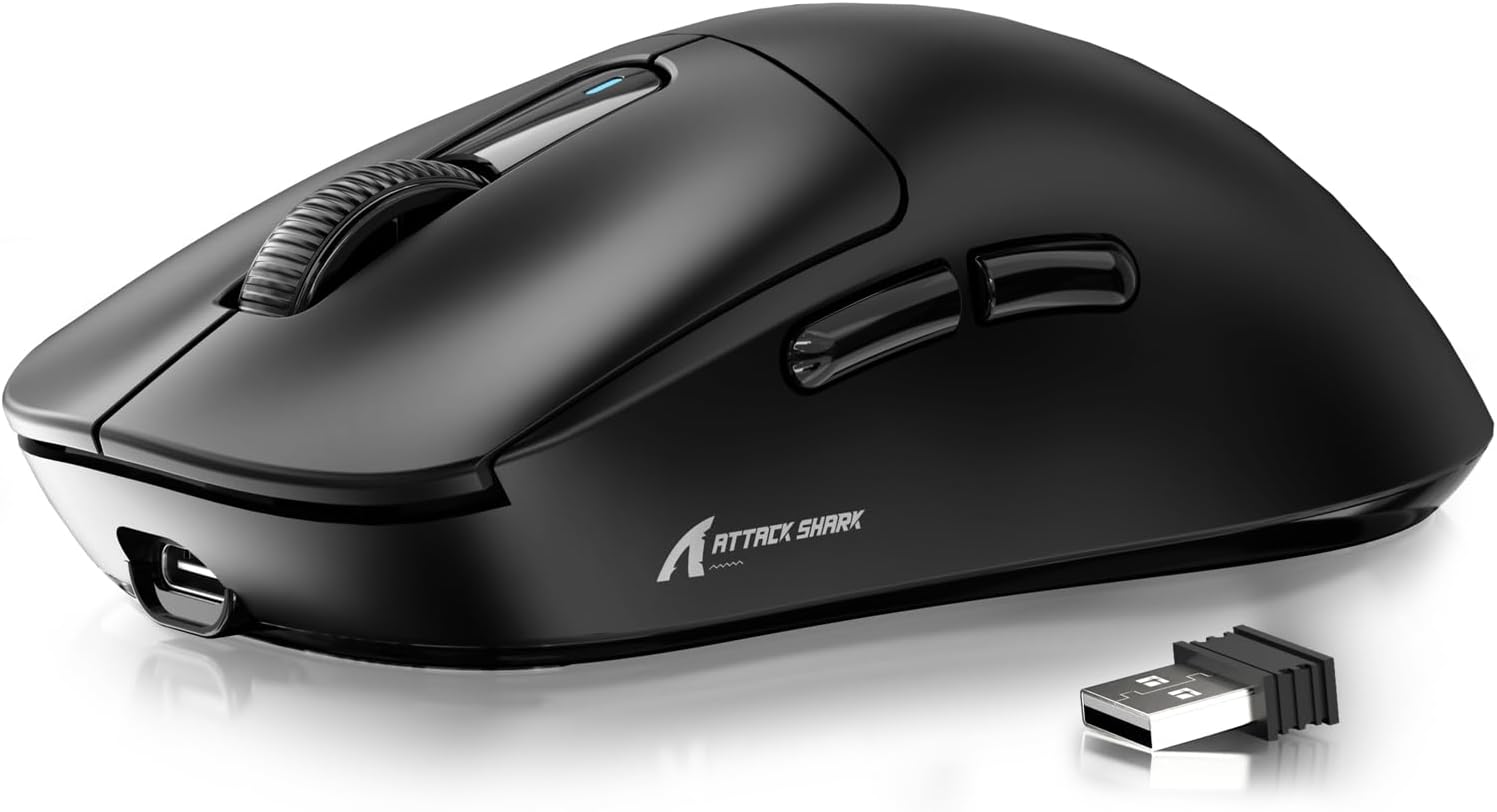
Figure 1: ATTACK SHARK X3 Wireless Gaming Mouse (Black)
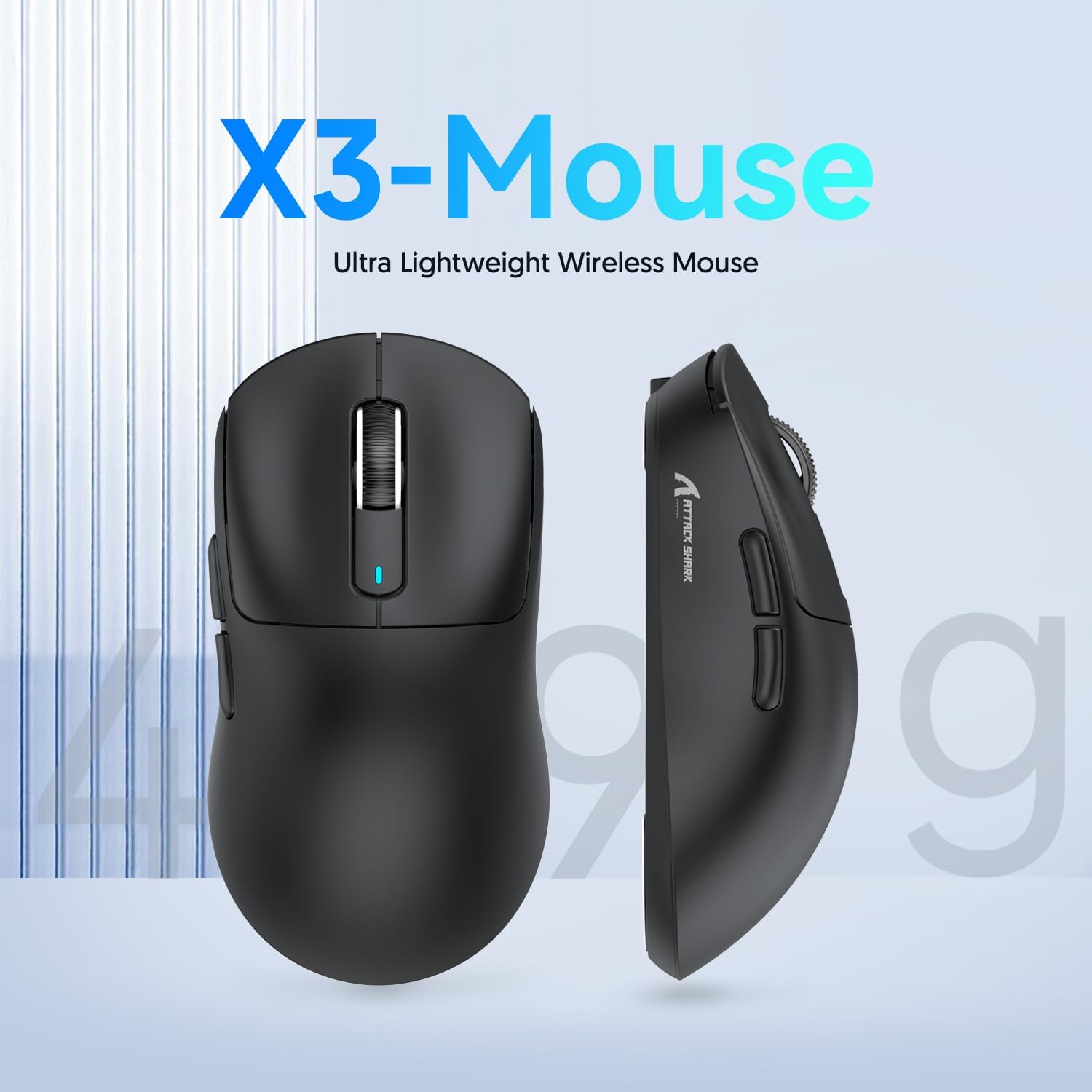
Figure 2: X3-Mouse Ultra Lightweight Design
2. Característiques clau
- Disseny ultralleuger: Weighing approximately 49g, designed for comfortable and agile movement.
- PixArt PAW3395 Sensor: Flagship gaming sensor offering up to 26000 DPI for precise tracking.
- Connectivitat trimodal: Supports wired (Type-C), 2.4G wireless, and Bluetooth (BT5.2) connections.
- Llarga vida útil de la bateria: Fins a 200 hores d'ús continu amb una sola càrrega.
- Interruptors duradors: Equipped with Kailh GM8.0 switches, rated for 80 million clicks.
- DPI personalitzable: 6 adjustable DPI levels.
- Macro Drivers: Software support for macro customization and button remapping.
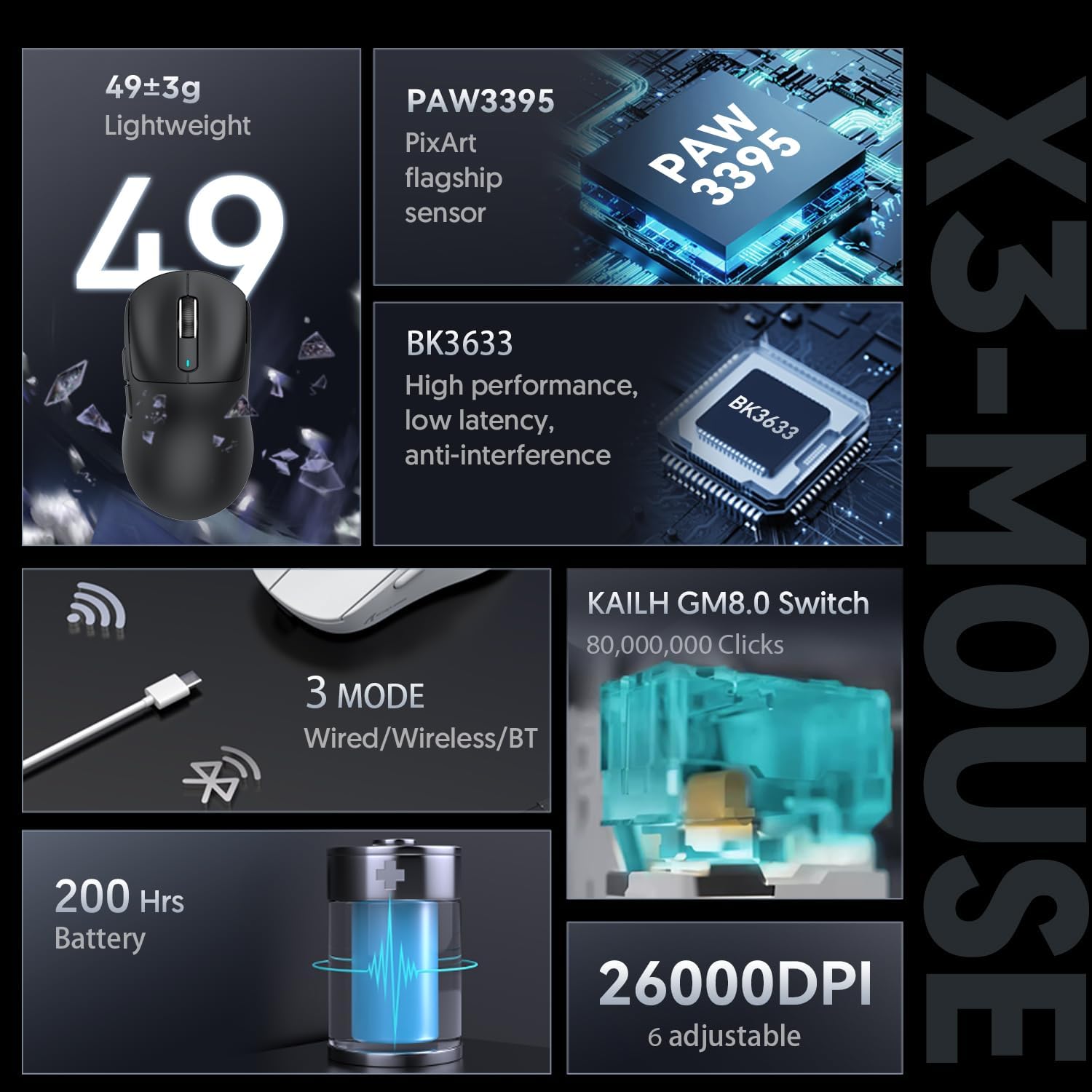
Figure 3: X3-Mouse Feature Overview

Figure 4: PixArt PAW3395 Flagship Sensor Details
3. Configuració
3.1 Contingut del paquet
- Ratolí de joc sense fil ATTACK SHARK X3
- Cable USB-Type C
- Receptor USB 2.4G
- Manual d'usuari (aquest document)
- Optional: Grip Tapes (may vary by package)
3.2 Càrrega inicial
Before first use, it is recommended to fully charge the mouse. Connect the provided USB Type-C cable to the mouse's front port and the other end to a USB power source (e.g., computer USB port, USB wall adapter). The DPI indicator light will show charging status.
3.3 Connexió del ratolí
The X3 mouse supports three connection modes: Wired, 2.4G Wireless, and Bluetooth.
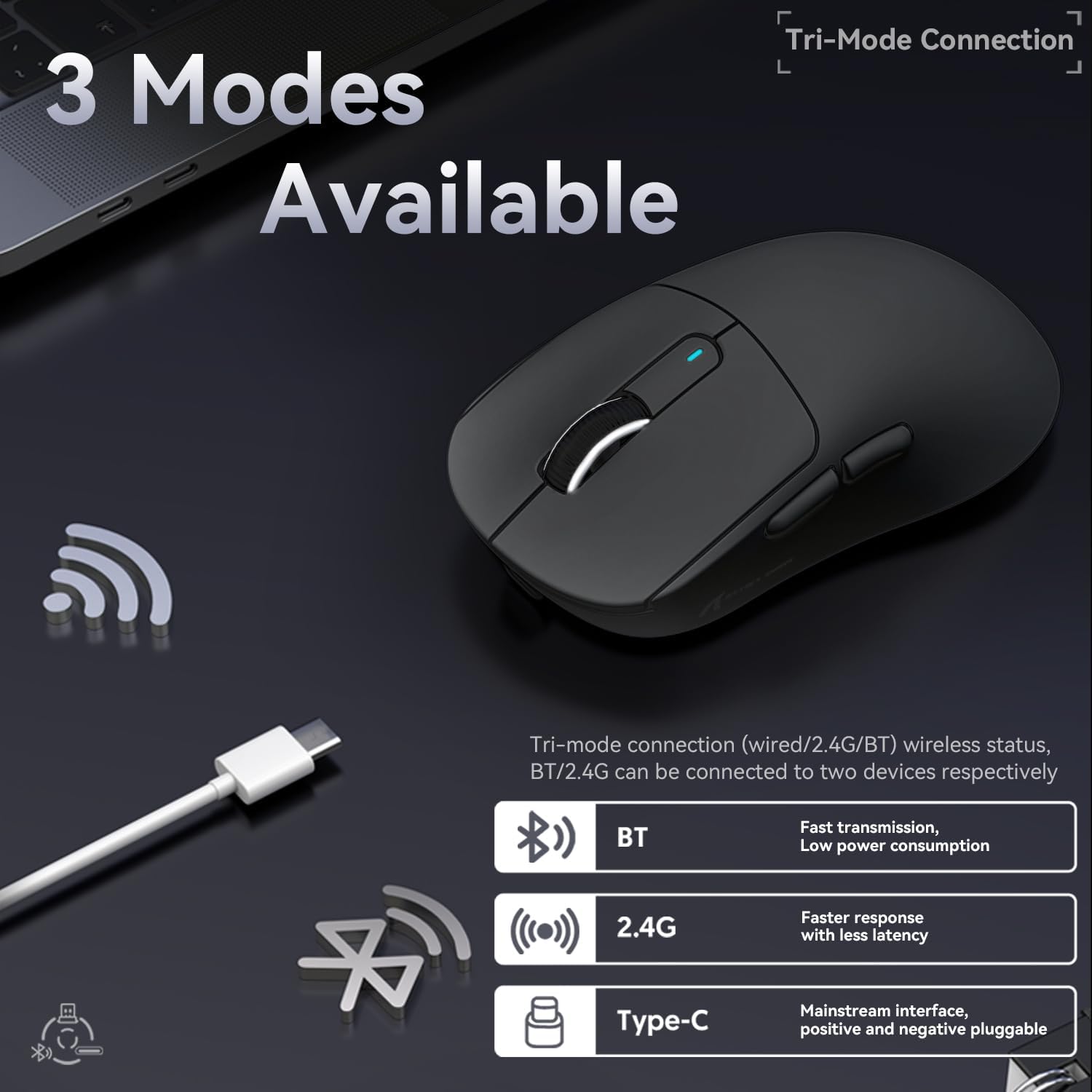
Figure 5: Tri-Mode Connection Options
- Mode per cable:
Connect the USB Type-C cable directly from the mouse to your computer. The mouse will automatically switch to wired mode and begin charging.
- Mode sense fil 2.4G:
Locate the 2.4G USB receiver stored in the magnetic compartment on the bottom of the mouse. Plug the receiver into an available USB port on your computer. Slide the switch on the bottom of the mouse to the "2.4G" position. The mouse should connect automatically. If not, press and hold the mode switching key on the bottom for 3 seconds to initiate pairing.

Figure 6: Mouse Bottom Layout with Switch and Receiver Slot
- Mode Bluetooth:
Slide the switch on the bottom of the mouse to the "BT" position. On your computer or device, open Bluetooth settings and search for new devices. Select "ATTACK SHARK X3" from the list to pair. If pairing fails, press and hold the mode switching key on the bottom for 3 seconds to enter pairing mode.
4. Instruccions de funcionament
4.1 Ajust de DPI
The mouse features a dedicated DPI switch button on the bottom (or top, depending on model variant) to cycle through preset DPI levels. The DPI indicator light will change color to indicate the current DPI setting. You can customize these levels using the official software.
4.2 Macro Customization
For advanced customization, download the official ATTACK SHARK software from the manufacturer's weblloc. Aquest programari us permet:
- Remap mouse buttons.
- Create and assign macros for complex actions.
- Adjust DPI levels and polling rate.
- Monitoritzar l'estat de la bateria.
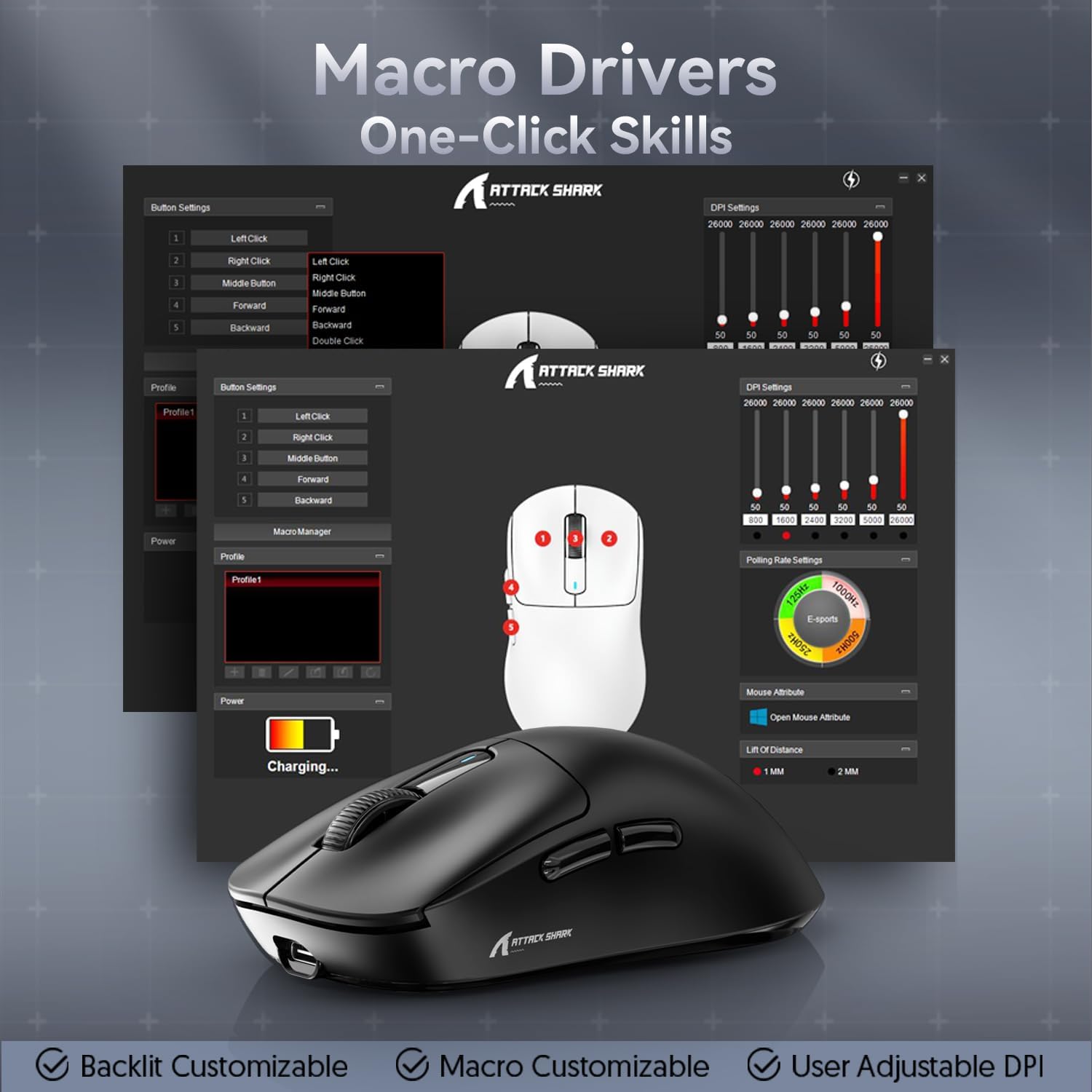
Figure 7: Macro Drivers and Software Interface
5. Gestió de la bateria
The ATTACK SHARK X3 mouse is equipped with a high-capacity lithium battery providing up to 200 hours of usage. To preserve battery life:
- Turn off the mouse using the switch on the bottom when not in use for extended periods.
- Charge the mouse when the battery indicator shows low power.
- Eviteu exposar el ratolí a temperatures extremes.
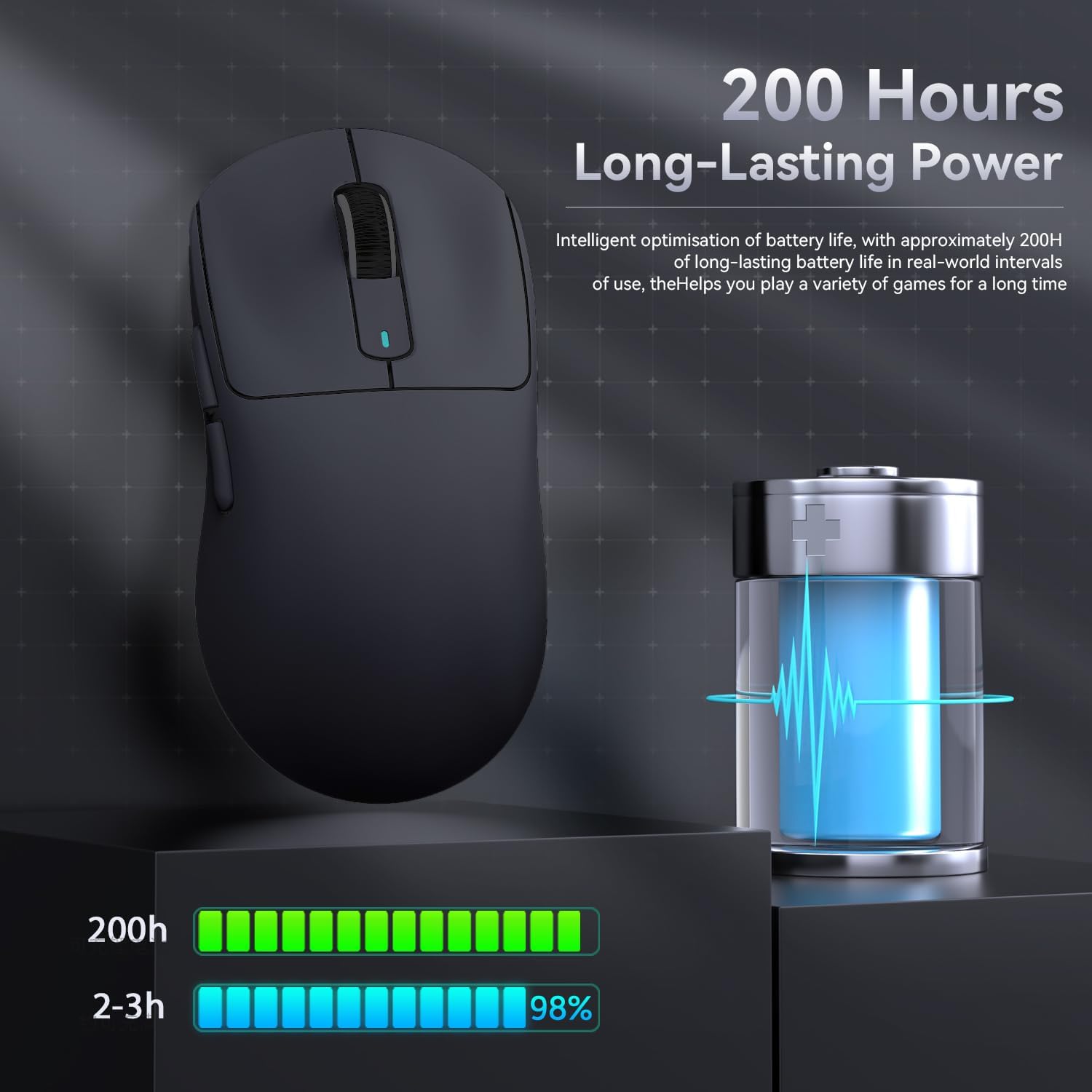
Figura 8: Indicació de la durada de la bateria
6. Manteniment
- Neteja: Use a soft, dry cloth to clean the mouse. Do not use harsh chemicals or abrasive materials.
- Emmagatzematge: Guardeu el ratolí en un lloc fresc i sec, allunyat de la llum solar directa i de temperatures extremes.
- Cura del sensor: Mantingueu el sensor òptic de la part inferior del ratolí net i lliure de pols o residus per a un rendiment de seguiment òptim.
7. Solució De Problemes
| Problema | Causa possible | Solució |
|---|---|---|
| El ratolí no respon | Bateria baixa; Mode de connexió incorrecte; Receptor USB no connectat (2.4G); Bluetooth no emparellat. | Charge the mouse; Ensure the switch on the bottom is in the correct mode (2.4G/BT); Re-insert USB receiver; Re-pair Bluetooth. |
| Connexió amb retard o intermitent | Interferències; Distància del receptor/dispositiu; Bateria baixa. | Move closer to the receiver/device; Ensure no strong interference sources nearby; Charge the mouse. |
| Els DPI no canvien | Mal funcionament del botó DPI; Conflicte de programari. | Ensure the DPI button is pressed correctly; Restart the mouse and computer; Reinstall mouse software. |
| El programari no detecta el ratolí | Driver issue; Connection problem. | Ensure mouse is connected via wired or 2.4G mode (Bluetooth might not be supported by all software features); Reinstall drivers/software. |
8. Especificacions
| Característica | Detall |
|---|---|
| Model | X3 |
| Sensor | PixArt PAW3395 |
| DPI | Fins a 26000 (ajustable) |
| Velocitat de seguiment | 650 IPS |
| Acceleració | 50G |
| Taxa de votació | 1000Hz (Adjustable via software) |
| Connectivitat | Wired (Type-C), 2.4G Wireless, Bluetooth 5.2 |
| Interruptors | Kailh GM8.0 (80 Million Clicks) |
| Durada de la bateria | Aprox. 200 hores |
| Pes | Aprox. 49 g |
| Dimensions | 118.5 mm x 61 mm x 39.7 mm (aprox.) |
| Sistema operatiu compatible | Windows 11, Xbox, PS, Mac (functionality may vary) |

Figure 9: ATTACK SHARK X3 Super Light Mouse Overview

Figure 10: X3MAX Exploded Diagram (Illustrative of X3 series internal components)
9. Vídeo oficial del producte
Video 1: ATTACK SHARK X3 Mouse Product Overview. This video provides a visual demonstration of the mouse's features, unboxing, and usage scenarios.
10. Garantia i Suport
For warranty information, technical support, or to download the latest software and drivers, please visit the official ATTACK SHARK weblloc web o poseu-vos en contacte amb el servei d'atenció al client. Conserveu el rebut de compra per a reclamacions de garantia.
Botiga oficial de la marca: ATTACK SHARK Store
Ask a question about this manual
Ask about setup, troubleshooting, compatibility, parts, safety, or missing instructions. Manuals+ will review the question and use this page’s manual context to help answer it.