
Introducció
Thank you for choosing the ODK Reversible Gaming Desk. This manual provides detailed instructions for assembly, operation, maintenance, and troubleshooting to ensure you get the most out of your new desk. Designed for versatility and functionality, this desk is equipped with modern features to enhance your gaming or work-from-home experience.
Característiques clau
- USB Charging Ports & Power Outlets: Integrated power strip with 3 AC outlets and 2 USB charging ports for convenient device charging.
- Llums LED de colors: Features an LED strip with 10 static colors, 6 brightness grades, and 10 dynamic modes, controllable for personalized ambiance.
- Spacious and Adjustable Design: Offers a generous tabletop, monitor stand, and open shelves that can be installed on either the left or right side.
- CPU Stand & Reversible Shelf: Includes a dedicated CPU stand and a removable middle shelf for flexible storage configurations.
- Super Sturdy & Stable Construction: Built with a premium metal frame and high-quality MDF board for durability, scratch, and water resistance. Adjustable non-slip foot pads ensure stability.
- Muntatge fàcil: Comes with detailed, clearly labeled instructions for straightforward setup.
Muntatge i muntatge
Before beginning assembly, please ensure all parts are present and undamaged. Refer to the included detailed instructions and diagrams for step-by-step guidance. All parts are clearly labeled to facilitate the process.

Figure 1: Desk Dimensions and Components Overview. This diagram illustrates the various measurements of the desk, including the tabletop, monitor stand, and shelving unit, aiding in proper assembly and space planning.
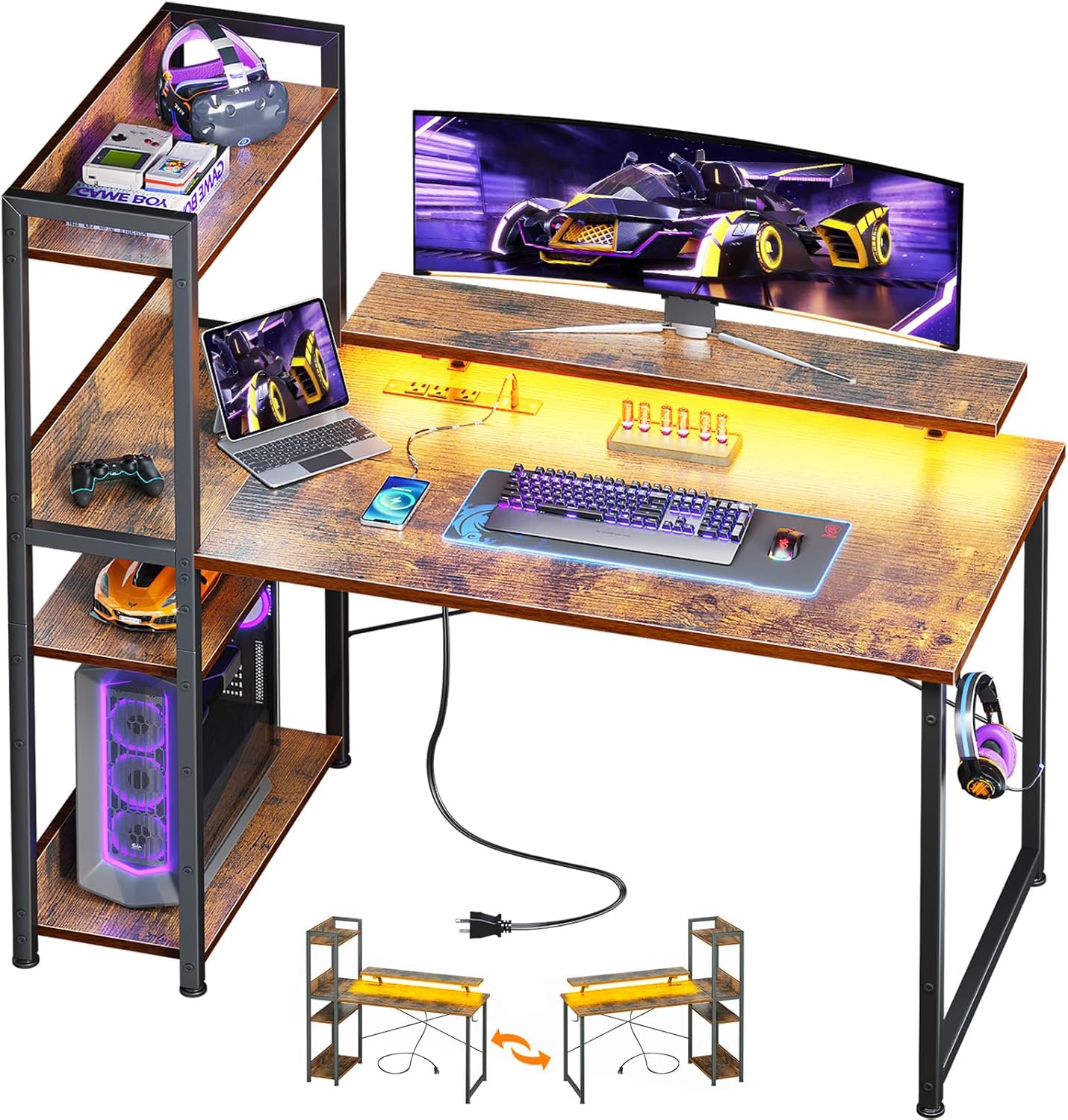
Figure 2: Assembled ODK Reversible Gaming Desk. This image displays the complete desk setup, highlighting its functional design with a monitor, keyboard, and other accessories, demonstrating its readiness for use.
The shelving unit is reversible and can be installed on either the left or right side of the desk to suit your preference and room layout. Ensure all screws are tightened securely for optimal stability.

Figure 3: Reversible Shelf Configuration. This image illustrates how the shelving unit can be reversed and attached to either side of the main desk, offering flexibility in setup.
Instruccions de funcionament
Funcionament dels llums LED
The gaming desk features an integrated LED light strip. Use the included switching controls to adjust the lighting to your preference.
- Static Color Button (C): Press once to switch to static color mode. Each subsequent press changes the color.
- Dynamic Mode Button (M): Press once to switch to dynamic mode. Each subsequent press changes the dynamic mode. Press and hold for 3 seconds to enter demo mode, which cycles through various dynamic modes.
- Speed & Brightness and Power Button (S/B): In static mode, press to adjust brightness (6 grades). In dynamic mode, press to adjust dynamic mode speed. Press and hold to turn the strip off when it is on.
The LED strip has a power-off memory function, retaining the last color, brightness, and mode settings upon next power-on.

Figure 4: LED Light Strip and Controls. This image highlights the LED lighting feature of the desk, showing the light strip and the remote control for adjusting colors and brightness.
USB Charging & Power Outlets
The desk is equipped with a recessed power strip for convenient access to power. It includes 3 standard AC outlets (120V/12A) and 2 USB charging ports (5V/2A).
- Plug your electronic devices directly into the outlets or USB ports for charging.
- The power cord is 6.6 ft long, providing flexibility for placement.
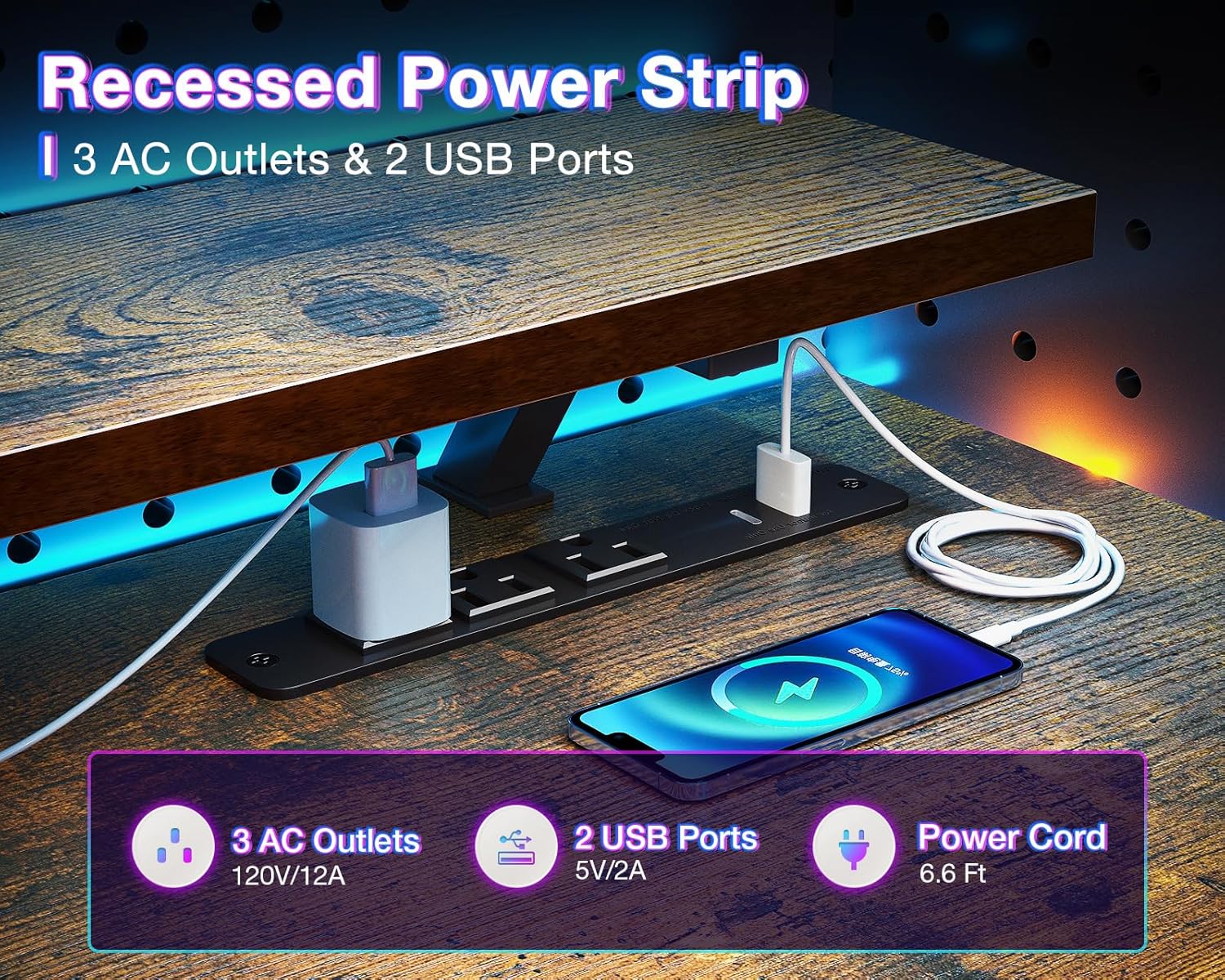
Figure 5: Integrated Power Strip. This image details the built-in power strip with AC outlets and USB ports, demonstrating its utility for charging devices directly on the desk.
Prestatgeria ajustable
The desk features open shelves and a CPU stand. The middle shelf is removable, allowing you to customize the storage space to fit your needs, whether for a CPU tower or additional storage boxes and books.

Figure 6: Customizable Storage Space. This diagram illustrates the adjustable nature of the middle shelf, allowing users to configure the shelving unit for various items, including a CPU.
Monitor Stand Ergonomics
The elevated monitor stand helps promote a healthy sitting posture, reducing eye strain and improving focus by positioning your monitor at an optimal viewalçada.

Figure 7: Ergonomic Monitor Stand Benefit. This image demonstrates the ergonomic advantage of the monitor stand, showing how it helps maintain a healthy sitting posture and reduces strain on the cervical spine.
Manteniment i cura
- Neteja: Netegeu les superfícies de l'escriptori amb un drap suau iamp drap. Eviteu productes químics agressius o netejadors abrasius que puguin danyar l'acabat.
- Durabilitat: The high-quality MDF board and metal frame are designed for scratch and water resistance. However, promptly wipe any spills to prevent potential damage.
- Estabilitat: Periodically check and tighten all screws to maintain the desk's structural integrity.
Resolució de problemes
| Problema | Causa possible | Solució |
|---|---|---|
| L'escriptori està inestable o trontolla. | Cargols solts; terra irregular. | Ensure all screws are securely tightened. Adjust the non-slip foot pads to level the desk on uneven surfaces. |
| Els llums LED no funcionen. | Power connection issue; control malfunction. | Check if the LED strip is properly plugged into the power outlet. Ensure the control unit is connected. Try pressing the power button on the control unit. |
| USB ports or power outlets not functioning. | Power strip not connected; overloaded. | Verify the desk's main power cord is securely plugged into a working wall outlet. Avoid overloading the power strip with too many high-power devices. |
| Peces que falten durant el muntatge. | Error d'embalatge. | Contact ODK customer support immediately with your purchase details. |
Especificacions
| Característica | Detall |
|---|---|
| Marca | ODK |
| Model | B0CCVF6M5Q |
| Dimensions del producte (P x A x A) | 19.7 "P x 39.4" W x 45.6" H |
| Color | Marró Rústic |
| Material | Premium Metal Frame & High-Quality MDF Board |
| Característiques especials | USB Charging Ports, Power Outlets, LED Lights, CPU Stand, Open Shelves, Reversible Shelf |
| Recomanació de pes màxim | 100 quilos |
| Muntatge requerit | Yes (Includes All Assembly Tools) |
Informació de seguretat
- Ensure the desk is not overloaded, as excessive weight may affect stability.
- Always use the adjustable non-slip foot pads to ensure stability, especially on uneven ground.
- Keep liquids away from electrical components (USB ports, power outlets, LED lights) to prevent damage or electrical hazards.
- Do not allow children to climb on the desk or shelves.
Garantia i Suport
ODK is committed to providing high-quality products and excellent customer service. If your ODK computer desk arrives damaged, has missing parts, or is scratched, please do not hesitate to contact our professional customer support team. We are dedicated to helping you solve any issues within 24 hours.
For support, please refer to the contact information provided with your purchase or visit the official ODK store on Amazon: Visit the ODK Store