
Introducció
This manual provides detailed instructions for the operation and maintenance of your Cuifati Portable Cassette Player with Auto Reverse. Please read this manual thoroughly before using the device to ensure proper functionality and to maximize your listening experience.
Contingut del paquet
Verifiqueu que tots els elements que s'enumeren a continuació s'inclouen al vostre paquet:
- 1 x Cuifati Portable Cassette Player
- 1 x Auriculars
- 1 cable d'alimentació USB
- 1 x Manual d'usuari
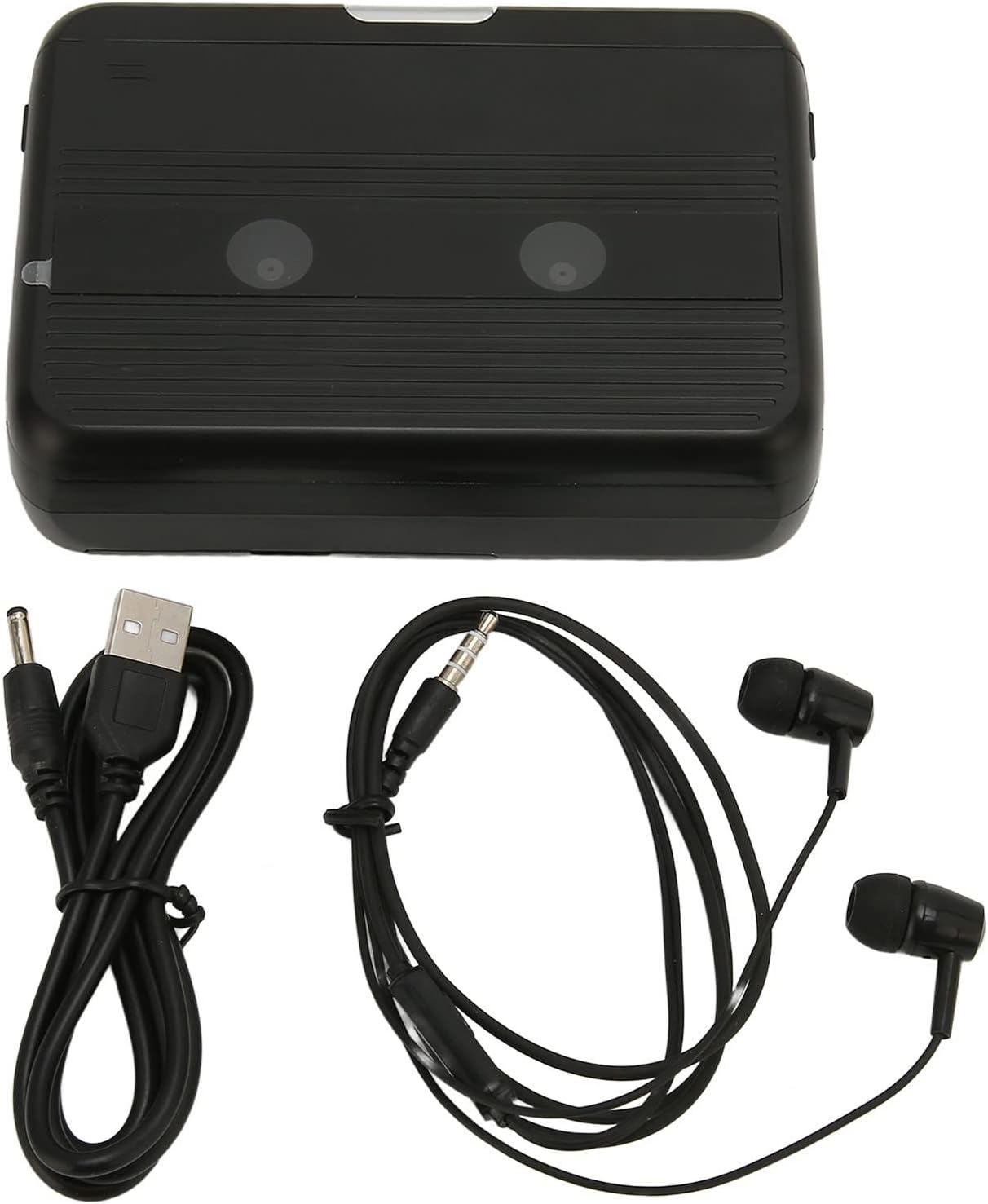
The Cuifati Portable Cassette Player shown alongside its included USB power cord and wired headphones.
Producte acabatview
Familiarize yourself with the various parts and controls of your cassette player.
Davant View (Obert)
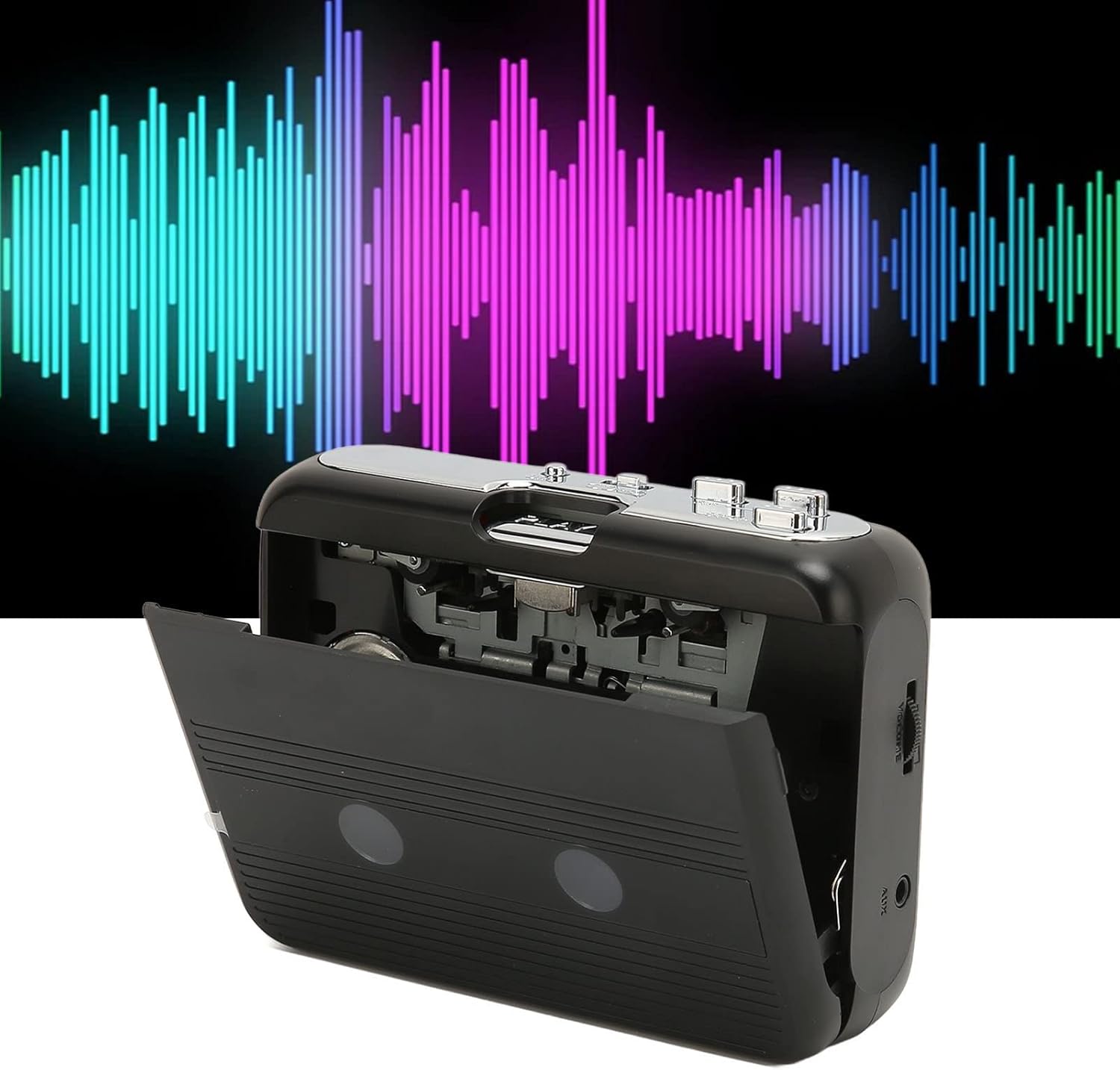
Davant view of the Cuifati Portable Cassette Player with the cassette compartment door open, revealing the tape mechanism.
Davant View (Tancat)
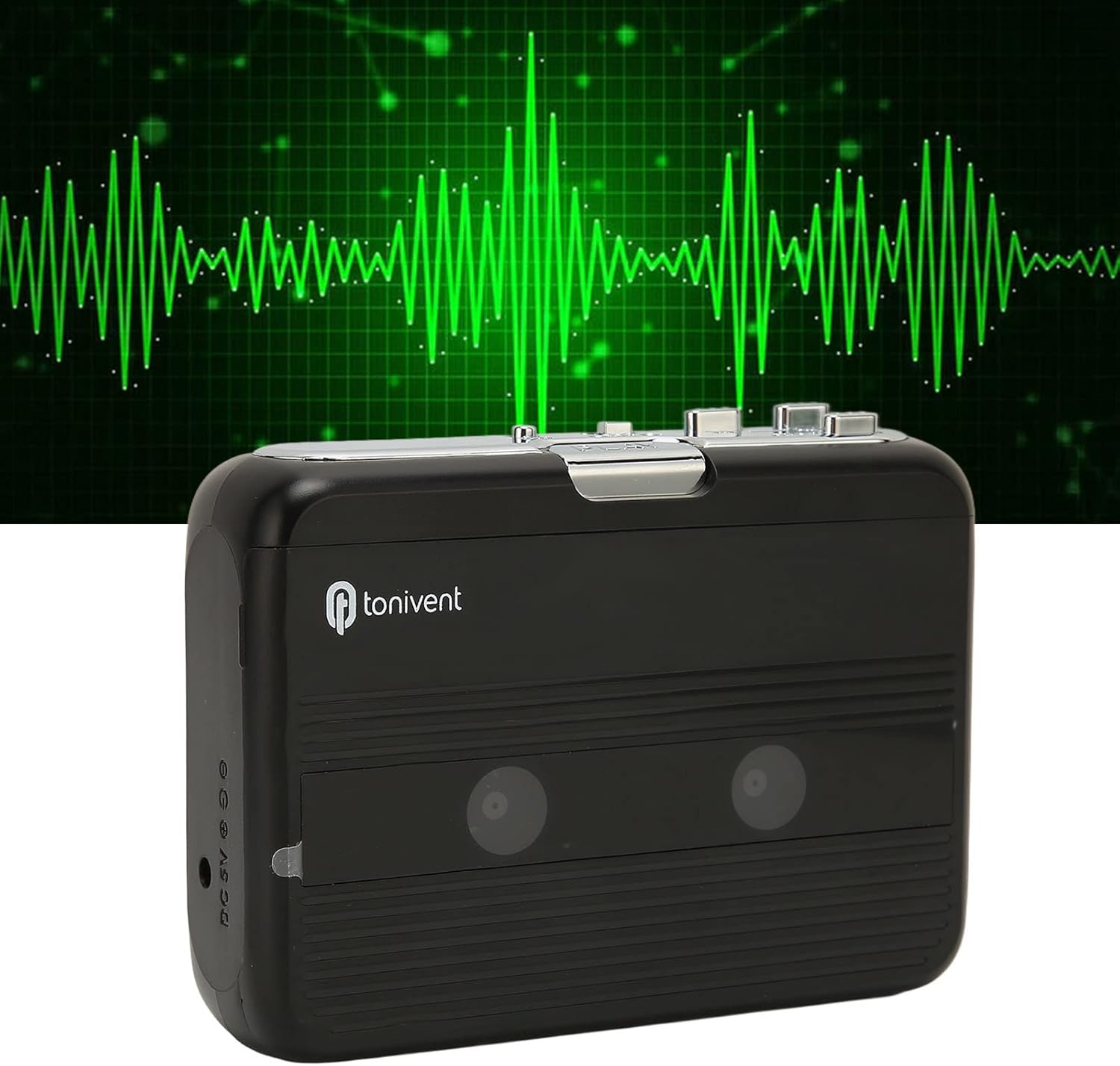
Davant view of the Cuifati Portable Cassette Player with the cassette compartment door closed.
Cassette Mechanism

Primer pla view of the cassette player's internal mechanism, showing the tape heads and rollers.
lateral View (Controls i ports)

lateral view of the cassette player, highlighting the volume control wheel and the AUX output port.
Controls clau:
- Botó de reproducció: Inicia la reproducció de casset.
- Botó d'aturada: Halts playback.
- Botó d'avanç ràpid (FF): Avança la cinta ràpidament.
- Rewind (REW) Button: Rebobina la cinta ràpidament.
- Auto Reverse Button: Changes tape direction during playback.
- Roda de control de volum: Ajusta el nivell de sortida d'àudio.
- FM/Tape Switch: Selects between FM radio and cassette playback mode.
- Headphone/AUX Output Jack: Connecta auriculars o dispositius d'àudio externs.
- Entrada DC 5V: Per a la font d'alimentació USB.
Configuració
Font d'alimentació
The cassette player can be powered by two (2) AA batteries or via a USB power supply.
- Instal·lació de la bateria:
- Obriu la tapa del compartiment de la bateria que es troba a la part posterior del dispositiu.
- Introduïu dues piles AA, assegurant-vos de la polaritat correcta (+/-) tal com s'indica a l'interior del compartiment.
- Tanqueu bé la tapa del compartiment de la bateria.
- USB Power Connection:
- Connect the small end of the included USB power cord to the DC 5V input port on the cassette player.
- Connecteu l'extrem USB estàndard a un adaptador de corrent USB (no inclòs) o al port USB d'un ordinador.
Inserting a Cassette Tape
- Gently open the cassette compartment door.
- Insert a cassette tape with the exposed tape facing upwards and the side you wish to play facing the front.
- Close the cassette compartment door until it clicks securely.
Instruccions de funcionament
Reproducció de cassets
- Ensure a cassette tape is properly inserted.
- Set the FM/Tape switch to the "Tape" position.
- Premeu el botó Jugar botó per començar la reproducció.
- Ajusteu el Roda de control de volum to your desired listening level.
- Per aturar la reproducció, premeu el botó Atureu-vos botó.
- Per avançar ràpidament, premeu el botó FF botó. Per rebobinar, premeu el botó REW botó. Premeu Atureu-vos desvincular-se.
Auto Reverse Function
The player features an auto-reverse function, allowing the tape to play in both directions without needing to manually flip the cassette.
- Durant la reproducció, premeu Reversa automàtica button to switch the tape direction. The player will automatically reverse and continue playing the other side of the tape.
Ús de la ràdio FM
- Set the FM/Tape switch to the "FM" position.
- Use the tuning dial (if present, otherwise the FF/REW buttons might serve as tuning) to scan for FM radio stations.
- Ajusteu el Roda de control de volum to your desired listening level.
Using the Built-in Speaker
The device includes a built-in speaker for direct audio output. No special action is required; audio will play through the speaker unless headphones are connected.
Connecting Headphones or External Audio Devices
For private listening or connecting to external speakers, use the 3.5mm headphone/AUX output jack.
- Plug the included headphones or your own 3.5mm audio cable into the Headphone/AUX Output Jack.
- When headphones are connected, audio will automatically switch from the built-in speaker to the headphones.

A person listening to music with headphones, illustrating the headphone usage.
Manteniment
Proper care ensures the longevity and optimal performance of your cassette player.
- Neteja: Feu servir un drap suau i sec per netejar l'exterior del dispositiu. No utilitzeu netejadors líquids ni materials abrasius.
- Capçals de cinta: Periodically clean the tape heads with a specialized cassette head cleaner to maintain sound quality.
- Emmagatzematge: Quan no l'utilitzeu durant períodes prolongats, traieu les piles per evitar fuites. Guardeu el dispositiu en un lloc fresc i sec, allunyat de la llum solar directa i de temperatures extremes.
- Eviteu la pols: Keep the cassette compartment closed when not in use to prevent dust accumulation.
Resolució de problemes
If you encounter issues with your cassette player, refer to the following common problems and solutions:
| Problema | Causa possible | Solució |
|---|---|---|
| Sense poder | Dead batteries; USB cable not connected; faulty power source. | Replace batteries; ensure USB cable is securely connected to a working power source. |
| No sound from speaker/headphones | Volume too low; headphones not fully plugged in; FM/Tape switch in wrong position; dirty tape heads. | Increase volume; ensure headphones are fully inserted; set switch to correct mode (Tape/FM); clean tape heads. |
| Poor sound quality (cassette) | Dirty tape heads; worn-out tape; incorrect tape insertion. | Clean tape heads; try a different tape; re-insert tape correctly. |
| FM radio static/poor reception | Senyal feble; interferències. | Relocate the player to an area with better reception; try adjusting the player's orientation. |
| Tape not playing/moving | Tape jammed; mechanism issue; tape not inserted correctly. | Check for tape jams; ensure tape is inserted correctly; if issue persists, contact support. |
Especificacions
| Característica | Detall |
|---|---|
| Marca | Cuifati |
| Número de model | Cuifatibi73wk0z4p |
| ASIN | B0CDD42V9J |
| Font d'alimentació | 2 x AA Batteries or USB DC 5V |
| Funcions | Cassette Playback, Auto Reverse, FM Radio, Built-in Speaker, Headphone Output |
| Sortida d'àudio | 3.5mm Headphone/AUX Jack |
| Pes de l'article | 10.3 unces |
Informació important de seguretat
- No exposeu el dispositiu a l'aigua, la humitat ni a temperatures extremes.
- Eviteu deixar caure o sotmetre el dispositiu a forts impactes.
- No intenteu desmuntar ni reparar el dispositiu vosaltres mateixos. Encarregueu tot el manteniment a personal qualificat.
- Desfeu-vos de les piles de manera responsable d'acord amb la normativa local.
- Escoltar música durant molt de temps a nivells de volum alts pot causar danys auditius. Ajusteu el volum a un nivell segur.
Garantia i Suport
Per obtenir informació sobre la garantia o assistència tècnica, consulteu la documentació proporcionada en el moment de la compra o poseu-vos en contacte amb el vostre distribuïdor. Conserveu el rebut de compra com a comprovant de compra.