
1. Configuració
This section provides instructions for the initial setup of your TCL 55S41 television, including unpacking, stand installation, wall mounting, and connecting external devices.
1.1 Desembalatge
- Traieu amb cura el televisor del seu embalatge.
- Ensure all accessories are present: remote control, AAA batteries, power cord, and stand components.
- Conserveu els materials d'embalatge per a futures necessitats de transport o servei.
1.2 Instal·lació de l'estand
If you are not wall-mounting the television, install the included stand according to these steps:
- Place the television face-down on a soft, clean surface to prevent screen damage.
- Align the stand legs with the screw holes on the bottom of the television. The stand separation distance is approximately 41.5 inches.
- Secure each stand leg using the provided M4 x 25 screws (4 screws total). Tighten securely with a screwdriver.
- Carefully lift the television to an upright position on a stable, level surface.
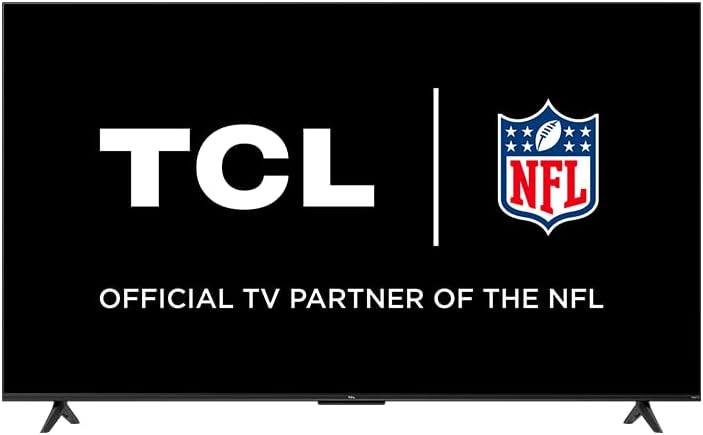
Image: The TCL 55S41 television with its stand attached, illustrating the typical appearance after stand installation. The stand provides stable support for the television on a flat surface.
1.3 Muntatge a la paret
If you plan to wall-mount your television, ensure you use a VESA-compatible wall mount (sold separately) that supports the television's weight and size.
- The VESA wall mount pattern for this model is 200 mm x 200 mm.
- Use M6 x 12 screws for attaching the wall mount bracket to the television.
- Follow the instructions provided with your specific wall mount for safe and secure installation.
- Remove the stand legs before wall mounting.
1.4 Connexió de dispositius
Connect your external devices to the appropriate ports on the back of the television.
- Entrades HDMI: The TV features 4 HDMI inputs, including 1 eARC port for enhanced audio return channel functionality. Use these for connecting Blu-ray players, game consoles, cable boxes, etc.
- Composite Audio/Video Input: 1 input for older devices using RCA cables.
- Sortida d'àudio òptic digital: 1 output for connecting to soundbars or audio receivers.
- Auriculars Jack: 1 output for private listening with headphones.
- Entrada d'antena de RF: 1 input for connecting an antenna for over-the-air broadcasts.
- Port USB 2.0: 1 port for connecting USB storage devices to play media.
- Port Ethernet: Per a una connexió a Internet per cable.
- Connexió sense fil: Supports 802.11ac 2x2 Dual Band (2.4GHz & 5GHz) Wi-Fi for wireless internet access.
Imatge: Un general view of the TCL 55S41 television, indicating the typical location of various input and output ports on the rear panel for connecting external devices.
1.5 Engegada inicial i configuració de Roku
- Connect the power cord to the television and then to a power outlet.
- Premeu el botó d'engegada del comandament a distància o del televisor.
- Follow the on-screen instructions to complete the Roku guided setup, which includes selecting your language, connecting to a network, and activating your Roku account.
2. Funcionament del televisor
This section details the basic operation of your TCL Roku TV, including remote control functions, smart features, and input selection.
2.1 Control remot
The included remote control (model RC280) requires two "AAA" batteries. It provides intuitive control over your television and Roku OS.
- Botó d'encesa: Encén o apaga el televisor.
- Coixinet direccional: Navega pels menús i selecciona elements.
- Botó d'inici: Torna a la pantalla d'inici de Roku.
- Botó enrere: Torna a la pantalla anterior.
- Botons de volum: Ajusta el volum del televisor.
- Botó de silenci: Silencia o activa el so.
- Botons de drecera: Dedicated buttons for popular streaming channels.
2.2 Smart Features (Roku TV)
Your TCL TV is powered by Roku OS, offering a wide range of smart features:
- Canals de transmissió en temps real: Access thousands of streaming channels for movies, TV shows, news, sports, and more.
- Control de veu: The TV works with Siri, Alexa, and Hey Google for voice commands to search for content, launch apps, or switch inputs.
- AirPlay: Comparteix vídeos, fotos i música directament des dels teus dispositius Apple.
- Customizable Home Screen: Organize your favorite channels and inputs for quick access.
- Aplicació mòbil Roku: Use the free Roku mobile app for private listening via headphones, voice control, and as an alternative remote.
2.3 Selecció d'entrada
To switch between connected devices or the antenna input:
- From the Roku home screen, navigate to the desired input tile (e.g., HDMI 1, Antenna TV).
- Premeu el botó OK button on your remote to select the input.
2.4 Funcions d'àudio
- Dolby Digital Plus: Enhanced audio quality for compatible content.
- Escolta privada: Use the Roku mobile app with headphones for personal audio.
2.5 Live TV Pause
If you have an antenna connected, you can pause live TV for up to 30 minutes. A USB drive (sold separately) is required for this feature.
3. Manteniment
Un manteniment adequat garanteix la longevitat i el rendiment òptim del vostre televisor.
3.1 Neteja
- Pantalla: Netegeu suaument la pantalla amb un drap suau i sense borrissol. Per a les marques difícils, utilitzeu un netejador de pantalles dissenyat específicament per a televisors, aplicant-lo al drap, no directament a la pantalla.
- Gabinet: Netegeu el moble del televisor amb un drap suau i sec. Eviteu utilitzar productes de neteja o dissolvents abrasius.
- Desendolla sempre el televisor abans de netejar-lo.
3.2 Actualitzacions de programari
Your TCL Roku TV receives automatic software updates to improve performance and add new features. Ensure your TV is connected to the internet for these updates.
4. Solució De Problemes
This section provides solutions to common issues you might encounter with your TCL 55S41 television.
4.1 Sense poder
- Comproveu si el cable d'alimentació està ben connectat tant al televisor com a la presa de corrent.
- Verifiqueu que la presa de corrent funciona connectant-hi un altre dispositiu.
- Prova de prémer el botó d'engegada del televisor, no només el comandament a distància.
4.2 No Picture / Poor Picture Quality
- Assegureu-vos que s'ha seleccionat la font d'entrada correcta.
- Check all cable connections (HDMI, composite) to external devices.
- If using an antenna, check antenna connection and try rescanning for channels.
- Adjust picture settings (brightness, contrast, etc.) in the TV menu.
4.3 Sense so / Mala qualitat de so
- Comproveu el nivell de volum i assegureu-vos que el televisor no estigui silenciat.
- If using external audio equipment (soundbar, receiver), ensure it is powered on and correctly connected.
- Comproveu la configuració de la sortida d'àudio al menú del televisor.
4.4 El comandament a distància no respon
- Replace the batteries with fresh "AAA" batteries.
- Assegureu-vos que no hi hagi obstacles entre el comandament a distància i el sensor d'infrarojos del televisor.
- Try pairing the remote again if it's a voice remote (refer to Roku TV settings).
4.5 Problemes de connectivitat de xarxa
- Check your Wi-Fi router and modem to ensure they are powered on and functioning.
- Reinicieu el router i el mòdem.
- Ves a la configuració de xarxa del televisor i intenta tornar a connectar-te a la xarxa Wi-Fi.
- Si feu servir una connexió amb cable, assegureu-vos que el cable Ethernet estigui connectat correctament.
5. Especificacions
Detailed technical specifications for the TCL 55S41 55-inch 4-Series 4K UHD HDR LED Smart Roku TV.
| Característica | Especificació |
|---|---|
| Nom del model | 55S41 |
| Mida de la pantalla | 55 inches (54.6" Viewcapaç) |
| Resolució del panell | 3840 x 2160 (4K UHD) |
| Freqüència d'actualització | 60 Hz |
| Tecnologia de visualització | LED-LCD |
| Format HDR compatible | HDR10, HLG |
| Plataforma intel·ligent | Roku TV |
| Potència de sortida d'àudio | 10W + 10W |
| Àudio Premium | Dolby Digital Plus |
| Entrades HDMI | 4 (1 eARC) |
| Ports USB 2.0 | 1 |
| Connectivitat sense fil | 802.11ac 2x2 Dual Band (2.4GHz & 5GHz) |
| Port Ethernet | 1 |
| Mida del producte (AxAxP) amb suport | 48.3" x 29.8" x 10.1" |
| Product Size (WxHxD) without Stand | 48.3" x 28" x 3.2" |
| Product Weight with Stand | 22.5 lliures |
| Product Weight without Stand | 22 lliures |
| Patró de muntatge a la paret VESA | 200 mm x 200 mm |
| Mida del cargol VESA | M6 x 12 |
| Comandament a distància inclòs | RC280 |
| Tipus de bateria de control remot | Two "AAA" |
| UPC | 846042065061 |
6. Garantia i Suport
Informació sobre la garantia del producte i com obtenir assistència.
6.1 Informació de la garantia
This TCL television comes with a Garantia limitada d'1 any. This warranty covers manufacturing defects and issues arising from normal use. Please refer to the warranty card included with your product or visit the official TCL weblloc per obtenir els termes i condicions complets.
6.2 Atenció al client
For technical assistance, troubleshooting beyond this manual, or warranty claims, please contact TCL Customer Support. You can typically find support contact information (phone, email, or live chat) on the official TCL website. When contacting support, have your TV model number (55S41) and serial number ready.