
1. Introducció
This manual provides detailed instructions for the installation, operation, and maintenance of your IROAD FX1 Dash Camera. Please read this manual thoroughly before using the product to ensure proper functionality and safety. Keep this manual for future reference.
2. Informació de seguretat
- No intenteu desmuntar, reparar o modificar el dispositiu. Això pot anul·lar la garantia i causar danys.
- Ensure the device is securely mounted to prevent obstruction of the driver's view or interference with vehicle controls.
- Eviteu exposar el dispositiu a temperatures extremes, a la llum solar directa durant períodes prolongats o a una humitat excessiva.
- Use only the provided power cable and accessories. Using unauthorized accessories may cause damage or malfunction.
- Regularly check the memory card for errors and format it as recommended to maintain optimal recording performance.
3. Contingut del paquet
Verifiqueu que tots els elements siguin presents al paquet:
- Càmera frontal
- Dongle Wi-Fi
- Targeta MicroSD
- Cable fusible ininterromput
- Guia ràpida
- Mount with 3M tape (1ea)

Image: Contents of the IROAD FX1 Dash Camera package, including the front camera, Wi-Fi dongle, MicroSD card, uninterrupted fuse cable, quick guide, and mount with 3M tape.
4. Producte acabatview
4.1 Components
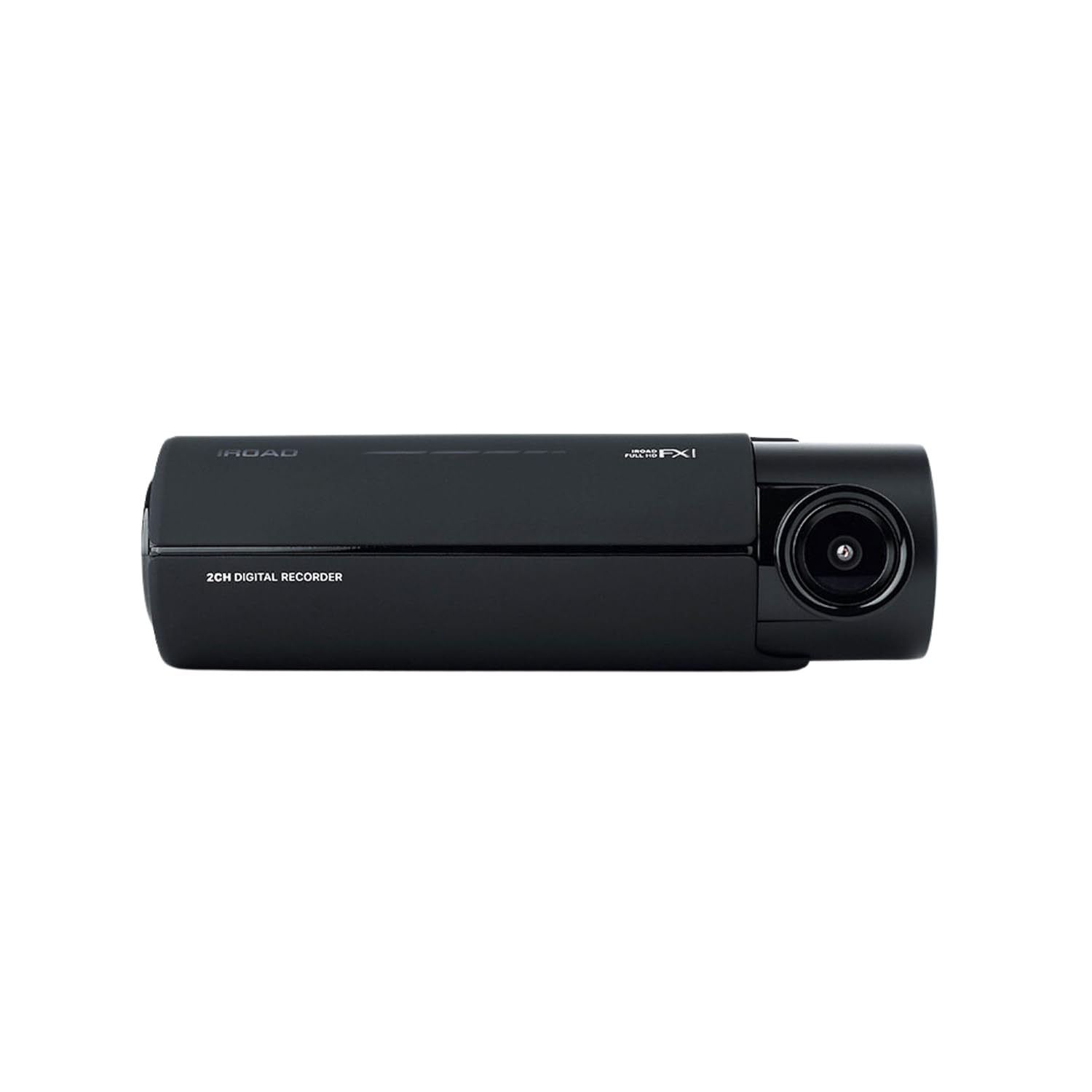
Imatge: Frontal view of the IROAD FX1 Dash Camera, showing the lens and main body.

Imatge: Anglesa view of the IROAD FX1 Dash Camera, highlighting its compact design.
4.2 Característiques clau
- 1080P Full HD Recording: Captura vídeo nítidtage.
- Lent gran angular de 140°: Provides a broad view de la carretera.
- Sony STARVIS Image Sensor: Enhances image clarity and night vision performance.
- ADAS (Advanced Driver-Assistance System): Includes features like Lane Departure Warning System (LDWS), Front Collision Warning System (FCWS), and Front Vehicle Departure Warning (FVDW).
- Connectivitat Wi-Fi: Connects to the IROAD app for viewing, downloading, and sharing footage.
- GPS integrat: Records speed, location, and route tracking data.
- Mode d'aparcament: Utilizes motion detection and impact sensors to record incidents when the vehicle is parked.
- High-Temperature Durability: Designed for reliable performance in various weather conditions.

Image: The IROAD FX1 Dash Camera with icons representing its key features: 140° wide angle, Full HD 1080p, ADAS, Wi-Fi connection, and night vision.
5. Configuració
5.1 Instal·lació
- Trieu la ubicació de muntatge: Select a location on the windshield that does not obstruct the driver's view and is close to the center of the windshield. Ensure the camera lens has a clear view del camí per davant.
- Neteja el parabrisa: Clean the chosen area on the windshield thoroughly to ensure proper adhesion of the mount.
- Adjuntar el muntatge: Peel off the protective film from the 3M adhesive tape on the mount. Firmly press the mount onto the cleaned windshield area for at least 30 seconds.
- Attach Dash Camera: Slide the IROAD FX1 Dash Camera onto the mounted bracket until it clicks into place.
- Ajust d'angle: Adjust the camera angle to ensure the road ahead is centered in the camera's view.

Image: The IROAD FX1 Dash Camera securely mounted on the interior side of a car's windshield, positioned for optimal road visibility.
5.2 Cablejat
- Inseriu la targeta MicroSD: Insert the provided MicroSD card into the designated slot on the dash camera.
- Connecteu el cable d'alimentació: Connect the uninterrupted fuse cable to the power input port on the dash camera.
- Cable de ruta: Carefully route the power cable along the edge of the windshield, down the A-pillar, and towards the vehicle's fuse box. Use the included installation tool to tuck the cable neatly under trim panels.
- Connect to Fuse Box: Connect the fuse cable to the appropriate fuse slots in your vehicle's fuse box according to the instructions in the quick guide or a professional installer. This connection enables parking mode functionality.
- Connect Wi-Fi Dongle: Insert the Wi-Fi dongle into the USB port on the dash camera.
6. Instruccions de funcionament
6.1 Engegada/apagada
- The dash camera will automatically power on and begin continuous recording when the vehicle's ignition is turned on.
- When the ignition is turned off, the dash camera will transition to parking mode (if configured) or power off after a short delay.
6.2 Modes d'enregistrament
- Gravació contínua: Records continuously while the vehicle is in operation. Footage is saved in short segments.
- Enregistrament d'esdeveniments: Automatically records and saves footage when an impact or sudden braking/acceleration is detected by the G-sensor.
- Gravació en mode d'aparcament: When the vehicle is parked, the camera uses motion detection and impact sensors to record incidents, helping to protect your vehicle.
6.3 ADAS (Advanced Driver-Assistance System)
The IROAD FX1 includes ADAS features to enhance driving safety:
- LDWS (Sistema d'avís de sortida de carril): Avisa al conductor si el vehicle surt del seu carril.
- FCWS (Front Collision Warning System): Warns the driver of a potential collision with a vehicle ahead.
- FVDW (Front Vehicle Departure Warning): Notifies the driver when the vehicle ahead starts moving from a stop.

Imatge: Una vista aèria view illustrating the Advanced Driver-Assistance System (ADAS) with vehicles and highlighted warning zones for potential hazards.
6.4 Wi-Fi Connection and IROAD App
Per accedir al foo gravattage, adjust settings, and update firmware, connect your smartphone to the dash camera via Wi-Fi:
- Download the official IROAD app from your smartphone's app store.
- Ensure the Wi-Fi dongle is inserted into the dash camera.
- On your smartphone, go to Wi-Fi settings and connect to the IROAD dash camera's Wi-Fi network (SSID and password can be found in the quick guide or on the device).
- Open the IROAD app to view viu footage, reproducció d'enregistraments, descàrrega files, and configure device settings.

Image: An abstract illustration depicting Wi-Fi connectivity with multiple signal icons, representing the camera's wireless communication capabilities.
6.5 Funcionalitat del GPS
The built-in GPS module records accurate speed, location, and route information, which can be viewed during video playback through the IROAD app or PC viewel programari.
7. Manteniment
7.1 Gestió de targetes de memòria
- Format: It is recommended to format the MicroSD card regularly (e.g., once a month) to prevent data corruption and ensure optimal recording performance. This can be done via the IROAD app.
- Substitució: If the memory card shows signs of degradation or errors, replace it with a high-quality, compatible MicroSD card.
7.2 actualitzacions de microprogramari
Periodically check for firmware updates via the IROAD app. Keeping the firmware updated ensures the best performance and access to new features.
7.3 Neteja
- Netegeu suaument la lent de la càmera amb un drap suau i sense borrissol per eliminar la pols o les taques.
- Clean the exterior of the dash camera with a slightly damp tela. No utilitzeu productes químics aggressivs ni netejadors abrasius.
8. Solució De Problemes
| Problema | Causa possible | Solució |
|---|---|---|
| La càmera no s'encén. | No hi ha alimentació; connexió del cable fluixa. | Check power cable connection to the camera and fuse box. Ensure vehicle ignition is on. |
| La gravació s'atura o footage està corrupte. | Memory card error; full memory card; incompatible card. | Format the MicroSD card. Replace with a new, compatible card if issues persist. |
| Problemes de connexió Wi-Fi. | Wi-Fi dongle not inserted; incorrect password; app issues. | Ensure Wi-Fi dongle is properly inserted. Verify Wi-Fi password. Restart the app and camera. |
| ADAS warnings are inaccurate. | Improper camera angle; environmental factors. | Adjust camera angle to ensure clear, centered view. ADAS performance can be affected by weather or road conditions. |
9. Especificacions
| Característica | Especificació |
|---|---|
| Nom del model | FX1 |
| Resolució de captura de vídeo | 1080p Full HD |
| Camp de View | 140 graus |
| Tecnologia de connectivitat | GPS, Wi-Fi |
| Característica especial | Control d'aplicacions |
| Tipus de muntatge | Muntatge del parabrisa |
| Pes de l'article | 350 g |
| Dimensions del producte | 3.29 x 5.7 x 10.82 cm |
| Fabricant | IROAD |
10. Garantia i Suport
For warranty information and technical support, please refer to the official IROAD weblloc web o poseu-vos en contacte amb el vostre distribuïdor local. Conserveu el rebut de compra com a comprovant de compra per a reclamacions de garantia.
Recursos en línia: Visit the IROAD official weblloc web per a preguntes freqüents, descàrregues de programari i materials de suport addicionals.


