
1. Introducció
Gràcies per la compraasing the Blaupunkt Rock & Roll PS150 Wireless Bluetooth Outdoor Party Speaker. This manual provides essential information for the safe and efficient operation of your device. Please read it thoroughly before use and retain it for future reference.
2. Informació de seguretat
- No exposeu l'altaveu a temperatures extremes, llum solar directa ni humitat elevada.
- Eviteu deixar caure o sotmetre l'altaveu a forts impactes.
- Do not attempt to disassemble or modify the speaker. Repairs should only be performed by qualified service personnel.
- Keep the speaker away from water and other liquids to prevent electric shock or damage.
- Assegureu-vos que hi hagi una ventilació adequada quan feu servir l'altaveu.
3. Què hi ha a la caixa
- Blaupunkt Rock & Roll PS150 Party Speaker
- Micròfon de karaoke
- Cable de càrrega
- Manual d'usuari
4. Producte acabatview
The Blaupunkt Rock & Roll PS150 is a portable outdoor party speaker designed for robust audio performance and ease of transport. It features a powerful 100W output, X-Bass enhancement, and multiple connectivity options.

Figura 1: Frontal view of the Blaupunkt Rock & Roll PS150 Party Speaker.
5. Controls i connexions
The control panel on top of the speaker provides access to all functions.

Figura 2: Detallada view del panell de control de l'altaveu.
- Botó d'encesa: Press to turn the speaker ON/OFF.
- Botó Font: Select input source (Bluetooth, AUX, USB).
- X-Bass Button: Activate or deactivate the X-Bass sound enhancement.
- Botó de menú: Access various settings.
- Track Select Buttons (< / >): Navega entre pistes.
- Botó TWS: Inicia l'emparellament estèreo sense fil veritable.
- Marcador de volum: Ajusteu el volum mestre.
- Botons numerats (1-6): For direct track selection or preset functions.
- Port d'entrada auxiliar: Connecteu dispositius d'àudio externs mitjançant un cable d'àudio de 3.5 mm.
- Port USB: For USB playback and charging (5V, 2000mAh).
6. Configuració i càrrega
6.1 Càrrega inicial
Before first use, fully charge the speaker. Connect the charging cable to the speaker's charging port and a suitable power adapter. The charging indicator will illuminate. A full charge ensures optimal battery life for the 4500mAh battery.
6.2 Engegada/apagada
Press and hold the Power button on the control panel to turn the speaker ON or OFF.
7. Funcionament
7.1 Vinculació Bluetooth
- Turn on the speaker. The Bluetooth indicator will flash, indicating it's in pairing mode.
- Enable Bluetooth on your smartphone or tablet and search for available devices.
- Select "Blaupunkt PS150" from the list.
- Un cop emparellat, l'indicador Bluetooth deixarà de parpellejar i romandrà fix.
7.2 Mode d'entrada AUX
Connect an external audio device (e.g., MP3 player) to the AUX IN port using a 3.5mm audio cable. Press the Source button to select AUX mode.
Reproducció USB 7.3
Inseriu una unitat USB amb àudio files into the USB port. The speaker will automatically switch to USB mode and begin playback. Use the track select buttons to navigate.
7.4 Funció de karaoke
Connect the provided karaoke microphone to the designated microphone input. Adjust the microphone volume as needed. The speaker is ready for karaoke performances.

Figure 3: Using the karaoke function with the PS150 speaker.
7.5 X-Bass Feature
Press the X-Bass button to enhance the bass output for a deeper, more impactful sound experience.

Figure 4: Visual representation of the X-Bass feature.
8. Portability and Design
The PS150 is designed for portability with integrated wheels and a retractable handle, making it easy to transport to any location.
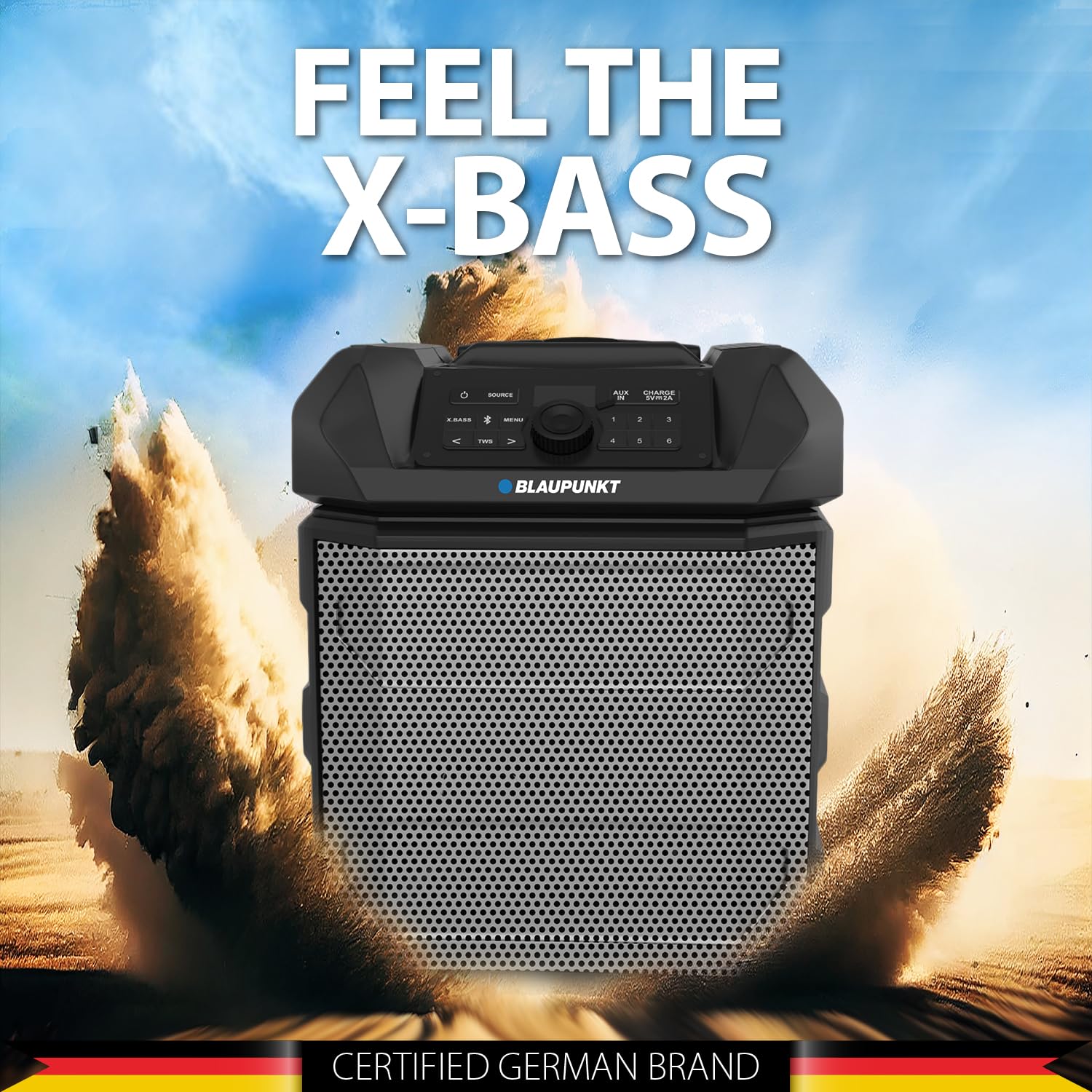
Figure 5: The PS150 speaker being transported with its wheels and handle.
9. Especificacions
| Característica | Especificació |
|---|---|
| Marca | BLAUPUNKT |
| Número de model | PS150 BK |
| Potència de sortidatage | 100 watts |
| Tecnologia de connectivitat | Bluetooth |
| Dispositius compatibles | Smartphone, tauleta |
| Font d'alimentació | Funciona amb bateria |
| Capacitat de la bateria | 4500 mAh |
| Entrada d'àudio | Auxiliar |
| Sortida USB | 5 V, 2000 mAh |
| Dimensions de l'article (L x A x A) | 43 x 31.5 x 52.5 centímetres |
| Pes de l'article | 7500 grams |
| Material de tancament | Acrilonitril butadiè estirè (ABS) |
10. Manteniment
- Netegeu l'altaveu amb un drap suau i sec. No utilitzeu productes de neteja abrasius ni dissolvents.
- Guardeu l'altaveu en un lloc fresc i sec quan no l'utilitzeu.
- Eviteu l'exposició prolongada a la llum solar directa o a temperatures extremes.
11. Solució De Problemes
11.1 Sense poder
- Assegureu-vos que l'altaveu estigui completament carregat.
- Comproveu si el cable d'alimentació està connectat correctament.
- Premeu i manteniu premut el botó d'engegada durant uns segons per assegurar-vos que no es tracta d'una simple pulsació.
11.2 Sense so
- Augmenta el volum tant de l'altaveu com del dispositiu connectat.
- Ensure the correct input source (Bluetooth, AUX, USB) is selected.
- If using Bluetooth, ensure the device is properly paired.
- Si feu servir AUX, comproveu la connexió del cable.
11.3 Bluetooth Disconnection
- Ensure the connected device is within the Bluetooth range (typically 10 meters).
- Avoid obstacles between the speaker and the device that may interfere with the signal.
- Prova de desvincular i tornar a vincular el dispositiu.
12. Garantia i Suport
The Blaupunkt Rock & Roll PS150 comes with a 1-year warranty from the date of purchase. For warranty claims, technical support, or any other inquiries, please contact:
- Fabricant: Envent Worldwide Pvt Ltd
- Customer Care WhatsApp Support: 8860022600
- ID de correu electrònic: wecare@blaupunktaudio.in