
OMOTON KB568
OMOTON Foldable Bluetooth Keyboard User Manual
Model: KB568
1. Introducció
Welcome to the user manual for your OMOTON Foldable Bluetooth Keyboard with Touchpad. This compact and versatile keyboard is designed for seamless connectivity across multiple devices, offering enhanced productivity wherever you go. Please read this manual carefully to ensure proper use and maintenance of your device.

Figure 1: OMOTON Foldable Bluetooth Keyboard (Unfolded View)
2. Contingut del paquet
Si us plau, comproveu el paquet per veure si hi ha els elements següents:
- OMOTON Foldable Bluetooth Keyboard
- Cable de càrrega USB-C
- Manual d'usuari
3. Producte acabatview
3.1 Keyboard Layout and Dimensions

Figure 2: Keyboard Layout and Dimensions (Unfolded: 11.9in x 3.8in; Folded: 5.9in x 3.8in x 0.7in)
3.2 Característiques clau
- Connectivitat multidispositiu: Connects to up to 3 Bluetooth devices simultaneously.
- Panell tàctil integrat: Functions as both a keyboard and a portable mouse, supporting various touch gestures.
- Bateria recarregable: Built-in battery provides up to 40 hours of continuous typing on a 2-hour charge.
- Gestió automàtica de l'energia: Automatically powers off when folded and enters sleep mode after 10 minutes of inactivity.
- Disseny portàtil: Folds to the size of a smartphone, easily fitting into bags for travel.
4. Configuració
4.1 Càrrega del teclat
Before first use, fully charge the keyboard. Connect the included USB-C charging cable to the keyboard's charging port and the other end to a USB power source (e.g., computer, wall adapter).

Figure 3: Charging Port and Indicator Lights
The charging indicator light will show charging status. A full charge takes approximately 2 hours.
4.2 Emparellament amb dispositius
The keyboard supports connecting to up to three Bluetooth devices. Follow these steps to pair your keyboard:
- Unfold the keyboard to power it on. The Bluetooth indicator light will start blinking.
- Manteniu premut el botó Fn tecla i una de les tecles del canal Bluetooth (BT1, BT2, o BT3) for 3-5 seconds until the corresponding indicator light blinks rapidly. This puts the keyboard into pairing mode.
- Al dispositiu (telèfon intel·ligent, tauleta, ordinador portàtil), aneu a la configuració de Bluetooth i activeu el Bluetooth.
- Cerca available devices. You should see "OMOTON Keyboard" or a similar name. Select it to connect.
- Un cop connectat, l'indicador lluminós deixarà de parpellejar i romandrà fix durant uns segons abans d'apagar-se.

Figure 4: Connecting to Multiple Devices

Figure 5: Broad Compatibility with Various Operating Systems
5. Instruccions de funcionament
5.1 Canvi entre dispositius connectats
Per canviar entre els dispositius emparellats, només cal que premeu la tecla Fn tecla juntament amb la tecla del canal Bluetooth corresponent (BT1, BT2, o BT3) that your desired device is paired to. The keyboard will automatically connect to the selected device.
5.2 Ús del ratolí tàctil
The integrated touchpad supports various multi-touch gestures for navigation and control, similar to a laptop touchpad.

Figure 6: Touchpad in Use
Common gestures include:
- Toc amb un sol dit: Feu clic amb el botó esquerre
- Toc amb dos dits: Feu clic amb el botó dret
- Desplaçament amb dos dits: Scroll up/down or left/right
- Pessiga per fer zoom: Zoom in/out (supported on some operating systems)
5.3 Gestió de l'energia
The keyboard features automatic power management to conserve battery life:
- Apagat automàtic: The keyboard will automatically power off when folded.
- Mode de repòs: If left inactive for 10 minutes, the keyboard will enter sleep mode. Press any key to wake it up.
- Interruptor d'alimentació manual: A dedicated ON/OFF switch provides full control over the keyboard's power state.
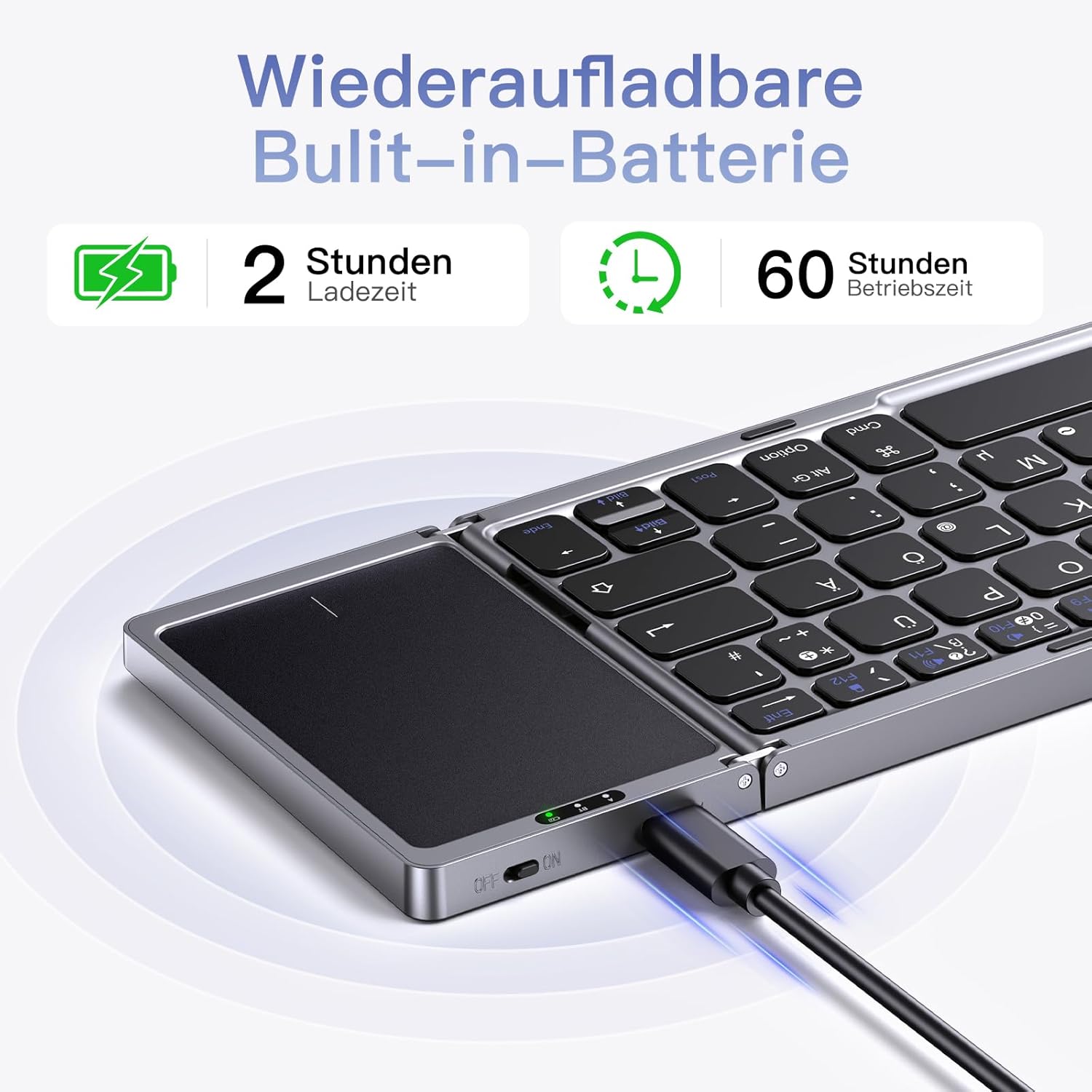
Figure 7: Keyboard used with a tablet

Figure 8: Keyboard used with a laptop
6. Manteniment
To ensure the longevity and optimal performance of your keyboard, follow these maintenance tips:
- Keep the keyboard clean by wiping it with a soft, dry cloth. For stubborn dirt, slightly dampal drap amb aigua o una solució de neteja suau.
- Avoid exposing the keyboard to extreme temperatures, direct sunlight, or high humidity.
- Do not disassemble the keyboard, as this will void the warranty and may cause damage.
- Store the keyboard in a folded position when not in use to protect the keys and touchpad.
7. Solució De Problemes
If you encounter issues with your keyboard, please refer to the following table for common problems and solutions:
| Problema | Causa possible | Solució |
|---|---|---|
| El teclat no es connecta/s'emparella. | Keyboard not in pairing mode; Bluetooth off on device; low battery; interference. | Ensure keyboard is unfolded and in pairing mode (rapid blinking light). Check device's Bluetooth settings. Charge the keyboard. Move closer to the device. |
| El touchpad no respon. | Touchpad disabled (if applicable); software glitch; dirty touchpad surface. | Ensure touchpad is enabled (check keyboard shortcuts if any). Restart keyboard and device. Clean touchpad surface. |
| Keys not responding. | Low battery; connection issue; keyboard in sleep mode. | Charge the keyboard. Re-establish Bluetooth connection. Press any key to wake from sleep mode. |
| Durada de la bateria curta. | Frequent use; aging battery. | Ensure keyboard is fully charged. Reduce backlight usage (if applicable). Battery life naturally decreases over time. |
8. Especificacions
| Característica | Detall |
|---|---|
| Model | KB568 |
| Tecnologia de connectivitat | Bluetooth |
| Dispositius compatibles | Tablet, iPad, Computer, Laptop, Smartphone |
| Compatibilitat de sistemes operatius | iOS 13.0+, Windows 7/8/10+, macOS X 10.10+, Android 4.3+ |
| Tipus de bateria | Lithium Ion (built-in) |
| Temps de càrrega | Aprox. 2 hores |
| Temps d'escriptura contínua | Fins a 40 hores |
| Dimensions del producte (desplegat) | 11.9 x 3.8 x 0.2 polzades (aprox.) |
| Dimensions del producte (plegat) | 5.9 x 3.8 x 0.7 polzades (aprox.) |
| Pes | 280 grams (aprox.) |
| Material | Plastic, Rubber, Metal, Aluminum |
| Color | Gris |
9. Garantia i Suport
Your OMOTON Foldable Bluetooth Keyboard comes with a standard manufacturer's warranty. For specific warranty terms and conditions, please refer to the warranty card included in your package or visit the official OMOTON weblloc.
If you require technical support, have questions about your product, or need assistance with troubleshooting, please contact OMOTON customer service through their official channels. Contact information can typically be found on the product packaging or the official weblloc.
Ask a question about this manual
Ask about setup, troubleshooting, compatibility, parts, safety, or missing instructions. Manuals+ will review the question and use this page’s manual context to help answer it.