
1. Introducció
This manual provides detailed instructions for the setup, operation, and maintenance of your KO-STAR USB Gaming Microphone M-630S. Please read this manual thoroughly before using the product to ensure optimal performance and longevity.
2. Contingut del paquet
Verifiqueu que tots els elements que s'enumeren a continuació siguin presents al vostre paquet:
- KO-STAR USB Gaming Microphone M-630S
- Suport per a escriptori
- Filtre Pop
- Muntatge de xoc
- Cable USB-A a USB-C
- USB-C to USB-A Adapter (for Type-C devices)

Image: KO-STAR USB Gaming Microphone M-630S with its desktop stand, pop filter, shock mount, and USB cables (USB-A and USB-C connectors shown).
3. Producte acabatview
The KO-STAR M-630S is a condenser microphone designed for gaming, streaming, podcasting, and recording. It features a cardioid pickup pattern, RGB lighting, and a quick mute function.
Components clau:
- Càpsula del micròfon: High-quality 14mm condenser for clear audio capture.
- Il·luminació RGB: Integrated LED lights for visual feedback and aesthetic.
- Botó de silenci ràpid: Touch-sensitive button on top for instant muting.
- Port USB: For connecting to your device.
- Muntatge de xoc: Reduces vibrations and handling noise.
- Filtre pop: Minimizes plosive sounds (P, B, T).
- Suport d'escriptori: Provides stable placement on a flat surface.
4. Instruccions de configuració
- Muntar el micròfon:
- Attach the shock mount to the microphone body.
- Secure the microphone assembly to the desktop stand.
- Position the pop filter in front of the microphone capsule.
- Connecta't al dispositiu:
- Connect the provided USB cable to the microphone's USB port.
- Plug the other end of the USB cable into an available USB port on your computer (PC/Mac), PS4, PS5, or compatible Type-C phone/tablet. If using a Type-C device, use the included USB-C to USB-A adapter.
- El micròfon és plug-and-play i no requereix controladors addicionals per a la majoria de sistemes operatius.
- Reconeixement del sistema:
- Your operating system should automatically detect the microphone.
- Navigate to your system's sound settings (e.g., Windows Sound Settings, macOS Sound Preferences) and select the KO-STAR M-630S as your default input device.
- Adjust the input volume level as needed.
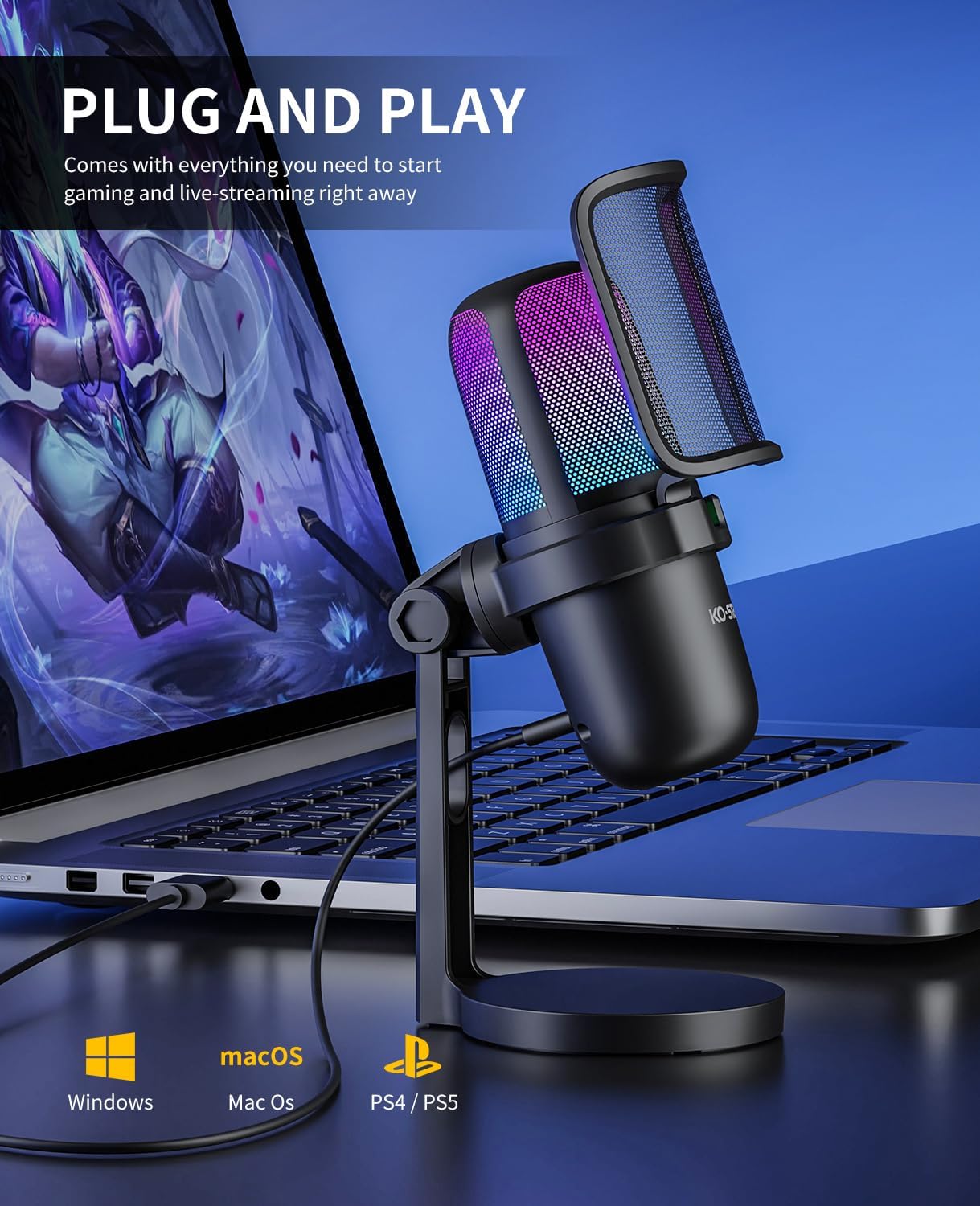
Image: The KO-STAR USB Gaming Microphone M-630S connected to a laptop, illustrating its plug-and-play functionality and compatibility with various operating systems and consoles.
5. Instruccions de funcionament
5.1. Il·luminació RGB
The microphone features dynamic RGB breathing LED lights that automatically cycle through multiple colors. This lighting serves as a visual indicator of the microphone's status:
- Llum encesa: Microphone is active and capturing audio.
- Llum apagada: El micròfon està silenciat.
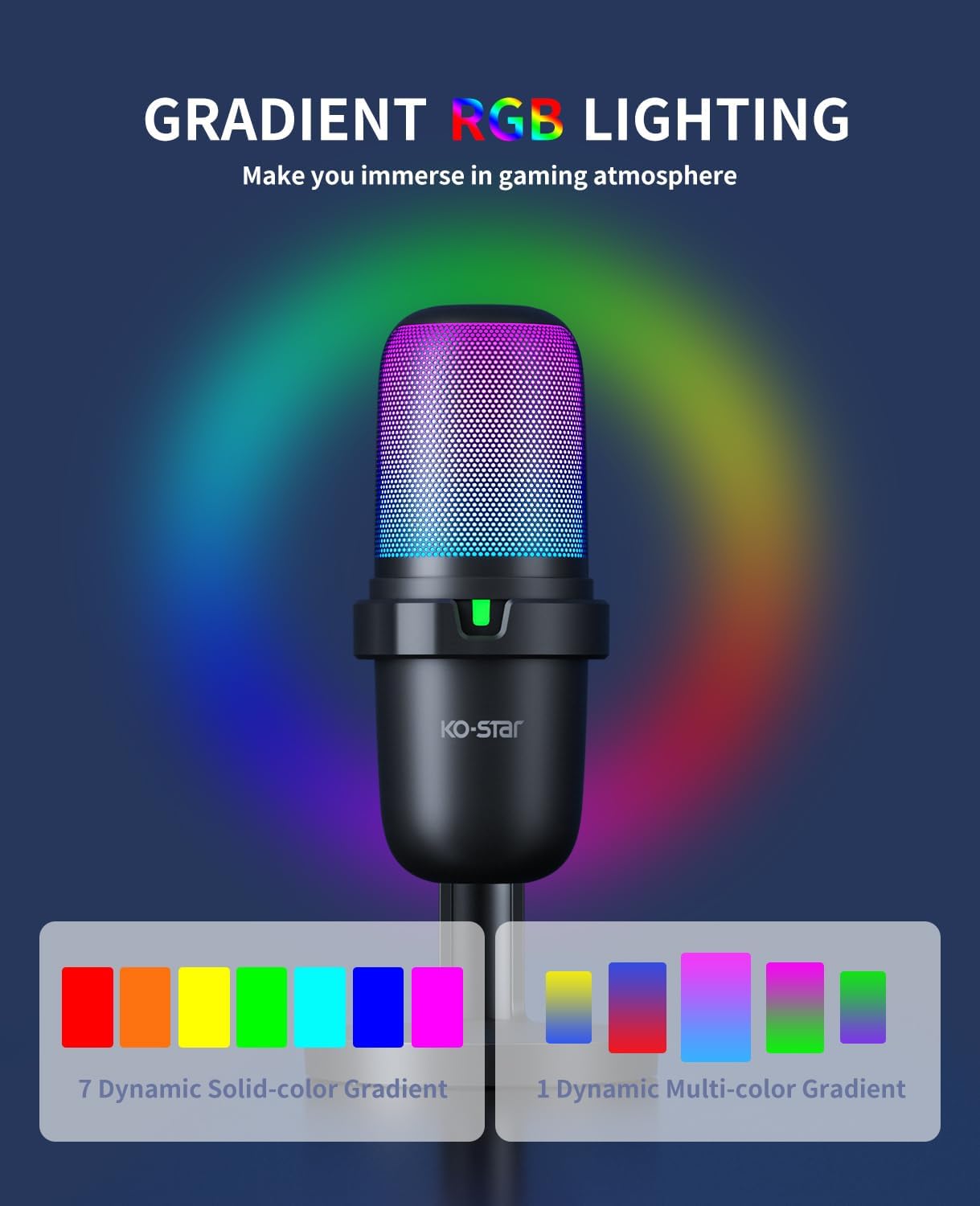
Image: The KO-STAR USB Gaming Microphone M-630S showcasing its gradient RGB lighting, which enhances the visual experience during use.
5.2. Quick Mute Function
A touch-sensitive mute button is located on the top of the microphone for convenient control:
- Tap the button once to mute the microphone. The RGB lighting will turn off, and a red LED indicator may appear (depending on model variation) to confirm mute status.
- Tap the button again to unmute the microphone. The RGB lighting will resume, and the red LED indicator will turn off.
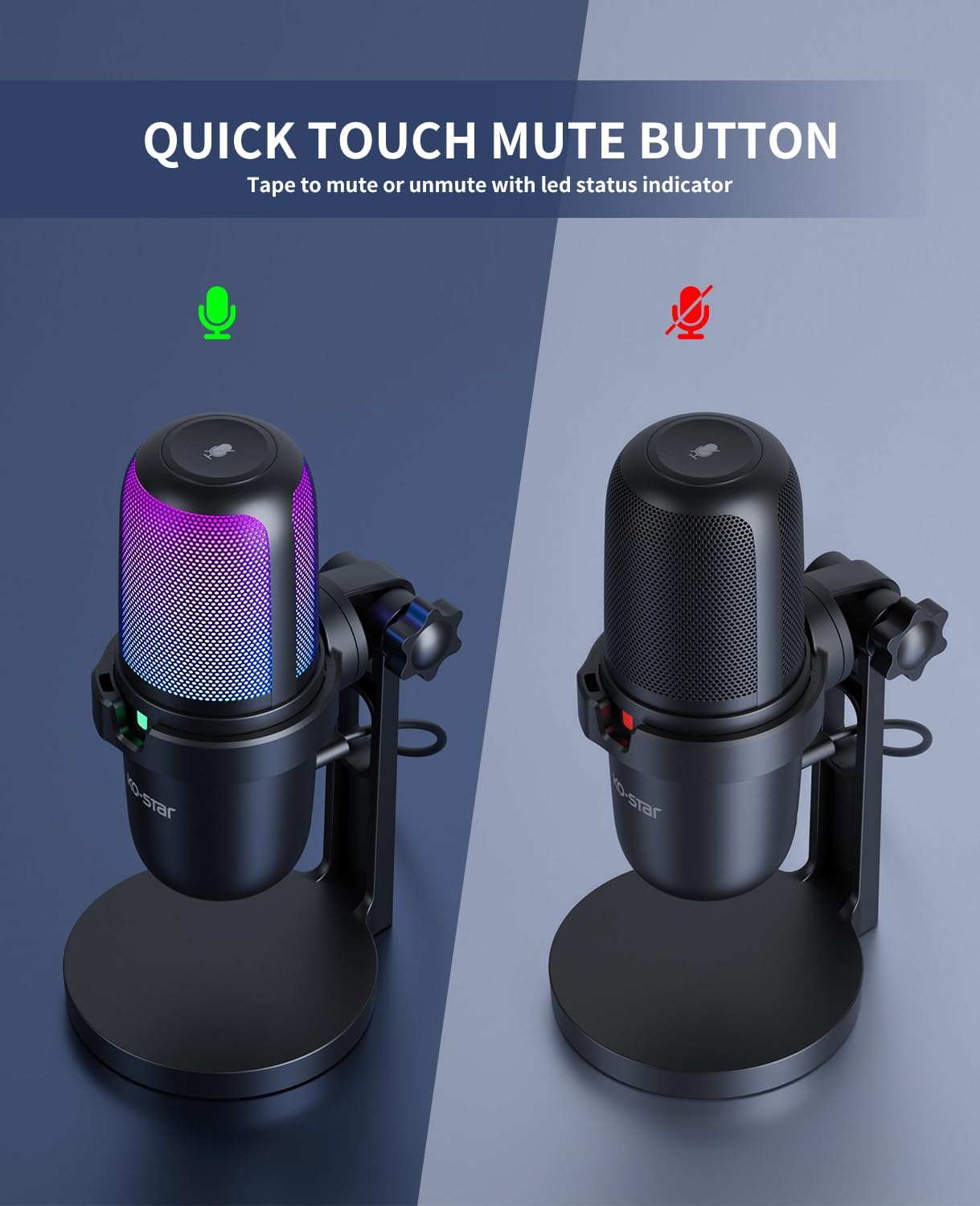
Imatge: Dos views of the KO-STAR USB Gaming Microphone M-630S, one with RGB lighting on and a green indicator (active), and another with lighting off and a red indicator (muted), demonstrating the quick mute function.
5.3. Optimal Audio Capture and Use Cases
The microphone utilizes a cardioid pickup pattern, which primarily captures sound from the front, reducing unwanted background noise from the sides and rear. For best results:
- Position the microphone directly in front of the sound source (e.g., your mouth).
- Utilize the included pop filter to minimize plosive sounds (harsh 'p' and 'b' sounds).
- The shock mount helps isolate the microphone from vibrations transmitted through the desk or stand.
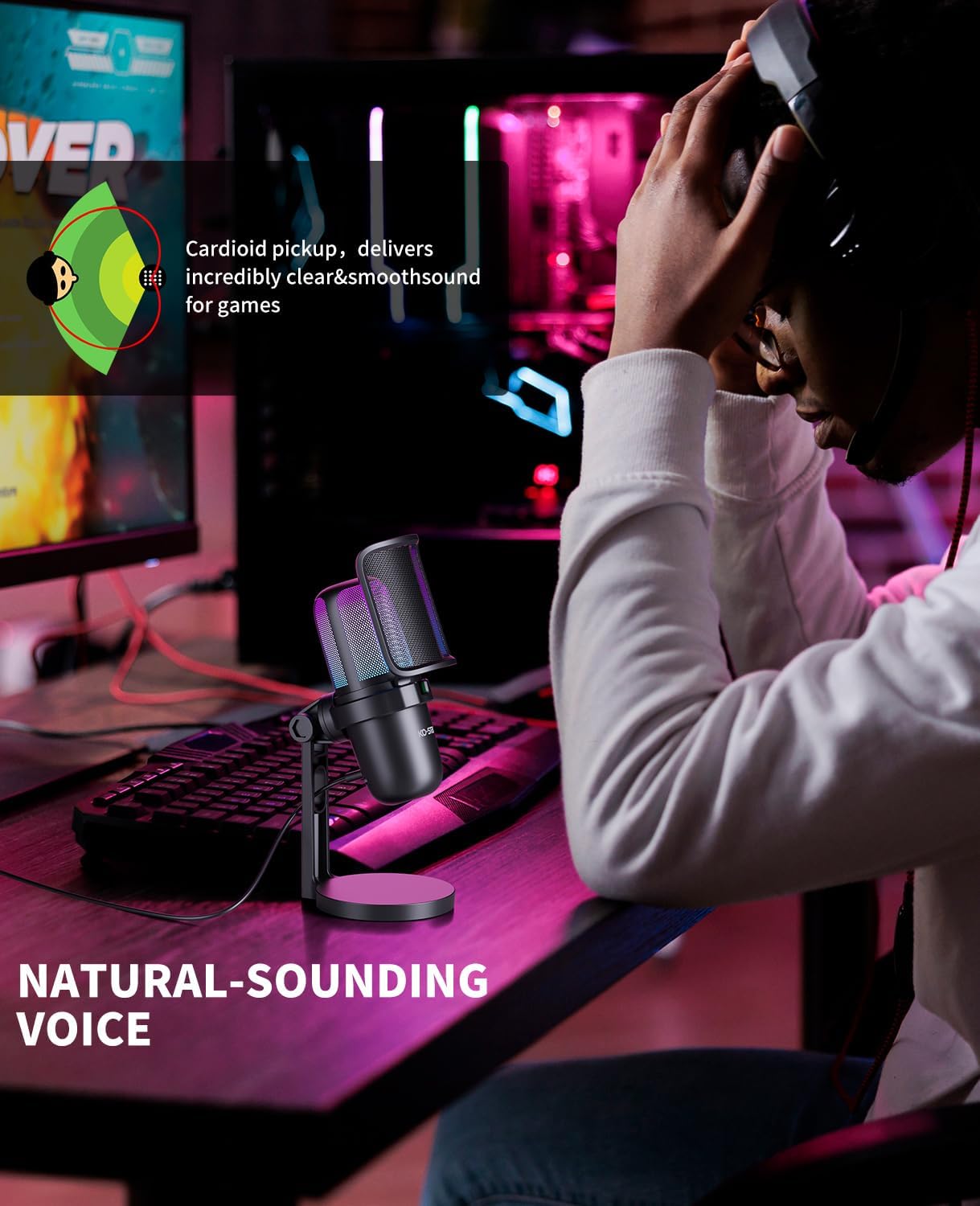
Image: A diagram showing the cardioid pickup pattern, indicating sound capture primarily from the front, alongside a user speaking into the microphone for natural-sounding voice recording.

Image: A user operating the KO-STAR USB Gaming Microphone M-630S, highlighting its noise cancellation capabilities for clearer audio.

Image: A user engaged in a video conference, utilizing the KO-STAR USB Gaming Microphone M-630S for clear communication.

Image: A user immersed in a gaming session, using the KO-STAR USB Gaming Microphone M-630S for in-game communication.

Image: A user recording vocals with the KO-STAR USB Gaming Microphone M-630S, demonstrating its suitability for various audio recording tasks.
6. Compatibilitat
The KO-STAR M-630S microphone is compatible with a wide range of devices:
- Sistemes operatius: Windows, macOS
- Consoles de jocs: PlayStation 4 (PS4), PlayStation 5 (PS5)
- Dispositius mòbils: All Type-C phones and tablets (requires USB C to USB adapter - included in the package)
Note: This microphone is not compatible with Xbox consoles.
For mounting on a standard boom arm, a 5/8" male to 3/8" female adapter (not included) may be required.
7. Manteniment
- Neteja: Use a soft, dry cloth to clean the microphone body and stand. Do not use liquid cleaners or solvents.
- Emmagatzematge: When not in use, store the microphone in a clean, dry place away from extreme temperatures and humidity.
- Manipulació: Eviteu deixar caure el micròfon ni sotmetre'l a impactes forts, ja que això pot danyar els components interns.
8. Solució De Problemes
| Problema | Causa possible | Solució |
|---|---|---|
| No hi ha sortida de so del micròfon. |
|
|
| El so està distorsionat o poc clar. |
|
|
| La il·luminació RGB està apagada. |
|
|
9. Especificacions
| Nom del model | M-630S |
| Marca | Ko-Star |
| Tecnologia de connectivitat | USB |
| Tipus de connector | USB |
| Patró polar | Súper cardioide |
| Factor de forma del micròfon | Plug On (with desktop stand) |
| Sensibilitat d'àudio | 30 decibels |
| Ràtio senyal / soroll | 80 dB |
| Plataforma de maquinari | Portàtil, PC |
| Dispositius compatibles | Laptop, PC, PS4, PS5, Type-C phones/tablets |
| Característiques especials | Mute Function, Noise Reduction, Stand, RGB Lighting |
| Material | Metall |
| Pes de l'article | 1.08 lliures (aprox. 490 g) |
| Dimensions del paquet | 8.74 x 5.12 x 3.31 polzades |
10. Informació de seguretat
- Do not expose the microphone to water or excessive moisture.
- Avoid placing the microphone near heat sources or in direct sunlight.
- No intenteu desmuntar ni modificar el micròfon. Això anul·larà la garantia.
- Mantenir fora de l'abast dels nens.
11. Garantia i Suport
KO-STAR products are designed for reliability and performance. For warranty information or technical support, please refer to the warranty card included with your product or contact KO-STAR customer service through the retailer where the product was purchased.
You can also visit the official KO-STAR store for more information: KO-STAR Store on Amazon