
Introducció
Thank you for choosing the Winado HPM-546 Tumbler Heat Press Machine. This manual provides essential information for the safe and efficient operation, setup, maintenance, and troubleshooting of your new heat press. Please read these instructions thoroughly before use to ensure optimal performance and safety.
Informació important de seguretat
Please observe the following safety warnings to prevent injury or damage to the machine:
- Ordinary ink and paper are not suitable for heat press transfer. Always use sublimation ink i paper de sublimació per imprimir.
- The tumbler will become extremely CALOR during and after the transfer process. NO touch the mug or tumbler with bare hands. Always use protective equipment, such as the provided heat-resistant gloves, or allow the item to cool down completely before handling.
- The machine may produce an odor during initial uses. Operate the machine in a well-ventilated area or outdoors. The smell will gradually dissipate after multiple uses.
- Aquesta màquina és NO suitable for use by children or for food processing. Keep out of reach of children.
- Assegureu-vos que la màquina estigui col·locada sobre una superfície estable i resistent a la calor.
- No feu servir la màquina amb les mans mullades o en sec.amp condicions.
- Desendolleu la màquina de la presa de corrent quan no la feu servir o abans de netejar-la.
Contingut del paquet
Verifiqueu que tots els elements siguin presents al paquet:
- 1 x Winado HPM-546 Tumbler Heat Press Machine
- 5 x Sublimation paper
- 2 x Heat resistant gloves
- 1 x Heat resistant tape

Especificacions del producte
| Model | HPM-546 |
| Mida de l'escalfador | 10.6 inches (length); 3.4 inches (diameter) |
| Interval de temperatura | 0-250 ℃ (0-482 ℉) |
| Interval de temps | 0-999 segons |
| Potència d'entrada | 110 V |
| Compatibilitat | 11/15/20/30 OZ straight tumblers; ceramic/metal/plastic mugs, cups, and water bottles |
| Tumbler Diameter Range | 2.64 - 3.4 polzades |
| Dimensions del producte | 51.43 x 13.98 x 10.23 polzades |
| Material | Ceramic, Plastic (referring to compatible items) |


Configuració
Follow these steps for initial setup of your heat press machine:
- Desembalar: Traieu amb cura tots els components de l'embalatge. Conserveu l'embalatge per a futurs emmagatzematges o transports.
- Col·locació: Place the heat press machine on a stable, flat, and heat-resistant surface in a well-ventilated area. Ensure there is adequate space around the machine for safe operation.
- Connexió d'alimentació: Connect the power cord to the machine and then plug it into a standard 110V electrical outlet. Ensure the power switch is in the OFF position before plugging in.
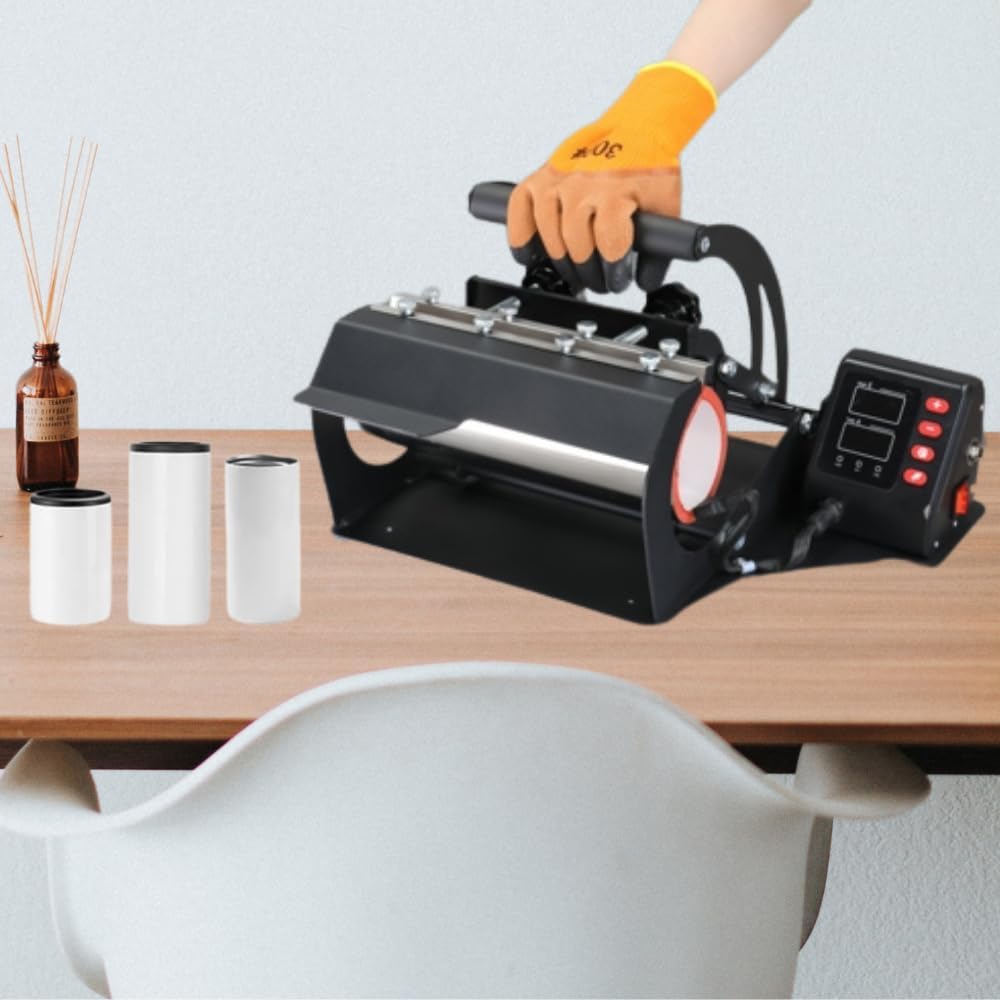
- Familiarització: Take a moment to identify the main components: the heating element, the pressure adjustment knob, the handle, and the digital control panel.

Instruccions de funcionament
1. Ajust de pressió
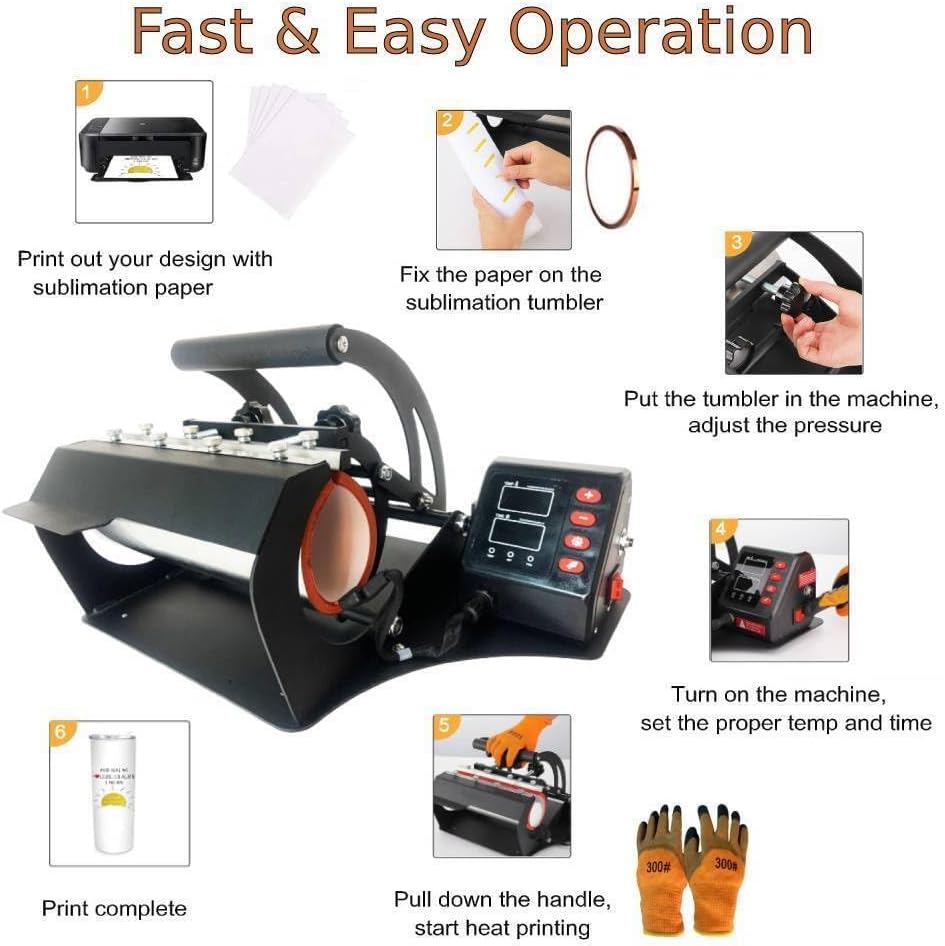
Before heating, it is crucial to adjust the pressure of the machine to fit the size and material of your cup or tumbler. This is done using the knob and handle mechanism. The pressure should be firm enough to ensure good contact between the sublimation paper and the item, but not so tight that it prevents smooth insertion or removal, or risks damaging the item.

2. Configuració de la temperatura i el temps
The digital control panel allows for precise temperature and time settings. Refer to the sublimation paper or blank item manufacturer's recommendations for optimal settings.
- Enceneu la màquina amb l'interruptor d'alimentació.
- Use the '+' and '-' buttons to adjust the desired temperature (0-482℉).
- Press the 'SET' button to switch to time adjustment.
- Use the '+' and '-' buttons to adjust the desired time (0-999 seconds).
- Press 'SET' again to confirm settings. The machine will begin heating to the set temperature.
3. Sublimation Process Steps
Once the machine reaches the set temperature, you can begin the sublimation process:
- Prepara el disseny: Print your design onto sublimation paper using sublimation ink. Ensure the design is mirrored if necessary.
- Attach Design: Carefully wrap the sublimation transfer paper around the surface of your tumbler or mug. Secure it firmly with heat-resistant tape to prevent shifting during pressing.
- Insereix un element: Wearing heat-resistant gloves, place the prepared tumbler or mug into the heating element of the machine. Ensure it is centered and fits snugly.
- Engage Press: Pull down the handle to close the press and apply pressure.
- Temporitzador d'inici: Press the 'WORK/STOP' button to start the timer. The machine will count down the set time.
- Alarma: The machine will sound an alarm when the set time has elapsed.
- Elimina l'element: Carefully lift the handle to release the pressure. Wearing heat-resistant gloves, remove the hot tumbler or mug from the machine.
- Refredament: Place the hot item on a heat-resistant surface to cool down completely before removing the sublimation paper.
- Inspeccionar: Once cooled, carefully peel off the sublimation paper to reveal your completed design.
Manteniment
Un manteniment adequat garanteix la longevitat i el rendiment òptim de la vostra màquina de premsat tèrmic:
- Neteja: Always unplug the machine and allow it to cool completely before cleaning. Use a soft, dry cloth to wipe down the exterior. For the heating element, a slightly damp cloth can be used, but ensure no moisture enters electrical components. Do not use abrasive cleaners.
- Emmagatzematge: Guardeu la màquina en un entorn sec i sense pols quan no l'utilitzeu.
- Inspecció periòdica: Periodically check the power cord for any signs of damage. Ensure all screws and connections are secure.
Resolució de problemes
Consulteu la taula següent per veure els problemes habituals i les seves possibles solucions:
| Problema | Causa possible | Solució |
|---|---|---|
| La màquina no s'encén | Power cord not properly connected; Power switch off; Outlet malfunction | Check power cord connection; Ensure power switch is ON; Test outlet with another device |
| La màquina no s'escalfa | Temperature not set; Heating element issue | Verify temperature setting on digital panel; Contact customer support if issue persists |
| Sublimation image is faded or incomplete | Incorrect temperature/time; Insufficient pressure; Incorrect paper/ink; Item not suitable for sublimation | Adjust temperature/time settings; Increase pressure; Ensure use of sublimation paper and ink; Verify item compatibility |
| Image ghosting or blurring | Sublimation paper shifted during pressing; Item moved during cooling | Secure paper firmly with heat-resistant tape; Ensure item is stable during cooling |
| Handle not locking in place | Pressure adjustment too tight or too loose; Mechanical issue | Adjust pressure knob to find optimal setting; Inspect locking mechanism for obstructions or damage |
Garantia i assistència al client
Winado provides a garantia d'un any for this heat press transfer machine. We are committed to ensuring a positive experience with our product.
If you have any questions, require assistance, or encounter any issues not covered in this manual, please do not hesitate to contact our customer service team. Refer to your purchase documentation for contact details or visit the official Winado weblloc web per obtenir informació de suport.