
1. Introducció
The TECLAST M50 is a 10.1-inch Android 13 tablet designed for versatile use, from entertainment to productivity. It features an Octa-Core processor, 12GB RAM, 128GB internal storage expandable up to 1TB, and supports Dual SIM 4G LTE connectivity. This manual provides essential information for setting up, operating, maintaining, and troubleshooting your device.
2. Què hi ha a la caixa
Upon unboxing your TECLAST M50 tablet, please ensure all the following items are present:
- TECLAST M50 Tablet
- Adaptador de corrent (carregador)
- Cable USB-Type C
- Eina expulsora de SIM
- Manual d'usuari
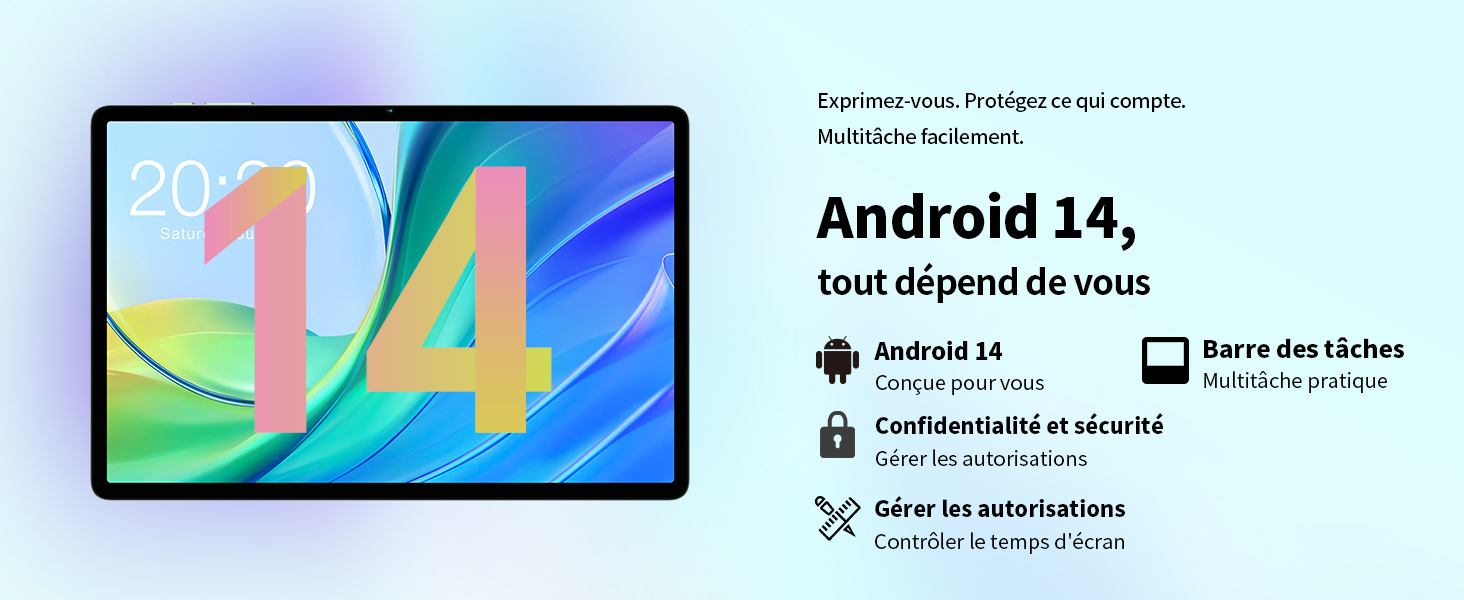
Image: Contents of the TECLAST M50 tablet box, showing the tablet, power adapter, USB cable, SIM ejector tool, and user manual.
3. Producte acabatview
The TECLAST M50 tablet features a sleek design with a 10.1-inch display and a lightweight build of approximately 460 grams. It measures 23L x 20l x 1Ép centimeters. Familiarize yourself with the tablet's physical components:

Image: TECLAST M50 tablet from various angles, illustrating the location of the power button, volume controls, USB-C port, 3.5mm headphone jack, and speaker grilles.
Components clau:
- Botó d'encesa: Situat al lateral, s'utilitza per encendre/apagar o activar/reposar el dispositiu.
- Botons de volum: Ajusteu el volum d'àudio.
- Port USB tipus C: Per a càrrega i transferència de dades.
- Presa d'auriculars de 3.5 mm: Connecteu els auriculars amb cable.
- Reixes d'altaveus: Four stereo speakers for enhanced audio output.
- Càmera frontal: 5MP camera for video calls and facial unlock.
- Càmera posterior: 13MP camera for photos and videos.
- Ranura per a targetes SIM/MicroSD: Insert SIM cards for cellular connectivity and a MicroSD card for expanded storage.
4. Configuració
4.1 Càrrega inicial
Before first use, it is recommended to charge the TECLAST M50 tablet for at least 30 minutes. Connect the USB Type-C cable to the tablet's charging port and the power adapter to a wall outlet. The battery icon on the screen will indicate charging status.
4.2 Engegada/apagada
- Per encendre: Press and hold the Power button until the TECLAST logo appears.
- Per apagar: Mantingueu premut el botó d'engegada fins que aparegui el menú d'opcions d'engegada i, a continuació, seleccioneu "Apagar".
- Per reiniciar: Mantingueu premut el botó d'engegada i, a continuació, seleccioneu "Reiniciar".
4.3 Inserció de targetes SIM i MicroSD
The TECLAST M50 supports dual SIM cards for 4G LTE connectivity and a MicroSD card for storage expansion up to 1TB.
- Localitza la safata de la targeta SIM/MicroSD al lateral de la tauleta.
- Introduïu l'eina d'expulsió de la SIM al forat petit que hi ha al costat de la safata i premeu suaument fins que la safata surti.
- Carefully place your Nano-SIM cards and/or MicroSD card into the designated slots on the tray. Ensure the gold contacts are facing down and the cards are correctly oriented.
- Empenyeu suaument la safata cap a dins de la tauleta fins que encaixi al seu lloc.

Image: Illustration of inserting SIM cards and a MicroSD card into the tablet's tray.
4.4 Configuració inicial d'Android
After powering on for the first time, follow the on-screen prompts to complete the initial setup process. This includes selecting your language, connecting to a Wi-Fi network, signing in with your Google account, and setting up security features like facial unlock.
5. Instruccions de funcionament
5.1 Característiques de visualització
The TECLAST M50 features a 10.1-inch TDDI HD display with a resolution of 1280x800 pixels. The TDDI technology integrates touch sensors directly into the LCD, providing a more responsive touch experience. It also supports Widevine L1, allowing for high-definition streaming from platforms like Disney+ and Amazon Prime Video.

Image: Visual representation of the TECLAST M50's 10.1-inch HD display with 1280x800 resolution and IPS wide viewangle de ing.
5.2 Rendiment i emmagatzematge
Powered by an Octa-Core UNISOC T606 processor and Mali-G57 GPU, the M50 delivers efficient performance. It comes with 6GB of RAM, expandable to 12GB using virtual memory technology, and 128GB of internal storage. Storage can be further expanded up to 1TB via a MicroSD card.

Image: Details of the UNISOC T606 Octa-Core processor and Mali-G57 graphics processor.

Image: Information on RAM and ROM capacity, including expandable storage options.
5.3 Connectivitat
Stay connected with the TECLAST M50's comprehensive connectivity options:
- Dual SIM 4G LTE: Supports TD-LTE and FDD-LTE networks for mobile data and VoLTE calls.
- Wi-Fi de doble banda: Connect to 2.4GHz and 5GHz Wi-Fi networks (802.11ac).
- Bluetooth 5.0: Per connectar accessoris sense fil com ara auriculars i teclats.
- Navegació GPS: Supports GPS, BeiDou, GLONASS, and Galileo for accurate positioning.

Imatge: Més deview of Wi-Fi, Bluetooth, and 4G LTE capabilities.

Image: Tablet showing GPS navigation in use.
Funcionalitat de càmera 5.4
The M50 is equipped with a 13MP rear camera and a 5MP front camera. The rear camera features AI-based auxiliary optimization for improved focus and image results, especially in low-light conditions. The 5MP front camera supports facial unlock for convenient device access.

Image: Details of the tablet's front and rear cameras.
5.5 Sistema d'àudio
Experience immersive sound with the M50's Momentum III audio system, featuring four stereo speakers and a Smart K amplifier for clear and rich audio output.

Image: Representation of the tablet's 4-speaker audio system.
5.6 Característiques d'Android 13
The tablet runs on Android 13, offering enhanced privacy controls, a convenient taskbar for multitasking, and improved permission management. It also includes features for parental controls to manage screen time and application access.

Image: Android 13 interface showcasing privacy and multitasking features.

Image: Parental control interface for managing tablet usage.
6. Manteniment
6.1 Cura de la bateria
The TECLAST M50 is equipped with a 6000mAh battery, providing up to 15 hours of usage. To maximize battery life:
- Eviteu temperatures extremes.
- Feu servir el carregador i el cable proporcionats.
- Eviteu esgotar completament la bateria amb freqüència.
- For long-term storage, charge the tablet to about 50% and power it off.

Image: Battery capacity and charging method.
6.2 Neteja
Per netejar la tauleta, feu servir un drap suau i sense borrissol. Per a taques difícils, fregueu-la lleugerament.ampNetegeu el drap amb aigua o un netejador de pantalles dissenyat específicament per a electrònica. Eviteu utilitzar productes químics agressius o materials abrasius.
6.3 Actualitzacions de programari
Periodically check for system updates to ensure your tablet has the latest features and security patches. Navigate to Configuració > Sistema > Actualització del sistema per comprovar i instal·lar les actualitzacions disponibles.
7. Solució De Problemes
If you encounter issues with your TECLAST M50 tablet, try the following basic troubleshooting steps:
- El dispositiu no s'encén: Assegureu-vos que la bateria estigui carregada. Connecteu el carregador i espereu uns minuts abans d'intentar tornar-lo a engegar.
- Pantalla congelada o no respon: Premeu i manteniu premut el botó d'engegada durant uns 10-15 segons per forçar un reinici.
- Problemes de connectivitat Wi-Fi/Bluetooth: Try toggling Wi-Fi/Bluetooth off and on. Restart your tablet and/or your router/Bluetooth device.
- Les aplicacions es bloquegen: Esborra la memòria cau i les dades de l'aplicació problemàtica (Configuració > Aplicacions > [Nom de l'aplicació] > Emmagatzematge > Esborra la memòria cau/Esborra les dades). Si el problema persisteix, desinstal·la i torna a instal·lar l'aplicació.
- Rendiment lent: Close unnecessary background apps. Clear cached data. Consider performing a factory reset as a last resort (back up your data first).
- No s'ha detectat la targeta SIM: Ensure the SIM card is correctly inserted and activated with your carrier. Restart the tablet.
For more complex issues, refer to the official TECLAST support resources.
8. Especificacions
| Característica | Especificació |
|---|---|
| Nom del model | TECLAST M50 |
| Sistema operatiu | Android 13 |
| Processador | UNISOC T606 Octa-Core (1.6 GHz) |
| Processador gràfic | Mali-G57 MP1 |
| RAM | 12 GB (6 GB físic + 6 GB d'expansió) |
| Emmagatzematge intern | 128 GB |
| Emmagatzematge ampliable | MicroSD fins a 1 TB |
| Mida de la pantalla | 10.1 polzades |
| Resolució de visualització | 1280x800 Pixels (TDDI, IPS) |
| Càmera posterior | 13 MP |
| Càmera frontal | 5 MP |
| Capacitat de la bateria | 6000 mAh (22 Wh) |
| Durada de la bateria (mitjana) | 15 hores |
| Connectivitat | 4G LTE (Dual SIM), Wi-Fi (802.11ac), Bluetooth 5.0 |
| Navegació | GPS, BeiDou, GLONASS, Galileo |
| Àudio | 4 Stereo Speakers (Momentum III) |
| Ports | 1x USB Type-C, 1x 3.5mm Headphone Jack |
| Pes | 460 grams |
| Dimensions (L x A x A) | 23 x 20 x 1 cm |
9. Garantia i Suport
9.1 Informació de la garantia
The TECLAST M50 tablet comes with a manufacturer's warranty of 1 any des de la data de compra. Aquesta garantia cobreix els defectes de materials i de fabricació en condicions d'ús normal. Conserveu el comprovant de compra per a reclamacions de garantia.
9.2 Atenció al client
For any questions, technical assistance, or warranty inquiries, please contact TECLAST customer support. Our team provides professional advice and aims to respond to all inquiries within one working day. You can find contact information on the official TECLAST weblloc web o a través del vostre distribuïdor.
Recursos en línia: For additional support and FAQs, please visit the official TECLAST weblloc: TECLAST Brand Store