
1. Introducció
This manual provides detailed instructions for the safe and efficient operation of your DATOUBOSS 2000W 24V Pure Sine Wave Power Inverter. This device is designed to convert 24V DC battery power into 230V AC household power, suitable for a wide range of electronic devices and appliances. Please read this manual thoroughly before installation and use to ensure optimal performance and safety.

Figure 1: DATOUBOSS 2000W 24V Pure Sine Wave Power Inverter with accessories.
2. Característiques clau
- Sortida d'ona sinusoïdal pura: Provides clean power, ideal for sensitive electronics, with higher motor capacity and conversion efficiency (>90%) compared to modified sine wave inverters.
- Construcció robusta: The inverter casing is made from aluminum alloy, offering excellent resistance to external impacts and pressure, ensuring enhanced durability.
- Refrigeració intel·ligent: Features a smart fan control system that activates when the load exceeds 40% of the rated capacity, or based on internal temperature, minimizing noise during light loads.
- Pantalla LCD i comandament a distància: An external remote control simplifies operation, while the integrated LED display provides real-time information on inverter status, ensuring easy monitoring.
- Protecció integral: Built-in safety mechanisms protect against low voltage, overload, short circuit, over-temperature, and reverse polarity.
- Aplicacions versàtils: Suitable for a wide range of devices including household appliances, laptops, TVs, and ideal for use in RVs, trucks, camping, and off-grid solar power systems.
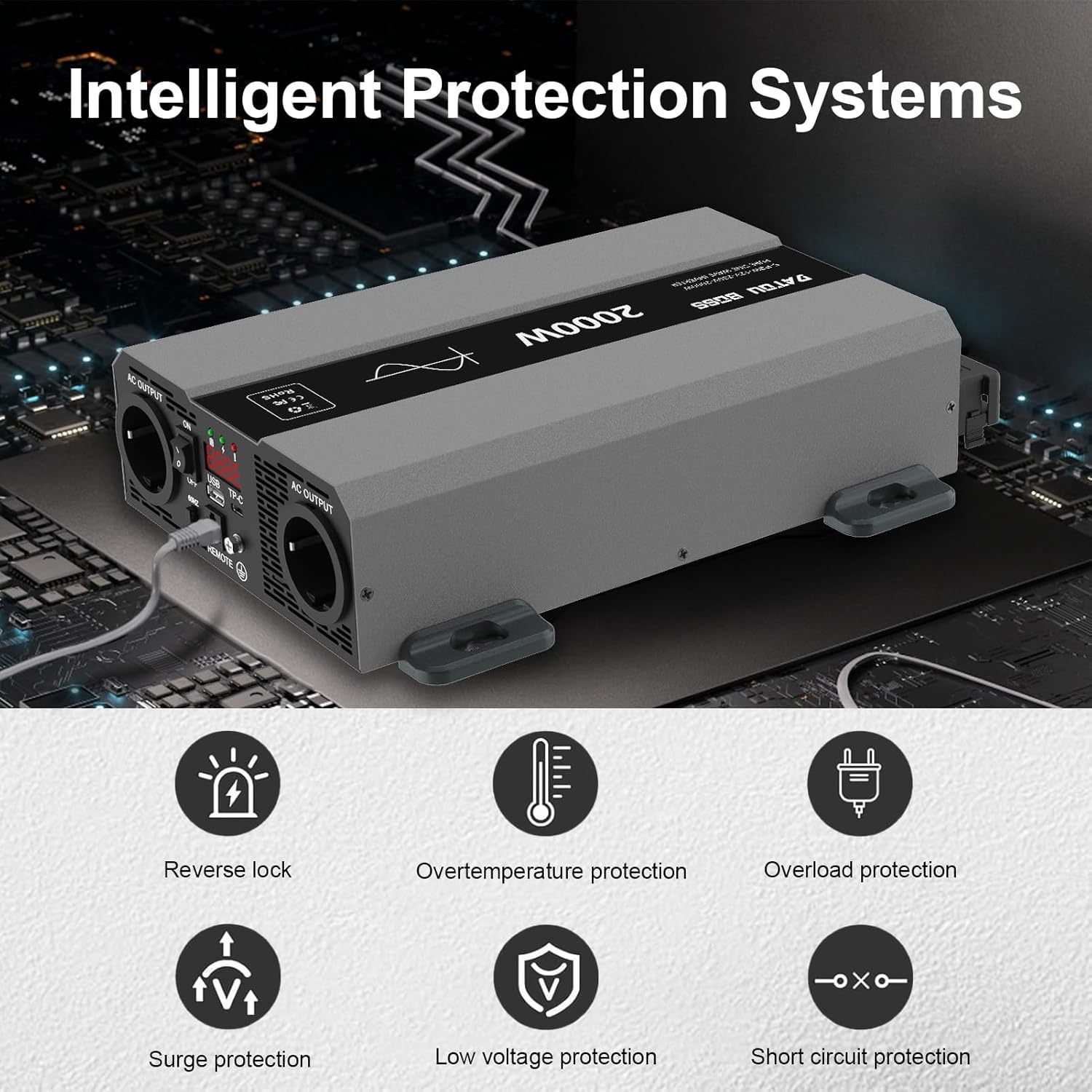
Figure 2: Intelligent Protection Systems for the inverter.
3. Contingut del paquet
Please verify that all items are present and undamaged upon opening the package:
- DATOUBOSS 2000W 24V Pure Sine Wave Power Inverter
- DC Input Cables (Red for Positive, Black for Negative)
- Remote Control Unit with Cable
- Manual d'usuari (Aquest document)
4. Introducció al port
Familiarize yourself with the various ports and indicators on your inverter:

Figure 3: Inverter Port Layout and Functions.
- Terminal negatiu: Connects to the negative (-) terminal of your 24V battery.
- Terminal positiu: Connects to the positive (+) terminal of your 24V battery.
- Ventilador de refrigeració intel·ligent: Automatically activates to dissipate heat.
- Sortida de CA (x2): Standard 230V AC outlets for connecting appliances.
- Port de tipus C: Per carregar dispositius USB-C compatibles.
- Terminal terrestre: For proper grounding to ensure safety.
- Remote Switch Connection: Port for connecting the external remote control unit.
- Interfície USB: Standard USB-A port for charging USB devices.
- Ajust de freqüència: Allows selection of output frequency (e.g., 50Hz/60Hz).
- NO/OFF Switch: Main power switch for the inverter.
- Pantalla LED: Mostra dades operatives en temps real.
- Llum LED: Indicates power status or fault conditions.
5. Configuració i instal·lació
Segueix aquests passos per a una instal·lació segura i correcta:
- Trieu una ubicació: Select a cool, dry, and well-ventilated area for the inverter. Avoid direct sunlight, heat sources, and moisture. Ensure sufficient space around the inverter for airflow.
- Muntatge: Securely mount the inverter using appropriate hardware. The inverter can be mounted horizontally or vertically.
- Posada a terra: Connect the inverter's ground terminal to a reliable earth ground point using a suitable gauge wire. This is crucial for safety.
- Connexió de la bateria:
- Ensure the inverter's power switch is in the "OFF" position.
- Connect the RED cable to the inverter's Positive (+) terminal and then to the battery's Positive (+) terminal.
- Connect the BLACK cable to the inverter's Negative (-) terminal and then to the battery's Negative (-) terminal.
- Ensure all connections are tight and secure to prevent loose connections and sparking.
- Connexió de control remot: Plug the remote control cable into the designated remote switch connection port on the inverter.
- Engegada inicial: After all connections are secure, switch the inverter's power switch to "ON". The LED display should illuminate, indicating the inverter is ready.

Figura 4: Example of connecting the inverter for solar power applications.
6. Instruccions de funcionament
Operating your DATOUBOSS inverter is straightforward:
- Encès: Ensure the inverter is properly connected to a 24V DC power source. Press the ON/OFF switch on the inverter or the remote control to turn it on. The LED display will show the output voltage i altra informació rellevant.
- Connecteu els electrodomèstics: Plug your AC appliances into the 230V AC output sockets on the inverter. Ensure the total power consumption of your appliances does not exceed the inverter's rated continuous power (2000W).
- USB/Type-C Charging: Connect your USB or Type-C compatible devices to the respective ports for charging.
- Seguiment: Regularly check the LED display for input voltage, voltage, and any error codes. The intelligent cooling fan will activate automatically when needed.
- Apagar: Before disconnecting any appliances or the inverter from the battery, switch the inverter OFF using the ON/OFF switch.
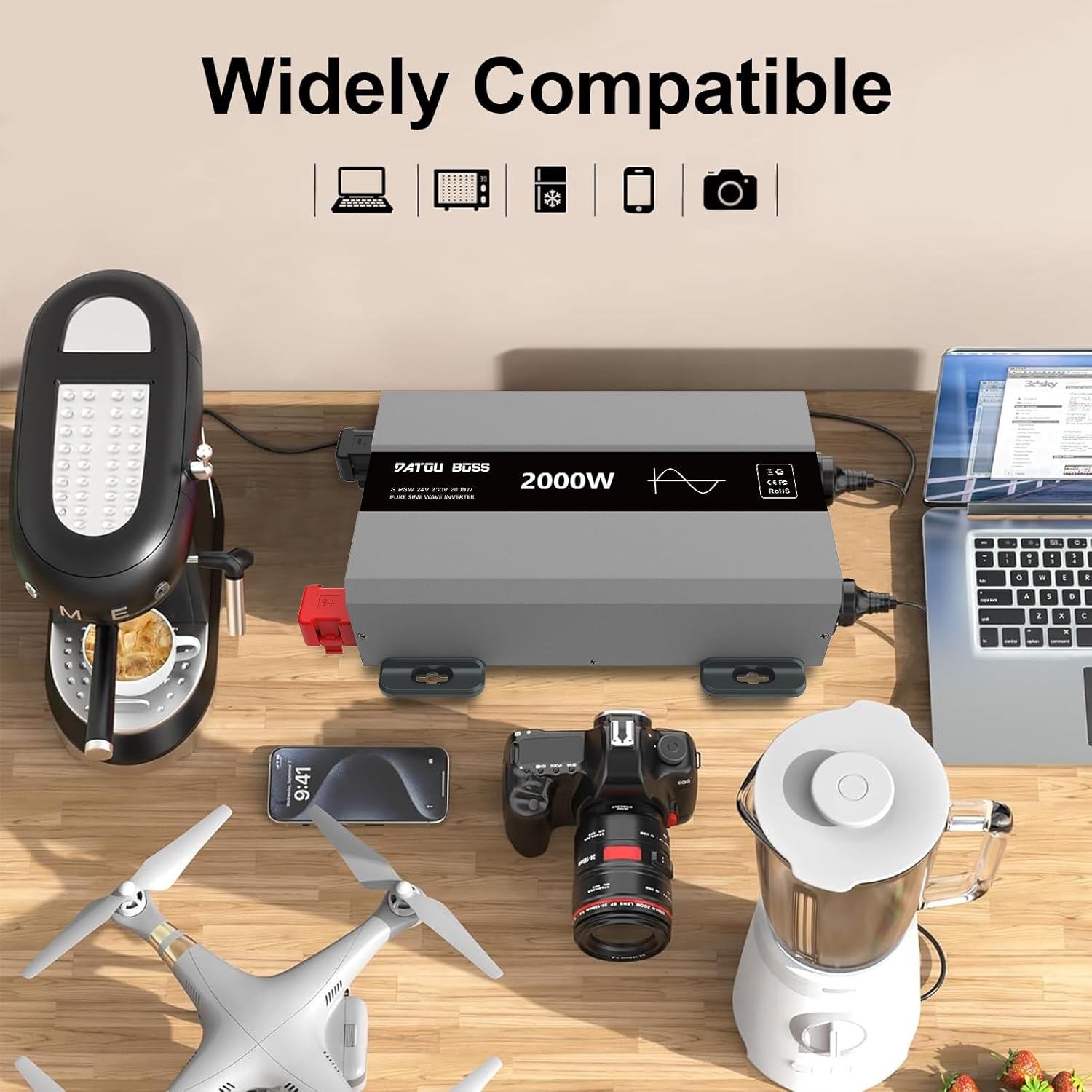
Figure 5: The inverter is widely compatible with various electronic devices.

Figure 6: Pure Sine Wave output and diverse applications of the inverter.
7. Manteniment
Un manteniment regular garanteix la longevitat i el funcionament fiable del vostre inversor:
- Neteja: Keep the inverter clean and free from dust and debris. Use a dry, soft cloth for cleaning. Do not use liquid cleaners.
- Ventilació: Ensure the cooling vents are not obstructed. Periodically check for any blockages.
- Connexions: Periodically inspect all cable connections (battery and AC output) to ensure they are tight and free from corrosion.
- Emmagatzematge: Si guardeu l'inversor durant un període prolongat, desconnecteu-lo de la bateria i guardeu-lo en un lloc fresc i sec.
8. Solució De Problemes
Consulteu la taula següent per veure els problemes habituals i les seves solucions:
| Problema | Causa possible | Solució |
|---|---|---|
| Inverter not turning on. | Vol de bateria baixatage, loose connections, faulty fuse. | Comproveu el volum de la bateriatage (must be >21V for 24V system). Ensure all cables are securely connected. Check and replace fuses if necessary. |
| Sense sortida de CA. | Overload, short circuit, over-temperature, low battery. | Reduce connected load. Check for short circuits in appliances/cables. Allow inverter to cool down. Recharge battery. |
| Audible alarm/fault indicator. | Overload, over-temperature, low/high input voltage. | Refer to the LED display for specific error codes. Address the underlying issue (e.g., reduce load, improve ventilation, check battery). |
| Fans running constantly/loudly. | High internal temperature, heavy load. | Ensure adequate ventilation. Reduce load if possible. This is normal behavior under heavy load or high ambient temperatures. |
Si el problema persisteix després d'intentar aquestes solucions, poseu-vos en contacte amb l'atenció al client.
9. Especificacions
| Característica | Especificació |
|---|---|
| Marca | DATOUBOSS |
| Número de model | 24V 2000W |
| Potència elèctrica | 2000 watts |
| Entrada Voltage | 24V DC |
| Vol. De sortidatage | 230 V AC |
| Forma d'ona de sortida | Onda senyal pura |
| Eficiència de conversió | > 90% |
| Dimensions del producte | 42.5 x 28 x 17 cm |
| Pes de l'article | 4.3 quilos |
| ASIN | B0CG9KCTP9 |
10. Garantia i Suport
DATOUBOSS products are manufactured to high quality standards. For warranty information and technical support, please refer to the documentation included with your purchase or contact your retailer. Keep your purchase receipt as proof of purchase for warranty claims.
For further assistance, you may visit the official DATOUBOSS weblloc web o contacteu directament amb el seu servei d'atenció al client. Normalment, els detalls es proporcionen a l'embalatge del producte o en una targeta de garantia independent.