
1. Producte acabatview
The ECOPAD 10.1 Inch Android 15 Tablet is designed for versatile use, offering a balance of performance and portability. It features a quad-core processor, the Android 15 operating system, and a 10.1-inch IPS HD touchscreen for clear visuals. With ample storage and expansion options, dual cameras, and robust connectivity, this tablet is suitable for various tasks from entertainment to productivity.
- Sistema operatiu: Android 15
- Visualització: IPS HD de 10.1 polzades (1280 x 800 píxels)
- Processador: Quad-core ARM RK3562
- Memòria: 12GB RAM (4GB physical + 8GB virtual)
- Emmagatzematge: 64GB ROM, expandable up to 1TB via SD card (sold separately)
- Càmeres: 2.0MP frontal, 8.0MP posterior
- Bateria: 6000mAh Lithium Battery (up to 8 hours video playback)
- Connectivitat: Dual Band Wi-Fi (2.4/5GHz), Bluetooth 5.0
- Certificació: GMS Certified for full Google Play access
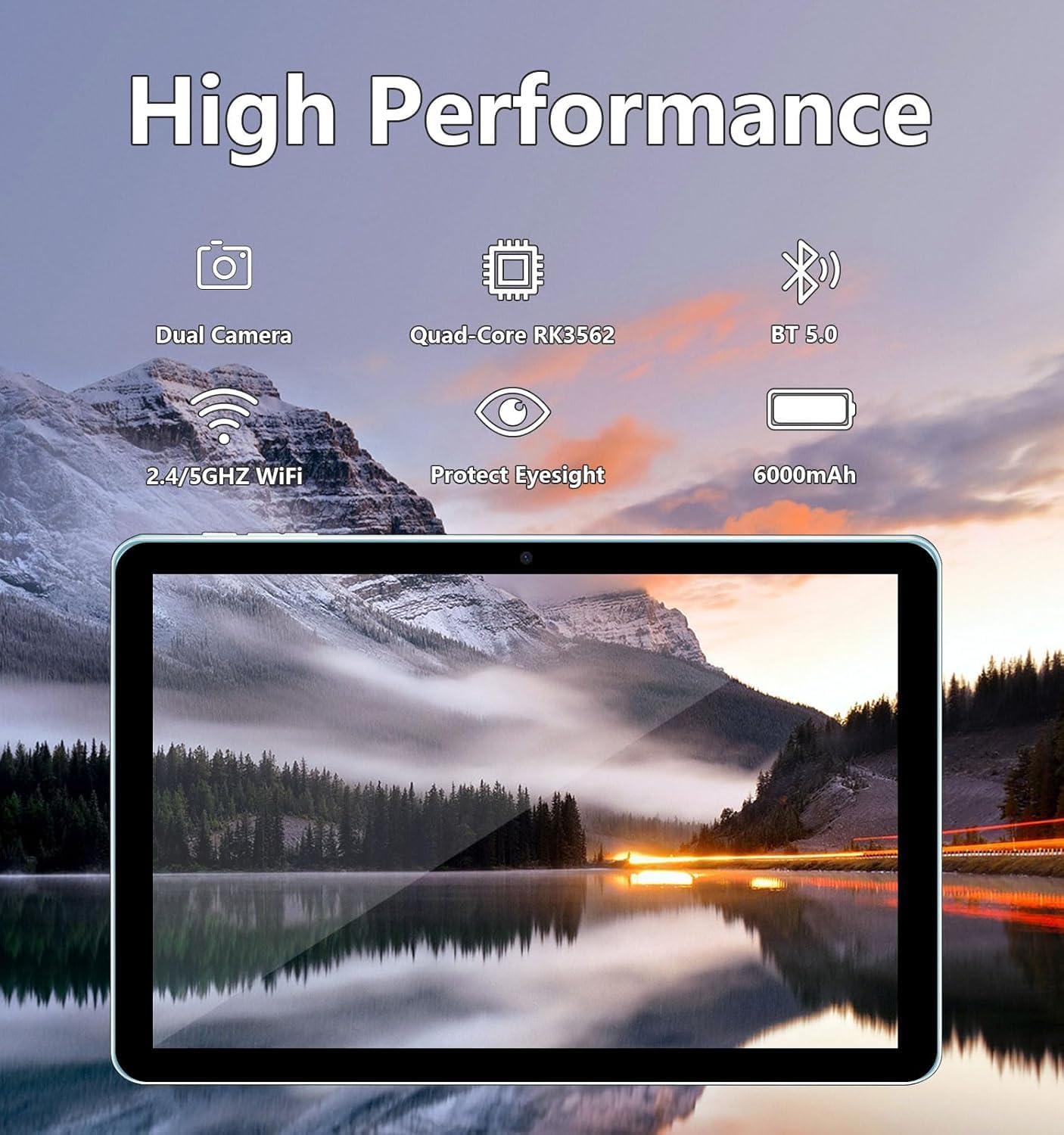
Image: The ECOPAD tablet showcasing its high-performance features including dual cameras, quad-core processor, Bluetooth 5.0, dual-band Wi-Fi, and 6000mAh battery.
2. Primers passos
2.1 Unboxing Your Tablet
Carefully remove all items from the packaging. The box should contain the ECOPAD 10.1 Inch Tablet, a protective case, a USB-C charging cable, and a screen protector. Please check for any damage during transit.
2.2 Característiques físiques
Familiarize yourself with the tablet's ports and buttons:

Image: A detailed diagram illustrating the location of the USB-C Port, SD Card Slot, Volume buttons, Power On/Off button, Reset button, Microphone, Front Camera, Headphone Jack, Speakers, Rear Camera, and Flash on the ECOPAD tablet.
- Port USB-C: Per a càrrega i transferència de dades.
- Ranura per a targeta SD: Insert a Micro SD card for expanded storage.
- Volum - / Volum +: Ajusteu el volum d'àudio.
- Encès/apagat: Press and hold to power on or off. Short press to sleep/wake.
- Reset (Reboot): A small pinhole for force restarting the device if unresponsive.
- Micròfon: Per a l'entrada d'àudio durant trucades o gravacions.
- Càmera frontal: Per a videotrucades i selfies.
- Auriculars Jack: Connecteu auriculars de 3.5 mm.
- Ponents: Per a la sortida d'àudio.
- Càmera posterior: Per fer fotos i vídeos.
- Flash: Provides illumination for the rear camera.
2.3 Càrrega de la tauleta
Before first use, fully charge your tablet. Connect the provided USB-C cable to the tablet's USB-C port and the other end to a compatible USB power adapter (not always included) or a computer's USB port. The battery indicator on the screen will show charging status.
2.4 Engegada/apagada
- Per encendre: Press and hold the Power On/Off button until the ECOPAD logo appears on the screen.
- Per apagar: Press and hold the Power On/Off button until a power menu appears. Select 'Power Off' and confirm.
- Per dormir/despertar-se: Briefly press the Power On/Off button.
2.5 Configuració inicial
Upon first power-on, the tablet will guide you through the initial setup process. This typically includes:
- Selecció del vostre idioma.
- Connexió a una xarxa Wi-Fi.
- Iniciant la sessió amb el teu compte de Google o creant-ne un de nou.
- Configuració del bloqueig de pantalla (PIN, patró, contrasenya).
- Reviewing and accepting Google services terms.
3. Com utilitzar la tauleta
3.1 Navegació amb pantalla tàctil
The tablet's 10.1-inch IPS HD touchscreen supports multi-touch gestures:
- Toca: Selecciona un element o obre una aplicació.
- Toca i mantén premut: Accedir a menús contextuals o moure elements.
- Llisca: Navigate through screens, scroll lists, or dismiss notifications.
- Pessiga per fer zoom: Apropar o allunyar les imatges i web pàgines.
3.2 Connexió a Wi-Fi
Per connectar-se a Internet:
- Vés a Configuració > Xarxa i Internet > Wi-Fi.
- Activa/desactiva el Wi-Fi On.
- Seleccioneu la xarxa desitjada de la llista.
- Introduïu la contrasenya si us demana i toqueu Connecta't.
3.3 Google Play Store
As a GMS Certified device, your tablet has full access to the Google Play Store. You can download a wide variety of applications, games, movies, and books.
- Toqueu Play Store icon on your home screen or app drawer.
- Browse or search for apps.
- Toqueu Instal·lar to download and install an app.

Image: The tablet display featuring the Google Play Store icon and other Google Mobile Services (GMS) applications, indicating full access to the Android ecosystem.
3.4 Gestió d'emmagatzematge
The tablet comes with 64GB of internal storage (ROM) and 12GB of RAM (4GB physical + 8GB virtual for enhanced performance). You can expand storage further:
- Targeta micro SD: Insert a Micro SD card (up to 1TB, sold separately) into the SD card slot to store additional photos, videos, and files.
- Per gestionar l'emmagatzematge, aneu a Configuració > Emmagatzematge.

Image: The tablet screen displaying its storage capabilities, including 12GB RAM, 64GB ROM, and the option for 1TB SD card expansion, allowing users to store a large volume of data.
3.5 Ús de la càmera
La tauleta està equipada amb una càmera frontal de 2.0MP i una càmera posterior de 8.0MP.
- Obriu el Càmera aplicació.
- Toqueu la icona de la càmera per canviar entre la càmera frontal i la posterior.
- Toqueu el botó de l'obturador per fer una foto o iniciar/aturar la gravació de vídeo.

Image: The tablet screen showing a video conference with four participants, demonstrating the clarity of the 10.1-inch 1280x800 HD display for communication.
3.6 Connectivitat Bluetooth
Connect your tablet to Bluetooth devices like headphones, speakers, or keyboards.
- Vés a Configuració > Dispositius connectats > Bluetooth.
- Commuta el Bluetooth On.
- La tauleta buscarà els dispositius disponibles. Selecciona el dispositiu de la llista per emparellar-lo.
4. Manteniment
4.1 Cura de la bateria
To maximize your tablet's battery life and longevity:
- Eviteu temperatures extremes.
- No deixeu que la bateria es descarregui completament amb freqüència.
- Unplug the charger once the tablet is fully charged.
- Reduce screen brightness and disable unnecessary features (e.g., Bluetooth, Wi-Fi) when not in use.
4.2 Neteja de la tauleta
Feu servir un drap suau i sense borrissol per netejar la pantalla i el cos de la tauleta. Per a taques difícils, fregueu lleugerament.ampRenta el drap amb aigua o una solució netejadora de pantalles. Evita productes químics agressius o materials abrasius.
5. Solució De Problemes
If you encounter issues with your ECOPAD tablet, try the following common solutions:
- La tauleta no respon: Press and hold the Power On/Off button for about 10-15 seconds to force a restart. If this doesn't work, locate the small 'Reset' pinhole and use a thin object (like a paperclip) to press it gently.
- Apps are crashing or running slowly: Close unused apps, clear app caches (Settings > Apps > [App Name] > Storage & cache > Clear cache), or restart the tablet. Ensure your apps are updated.
- Problemes de connexió Wi-Fi: Assegura't que el Wi-Fi estigui activat. Prova de reiniciar l'encaminador i la tauleta. Oblida't de la xarxa i torna a connectar-te.
- La bateria es descarrega ràpidament: Reduce screen brightness, disable background app refresh, turn off GPS, Bluetooth, and Wi-Fi when not needed. Check battery usage in Settings to identify power-hungry apps.
- Screen is not responding to touch: Reinicia la tauleta. Si el problema persisteix, assegura't que la pantalla estigui neta i sense brutícia.
Si aquests passos no resolen el problema, consulteu la secció Garantia i assistència per obtenir més ajuda.
6. Especificacions
| Característica | Especificació |
|---|---|
| Mida de la pantalla de peu | 10.1 polzades |
| Resolució de pantalla | 1280 x 800 píxels |
| Resolució de pantalla màxima | 1280*800 píxels |
| Tipus sense fil | Bluetooth |
| Durada mitjana de la bateria (en hores) | Fins a 8 hores (reproducció de vídeo) |
| Marca | ECOPAD |
| Sèrie | THTH-K12C |
| Número de model de l'article | THTH-K12C |
| Sistema operatiu | Android 15 |
| Pes de l'article | 2.02 lliures |
| Dimensions del producte | 9.5 x 6.2 x 0.28 polzades |
| Dimensions de l'article LxWxH | 9.5 x 6.2 x 0.28 polzades |
| Color | Blau |
| posterior WebResolució de la càmera | 8 MP |
| Marca del processador | ARM |
| Bateries | Necessites 1 piles de polímer de liti. (inclòs) |
| Capacitat d'emmagatzematge de memòria | 64 GB (ampliable a 1 TB) |
7. Garantia i Suport
ECOPAD offers comprehensive support for your product.
- Garantia: Your ECOPAD tablet comes with a 1-year warranty. This warranty covers product failures due to manufacturing defects.
- Contacte amb l'assistència: If you have any questions, encounter issues, or require technical assistance, please do not hesitate to contact ECOPAD customer service. Most questions are answered within 24 hours.
ECOPAD is committed to providing high-quality products and excellent customer service, continuously improving products and services through sharing and communication.