
HAILIWEI LYYX-M12
Manual d'usuari de la màquina de karaoke portàtil HAILIWEI
Model: LYYX-M12
Introducció
Thank you for choosing the HAILIWEI Portable Karaoke Machine. This device is designed to provide an enjoyable audio experience with its portable speaker and two wireless microphones, perfect for various occasions. Please read this manual carefully to ensure proper use and maintenance of your new karaoke machine.
Què hi ha a la caixa
- 1 x HAILIWEI Portable Karaoke Machine Speaker
- 2 x micròfons sense fil
- 1 x cable de càrrega USB
- 1 x cable AUX
- 1 x Manual d'usuari (aquest document)

Figure 1: HAILIWEI Portable Karaoke Machine package contents, including the speaker, two microphones, and the gift box.
Producte acabatview
Familiarize yourself with the main components and features of your HAILIWEI Portable Karaoke Machine.

Figure 2: The karaoke machine connected to a smartphone and laptop, showcasing its Bluetooth 5.3 compatibility and various sound effects.

Figure 3: A child using the wireless microphone, emphasizing the product's ease of use and portability for all ages.
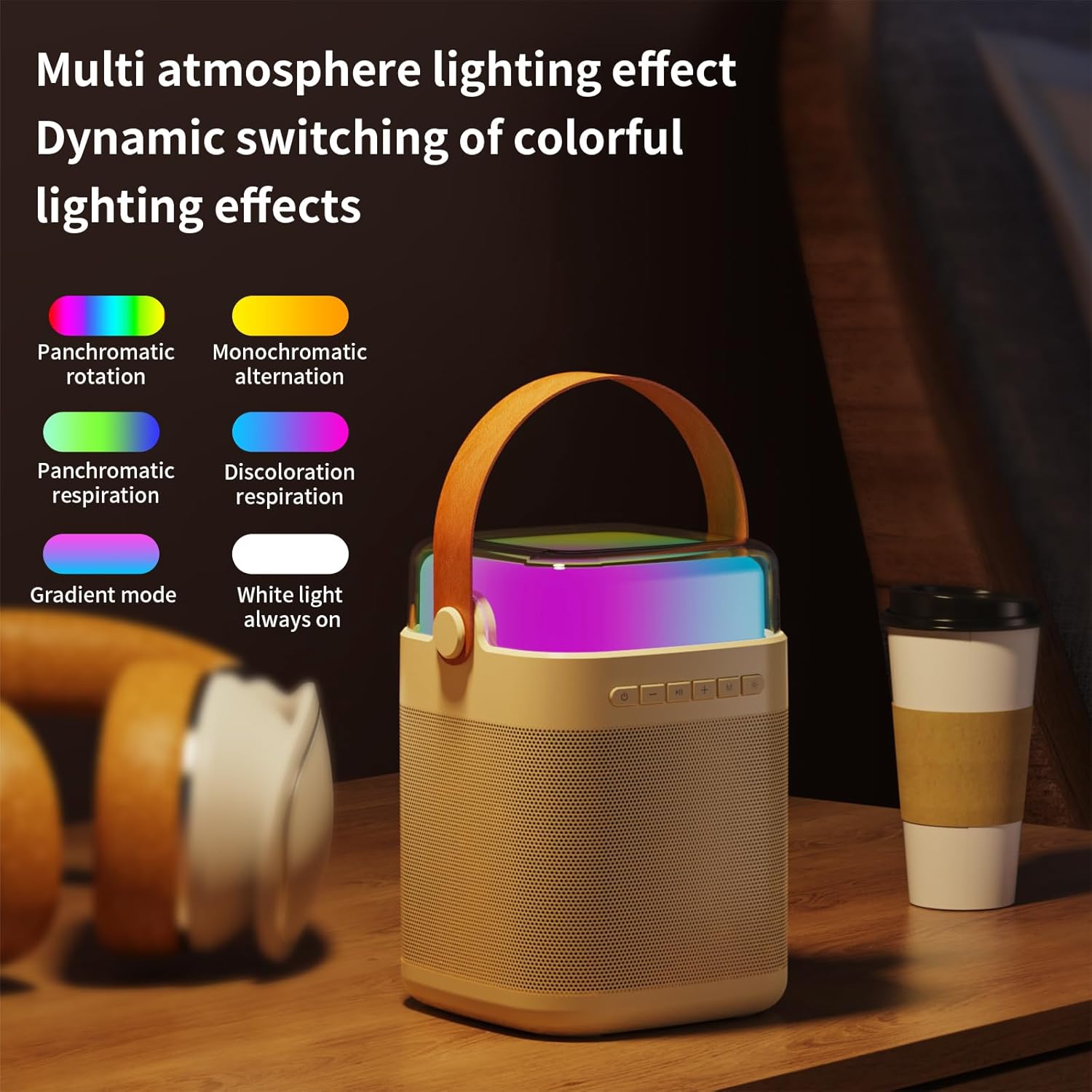
Figura 4: Mésview of the machine's features including colorful lights, dual wireless microphones, USB-C charging, AUX-in, SD card slot, and USB-A port.
Guia de configuració
1. Càrrega del dispositiu
Before first use, fully charge the karaoke machine speaker and both wireless microphones. Use the provided USB charging cable.
- Càrrega de l'altaveu: Connect the USB-C cable to the charging port on the speaker and to a USB power adapter (not included). The charging indicator will show status.
- Càrrega del micròfon: Connect the USB cable to the charging port on each microphone.
- Temps de càrrega: Speaker takes approximately 3 hours for a full charge. Microphones take approximately 2 hours.
2. Encès / apagat
- Ponent: Press and hold the power button on the speaker for 3 seconds to turn on or off.
- Micròfons: Press and hold the power button on each microphone for 3 seconds to turn on or off.
3. Connexió Bluetooth
The karaoke machine uses Bluetooth 5.3 for stable wireless connection to your devices.
- Turn on the karaoke machine speaker. It will automatically enter Bluetooth pairing mode.
- On your smartphone, tablet, or other Bluetooth-enabled device, go to Bluetooth settings and search for "HAILIWEI".
- Select "HAILIWEI" to pair. A voice prompt will confirm successful connection.
Once connected, you can play music from your device through the karaoke machine speaker.
4. Microphone Pairing
The two wireless microphones are pre-paired with the speaker. If they do not connect automatically:
- Ensure both the speaker and microphones are powered on.
- The microphones should automatically connect to the speaker. A blue indicator light on the microphone will confirm connection.
- If connection fails, turn off both the speaker and microphones, then turn them on again.
Instruccions de funcionament
1. Reproducció de música
- Bluetooth: Play music from your paired device.
- Entrada AUX: Connect an external audio source using the 3.5mm AUX cable.
- Targeta USB/TF: Insert a USB flash drive or TF (Micro SD) card with MP3 files into the respective port. The speaker will automatically play music.
2. Controls dels altaveus
The speaker features intuitive controls on its top panel:
- Botó d'encesa: Press and hold to power on/off. Short press to switch modes (Bluetooth/AUX/USB/TF).
- Botó Reproduir/Pausa: Premeu breument per reproduir o posar en pausa la música.
- Previous/Volume Down (-): Premeu curt per anar a la pista anterior. Premeu llargament per baixar el volum.
- Next/Volume Up (+): Premeu curt per a la següent pista. Premeu llargament per augmentar el volum.
- Microphone Volume (M): Ajusta el volum del micròfon.
- Light Mode Button (*): Short press to cycle through different lighting effects.

Figure 5: The speaker's top panel showing control buttons and dynamic lighting effects.
3. Ús del micròfon
- Ensure microphones are powered on and connected to the speaker.
- Speak or sing into the microphone. Adjust the microphone volume using the 'M' button on the speaker.
- Efectes de so: The system supports five sound change effects: Original Voice, Child, Monster, Male Voice, Female Voice. Refer to the speaker controls for activating these effects.
Manteniment
Proper care will extend the life of your karaoke machine.
- Neteja: Use a soft, dry cloth to clean the exterior of the speaker and microphones. Do not use abrasive cleaners or solvents.
- Emmagatzematge: Guardeu el dispositiu en un lloc fresc i sec, allunyat de la llum solar directa i de temperatures extremes.
- Cura de la bateria: Per mantenir la bateria en bon estat, carregueu el dispositiu regularment, fins i tot si no l'utilitzeu amb freqüència. Eviteu descarregar completament la bateria durant períodes prolongats.
- Exposició a l'aigua: Aquest dispositiu no és impermeable. Eviteu l'exposició a l'aigua o a una humitat elevada.
Resolució de problemes
If you encounter issues, please refer to the following common problems and solutions:
| Problema | Solució |
|---|---|
| No hi ha so de l'altaveu. |
|
| Els micròfons no funcionen. |
|
| Problemes de connexió Bluetooth. |
|
| Durada de la bateria curta. |
|
Especificacions
| Característica | Detall |
|---|---|
| Número de model | LYYX-M12 |
| Marca | HAILIWEI |
| Tipus de muntatge | Taula |
| Font d'alimentació | Funciona amb bateria |
| Tipus de connector | Auxiliar, USB |
| Material | Metall |
| Potència de sortidatage | 13 watts |
| Nombre de canals | 1 |
| Entrada d'àudio | Bluetooth, TF card, USB flash drive, AUX cable |
| Dimensions del producte | 6.62 x 5.2 x 7 polzades |
| Pes de l'article | 2.4 lliures |
| Pes del micròfon | 0.18 lliures (aprox.) |
| Capacitat de la bateria del micròfon | 500 mAh (aprox.) |
| Microphone Usage Time | Unes 15 hores |
| Capacitat de la bateria de l'altaveu | 3000 mAh (aprox.) |
| Speaker Usage Time | 5-12 hores |
| Tecnologia de connectivitat | AUX, Bluetooth, USB |
| Color | Beix |
| Dispositius compatibles | Smartphone, tauleta |

Figure 6: Detailed dimensions and weight of the speaker and microphone.
Garantia i Suport
HAILIWEI products are manufactured to high quality standards. For warranty information or technical support, please refer to the contact details provided with your purchase or visit the official HAILIWEI weblloc.
Additional user guides in PDF format may be available for download from the product's Amazon listing or the manufacturer's weblloc.
Documents relacionatsLYYX-M12


Ask a question about this manual
Ask about setup, troubleshooting, compatibility, parts, safety, or missing instructions. Manuals+ will review the question and use this page’s manual context to help answer it.