
1. Producte acabatview
The OCOOPA UT3 Pro is a set of AI Smart Magnetic Double-Sided Heating Hand Warmers designed to provide warmth and also function as a portable power bank. This manual provides instructions for safe and efficient use of your device.
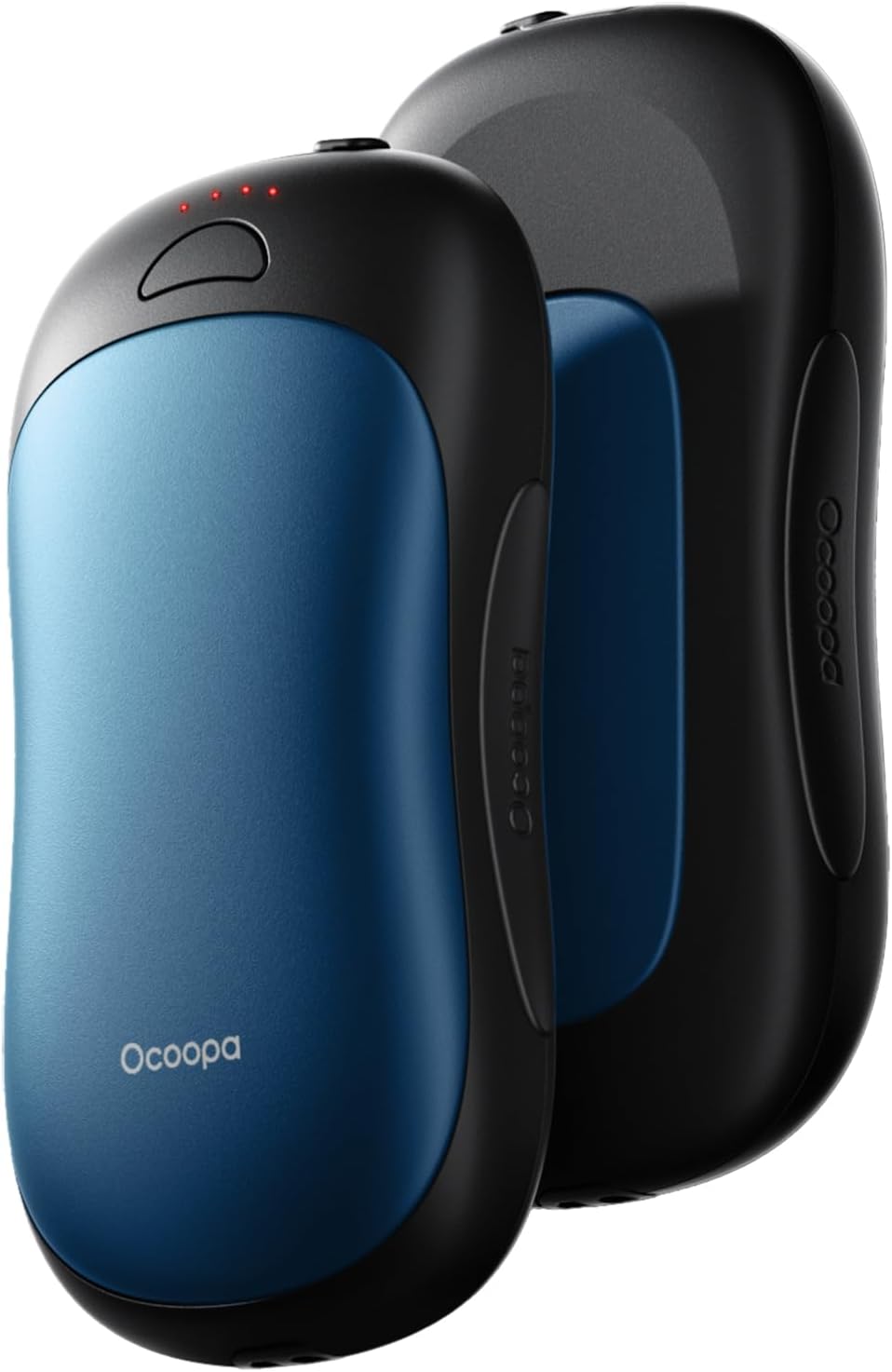
Image: Two OCOOPA UT3 Pro hand warmer units, shown magnetically connected. The front unit is Aegean Blue, and the rear unit is black.
Components inclosos:
- 2 x OCOOPA UT3 Pro Hand Warmers
- 2 cables de càrrega USB-A a USB-C
- 2 x Silicone Lanyards
- 1 x Bossa de vellut
- 1 x Manual d'usuari (aquest document)
2. Configuració i ús inicial
2.1 Càrrega inicial
Before first use, or after prolonged periods of non-use, fully charge both hand warmer units. This ensures optimal battery performance.
- Connect the provided USB-A to USB-C charging cable to a power adapter (not included) and to the USB-C port on each hand warmer unit.
- The indicator lights will illuminate to show charging status. A full charge typically takes approximately 3.5 hours.
- Once fully charged, the indicator lights will remain solid or turn off, depending on the unit's design. Disconnect the charging cable.
Note: The device supports USB-A to USB-C input for charging. USB-C to USB-C input or fast charging protocols are not supported for device charging.
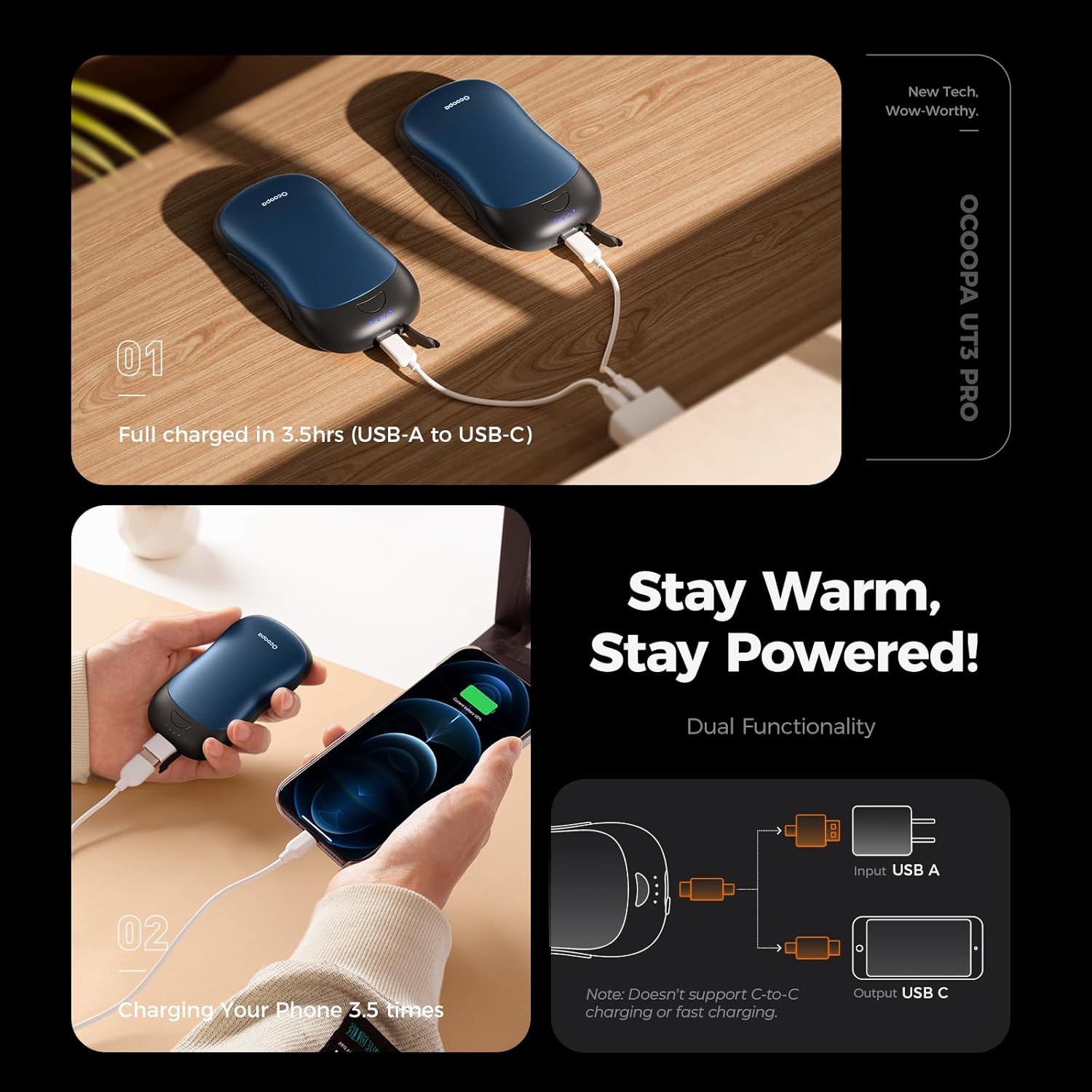
Image: Two OCOOPA UT3 Pro hand warmers connected to USB-A chargers, illustrating the charging process. Another image shows a hand warmer connected via USB-C to a smartphone, demonstrating its power bank function.
2.2 Magnetic Connection
The two UT3 Pro units are designed to magnetically connect, allowing for easy storage and portability. They can be used together or separated for individual use.

Image: Two OCOOPA UT3 Pro hand warmers being separated, illustrating their magnetic connection feature.
3. Instruccions de funcionament
3.1 Encès/Apagat
To power on or off each hand warmer unit, press and hold the power button for approximately 3 seconds. The indicator lights will illuminate or extinguish accordingly.
3.2 Ajust dels nivells de calor
The UT3 Pro offers four distinct heat levels. Once powered on, short press the power button to cycle through the heat settings:
- Nivell 1: Aproximadament 38-43 °C (100-109 °F)
- Nivell 2: Aproximadament 43-48 °C (109-118 °F)
- Nivell 3: Aproximadament 48-53 °C (119-127 °F)
- Nivell 4: Aproximadament 53-58 °C (128-136 °F)
The indicator lights will change to reflect the selected heat level. The device features memory recall, so it will start at the last used heat setting.

Image: A graphic illustrating the four heat settings of the OCOOPA UT3 Pro, with corresponding temperature ranges and suggested usage scenarios (Indoor, Urban, Outdoor, Extreme Cold).
3.3 Dual-Sided Heating and AI Warmth Mode
The UT3 Pro utilizes exclusive Hall Sensor + AI temperature control for true dual-sided heating, providing warmth from your palm to your fingertips. This technology ensures efficient heat distribution and optimized power usage.

Image: Two hands holding OCOOPA UT3 Pro hand warmers, with one showing 'Outer heating' and the other 'Inner heating', illustrating the dual-sided warmth.

Image: A diagram comparing the OCOOPA UT3 Pro's effective dual-sided heating with other magnetic hand warmers that may only offer single-sided heating.
3.4 Funcionalitat del banc d'energia
Each UT3 Pro unit can also serve as a portable power bank to charge your mobile devices. With a total capacity of 10000mAh (two 5000mAh batteries), it can charge a typical smartphone up to 3.5 times.
- Connect your mobile device's charging cable to the USB-C output port of the hand warmer.
- The hand warmer will automatically begin charging your device.
Note: Ensure your device's charging cable is compatible with the USB-C output port. The hand warmer does not support C-to-C fast charging for external devices.
4. Manteniment
4.1 Neteja
To clean the hand warmers, gently wipe the surface with a soft, dry cloth. Do not use abrasive cleaners, solvents, or immerse the device in water.
4.2 Emmagatzematge
When storing the hand warmers for an extended period, ensure they are fully charged. Store them in a cool, dry place away from direct sunlight and extreme temperatures.
5. Solució De Problemes
5.1 El dispositiu no escalfa
- Assegureu-vos que el dispositiu estigui encès.
- Check the battery level. If low, recharge the device.
- Cycle through the heat settings to ensure a level is selected.
5.2 El dispositiu no es carrega
- Verify that the charging cable is securely connected to both the hand warmer and the power source.
- Assegureu-vos que l'adaptador d'alimentació funciona correctament.
- Confirm you are using a USB-A to USB-C cable and not a C-to-C cable for input charging.
5.3 Power Bank Function Not Working
- Ensure the hand warmer has sufficient battery charge.
- Verify that the cable connecting the hand warmer to your external device is functional and correctly inserted.
- Confirm your external device is compatible with USB-C charging.
If issues persist, please contact OCOOPA customer support.
6. Especificacions
| Característica | Especificació |
|---|---|
| Marca | OCOOPA |
| Nom del model | UT3 PRO |
| Número de part | UT4102-BU_BK |
| Color | Blau Egeu |
| Material | Alumini |
| Tipus de bateria | Polímer de liti |
| Capacitat de la bateria | 10000 mAh (2 x 5000 mAh units) |
| Temps de càrrega | Approx. 3.5 hours (via USB-A to USB-C) |
| Nivells de calor | 4 nivells |
| Interval de temperatura | 38 °C - 58 °C |
| Reutilitzabilitat | Recarregable |
| Font d'alimentació | Funciona amb bateria |
| Dimensions de l'article (LxWxH) | 2.2 x 4.13 x 0.83 polzades (per unitat) |
| Pes de l'article | 0.3 Kilograms (total for two units) |
| Any model | 2023 |

Image: A comparison table highlighting key features of the UT3 Pro, such as double-sided heating, 10000mAh capacity, and up to 136°F temperature, against other hand warmers.
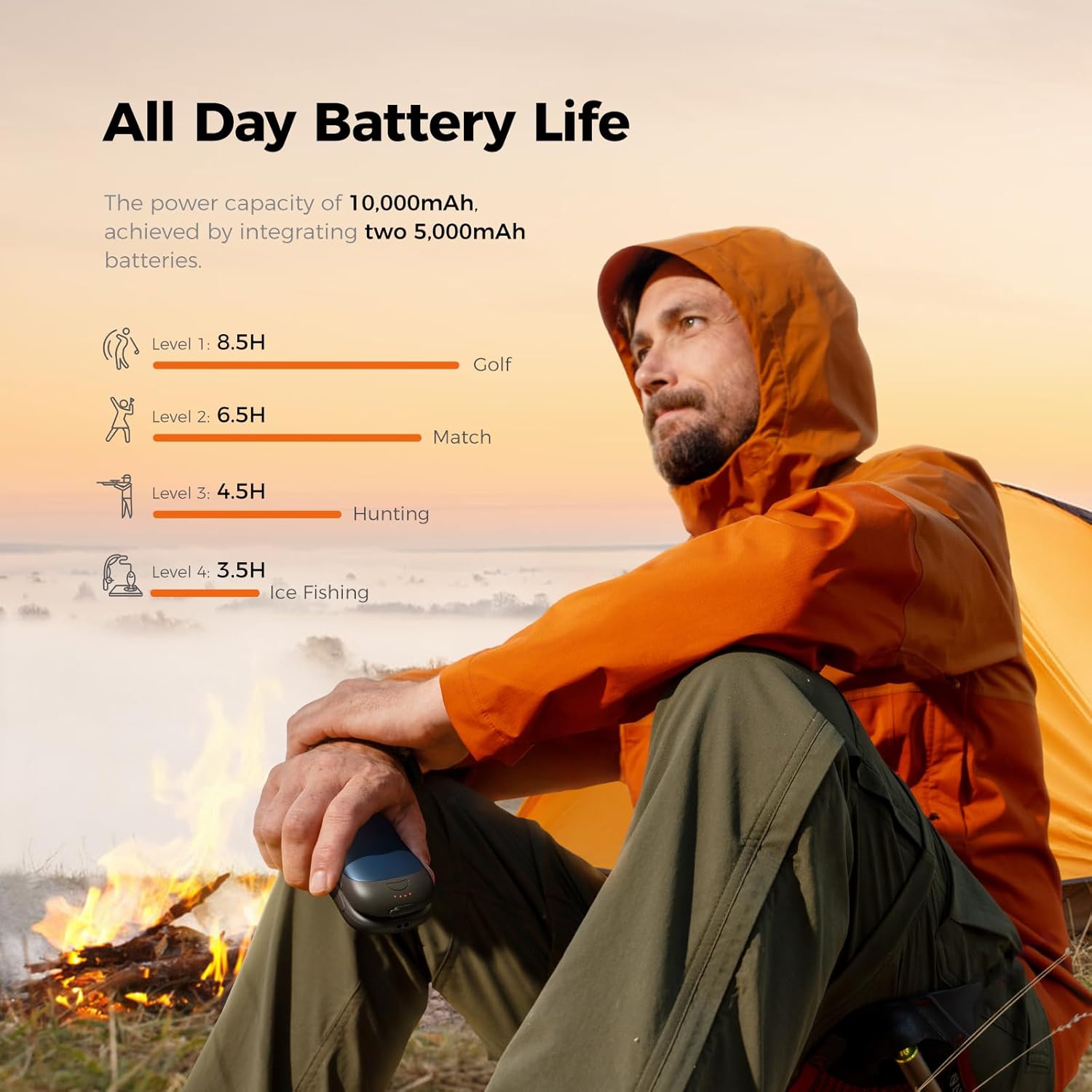
Image: A chart illustrating the approximate battery life of the OCOOPA UT3 Pro at different heat levels, ranging from 8.5 hours on Level 1 to 3.5 hours on Level 4.
7. Informació de seguretat
The OCOOPA UT3 Pro is designed with multiple safety features to ensure reliable operation. These include:
- Protecció contra sobreintensitat
- Protecció contra sobrecàrregues
- Over-Circuit Protection
- Protecció contra el sobrecalent
Precaucions de seguretat importants:
- No exposeu el dispositiu a temperatures extremes, llum solar directa ni flames obertes.
- Do not puncture, disassemble, or modify the device.
- Mantenir fora de l'abast dels nens.
- Eviteu deixar caure el dispositiu ni sotmetre'l a impactes forts.
- If the device becomes excessively hot, emits smoke, or shows signs of damage, discontinue use immediately and contact support.

Image: An OCOOPA UT3 Pro hand warmer displayed with icons representing its multi-layer protection and intelligent safeguards, including over-current, over-charge, over-circuit, and over-heat protection.
8. Garantia i Suport
8.1 Informació de la garantia
The OCOOPA UT3 Pro Hand Warmers come with a 12-month limited warranty from the date of purchase. This warranty covers manufacturing defects and workmanship under normal use. It does not cover damage caused by misuse, accidents, unauthorized modifications, or normal wear and tear.
8.2 Atenció al client
For warranty claims, technical assistance, or any questions regarding your OCOOPA UT3 Pro, please contact OCOOPA customer support through their official website or the retailer where the product was purchased. Please have your purchase receipt and product model information ready when contacting support.